
havit TW969
HAVIT TW969 True Wireless Earbuds User Manual
Model: TW969 | Brand: HAVIT
1. Product Overview
The HAVIT TW969 True Wireless Earbuds are designed for a comfortable audio experience with advanced features. These earbuds offer wireless connectivity, smart touch controls, and a long battery life, making them suitable for daily use and gaming.

Image 1.1: HAVIT TW969 True Wireless Earbuds and their charging case. The earbuds are shown outside the open beige charging case, highlighting their compact design.
Key Features:
- Lightweight Body: Designed for extended wear comfort.
- Comfortable to Wear: Ergonomic design for a secure fit.
- Dual Microphone ENC: Enhanced noise cancellation for clear calls.
- Low Latency GAME Mode: Optimized for gaming with minimal audio delay.
- 8mm Dynamic Unit: Delivers rich and clear audio.
- Bluetooth 5.3: Provides stable and efficient wireless connectivity.
- 23-Hour Battery Life: Combined battery life with the charging case.
- Smart Touch Control: Intuitive controls for music and calls.
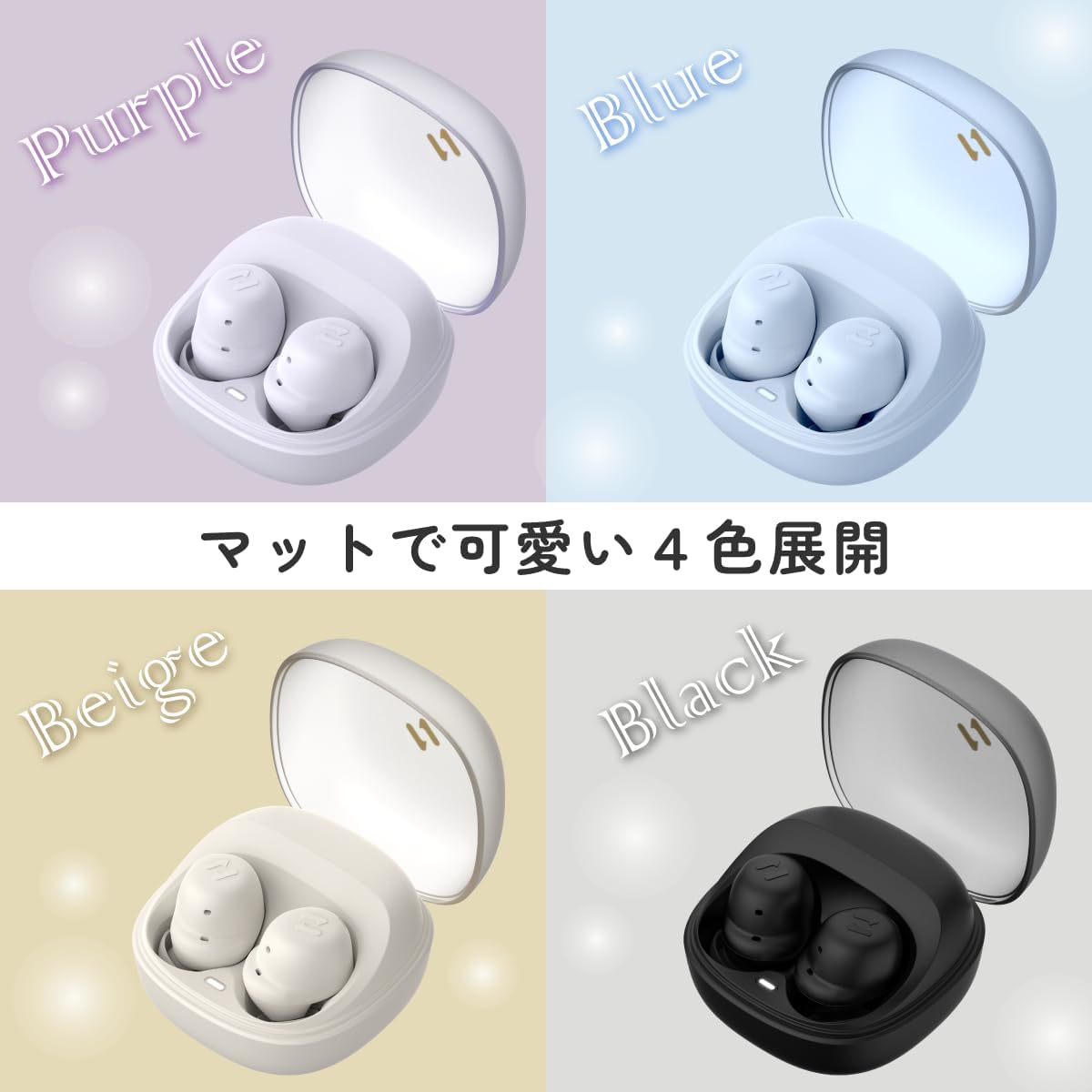
Image 1.2: The HAVIT TW969 earbuds and their cases displayed in four different colors: Purple, Blue, Beige, and Black, showcasing the available color options.
2. Setup and Initial Use
2.1 Charging the Earbuds and Case
Before first use, fully charge the earbuds and the charging case. Place the earbuds into the charging case. Connect the charging case to a power source using a compatible USB cable. The indicator lights on the case will show the charging status. A full charge typically takes approximately 1.5 to 2 hours.
2.2 Bluetooth Pairing
- Ensure the earbuds are charged and inside the charging case.
- Open the charging case. The earbuds will automatically enter pairing mode, indicated by a flashing light on one or both earbuds.
- On your device (smartphone, tablet, etc.), enable Bluetooth.
- Search for available Bluetooth devices. Select "HAVIT TW969" from the list.
- Once connected, a voice prompt will confirm successful pairing, and the earbud indicator lights will turn off or show a steady light.
- If pairing fails, place the earbuds back into the case, close the lid, wait a few seconds, and then repeat the steps.
3. Operating the Earbuds
3.1 Smart Touch Controls
The HAVIT TW969 earbuds feature intuitive touch controls on each earbud. The specific functions may vary slightly, but common controls include:
- Play/Pause: Single tap on either earbud.
- Next Track: Double tap on the right earbud.
- Previous Track: Double tap on the left earbud.
- Answer/End Call: Single tap on either earbud during an incoming call.
- Reject Call: Press and hold either earbud for 2 seconds during an incoming call.
- Activate Voice Assistant: Triple tap on either earbud (e.g., Siri, Google Assistant).
- Toggle Game Mode: Press and hold the right earbud for 2 seconds to switch between normal and low-latency game mode.

Image 3.1: A person wearing the HAVIT TW969 earbud, demonstrating its comfortable and discreet fit in the ear.
3.2 Game Mode
The Low Latency GAME Mode reduces audio delay, providing a more synchronized experience for gaming. Activate or deactivate this mode using the touch controls as described above.
4. Maintenance and Care
- Cleaning: Regularly clean the earbuds and charging case with a soft, dry, lint-free cloth. Do not use harsh chemicals or abrasive materials.
- Ear Tips: If removable, clean the ear tips with mild soap and water, then dry thoroughly before reattaching.
- Charging Ports: Ensure the charging contacts on the earbuds and inside the case are clean and free of debris.
- Storage: When not in use, store the earbuds in their charging case to protect them and keep them charged. Avoid extreme temperatures and humidity.
- Water Resistance: These earbuds are not specified as waterproof. Avoid exposure to water or excessive moisture.
5. Troubleshooting
| Problem | Solution |
|---|---|
| Earbuds not pairing with device. |
|
| Only one earbud is playing sound. |
|
| Earbuds not charging. |
|
| Poor sound quality. |
|
6. Product Specifications
| Feature | Detail |
|---|---|
| Model Name | TW969 stereo |
| Item Model Number | TW969 |
| Brand Name | havit |
| Connectivity Technology | Wireless |
| Wireless Communication Technology | Bluetooth V5.3 |
| Headphones Form Factor | In Ear |
| Color | Beige |
| Material | Plastic |
| Control Type | Voice Control, Touch Control |
| Included Components | Charging Station |
| Battery Life (Earbuds + Case) | Up to 23 hours |
| Driver Size | 8mm Dynamic Unit |
| Microphone | Dual Microphone with ENC |
| Package Dimensions | 12.4 x 9.4 x 4.8 cm |
| Item Weight | 110 g |
7. Warranty and Support
For warranty information, technical support, or any product-related inquiries, please refer to the warranty card included in your product packaging or visit the official HAVIT website. You may also contact HAVIT customer service directly for assistance.
Keep your purchase receipt as proof of purchase for warranty claims.
Related documentsTW969


Ask a question about this manual
Ask about setup, troubleshooting, compatibility, parts, safety, or missing instructions. Manuals+ will review the question and use this page’s manual context to help answer it.