
Steiner 5202
Steiner P4Xi 1-4x24mm Riflescope User Manual
Model: 5202 | Brand: Steiner
1. Overview
The Steiner P4Xi 1-4x24mm Riflescope is a high-performance optic designed for use on patrol rifles and other law enforcement platforms. It offers a compact design, true 1x magnification at close range, and an illuminated P3TR reticle for versatile use in various lighting conditions. This riflescope is built with durable aluminum material and is engineered for reliability and precision.
2. Setup
Proper setup is crucial for optimal performance of your Steiner P4Xi riflescope. Ensure the scope is securely mounted to your rifle using a compatible ring mount system.
2.1 Mounting
Attach the riflescope to your rifle using a suitable ring mount. Ensure all mounting screws are tightened to the manufacturer's recommended torque specifications to prevent movement during use. The scope is designed for a secure fit on rifle platforms.
2.2 Turret Adjustments
The P4Xi features low-profile covered turrets for windage and elevation adjustments. These turrets are designed to be less likely to snag during movement. To adjust, unscrew the protective caps. The turrets provide a half-click MOA adjustment, allowing for precise zeroing. Once zeroed, it is generally recommended to leave these adjustments set, as this type of optic is typically zeroed once and then used without frequent adjustments.
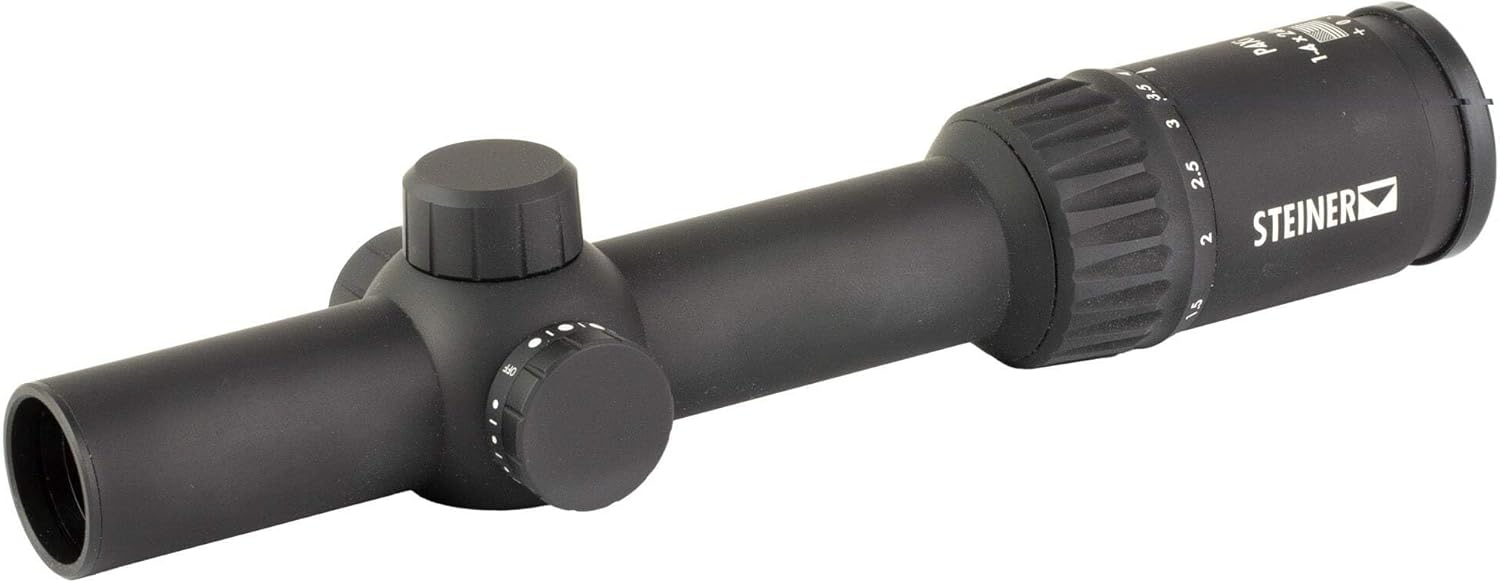
Figure 1: Top-down view of the Steiner P4Xi riflescope, highlighting the turrets and magnification ring.
2.3 Illumination Controls
The illuminated P3TR reticle features 5 day, 4 low light, and 2 night vision (NV) levels. The illumination control knob is located on the side of the scope. Each setting has an 'Off' position in between, which completely disconnects the battery to prevent drain when not in use. Rotate the knob to select your desired brightness level or to turn the illumination off.

Figure 2: Side view of the Steiner P4Xi riflescope, detailing the illumination control knob.
3. Operating
3.1 Magnification Adjustment
Adjust the magnification from 1x to 4x by rotating the magnification ring located near the eyepiece. The true 1x magnification is ideal for close-quarters engagements, while higher magnifications provide clarity for longer distances.

Figure 3: View of the Steiner P4Xi riflescope, illustrating the magnification adjustment ring.
3.2 Reticle Illumination
The illuminated P3TR reticle enhances visibility in various lighting conditions. Turn the illumination control knob to activate the reticle and select the appropriate brightness level. Remember to turn the illumination off when not in use to conserve battery life.
4. Maintenance
4.1 Cleaning
To clean the lenses, use a soft, lint-free cloth and a lens cleaning solution specifically designed for optics. Gently wipe the lens surfaces to remove dust and smudges. For the riflescope body, a damp cloth can be used to wipe away dirt. Avoid using abrasive materials or harsh chemicals.
4.2 Water Resistance
The Steiner P4Xi riflescope is water resistant to 33 feet. While it can withstand immersion, it is recommended to dry the scope thoroughly after exposure to water to prevent water spots and ensure longevity.
4.3 Storage
Store the riflescope in a cool, dry place away from direct sunlight and extreme temperatures. Use a protective cover or case to prevent scratches and impacts.
5. Troubleshooting
If you encounter any issues with your Steiner P4Xi riflescope, please refer to the following general advice:
- No Reticle Illumination: Check the battery. Ensure the illumination control knob is not set to an 'Off' position.
- Unclear Image: Adjust the diopter setting on the eyepiece to match your vision. Ensure lenses are clean and free of smudges.
- Zero Shift: Verify that the scope is securely mounted and that all screws are properly torqued.
For persistent problems or issues not covered here, please contact Steiner customer support for assistance.
6. Specifications
| Feature | Detail |
|---|---|
| Brand | Steiner |
| Model Name | Steiner 5201 P3TR P4Xi Riflescope with 1x-4x24mm |
| Model Number | 5202 |
| Color | Black |
| Material | Aluminum |
| Magnification Minimum | 1x |
| Objective Lens Diameter | 24 Millimeters |
| Reticle Type | P3TR |
| Item Weight | 1.1 Pounds |
| Item Dimensions (LxWxH) | 2.76 x 3.94 x 2.76 inches |
| Field Of View | 42.8 Feet |
| Water Resistance | 33 Feet |
| Mounting Type | Ring Mount |
| Compatible Devices | Rifle |
7. Warranty and Support
7.1 Steiner Heritage Warranty
Steiner stands behind its products with the Heritage Warranty. This warranty covers repair or replacement of defective products at no charge for the lifetime of the product. However, it is important to note that the warranty does not cover damage, loss, or theft.
For the electronic components of the riflescope, there is a specific 3-year warranty. This means that while the mechanical parts are covered for life, electronic issues are covered for a period of three years from the date of purchase.
7.2 Customer Support
For warranty claims, technical assistance, or any other inquiries, please contact Steiner customer support. Refer to the official Steiner website or product packaging for the most current contact information.
Related documents5202


Ask a question about this manual
Ask about setup, troubleshooting, compatibility, parts, safety, or missing instructions. Manuals+ will review the question and use this page’s manual context to help answer it.