1. Product Overview
The ANRAN Solar Security Camera System offers a robust and wire-free solution for home surveillance. This 4-camera kit features 4MP Full HD resolution, integrated solar panels for continuous power, and a central Homebase for secure local storage without any monthly fees. Designed for outdoor use, these cameras provide 360° pan and tilt capabilities, color night vision, and real-time alerts, ensuring comprehensive coverage and peace of mind.

Image: The ANRAN 4-camera solar security system, including four cameras with integrated solar panels, a central Homebase, and a 64GB SD card, demonstrating remote viewing on a smartphone and laptop.
2. What's Included
- 4 x ANRAN Solar Security Cameras
- 1 x Homebase Station
- Mounting accessories (screws, anchors)
- USB charging cables
- User Manual (this document)
3. Key Features
3.1 No Monthly Fees & Local Storage
All recordings are encrypted and stored directly in the Homebase, eliminating the need for subscription fees. The included 64GB local storage supports up to 4 months of video loop recording, ensuring your data remains secure even if cameras are damaged or lost.
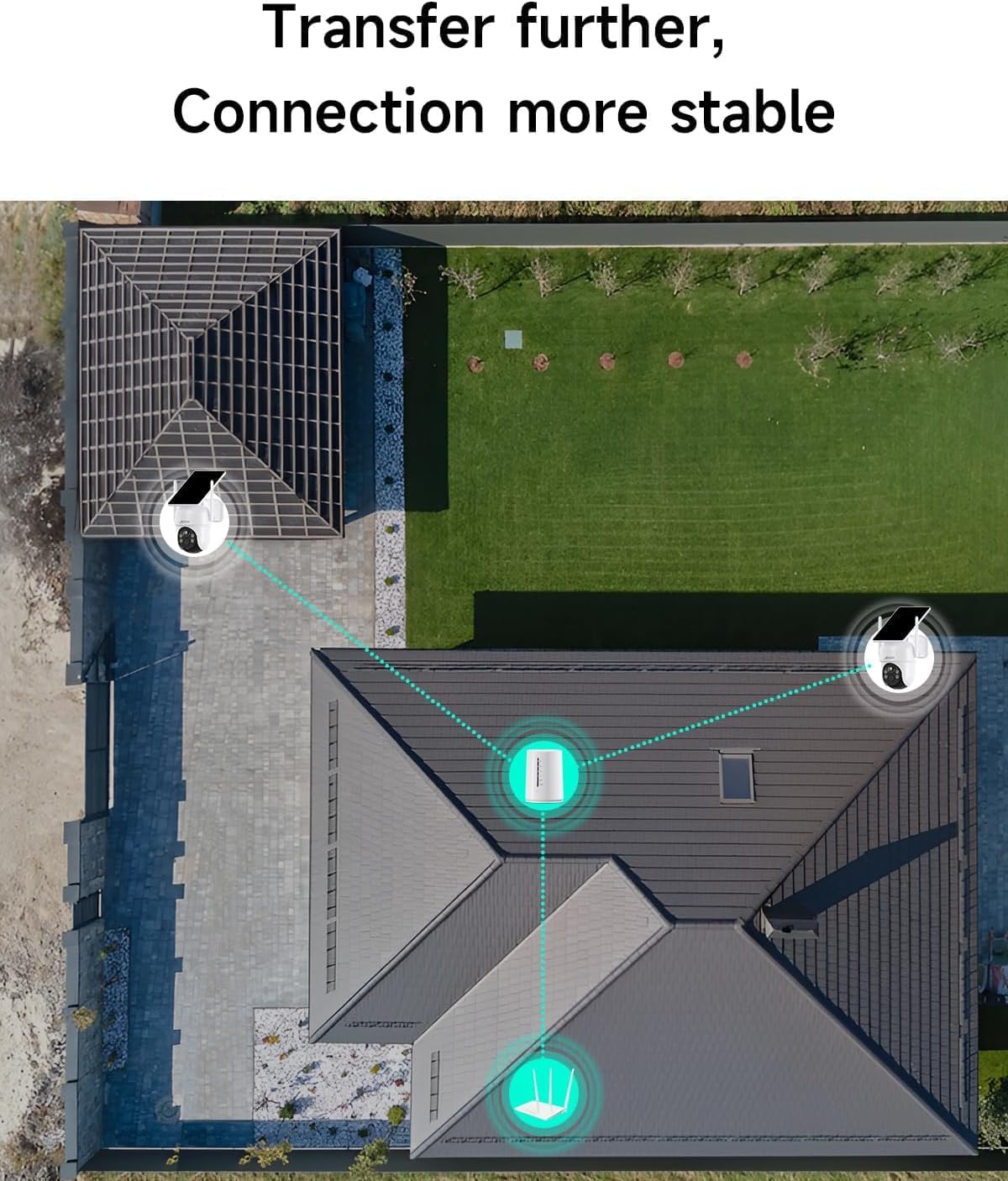
Image: The ANRAN Homebase, highlighting its support for up to 512GB storage and 120 days of loop recording without subscription fees.
3.2 4-in-1 Base Station Kit for Enhanced Stability
The Homebase acts as a dedicated hub, reducing strain on your router and improving camera signal stability. Cameras connect to the Homebase via a dedicated channel, ensuring a more reliable network connection and enhanced user experience.

Image: An aerial view illustrating how the ANRAN Homebase centrally connects multiple cameras, ensuring stable and extended wireless coverage across a property.
3.3 Solar Powered & 100% Wireless
Each camera features an integrated solar panel, providing continuous power with sufficient daily sunlight. This design ensures 100% wireless operation, simplifying installation and offering greater flexibility in camera placement.

Image: A close-up of the ANRAN wireless camera with its embedded solar panel, illustrating how it efficiently converts sunlight into power for continuous operation.
3.4 360° Pan & Tilt Coverage
The cameras offer 360° rotation, allowing you to monitor every corner of your property without blind spots. The ANRAN app provides full control over pan (355°) and tilt (90°) movements.

Image: A hand holding a smartphone displaying the ANRAN app interface, controlling the 355° pan and 90° tilt movement of a solar-powered security camera mounted on a wall.
3.5 4MP High Definition Resolution
Experience clearer details with 4MP picture quality, which is sharper than 3MP video. This allows for better identification of features, even at night.

Image: A side-by-side comparison showing the superior clarity and detail of 4MP high-definition video on the left, compared to 1080P/3MP video on the right, captured from a security camera.
3.6 PIR Human Motion Detection & Real-time Alerts
The system utilizes Passive Infrared (PIR) technology for accurate human motion detection, minimizing false alarms. Receive instant light, audible, and message notifications directly to your smartphone when activity is detected.

Image: A security camera with spotlight and siren activating in response to a detected human figure, illustrating light, audible, and message notification alerts.
3.7 4MP HD Color Night Vision
Choose between two customizable night vision modes: infrared for discreet monitoring or full-color night vision for enhanced detail in low-light conditions.
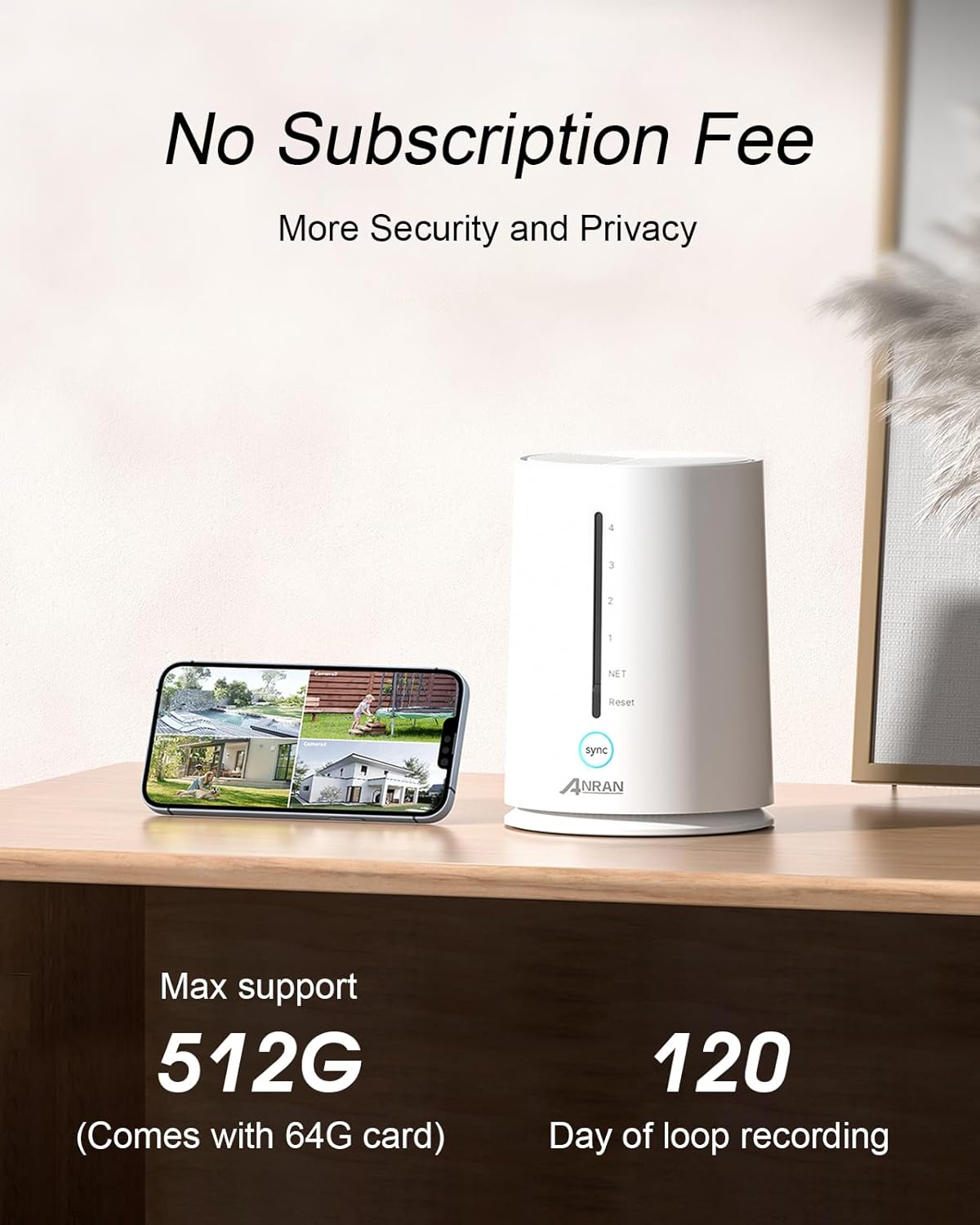
Image: A split image demonstrating the difference between standard black and white night vision (left) and 4MP HD color night vision (right) from a security camera, showing a house at night.
4. Setup Guide
4.1 Initial Charging & Power
Before installation, ensure your cameras are sufficiently charged. While solar panels provide continuous power, an initial charge via the USB cable is recommended for optimal performance.
4.2 Homebase Connection
- Connect the Homebase to your router using an Ethernet cable.
- Plug in the power adapter for the Homebase.
4.3 Camera Pairing with Homebase
Follow these steps to pair each camera with the Homebase:
- Reset the camera: Locate the reset button on the camera (usually under a rubber cover) and press it until you hear a prompt.
- Press SYNC button on Homebase: Press and hold the SYNC button on the Homebase for 3-5 seconds. The Homebase will indicate it's ready for pairing.
- Camera beeps: The camera will beep and announce "Matching code Succeeded" once paired.
- Homebase confirmation: The Homebase will also beep and announce "WiFi Matching Succeeded."

Image: A four-step visual guide demonstrating the camera pairing process: 1. Reset camera, 2. Press SYNC button on Homebase, 3. Camera confirms "Matching code Succeeded", 4. Homebase confirms "WiFi Matching Succeeded".
4.4 App Installation
Download the official ANRAN app from the App Store (iOS) or Google Play Store (Android). Follow the in-app instructions to add your Homebase and cameras.
4.5 Installation Location
Mount the cameras in desired outdoor locations, ensuring the solar panel receives adequate direct sunlight throughout the day. The 100% wireless design makes installation straightforward without additional drilling for power cables.

Image: A person on a ladder installing an ANRAN solar security camera on an exterior wall, demonstrating the ease of installation due to its wireless and integrated solar panel design.
4.6 Product Introduction Video
Video: A brief product introduction video showcasing the ANRAN solar security camera system and its components.
5. Operating Your System
5.1 Live View & Playback
Open the ANRAN app to view live feeds from all connected cameras. Access recorded footage from the Homebase's local storage for playback. The app allows you to easily navigate through timelines and events.
5.2 Two-Way Audio
Utilize the built-in microphone and speaker on each camera for two-way communication. This feature allows you to speak to visitors or deter intruders directly through the app.
5.3 Customizing Alerts & Settings
Adjust motion detection sensitivity, set activity zones, and configure alert preferences within the app. You can also switch between infrared and color night vision modes based on your needs.
6. Maintenance
6.1 Solar Panel Cleaning
Periodically clean the surface of the solar panels with a soft, damp cloth to ensure maximum sunlight absorption and efficient charging. Avoid abrasive materials that could scratch the panel.
6.2 Battery Status Monitoring
Monitor the battery status of each camera through the ANRAN app. While solar power provides continuous charging, extreme weather or prolonged periods without sunlight may require manual charging via the USB port.
6.3 Firmware Updates
Regularly check for and install firmware updates through the ANRAN app. Updates often include performance improvements, new features, and security enhancements.
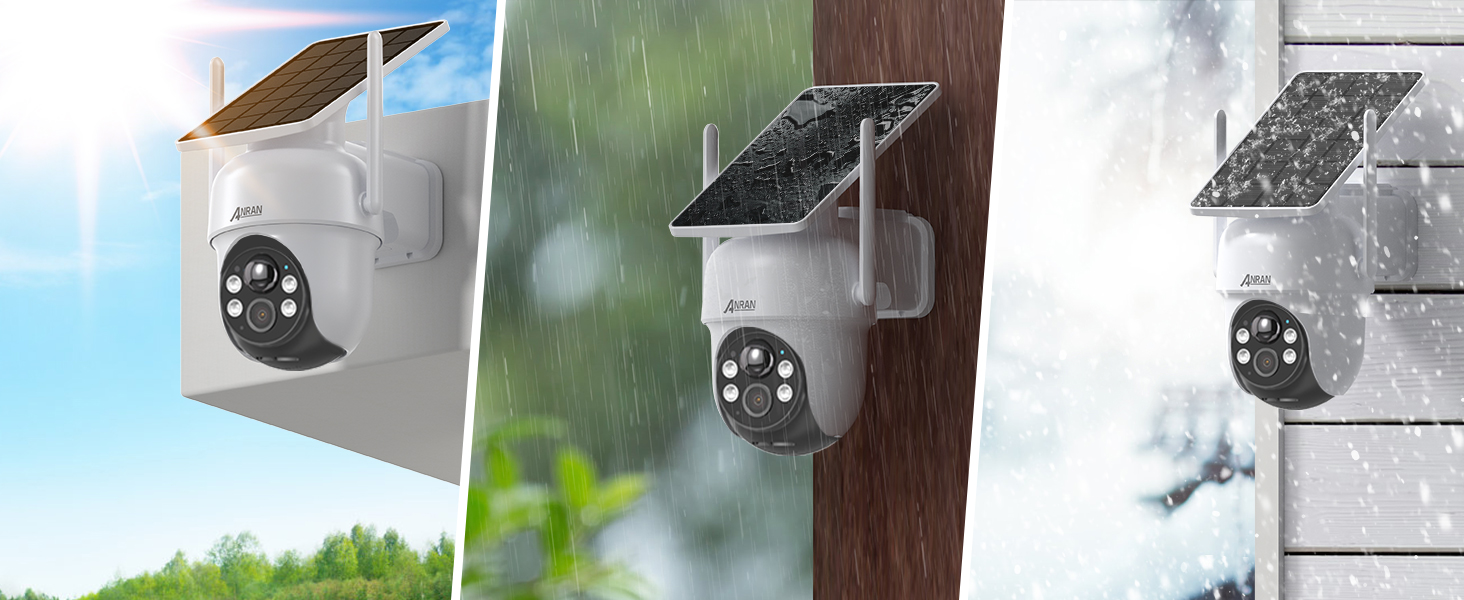
Image: Three panels depicting the ANRAN camera's durability in various weather conditions: sunny, rainy, and snowy, highlighting its robust design for outdoor use.
7. Troubleshooting
7.1 Camera Offline
- Check Homebase power and Ethernet connection.
- Ensure camera battery is charged.
- Verify camera is within Homebase Wi-Fi range.
- Restart the camera and Homebase.
7.2 Poor Video Quality
- Clean the camera lens.
- Check Wi-Fi signal strength in the app.
- Ensure adequate lighting for night vision.
7.3 Motion Detection Issues
- Adjust motion sensitivity settings in the app.
- Ensure no obstructions are blocking the camera's view.
- Verify activity zones are correctly configured.
8. Specifications
| Feature | Detail |
|---|---|
| Brand | ANRAN |
| Model Number | Q4 |
| Video Capture Resolution | 4MP |
| Power Source | Solar Powered |
| Connectivity Technology | Wireless (Wi-Fi) |
| Viewing Angle | 360 Degrees (Pan & Tilt) |
| Night Vision Range | 10 Meters |
| Local Storage | 64GB Homebase (Expandable) |
| Indoor/Outdoor Usage | Outdoor |
| International Protection Rating | IP66 |
| Item Weight | 8.26 pounds (total kit) |
| Dimensions (L x W x H) | 14.17 x 6.69 x 16.34 inches (package) |
9. Warranty & Support
ANRAN offers a 2-year warranty for its cameras. For any technical support or product replacement inquiries, please contact our professional technical and after-sales team. We are available to assist you within 24 hours on weekdays.
Contact Email: support@anran-cctv.com

Image: A graphic representing ANRAN's customer support, emphasizing 7/24-hour service, email support, and a 2-year warranty.


