
1. Introduction
The SYDYAM Z5 2K Body Camera is a compact and versatile device designed for high-resolution audio and video recording. It features a 2.0-inch screen for monitoring and playback, night vision capabilities, and a long-lasting battery, making it suitable for various applications such as law enforcement, security, hiking, and personal protection. This manual provides detailed instructions for setting up, operating, and maintaining your device.
Video: Overview of the SYDYAM Z5-2K/1440P Body Worn Camera. This video demonstrates the camera's design and key features.
2. Setup
2.1 Unboxing
Carefully unpack all components from the box. Ensure you have the SYDYAM Z5 Body Camera, charger, Type-C cable, user manual, long clip, and short clip.
Video: Unboxing the SYDYAM Z5 Body Worn Camera. This video shows the contents of the product packaging.
2.2 Attaching the Clips
The camera comes with both a 360° rotatable long clamp and a 360° rotatable short clamp for versatile mounting options. To attach a clip, align the clip's base with the slot on the back of the camera and slide it in until it clicks securely. To remove, press the release button and slide the clip out.
Video: How to use the accessories (Z5 Model). This video demonstrates the attachment and removal of the rotatable clips.
2.3 Charging the Battery
Before first use, fully charge the camera. Connect the Type-C cable to the camera's Type-C interface and the other end to the provided charger. Plug the charger into a power outlet. The charging indicator will show the charging status. A full charge typically takes approximately 4 hours.

Image: The SYDYAM Z5 Body Camera connected to its Type-C charger, illustrating its 3000mAh battery and charging process.
2.4 Inserting a Memory Card
The SYDYAM Z5 does not include a memory card. It supports Micro SD cards ranging from 32GB to 512GB. To insert a card, locate the memory card slot, gently push the card in until it clicks into place. Ensure the camera is powered off before inserting or removing the memory card.

Image: The SYDYAM Z5 Body Camera shown with a MicroSD card, highlighting its large-capacity external storage capability.
3. Operating Instructions
3.1 Power On/Off
To power on the camera, press and hold the Power button until the screen illuminates. To power off, press and hold the Power button again until the device shuts down.
3.2 Video Recording
The camera supports 1440P high-resolution video recording at 30 frames per second (fps). To start recording, press the dedicated Video Record button. Press it again to stop. The camera uses H.264 encoding for efficient storage and transfer. Marked video files will not be deleted during loop recording, helping to preserve important footage.

Image: The SYDYAM Z5 Body Camera demonstrating its 2K video recording capability, capturing clear images.
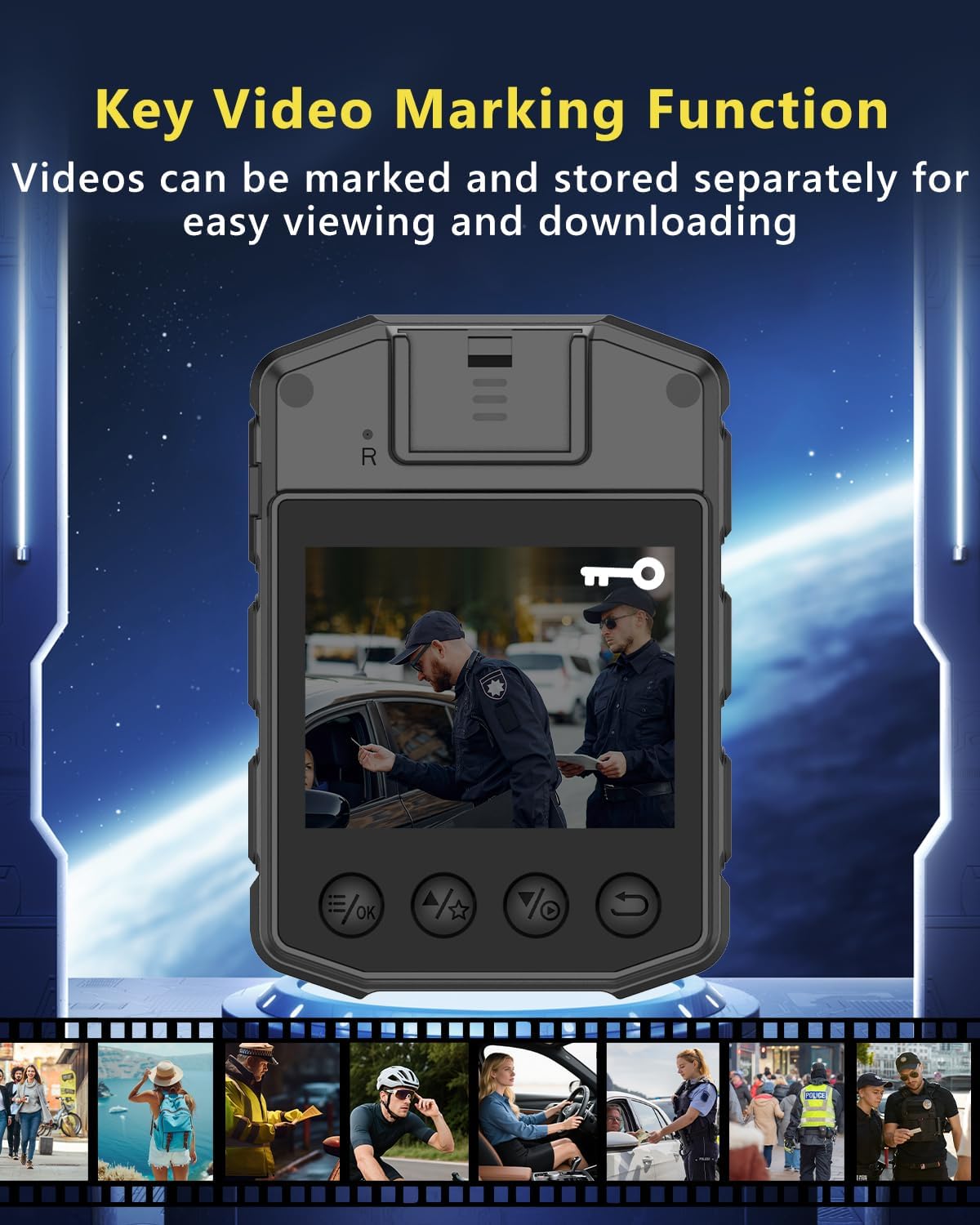
Image: The SYDYAM Z5 Body Camera's screen displaying the Key Video Marking Function, which allows users to mark and store important video files separately.
3.3 Photo Capture
To take a photo, press the dedicated Photo button. The camera will capture a still image.
3.4 Audio Recording
The camera supports independent audio recording. Refer to the user manual for specific button assignments for audio-only recording.
3.5 Night Vision
The SYDYAM Z5 features 6 high-power infrared lights for clear recording in dark environments, visible up to 32 feet (10 meters). Night vision can be set to auto or manual mode. White light and alarm light can be activated as needed.

Image: The SYDYAM Z5 Body Camera demonstrating its Night Vision Function, capable of recording in total darkness.
Video: SYDYAM Z5 Body Camera Display. This video shows the camera's display and interface during operation.
3.6 Password Protection
You can set a 6-digit device password to protect your recorded data. Without the correct password, unauthorized users cannot view or delete files.
3.7 OTG Function
The camera supports OTG functionality, allowing direct connection to an Android phone for file download (requires a USB-C to USB adapter). It can also be connected to a computer for file transfer.
3.8 Other Functions
The SYDYAM Z5 includes additional features such as:
- Post-Recording: Captures events that occurred just before the record button was pressed.
- Motion Detection: Automatically starts recording when motion is detected.
- Independent Volume Control: Adjust audio levels separately.
- Date Stamp: Overlays date and time on recordings.
- Car Mode: Optimizes recording for in-vehicle use.
- Stealth Mode: Operates discreetly without visible indicators.
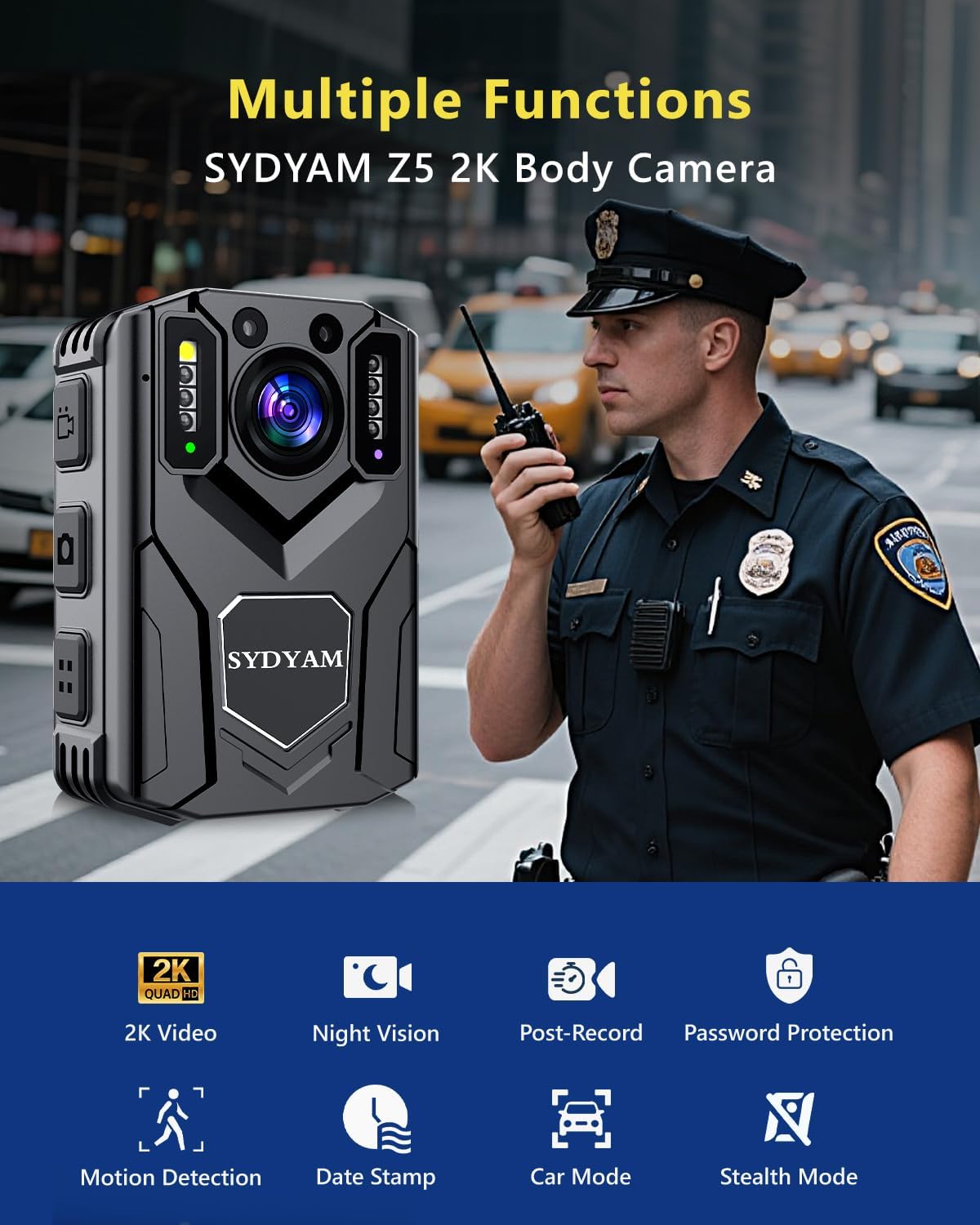
Image: The SYDYAM Z5 2K Body Camera highlighting its various functions, including 2K video, night vision, and motion detection.
4. Maintenance
4.1 General Care
Keep the camera clean and free from dust and debris. Use a soft, dry cloth for cleaning. Avoid exposing the camera to extreme temperatures, direct sunlight for prolonged periods, or harsh chemicals.
4.2 Battery Care
To prolong battery life, avoid fully discharging the battery frequently. Charge the camera regularly, especially if it will be stored for an extended period. The built-in 3000mAh lithium battery provides 10-12 hours of video recording (1080P, night vision off).
4.3 Storage Management
Regularly transfer important files to a computer or external storage device. Format the memory card periodically to maintain optimal performance and prevent data corruption. Ensure all critical data is backed up before formatting.
5. Troubleshooting
- Camera not turning on: Ensure the battery is charged. Connect the camera to the charger and try again. If the issue persists, contact support.
- Recording issues (e.g., freezing, poor quality): Check if the memory card is properly inserted and has sufficient free space. Try formatting the memory card (after backing up data). Ensure the camera's firmware is up to date.
- Cannot transfer files to computer/phone: Verify the Type-C cable connection. For phone transfer, ensure you have the correct USB-C to USB adapter and your Android phone supports OTG. Try a different USB port or cable.
- Short battery life: Ensure the camera is fully charged. Reduce video resolution or turn off features like night vision if not needed to conserve battery.
- Night vision not working: Check if night vision is enabled in the settings. Ensure there are no obstructions blocking the IR lights.
For further assistance, refer to the full user manual or contact SYDYAM customer support.
6. Specifications
| Feature | Detail |
|---|---|
| Brand | SYDYAM |
| Model Number | Z5 |
| Video Capture Resolution | 2K (Max 1440P) |
| Frame Rate | 30 FPS |
| Video Format | MOV (H.264) |
| Lens | 5MP, F/2.0, Wide Angle |
| Display | 2.0 Inch TFT Display |
| Connectivity Technology | USB (Type-C Interface) |
| Flash Memory Type | Micro SD (Supports 32GB/64GB/128GB/256GB/512GB) |
| Battery | Li-Polymer 3000mAh |
| Power Supply Input | DC5V/1A |
| Operating Temperature | -10°C to 60°C |
| Dimensions | 54mm (L) x 25mm (W) x 78mm (H) |
| Item Weight | 110g |
| Special Features | 1080P, H.264, Motion Detection, Night Vision |
| Supported Audio Format | AAC, MP3, PCM |

Image: A visual summary of the SYDYAM Z5 Body Camera's technical specifications and included components.
7. Warranty and Support
The SYDYAM Z5 Body Camera comes with a one-year warranty. SYDYAM is committed to providing high-quality products and offers lifetime support for its devices. For any inquiries, technical assistance, or warranty claims, please contact SYDYAM customer service.
- Warranty Period: 1 Year
- Support: 24-hour response, Lifetime Support

Image: SYDYAM's commitment to after-sales support, including a one-year warranty and lifetime support.