
Meki Acua AQUASKY RGB II 60
AQUASKY RGB II 60 User Manual
Advanced Aquarium Lighting System
1. Introduction
The AQUASKY RGB II 60 is a state-of-the-art lighting system designed to enhance the beauty and health of your aquatic environment. With its sleek design, advanced RGB LED technology, and smart control capabilities via a smartphone application, it provides optimal illumination for aquatic plants and allows for stunning visual effects. This manual provides detailed instructions for setup, operation, and maintenance to ensure you get the most out of your AQUASKY RGB II 60.

Figure 1: AQUASKY RGB II 60 Product Overview
2. Key Features
- Refined Design: A sleek and elegant form factor that complements any aquarium setup.
- ADA Original Color: Features a Mineral Gray body that blends seamlessly with other aquarium equipment.
- Versatile Compatibility: Designed to fit various glass thicknesses, ensuring a perfect fit for aquariums up to 60cm in width.
- Soft Lighting Function: Allows for gradual transitions when turning the light on and off, creating a tranquil ambiance.
- Enhanced Brightness: Produces a maximum of 40,000 Lux, approximately 1.7 times brighter than previous models, with improved heat radiation capabilities.
- Flicker-Free Illumination: Provides stable lighting, ideal for photography and video filming of your aquatic world.
- Smartphone Control: Full control over dimming, color adjustment, and timing via the dedicated ADA CONTROLLER app.
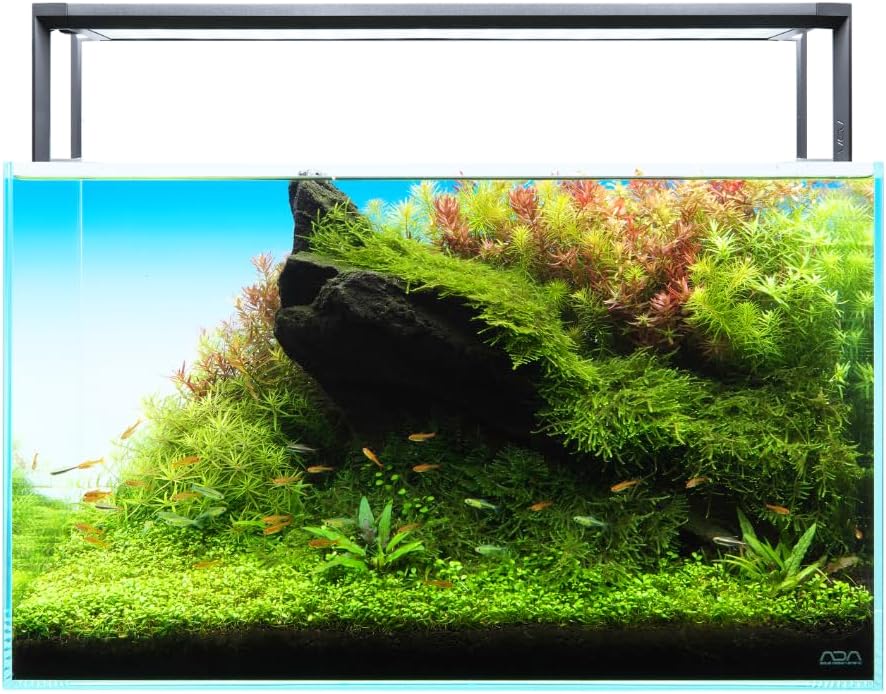
Figure 2: Smart Evolution in Pursuit of Beauty
3. Setup and Installation
The AQUASKY RGB II 60 is designed for easy installation on your aquarium. Ensure your aquarium is clean and stable before proceeding.
3.1 Unpacking
Carefully remove all components from the packaging. Verify that all parts are present: the AQUASKY RGB II 60 light unit and its power adapter.
3.2 Placement
- Place the AQUASKY RGB II 60 directly on top of your aquarium's glass edges. The legs are designed to rest securely on the outside of the glass.
- Ensure the light unit is centered over the aquarium for even light distribution. The legs are compatible with various glass thicknesses and are suitable for aquariums up to 60cm in width.
3.3 Power Connection
- Connect the power adapter to the light unit's input port.
- Plug the power adapter into a suitable electrical outlet. Ensure the outlet is protected from water splashes.
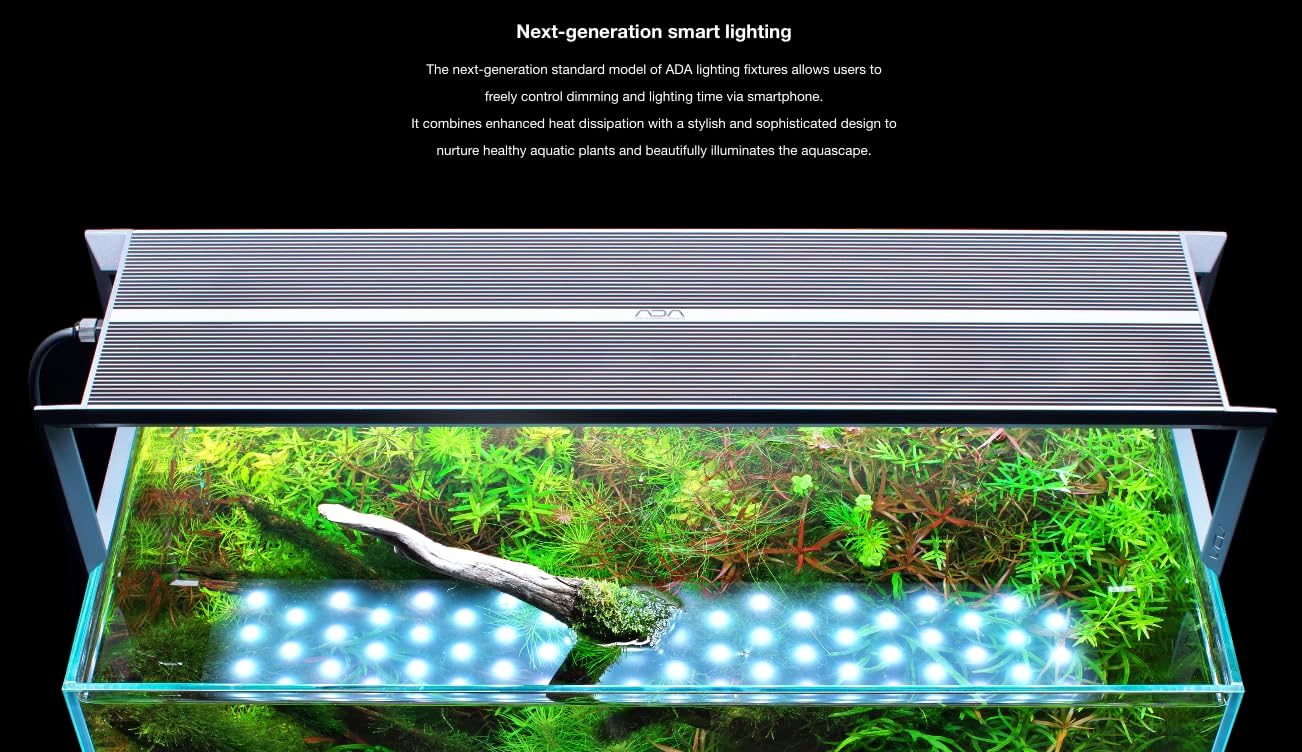
Figure 3: AQUASKY RGB II 60 Installed on an Aquarium
4. Operating Instructions
The AQUASKY RGB II 60 is primarily controlled via the dedicated ADA CONTROLLER smartphone application.
4.1 Downloading the ADA CONTROLLER App
Download the ADA CONTROLLER app from your device's app store. The app is available for both iOS and Android devices.
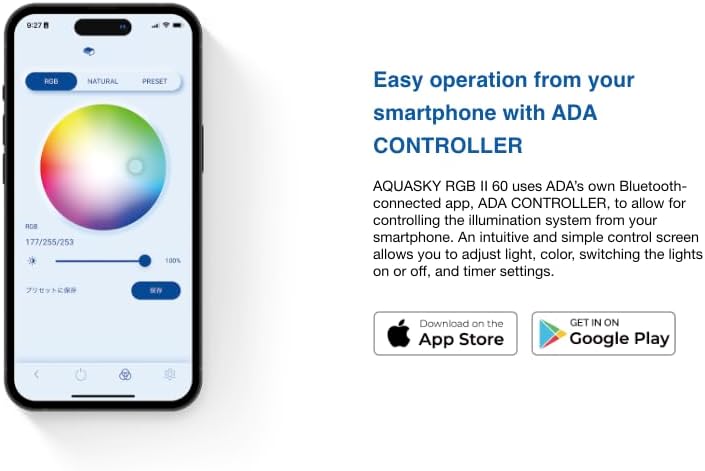
Figure 4: Easy Operation with ADA CONTROLLER App
4.2 Connecting to the Light
Open the ADA CONTROLLER app and follow the on-screen instructions to connect to your AQUASKY RGB II 60 via Bluetooth. Ensure Bluetooth is enabled on your smartphone.
4.3 Custom Settings
The app provides comprehensive control over the light's settings. Navigate through the tabs at the top of the screen to access different modes.
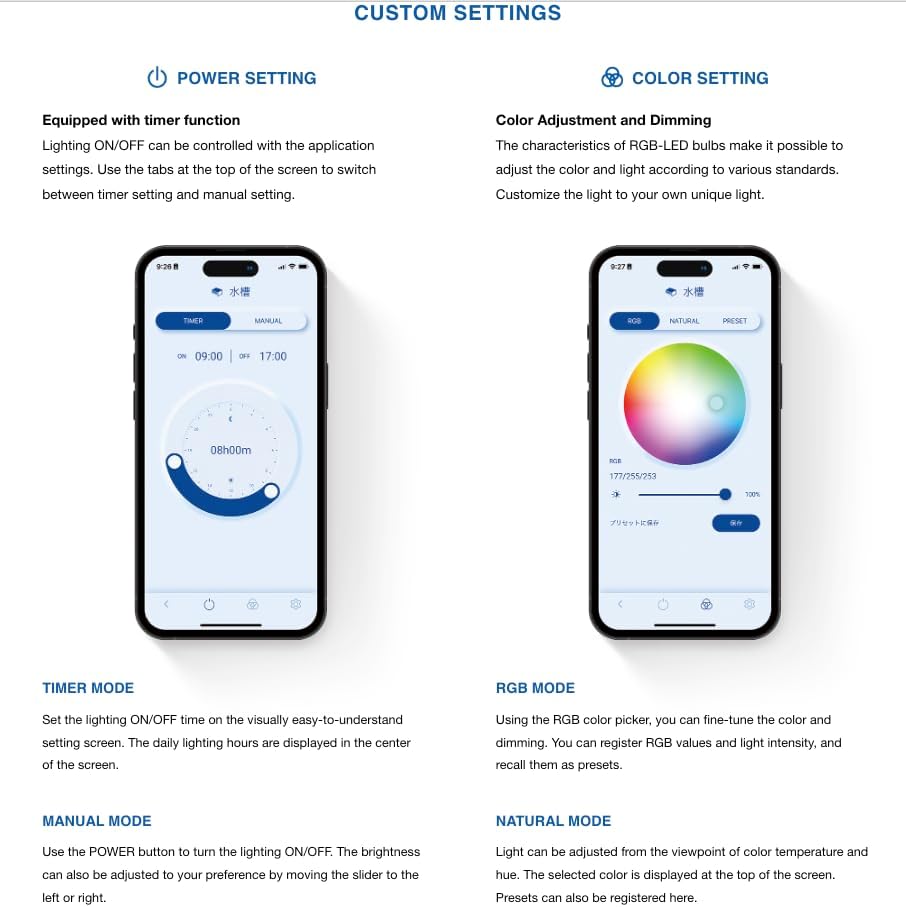
Figure 5: Custom Settings Overview

Figure 6: Detailed Custom Settings
4.3.1 Power Setting
- Timer Mode: Set specific ON/OFF times for the light. The app displays the daily lighting hours.
- Manual Mode: Manually turn the light ON/OFF and adjust brightness using a slider.
4.3.2 Color Setting
- RGB Mode: Use the RGB color picker to fine-tune the color and dimming. You can register specific RGB values and light intensity as presets.
- Natural Light: Adjust light based on color temperature and hue. The selected color is displayed at the top of the screen. Presets can also be registered here.
4.4 Preset Mode
The app includes ADA original light presets suitable for various scenes. You can also save your own color settings made in the color mode.
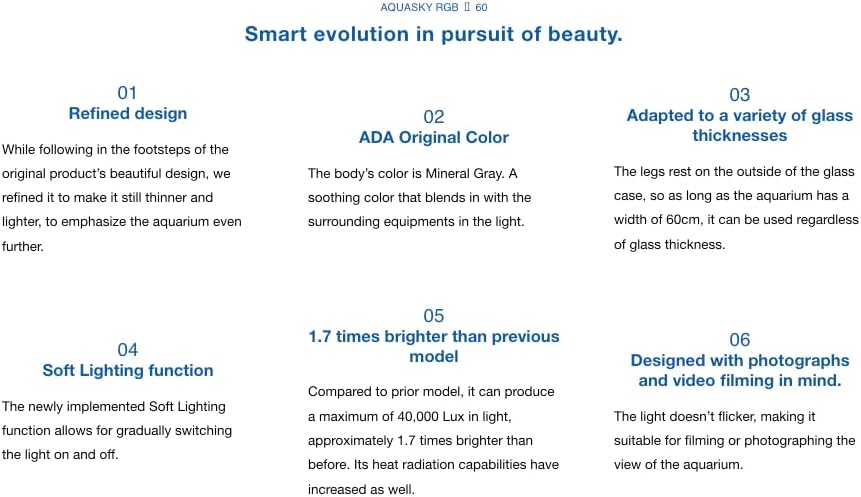
Figure 7: Preset Mode Options
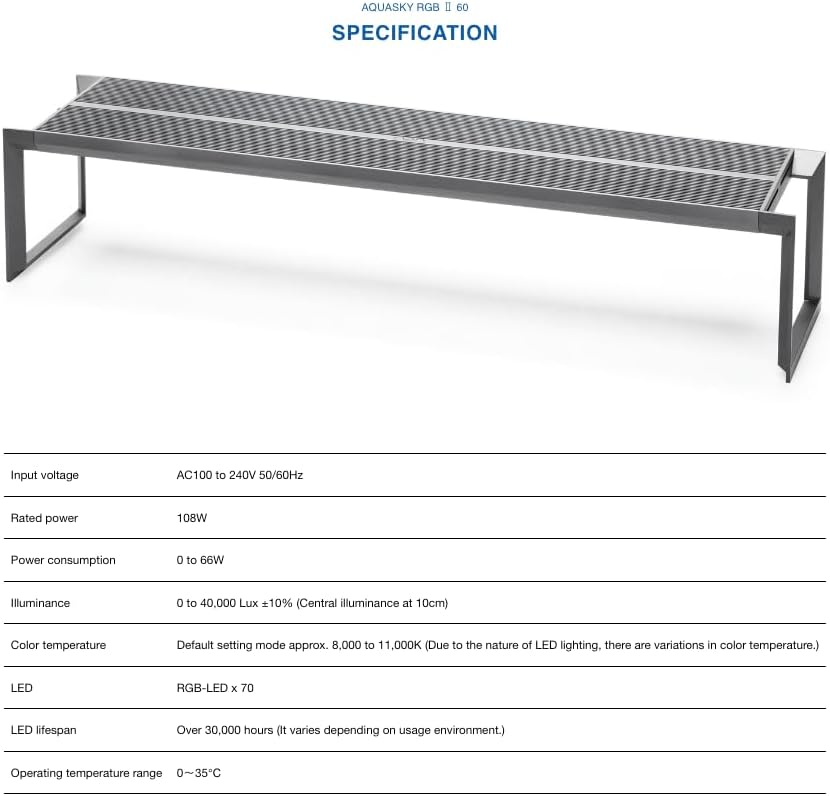
Figure 8: Nature Aquarium Example
4.4.1 Sunlight
Light setting for nurturing plants that mimics natural sunlight. Suitable for growing and viewing plants that prefer strong or direct sunlight.
4.4.2 Moonlight
Light setting reminiscent of moonlight, ideal for creating a nighttime viewing mood and allowing plants to grow quietly under a pale blue sky.
4.4.3 Nature Aquarium
Optimized light setting to promote healthy aquatic plant growth and enhance the natural beauty of your planted aquarium.
4.4.4 Paludarium
Dimmed light setting designed to beautifully illuminate tropical plants, creating a unique atmosphere for a jungle floor forest.
5. Maintenance
Regular maintenance ensures the longevity and optimal performance of your AQUASKY RGB II 60.
- Cleaning: Periodically wipe the light unit's surface with a soft, dry cloth to remove dust and water spots. Do not use abrasive cleaners or solvents. Ensure the unit is unplugged before cleaning.
- Ventilation: Ensure the ventilation slots on the light unit are not obstructed to allow for proper heat dissipation.
- Cable Inspection: Regularly check the power cable and adapter for any signs of damage. If damaged, discontinue use and contact support.
6. Troubleshooting
If you encounter issues with your AQUASKY RGB II 60, refer to the following common solutions:
- Light Not Turning On:
- Check if the power adapter is securely plugged into both the light unit and the electrical outlet.
- Verify that the electrical outlet is functional.
- Ensure the light is not set to a timer or manual OFF mode in the app.
- App Connection Issues:
- Ensure Bluetooth is enabled on your smartphone.
- Make sure the light unit is powered on and within Bluetooth range.
- Try restarting the ADA CONTROLLER app or your smartphone.
- If issues persist, try unpairing and re-pairing the device in the app settings.
- Inconsistent Brightness/Color:
- Check the settings in the ADA CONTROLLER app to ensure the desired brightness and color are selected.
- Ensure the light unit's ventilation is not obstructed, as overheating can affect performance.
If these steps do not resolve the issue, please contact customer support for further assistance.
7. Specifications
| Attribute | Detail |
|---|---|
| Input Voltage | AC100 to 240V 50/60Hz |
| Rated Power | 108W |
| Power Consumption | 0 to 66W |
| Illuminance | 0 to 40,000 Lux ±10% (Central illuminance at 10cm) |
| Color Temperature | Default setting mode approx. 8,000 to 11,000K (Due to the nature of LED lighting, there are variations in color temperature.) |
| LED Type | RGB-LED x 70 |
| LED Lifespan | Over 30,000 hours (It varies depending on usage environment.) |
| Operating Temperature Range | 0 – 35°C |
| Finish Type | Powder Coated |
| Shade Material | Glass |
| Connectivity Technology | USB |
| Connectivity Protocol | Wi-Fi |
| Water Resistance Level | Not Water Resistant |
| Manufacturer | ADA |
| Country of Origin | Japan |
8. Warranty and Support
The AQUASKY RGB II 60 comes with a manufacturer's warranty covering defects in materials and workmanship. Please refer to the warranty card included with your product for specific terms and conditions.
For technical support, troubleshooting assistance, or warranty claims, please contact Meki Acua customer service through their official website or the contact information provided in your product packaging.
Ask a question about this manual
Ask about setup, troubleshooting, compatibility, parts, safety, or missing instructions. Manuals+ will review the question and use this page’s manual context to help answer it.