
LifePro Vibration Plate
Contents
LifePro Waver Vibration Plate Exercise Machine User Manual
Model: Vibration Plate
Brand: LifePro
1. Introduction
Thank you for choosing the LifePro Waver Vibration Plate Exercise Machine. This manual provides essential information for the safe and effective operation, maintenance, and troubleshooting of your new fitness equipment. Please read this manual thoroughly before use and retain it for future reference.
1.1 Important Safety Information
WARNING: To reduce the risk of serious injury, read the following safety instructions before using the LifePro Waver Vibration Plate.
- Consult a physician before starting any exercise program, especially if you have pre-existing medical conditions.
- This appliance is not intended for use by persons with reduced physical, sensory, or mental capabilities, or lack of experience and knowledge, unless they have been given supervision or instruction concerning use of the appliance by a person responsible for their safety.
- Keep children and pets away from the machine during operation.
- Use the machine only on a flat, stable, and non-slip surface. Ensure adequate space around the machine for safe operation.
- Do not use the machine if it is damaged or malfunctioning. Contact customer support immediately.
- Do not insert any objects into the openings of the machine.
- Unplug the machine from the power outlet when not in use and before cleaning or maintenance.
- Use only the power cord supplied with the machine.
2. Package Contents
Carefully unpack your LifePro Waver Vibration Plate and check that all items listed below are included and in good condition. If any items are missing or damaged, please contact LifePro customer support.
- LifePro Waver Vibration Plate
- Power Cord
- Remote Control
- Resistance Bands
- LifePro Mini Bands
- User Manual

Figure 2.1: Contents of the LifePro Waver Vibration Plate package.
This image displays the LifePro Waver Vibration Plate along with its accessories, including loop bands, resistance bands, a remote control, and the user guide, illustrating what is typically found inside the product packaging.
3. Setup
Follow these simple steps to set up your LifePro Waver Vibration Plate:
- Choose a Location: Select a flat, stable, and dry surface for the machine. Ensure there is enough clear space around the unit for safe movement during exercise.
- Place the Machine: Carefully place the LifePro Waver Vibration Plate on the chosen surface.
- Connect Power: Insert the power cord into the power input port on the machine, then plug the other end into a standard electrical outlet.
- Initial Check: Before first use, ensure all components are securely connected and there are no visible damages.
4. Operating Instructions
The LifePro Waver Vibration Plate is designed for full-body workouts, promoting muscle contraction and activation through therapeutic vibrations. It features an easy-to-read display and remote control for maximum convenience.
4.1 Control Panel and Remote Control
The machine can be operated using the integrated control panel or the included remote control. The display shows time, speed, and program mode.

Figure 4.1: Control Panel Overview.
This image provides a detailed view of the LifePro Waver Vibration Plate's control panel, highlighting the power button, time display, speed adjustment buttons (low and high), and program mode selection, along with indicators for remote control and current speed.
- Power Button: Turns the machine ON/OFF.
- Time Display: Shows the remaining workout time.
- Speed Adjustment: Use the '+' and '-' buttons to adjust vibration speed from 1 to 99 levels.
- PRO Mode: Activates pre-programmed workout routines.
- Start/Stop: Initiates or pauses the vibration.
4.2 Getting Started
- Step onto the platform with both feet. You can adjust your stance (e.g., wider for more intensity, narrower for less) to target different muscle groups.
- Press the Power button to turn on the machine.
- Press the Start button to begin vibrations.
- Adjust the speed using the '+' or '-' buttons on the control panel or remote control to your desired intensity (levels 1-99).
- To use pre-programmed workouts, select a PRO Mode.
- To stop the workout, press the Stop button.
4.3 Benefits of Vibration Training
Regular use of the LifePro Waver Vibration Plate can contribute to various health and fitness benefits:
- Improved muscle strength and activation.
- Enhanced metabolism and circulation.
- Increased bone density.
- Reduced joint stress.
- Decrease stress and increase core strength.
- Relieve joint and back pain.
- Develop stronger bones and gain mobility and flexibility.

Figure 4.2: Full-Body Wellness Benefits.
This diagram visually represents the comprehensive benefits of using the vibration plate, pointing out how it can decrease stress, increase core strength, relieve joint and back pain, improve circulation, boost metabolism, develop stronger bones, and enhance mobility and flexibility.

Figure 4.3: Injury Recovery and Accelerated Workouts.
This image shows an individual using the LifePro Waver Vibration Plate with resistance bands, illustrating how the machine can support injury recovery and accelerate workout results by enhancing muscle engagement and circulation.

Figure 4.4: Trainer Support for Effective Workouts.
This image depicts a woman performing squats on the LifePro Waver Vibration Plate while a trainer assists, emphasizing the availability of guidance and support for users to achieve effective and safe workouts.
4.4 Online Workout Videos
LifePro provides access to free professional online workout videos to help you maximize your training and achieve your fitness goals. These videos offer guidance on various exercises and routines suitable for the Waver Vibration Plate.
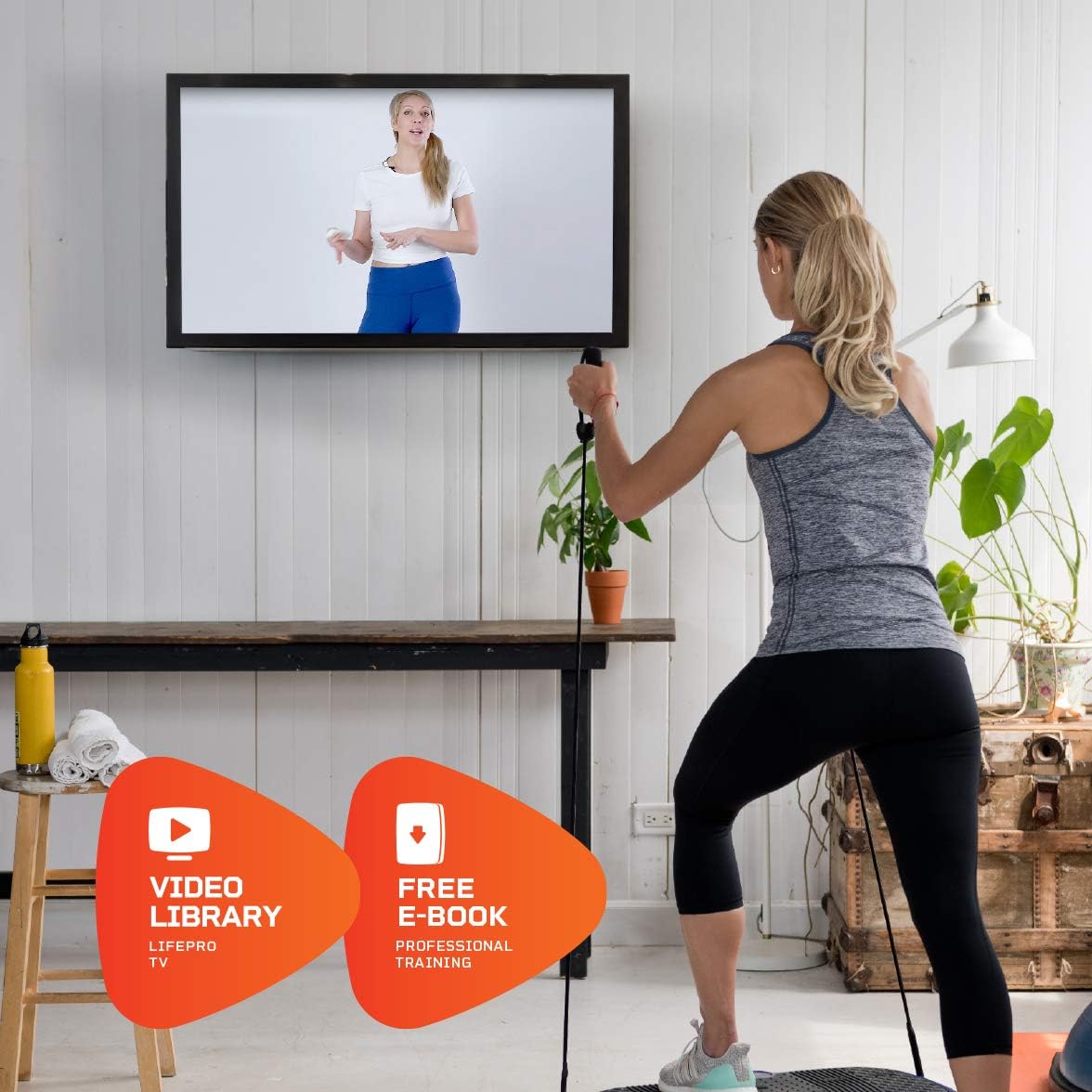
Figure 4.5: Access to Video Library and E-Book.
This image shows a user engaging in a workout with resistance bands while viewing a fitness video on a large screen, highlighting the availability of LifePro's video library and a free professional training e-book to enhance the user's exercise experience.
5. Maintenance
Proper maintenance ensures the longevity and optimal performance of your LifePro Waver Vibration Plate.
5.1 Cleaning
- Always unplug the machine before cleaning.
- Wipe the surface of the machine with a soft, damp cloth. Do not use abrasive cleaners or solvents.
- Avoid getting moisture into the control panel or other electrical components.
5.2 Storage
- Store the machine in a cool, dry place away from direct sunlight and extreme temperatures.
- Ensure the power cord is neatly coiled and not kinked.
- The compact design allows for easy storage under furniture or beds.

Figure 5.1: Compact Storage.
This image illustrates the LifePro Waver Vibration Plate being easily stowed under a sofa, showcasing its compact design and convenience for storage in small living spaces.
6. Troubleshooting
If you encounter any issues with your LifePro Waver Vibration Plate, please refer to the following common problems and solutions. If the problem persists, contact LifePro customer support.
| Problem | Possible Cause | Solution |
|---|---|---|
| Machine does not power on. | Power cord not properly connected or no power from outlet. | Ensure the power cord is securely plugged into both the machine and a working electrical outlet. Test the outlet with another device. |
| Vibrations are weak or inconsistent. | Incorrect speed setting or unstable surface. | Increase the speed setting. Ensure the machine is on a flat, stable surface. |
| Remote control not working. | Dead batteries or obstruction. | Replace the batteries in the remote control. Ensure there is no obstruction between the remote and the machine's sensor. |
7. Specifications
| Feature | Detail |
|---|---|
| Model Name | Vibration Plate |
| Brand | LifePro |
| Color | Purple |
| Material | Plastic |
| Item Dimensions (LxWxH) | 27.3 x 15.3 x 5.9 inches |
| Number of Resistance Levels | 99 |
| Operation Mode | Automatic |
| Power Source | Corded Electric |
| Controls Type | Remote |
| Maximum Speed | 99 RPM |
| UPC | 657768606830 |
8. Warranty and Support
8.1 Warranty Information
The LifePro Waver Vibration Plate comes with a 90 days limited warranty from the date of purchase. This warranty covers manufacturing defects and workmanship under normal use. It does not cover damage caused by misuse, accident, unauthorized modification, or neglect.
Please retain your proof of purchase for warranty claims.
8.2 Customer Support
LifePro is committed to providing excellent customer service. If you have any questions, concerns, or require assistance with your product, please do not hesitate to contact our support team. We offer live support and access to professional online workout videos to help you get the most out of your machine.
For support, please refer to the contact information provided in your product packaging or visit the official LifePro website.
Ask a question about this manual
Ask about setup, troubleshooting, compatibility, parts, safety, or missing instructions. Manuals+ will review the question and use this page’s manual context to help answer it.