
Introduction
Thank you for choosing the Vivitar Singimals Kids Karaoke Speaker. This manual provides essential information for the safe and effective use of your new karaoke speaker. Please read it thoroughly before operation and retain it for future reference.
What's in the Box:
- Singimals Kids Karaoke Speaker (Asher The Fox)
- Wired Microphone
- Charging Cable
- User Manual
Product Overview
The Vivitar Singimals Kids Karaoke Speaker is designed for interactive fun, featuring a 5W speaker, Bluetooth v5.1 connectivity, and multicolor LED lighting. It offers up to 12 hours of playtime on a single charge.
Key Features:
- 5W Speaker: Delivers clear and crisp audio for an engaging karaoke experience.
- Bluetooth v5.1: Ensures stable and efficient wireless connection to compatible devices.
- 12-Hour Playtime: Enjoy extended entertainment with the built-in rechargeable battery.
- Multicolor LED Lighting: Dynamic lights that pulse and dance to the music, enhancing the performance atmosphere.
- Portable Design: Compact and lightweight for easy transport and use anywhere.
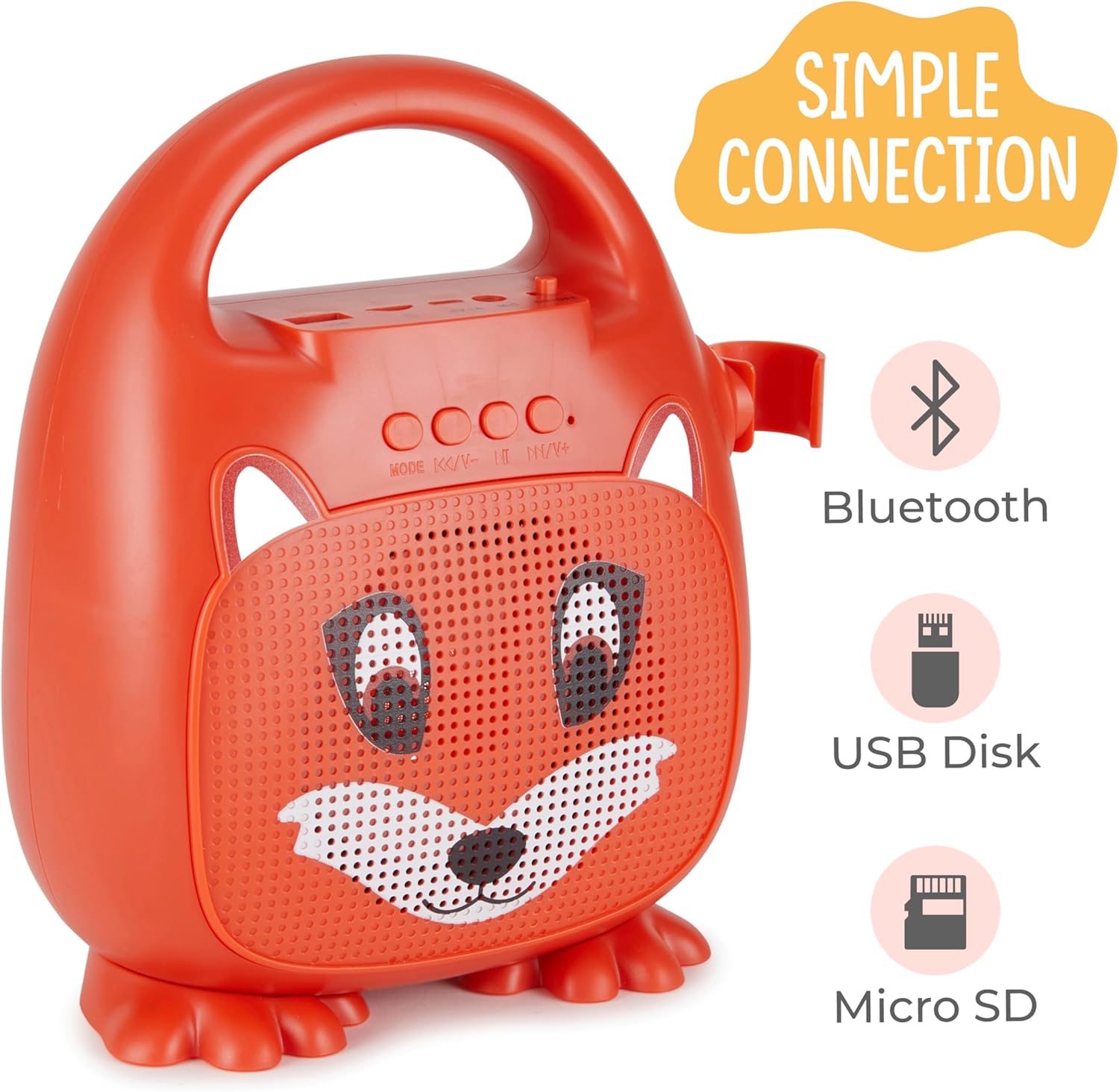
Figure 1: Front view of the Singimals Kids Karaoke Speaker (Asher The Fox).
Setup
1. Charging the Speaker:
Before first use, fully charge the speaker. Connect the provided charging cable to the speaker's charging port (usually labeled "5V 1A" or similar) and the other end to a USB power adapter (not included) or a computer's USB port. The charging indicator light will show the charging status.
2. Connecting the Microphone:
Insert the microphone's plug into the MIC input port on the speaker. Ensure the microphone's ON/OFF switch is in the 'ON' position when in use.

Figure 2: Wired Microphone with ON/OFF switch.
3. Powering On/Off:
Locate the ON/OFF switch on the speaker. Slide it to the 'ON' position to power on the device. Slide it to 'OFF' to power down.
4. Bluetooth Pairing:
- Power on the karaoke speaker. It will automatically enter Bluetooth pairing mode, indicated by a flashing LED light.
- On your smartphone or other Bluetooth-enabled device, go to the Bluetooth settings.
- Search for available devices and select "Singimals" (or similar name) from the list.
- Once connected, the LED indicator on the speaker will stop flashing and remain solid, and you may hear an audible confirmation.
5. USB Disk and Micro SD Card Playback:
Insert a USB flash drive or a Micro SD card (with pre-loaded audio files) into the respective ports on the speaker. The speaker will automatically detect the media and begin playback. Use the 'MODE' button to switch between input sources (Bluetooth, USB, Micro SD).

Figure 3: Control panel and input ports.
Operating Instructions
Control Buttons:
| Button | Function |
|---|---|
| MODE | Switches between input modes (Bluetooth, USB, Micro SD). |
| Previous Track / Volume Down | Short press for previous track. Long press to decrease volume. |
| Play / Pause | Plays or pauses the current audio track. |
| Next Track / Volume Up | Short press for next track. Long press to increase volume. |
LED Lighting:
The speaker features multicolor LED lights that illuminate the speaker grille. These lights automatically pulse and change colors with the music. There is no separate control for the LED lighting; it operates automatically when the speaker is on.
Maintenance
- Cleaning: Wipe the speaker and microphone with a soft, dry cloth. Do not use abrasive cleaners or solvents.
- Storage: Store the device in a cool, dry place away from direct sunlight and extreme temperatures.
- Battery Care: To prolong battery life, charge the speaker regularly, even if not in frequent use. Avoid fully discharging the battery for extended periods.
- Water Exposure: This device is not waterproof. Keep it away from water and moisture.
Troubleshooting
| Problem | Solution |
|---|---|
| Speaker does not turn on. | Ensure the ON/OFF switch is in the 'ON' position. Charge the speaker if the battery is depleted. |
| No sound from microphone. | Check if the microphone is securely plugged into the MIC port. Ensure the microphone's ON/OFF switch is in the 'ON' position. |
| Cannot pair via Bluetooth. | Ensure the speaker is in Bluetooth mode (flashing LED). Turn off and on Bluetooth on your device. Move your device closer to the speaker. |
| Poor sound quality. | Ensure the audio source is of good quality. Adjust the volume on both the speaker and the connected device. Check for obstructions around the speaker grille. |
Specifications
| Feature | Detail |
|---|---|
| Brand | Vivitar |
| Model Number | SNG200-FOX |
| Connectivity Technology | Bluetooth |
| Bluetooth Version | v5.1 |
| Output Wattage | 5 Watts |
| Power Source | Battery Powered |
| Item Dimensions (L x W x H) | 4.72 x 8.7 x 9.25 inches |
| Item Weight | 0.94 Kilograms |
| Material | Plastic |
| Audio Input | Microphone, USB, Micro SD |
Safety Information
- Do not expose the device to extreme temperatures, direct sunlight, or high humidity.
- Keep the device away from water and other liquids.
- Do not attempt to disassemble or modify the device. This will void the warranty and may cause damage.
- Use only the provided charging cable.
- Supervise young children during use to ensure safe operation.
- Avoid prolonged listening at high volumes to prevent hearing damage.
Warranty and Support
For warranty information and customer support, please refer to the warranty card included with your product or visit the official Vivitar website. Keep your purchase receipt as proof of purchase.
Manufacturer: Sakar International, Inc.