1. Introduction
This manual provides essential instructions for the safe and efficient operation of your AFERIY P210 Portable Power Station and the accompanying 200W Foldable Solar Panel. Please read this manual thoroughly before use and retain it for future reference.

Image 1.1: The AFERIY P210 Portable Power Station shown with its 200W Foldable Solar Panel.
2. Safety Instructions
Observe the following safety precautions to prevent injury or damage to the product:
- Do not disassemble, repair, or modify the unit.
- Avoid exposure to rain, moisture, or direct sunlight for prolonged periods.
- Keep away from heat sources, open flames, and flammable materials.
- Ensure proper ventilation during use and charging.
- Do not operate with wet hands.
- Keep out of reach of children and pets.
- Use only specified accessories and charging cables.
- In case of fire, use a dry powder fire extinguisher. Do not use water.
3. Package Contents
Verify that all items are included in your package:
- AFERIY P210 Portable Power Station (x1)
- AFERIY 200W Foldable Solar Panel (AF-S200) (x1)
- AC Charge Cable (x1)
- MC4 - XT90 Cable (x1)
- Dust Cover (x1)
- Cord Storage Bag (x1)
- User Manual (x1)
- Manufactured Card (x1)
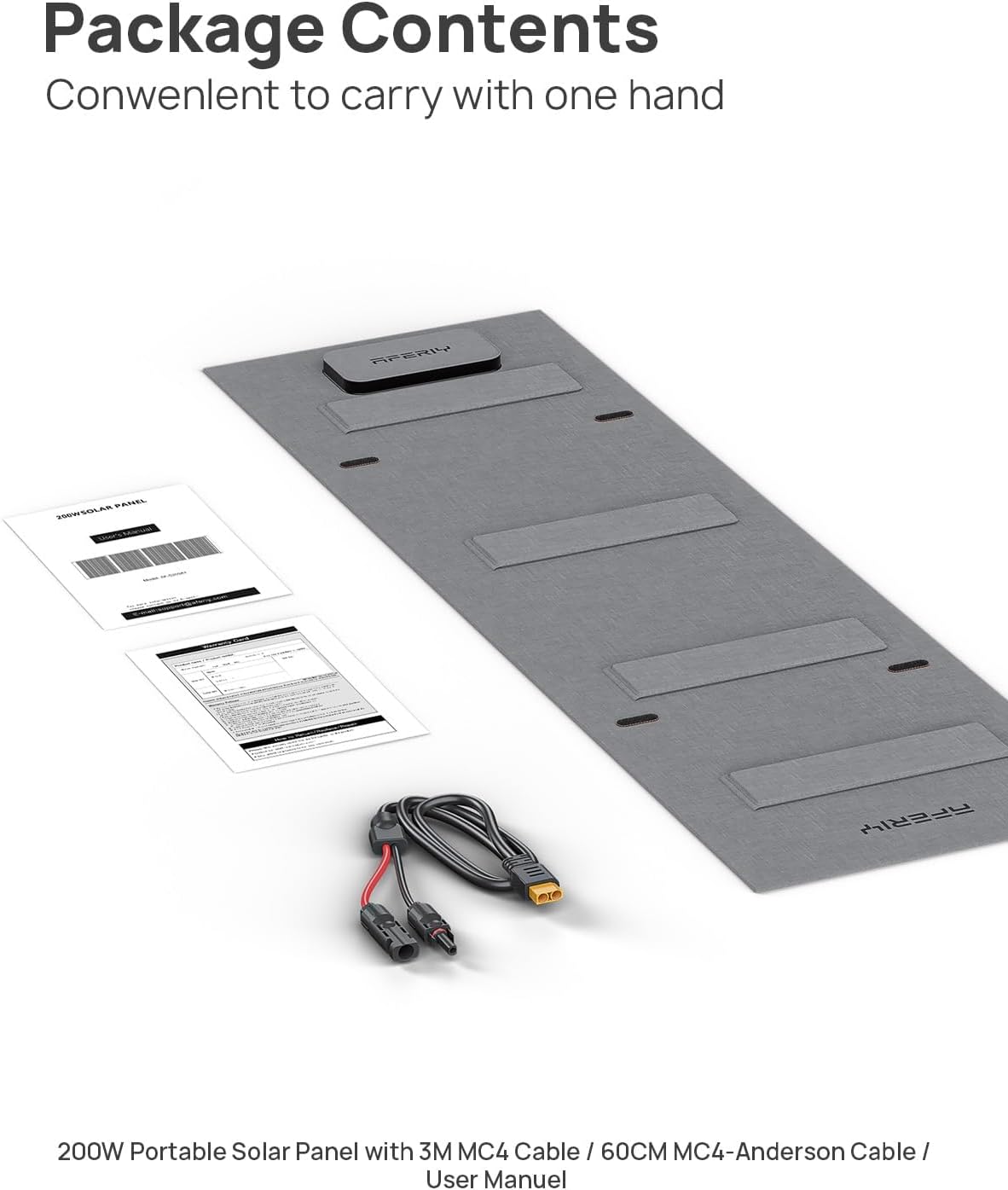
Image 3.1: Illustration of the AFERIY P210 power station and 200W solar panel package contents, including cables and accessories.
4. Product Overview
4.1 AFERIY P210 Portable Power Station
The P210 features a 2048Wh LiFePO4 battery and a 2400W AC output. It is designed for various power needs, from home backup to outdoor activities.

Image 4.1: The AFERIY P210 power station highlighting its 16 output ports, including AC, Type-C, USB, DC, XT60, and Cigarette Lighter ports.
4.2 AFERIY 200W Foldable Solar Panel (AF-S200)
The 200W solar panel is designed for efficient solar charging with a 23% conversion rate. It is portable and features multiple output ports.

Image 4.2: The AFERIY 200W solar panel displaying its five output interfaces: USB (x2), Type-C (PD100W), DC5521, and MC4-Anderson.

Image 4.3: The AFERIY 200W solar panel demonstrating its portable and foldable design, with unfolded dimensions of 82.95"L x 23.6"W x 0.16"H and folded dimensions of 20.86"L x 23.6"W x 1.38"H.
5. Setup
5.1 Initial Charging
Before first use, fully charge the AFERIY P210 Power Station. Connect the AC charge cable to the power station's AC input port and then to a standard wall outlet. The display will indicate charging status. A full charge typically takes approximately 1.5 hours.
5.2 Connecting the Solar Panel
- Unfold the AFERIY 200W Solar Panel and position it in direct sunlight. Utilize the freestanding stands to optimize the angle towards the sun (90° recommended for maximum efficiency).
- Connect the MC4 connectors from the solar panel to the MC4-XT90 cable.
- Connect the XT90 end of the cable to the XT90 DC input port on the AFERIY P210 Power Station.
- The power station display will show the solar input wattage and charging status.

Image 5.1: The AFERIY 200W solar panel deployed with its freestanding stands, allowing for angle adjustment to optimize sunlight exposure.
6. Operating Instructions
6.1 Powering On/Off
Press and hold the main power button for a few seconds to turn the power station on or off. The display will illuminate upon activation.
6.2 Using AC/DC/USB Outputs
To activate specific output groups (AC, DC, USB), press the corresponding button on the control panel. The icons on the display will confirm activation. Plug your devices into the appropriate ports.
6.3 App Control
The AFERIY P210 supports intelligent app control for remote operation, monitoring, and precise power management. Download the official AFERIY app from your device's app store and follow the in-app instructions for pairing.

Image 6.1: The AFERIY P210 power station being controlled wirelessly via its dedicated smartphone application, showing monitoring and control features.
6.4 Uninterruptible Power Supply (UPS) Function
The P210 can function as an Uninterruptible Power Supply (UPS) with a response time of less than 10ms. Connect your critical devices to the AC output ports while the power station is connected to an AC wall outlet. In case of a power outage, the P210 will automatically switch to battery power, providing seamless operation for connected devices.

Image 6.2: A user benefiting from the P210's Uninterruptible Power Supply (UPS) function, ensuring continuous power to a computer setup during an outage.
6.5 Silent Operation
In low-power mode, the P210 operates at under 15 decibels, ensuring quiet performance. At full power, noise levels remain below 50 decibels.

Image 6.3: The AFERIY P210 operating silently, suitable for use in quiet environments such as a bedroom.
7. Charging Methods
The AFERIY P210 offers multiple charging options:
- AC Wall Outlet: Connect the AC charge cable to a standard 100-120V 50/60Hz wall outlet. Full charge in approximately 1.5 hours.
- Solar Charging: Connect the 200W solar panel (or other compatible solar panels up to 500W via XT90 input) to the power station.
- Car Charging: Use a compatible 12V/24V 8A car charger to charge the power station from your vehicle's cigarette lighter port.
- AC + Solar Charging: Combine AC and solar input for a maximum charging power of 1600W, significantly reducing charging time.

Image 7.1: The AFERIY P210 demonstrating AC charging from a wall outlet and car charging from a vehicle's power port.

Image 7.2: The AFERIY P210 power station receiving a 500W solar charge from multiple solar panels in an outdoor environment.
8. Maintenance
8.1 Storage
Store the power station and solar panel in a cool, dry place, away from direct sunlight and extreme temperatures. For long-term storage, charge the unit to 50-80% every 3-6 months to prolong battery life.
8.2 Cleaning
Wipe the exterior of the power station and solar panel with a soft, dry cloth. Do not use abrasive cleaners or solvents. Ensure all ports are free from dust and debris.
8.3 Battery Care
The P210 uses a LiFePO4 battery, designed for over 6000 charge cycles under slow charging/discharging conditions. Avoid fully discharging the battery frequently to maximize its lifespan.
9. Troubleshooting
- Unit not turning on: Ensure the battery is charged. Press and hold the power button for a few seconds.
- No output from ports: Verify that the specific output group (AC, DC, USB) is activated. Check if the device connected requires more power than the port can supply.
- Slow charging: For solar charging, ensure the solar panel is in direct sunlight and angled optimally. Check cable connections. For AC charging, ensure the wall outlet is functioning correctly.
- Overload warning: Disconnect devices exceeding the power station's output limit. The unit will automatically shut down to prevent damage.
- App connectivity issues: Ensure Bluetooth/Wi-Fi is enabled on your smartphone and the power station is within range. Restart the app and the power station if necessary.
10. Specifications
| Feature | Specification |
|---|---|
| Model Name | P210 |
| Battery Type | LiFePO4 |
| Capacity | 2048Wh |
| AC Output | 2400W (Pure Sine Wave), 4800W Peak |
| Voltage | 120V |
| DC Input (XT90) | 12V-50V, Max 500W |
| AC Charging Input | 1100W (Fast Charge) |
| Combined AC+Solar Charging | Max 1600W |
| UPS Response Time | <10ms |
| Noise Level | <15dB (low power), <50dB (full power) |
| Dimensions (L x W x H) | 15.43" x 10.98" x 12.72" |
| Weight | 48.5 lbs |
| Solar Panel Type | Monocrystalline Silicon |
| Solar Panel Output | 200W (Max 22V/9A) |
| Solar Panel Efficiency | 23% |
| Solar Panel IP Rating | IP65 |
11. Warranty and Support
11.1 Warranty Information
The AFERIY P210 Portable Power Station and 200W Solar Panel come with a 2-year limited warranty from the date of purchase. This warranty covers defects in materials and workmanship under normal use. Please retain your proof of purchase for warranty claims.
11.2 Customer Support
For technical assistance, troubleshooting, or warranty inquiries, please contact AFERIY customer support through the official website or the contact information provided on your manufactured card.


