
MEGATEK EHPS-1256
MEGATEK EHPS-1256 Earbud Headphones User Manual
For MEGATEK PD-1256 Portable DVD Player
1. Introduction and Overview
Thank you for choosing MEGATEK EHPS-1256 Earbud Headphones. These earbuds are specifically designed to provide a private audio experience when used with your MEGATEK PD-1256 Portable DVD Player. They offer a comfortable in-ear fit and deliver clear sound for your entertainment needs.

Figure 1.1: Front view of the MEGATEK EHPS-1256 Earbud Headphones, highlighting the sleek black design and standard 3.5mm audio jack.
2. Setup
Setting up your MEGATEK EHPS-1256 Earbud Headphones is a simple process. Follow these steps to connect them to your compatible device:
- Identify the Audio Port: Locate the 3.5mm audio output jack on your MEGATEK PD-1256 Portable DVD Player. This port is typically labeled with a headphone icon.
- Insert the Connector: Gently insert the 3.5mm audio jack of the earbud headphones into the audio output port of your DVD player until it is fully seated.
- Adjust Earbuds: Place the earbuds comfortably into your ears. Ensure a snug fit for optimal sound quality.

Figure 2.1: The MEGATEK EHPS-1256 Earbud Headphones, showing the full length of the cable and the 3.5mm audio jack ready for connection.
3. Operating
Once connected, your MEGATEK EHPS-1256 Earbud Headphones are ready for use. The audio output from your MEGATEK PD-1256 Portable DVD Player will now be directed through the earbuds.
- Volume Control: Adjust the volume directly on your MEGATEK PD-1256 Portable DVD Player using its built-in volume controls or its remote control. These earbuds do not feature an inline microphone or volume control.
- Audio Playback: Begin playback on your DVD player as usual. The audio will be heard through the connected earbuds.
- Comfort and Fit: For extended listening, ensure the earbuds are comfortably seated in your ears to prevent discomfort and maintain sound quality.
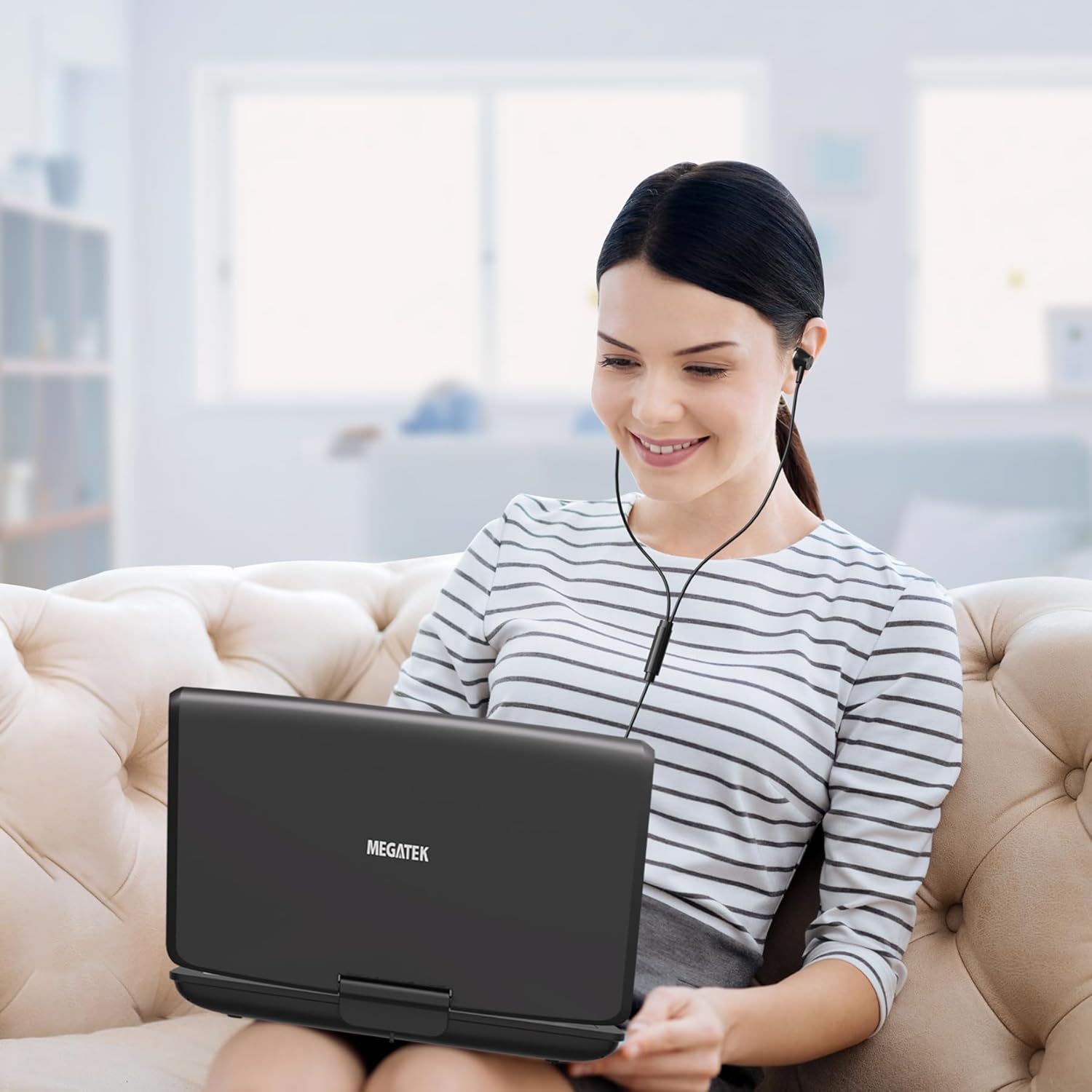
Figure 3.1: A user enjoying media on a MEGATEK Portable DVD Player with the MEGATEK Earbud Headphones, demonstrating typical usage.
4. Maintenance
Proper care and maintenance will extend the lifespan of your MEGATEK EHPS-1256 Earbud Headphones.
- Cleaning: Use a soft, dry cloth to wipe the exterior of the earbuds. For the ear tips, you may gently wipe them with a slightly damp cloth and mild soap solution, then dry thoroughly before reattaching. Avoid using harsh chemicals or abrasive materials.
- Storage: When not in use, store the earbuds in a clean, dry place, away from direct sunlight and extreme temperatures. Avoid tangling the cable by coiling it loosely.
- Handling: Always pull the plug, not the cable, when disconnecting the earbuds from your device to prevent damage to the wiring.

Figure 4.1: An illustrative exploded view of an earbud, demonstrating the intricate internal components responsible for sound reproduction.
5. Troubleshooting
If you encounter issues with your earbud headphones, please refer to the following common problems and solutions:
- No Sound:
- Ensure the 3.5mm audio jack is fully inserted into the DVD player's audio port.
- Check the volume level on your MEGATEK PD-1256 Portable DVD Player. Increase it if necessary.
- Test the earbuds with another compatible audio device to determine if the issue is with the earbuds or the DVD player.
- Distorted or Poor Sound Quality:
- Ensure the earbuds are clean and free of debris, especially around the speaker mesh.
- Verify the audio source (DVD player) is functioning correctly.
- Check for any kinks or damage to the earbud cable.
- Only One Earbud Working:
- Ensure the 3.5mm audio jack is fully and correctly inserted. A partial insertion can sometimes result in only one channel playing.
- Inspect the cable for any visible damage or breaks.
- Test with another device to isolate the problem.
6. Specifications
Key technical specifications for the MEGATEK EHPS-1256 Earbud Headphones:
| Feature | Detail |
|---|---|
| Model Name | EHPS-1256 |
| Connectivity Technology | Wired |
| Headphones Jack | 3.5 mm Jack |
| Ear Placement | In Ear |
| Form Factor | In Ear |
| Color | Black |
| Material | Acrylonitrile Butadiene Styrene (ABS) |
| Item Weight | 0.317 ounces |
| Compatible Devices | Megatek PD-1256 Portable DVD Player |
| Included Components | Earbud Headphones (Without Mic) |
7. Warranty and Support
For information regarding product warranty, returns, or technical support, please contact the seller or manufacturer directly. You can often find support information on the product packaging or through the official MEGATEK website.
Visit the official MEGATEK store for more products and support: MEGATEK Store on Amazon
Ask a question about this manual
Ask about setup, troubleshooting, compatibility, parts, safety, or missing instructions. Manuals+ will review the question and use this page’s manual context to help answer it.