
1. Product Overview
The TRALT Ergonomic Office Chair is designed to provide comprehensive support and comfort for extended periods of sitting. It features customizable adjustments for the headrest, backrest, lumbar support, and armrests, catering to diverse user needs.
Key features include:
- Ergonomic Design: Delivers unparalleled support, designed to fully cradle your head, back, hips, and arms. Customizable lumbar support ensures comfort and health.
- Breathable Mesh Seat: Spacious cushion accommodates various body types, with overall dimensions (including armrests) of 25.7" W × 17.3" D × 46.93-49.2" H. Seat cushion dimensions: 20" W × 17.3" D × 18.5-19" H.
- Robust Construction: Crafted from premium materials with a robust five-star metal base, supporting a maximum weight capacity of 330 lbs.
- Effortless Mobility: Features a 360° swivel base and silent casters for smooth movement on various surfaces.
- Adjustable Tilt Function: Supports 90° to 120° recline or upright sitting positions.
2. Assembly Instructions
Assembly of the TRALT Ergonomic Office Chair is designed to be straightforward, typically completed within 15 minutes without requiring extra tools. All necessary screws and accessories are provided.
2.1 Unpacking and Component Check
Carefully unpack all components from the box. Ensure all parts are present and undamaged before proceeding with assembly. Refer to the included assembly manual for a complete list of components.

Image: Four core accessories including the base knob, SGS certified level 3 cylinder, the chair's five-star base, and silent casters.
2.2 Step-by-Step Assembly
- Assemble the Base: Attach the five-star metal base components together. Insert the silent casters into each leg of the base.
- Install the Gas Lift: Place the SGS certified level 3 gas lift cylinder into the center hole of the assembled five-star base.
- Attach the Seat Mechanism: Secure the seat mechanism to the underside of the seat cushion using the provided screws. Ensure the front of the mechanism aligns with the front of the seat.
- Connect Seat to Base: Carefully place the assembled seat onto the gas lift cylinder, ensuring it is securely seated.
- Attach Armrests: Secure the flip-up armrests to the sides of the seat using the provided screws.
- Install Backrest: Attach the backrest to the seat assembly.
- Mount Headrest: Secure the adjustable headrest to the top of the backrest.
For detailed visual guidance, please refer to the illustrations in the physical assembly manual included with your product.
3. Operating Instructions
The TRALT Ergonomic Office Chair offers multiple adjustment points to customize your seating experience for optimal comfort and support.
3.1 Seat Height Adjustment
To adjust the seat height, locate the lever on the right side beneath the seat. While seated, pull the lever up to lower the seat. To raise the seat, stand up and pull the lever up. Release the lever at the desired height to lock it in place.
3.2 Lumbar Support Adjustment
The chair features customizable lumbar support. Locate the knob on the back of the chair. Rotate the knob to adjust the depth and position of the lumbar support to fit the natural curve of your lower back.
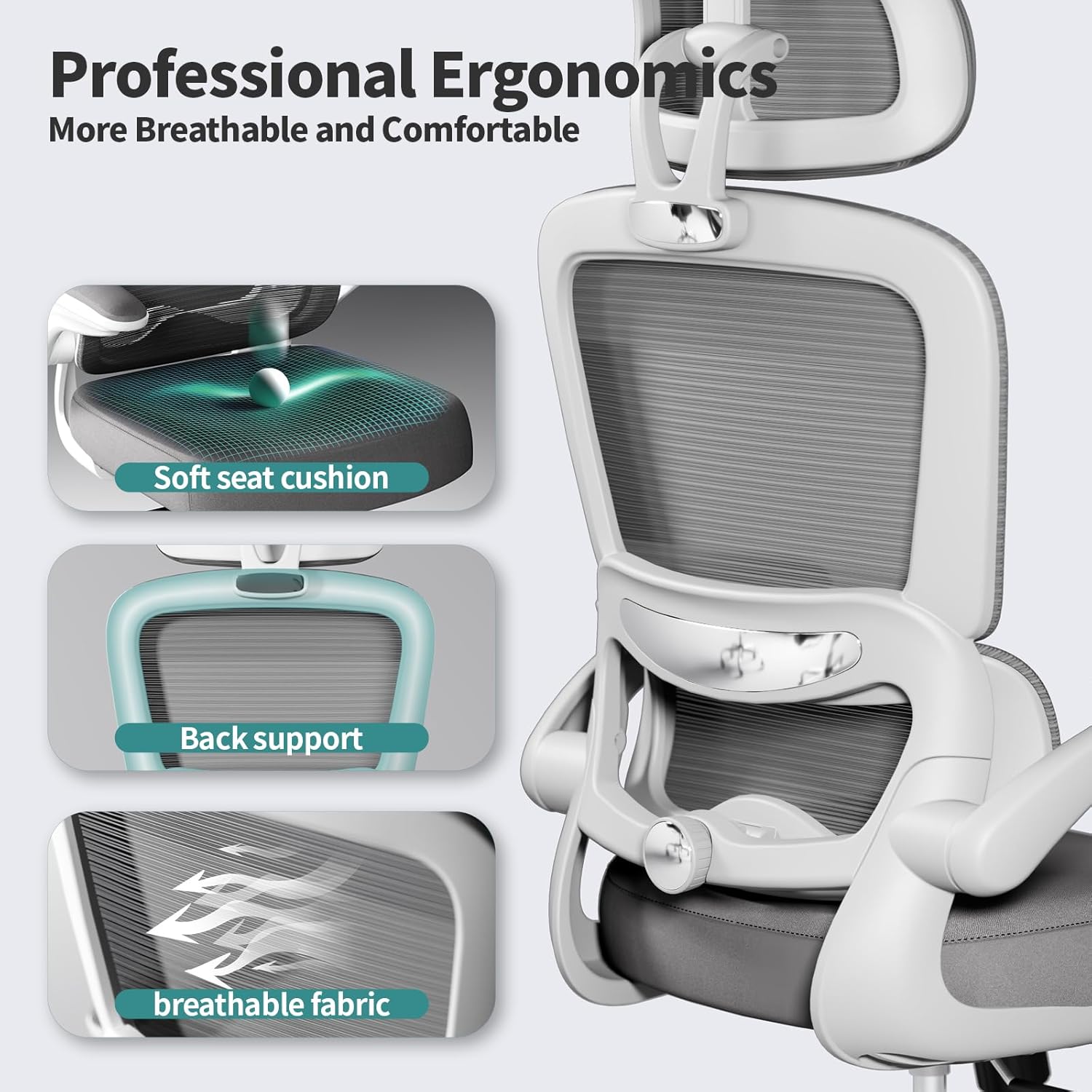
Image: Close-up view of the knob used to adjust the lumbar support, allowing users to customize the depth of the back support.
3.3 Headrest Adjustment
The headrest can be adjusted vertically and tilted to provide optimal neck and head support. Gently push or pull the headrest up or down to find your preferred height. The headrest also pivots to accommodate different angles.

Image: The adjustable headrest, designed to move up, down, and pivot for personalized neck and head support.
3.4 Armrest Adjustment
The armrests are designed to flip up, allowing you to push the chair closer to your desk or for easier entry/exit. Simply lift the armrests upwards until they lock into a vertical position. To lower them, pull them down.

Image: A close-up of the armrest, demonstrating its ability to flip up for convenience and space-saving.
3.5 Tilt Function
The unique tilt function supports 90° to 120° recline or upright sitting positions. Use the lever on the left side beneath the seat to engage or disengage the tilt lock. Adjust the tension of the recline using the tension knob located beneath the seat.
4. Maintenance
Regular maintenance will ensure the longevity and optimal performance of your TRALT Ergonomic Office Chair.
- Cleaning: Wipe down mesh and fabric surfaces with a damp cloth and mild soap. Avoid harsh chemicals that may damage the materials.
- Caster Care: Periodically check the casters for accumulated dust or debris and clean them to ensure smooth rolling.
- Tighten Fasteners: Occasionally check all screws and bolts and tighten them if necessary to maintain stability.
5. Troubleshooting
If you encounter any issues with your TRALT Ergonomic Office Chair, please refer to the following common solutions:
- Chair Sinks or Won't Stay Up: Ensure the gas lift cylinder is correctly installed and not damaged. Contact customer support if the issue persists.
- Squeaking Noises: Check and tighten all assembly screws. Lubricate moving parts if necessary.
- Difficulty Rolling: Clean debris from casters. Ensure casters are properly inserted into the base.
- Backrest or Armrest Not Adjusting: Verify that adjustment levers or knobs are fully engaged or disengaged. Check for any obstructions.
For any quality concerns or persistent issues, please contact TRALT customer service.
6. Specifications
Detailed specifications for the TRALT YX001-1 Ergonomic Office Chair:

Image: Detailed diagram illustrating the dimensions of the TRALT Ergonomic Office Chair, including height, width, and depth measurements.
| Feature | Specification |
|---|---|
| Brand | TRALT |
| Model Name | YX001-1 |
| Color | White |
| Product Dimensions | 27"D x 25.7"W x 49.2"H |
| Size | Medium |
| Maximum Weight Recommendation | 330 Pounds |
| Special Features | Adjustable Backrest, Adjustable Headrest, Adjustable Lumbar, Ergonomic |
| Material | Metal, Nylon, Sponge |
| Seat Height | 21.7 Inches |
| Seat Depth | 17.3 inches |
| Seat Length | 20.1 Inches |
| Tilting | Yes (2 Position Recline) |
| Item Weight | 30 pounds |
7. Safety Information
To ensure safe use and prevent damage, please adhere to the following safety guidelines:
- Weight Limit: Do not exceed the maximum weight capacity of 330 pounds.
- Proper Assembly: Ensure all components are correctly assembled and tightened according to the instructions before use.
- Stable Surface: Use the chair on a flat, stable surface to prevent tipping.
- Avoid Standing on Chair: Do not stand on the chair or use it as a step stool.
- Regular Checks: Periodically inspect the chair for loose parts or damage. Discontinue use if any damage is found and contact customer support.


