1. Introduction
Thank you for choosing the Liectroux i7 Pro Cordless 3-in-1 Vacuum Cleaner and Mop. This versatile appliance is designed to simplify your cleaning routine by combining vacuuming, mopping, and self-cleaning functions. Its powerful suction and intelligent features ensure a spotless home with minimal effort. Please read this manual carefully before use to ensure proper operation and maintenance.
2. Key Features
- Cordless Design: Enjoy unlimited mobility and reach every corner without being tethered to an outlet.
- 3-in-1 Functionality: Vacuums, mops, and self-cleans simultaneously for a complete and efficient cleaning experience.
- Automatic Self-Cleaning & Drying: After each cleaning session, the i7 Pro automatically cleans and dries its roller brush, eliminating the need for manual contact with dirt.
- Super Powerful Suction: High suction power effectively removes various types of dirt and debris, ensuring a truly clean home.
- Versatile Cleaning: Cleans both wet and dry messes, such as liquids like juice, and solids like rice, pasta, pet hair, and cat litter.
- Dual High-Capacity Tanks: Features separate tanks for clean water (600ml) and dirty water (800ml) for hygienic cleaning without mixing residues.
- Long-Lasting Battery: Provides up to approximately 35 minutes of runtime for complete cleaning without interruptions.
- Easy to Use with Self-Propulsion: Flexible and easy to maneuver. The self-propulsion system makes cleaning faster and effortless.
- Equipped with HEPA Filter: Traps airborne impurities such as dust mites, dust, and allergens, promoting a healthier, allergen-free environment.
- Bivolt: Compatible with both 110V and 220V outlets.
3. Package Contents
Please check the box for the following items:
- 1 x Power Cable
- 1 x Liectroux i7 Pro Vacuum Cleaner Body
- 1 x Charging Base
- 1 x Clean Water Tank (600ml)
- 1 x Cleaning Tool
4. Setup Guide
4.1 Initial Assembly
1. Attach Handle: Insert the handle into the main body of the vacuum cleaner until it clicks securely into place.
2. Install Water Tanks: Ensure both the clean water tank and dirty water tank are correctly seated in their designated compartments. The clean water tank is typically located at the top, and the dirty water tank at the bottom.
3. Charge Battery: Place the vacuum cleaner on its charging base. Connect the power cable to the charging base and plug it into a suitable electrical outlet. The LED display will indicate charging status. Fully charge the device before first use (approximately 4-5 hours).

Figure 4.1: Liectroux i7 Pro Vacuum Cleaner on its charging base, ready for use.
4.2 Filling the Clean Water Tank
1. Remove the clean water tank from the main unit.
2. Open the tank cap and fill it with clean tap water. For enhanced cleaning, you may add a small amount of non-foaming floor cleaning solution (ensure it's compatible with wet vacuums). Do not exceed the MAX fill line.
3. Close the cap securely and reinsert the tank into the vacuum cleaner.
5. Operating Instructions
5.1 Powering On/Off
Press the Power button on the handle to turn the device ON or OFF.

Figure 5.1: The handle of the Liectroux i7 Pro, showing the power button for easy operation.
5.2 Cleaning Modes
The Liectroux i7 Pro offers two cleaning modes:
- Automatic Mode: Ideal for daily cleaning of various messes, both wet and dry. The vacuum intelligently adjusts suction power and water flow.
- Suction Only Mode: For vacuuming dry debris without mopping.
Switch between modes using the mode selection button on the handle. The LED display will show the current mode and other relevant information such as battery level and tank status.
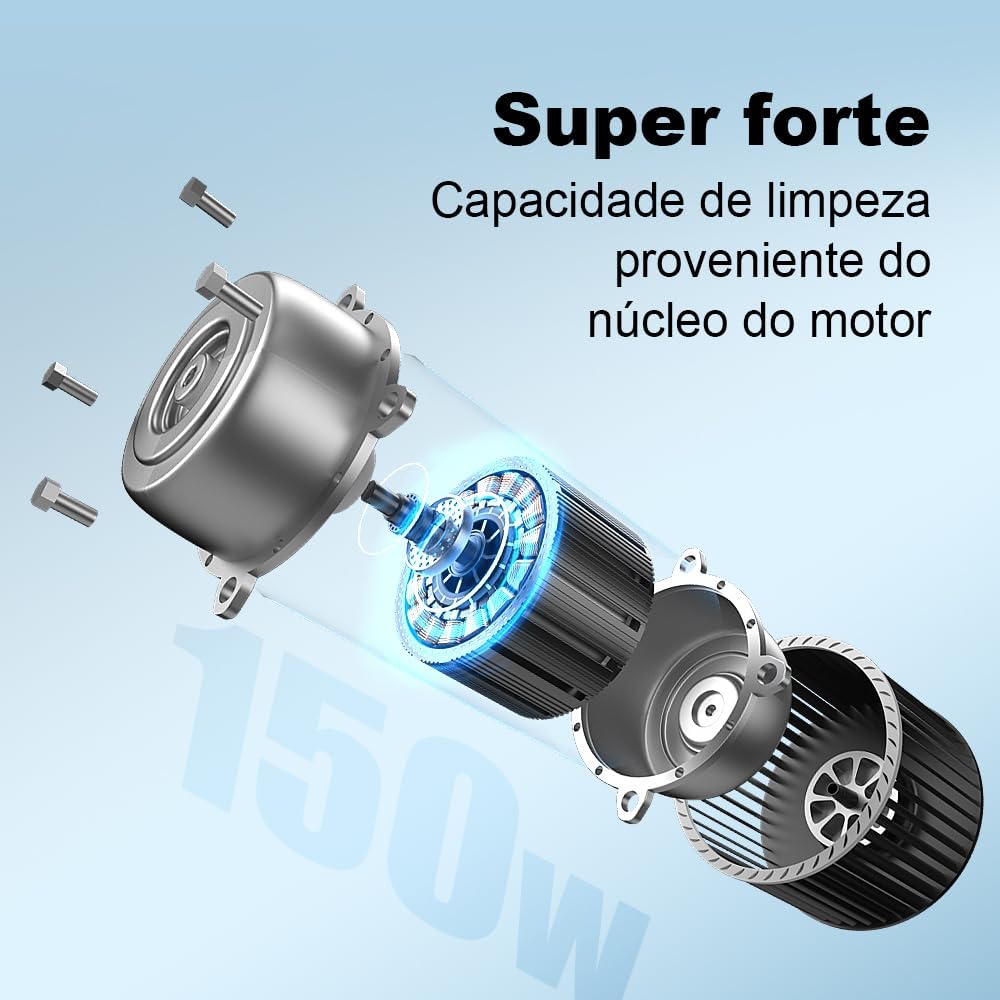
Figure 5.2: The intelligent LED display provides real-time information on cleaning status and modes.
5.3 Cleaning Surfaces
The i7 Pro is suitable for various hard floor types and low-pile carpets. Its self-propulsion feature makes maneuvering effortless.
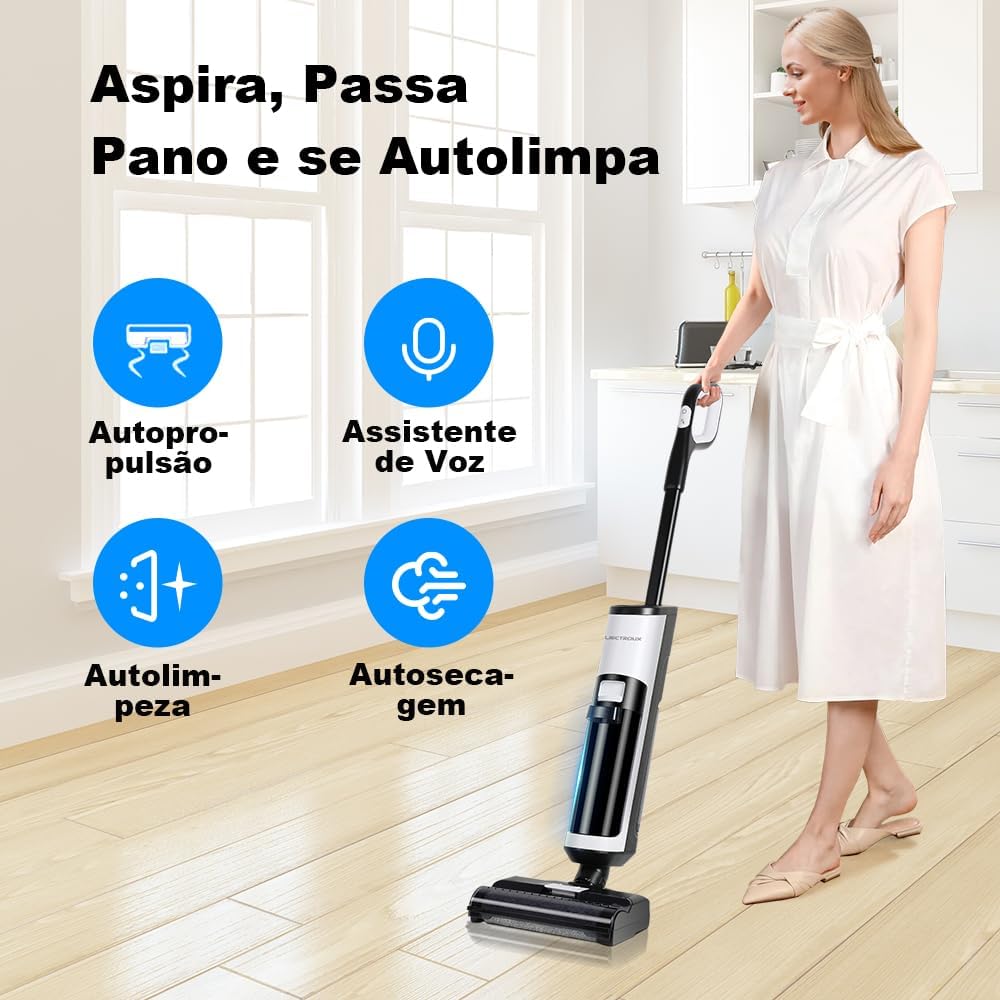
Figure 5.3: The Liectroux i7 Pro in action, demonstrating its ease of use and self-propulsion.
For wet messes, simply guide the vacuum over the spill. The powerful suction and rotating brush will clean and absorb the liquid and debris.

Figure 5.4: The i7 Pro effectively cleans both wet and dry messes, leaving surfaces spotless.
5.4 Voice Assistant
The device features a voice assistant that provides real-time updates and alerts during cleaning, such as low clean water, full dirty water tank, or brush cleaning reminders.

Figure 5.5: The integrated voice assistant provides helpful prompts during operation.
6. Maintenance
6.1 Automatic Self-Cleaning Cycle
After each use, place the vacuum cleaner on its charging base. Press the self-clean button (usually indicated by a water drop icon) on the handle. The device will automatically clean and dry the roller brush, preventing odors and maintaining hygiene.
Video 6.1: Demonstration of the Liectroux i7 Pro's automatic self-cleaning and drying function.
6.2 Emptying the Dirty Water Tank
Regularly empty the dirty water tank after each cleaning session to prevent odors and maintain optimal performance. Remove the tank, open the cap, and pour out the dirty water. Rinse the tank with clean water.

Figure 6.1: Emptying the dirty water tank is quick and easy, ensuring hygienic operation.
6.3 HEPA Filter Maintenance
The HEPA filter should be cleaned regularly (e.g., once a week or as needed) and replaced every 3-6 months depending on usage. Tap out loose debris and rinse under running water. Ensure it is completely dry before reinserting.
6.4 Roller Brush Cleaning
While the self-cleaning function is effective, occasional manual cleaning of the roller brush may be necessary to remove tangled hair or stubborn debris. Use the provided cleaning tool to cut and remove hair from the brush.

Figure 6.2: The roller brush can be easily removed for thorough manual cleaning.
7. Troubleshooting
| Problem | Possible Cause | Solution |
|---|---|---|
| Device does not turn on. | Battery is low or depleted. | Charge the device fully. Ensure it is properly seated on the charging base. |
| Poor suction. | Dirty water tank is full; Clean water tank is empty; Roller brush is tangled; HEPA filter is clogged. | Empty dirty water tank; Refill clean water tank; Clean roller brush; Clean or replace HEPA filter. |
| Water leakage. | Water tanks not properly installed or caps not sealed. | Ensure tanks are correctly installed and caps are tightly closed. |
| Self-cleaning not working. | Insufficient water in clean tank; Device not properly on charging base. | Ensure clean water tank is filled and device is correctly positioned on the base. |
8. Specifications
| Specification | Detail |
|---|---|
| Model Number | i7 Pro |
| Color | White |
| Product Weight | 3.8 Kilograms |
| Form Factor | Vertical |
| Power (Watts) | 200 watts |
| Voltage | 110, 220 Volts (Bivolt) |
| Battery Type | Lithium-ion (included) |
| Clean Water Tank Capacity | 600 ml |
| Dirty Water Tank Capacity | 800 ml |
| Filter Type | HEPA Filter |
| Special Features | Self-cleaning |
| Dimensions (L x W x H) | 21 x 36.5 x 80 cm |
9. Warranty and Support
The Liectroux i7 Pro comes with a standard manufacturer's warranty. For specific warranty terms and conditions, please refer to the warranty card included in your package or visit the official Liectroux website. For technical support, spare parts, or service inquiries, please contact Liectroux customer service.
Extended warranty options may be available:
- 12-month extended warranty against failures and defects.
- 24-month extended warranty against failures and defects.
For more information, visit the Liectroux Official Store on Amazon.


