
Introduction and Overview
The LG XG9QBK Go Portable Bluetooth Speaker is designed to deliver exceptional sound quality with powerful bass and dynamic lighting effects. This manual provides essential information for setting up, operating, maintaining, and troubleshooting your speaker to ensure optimal performance and longevity.
Key features include powerful dual 4.5-inch woofers for impressive bass, up to 24 hours of battery life for extended use, and an IP67 dust and water resistance rating for versatile indoor and outdoor enjoyment. The speaker also features a dome-style lighting projector to enhance your audio experience with vibrant light shows, controllable via the LG XBOOM App.
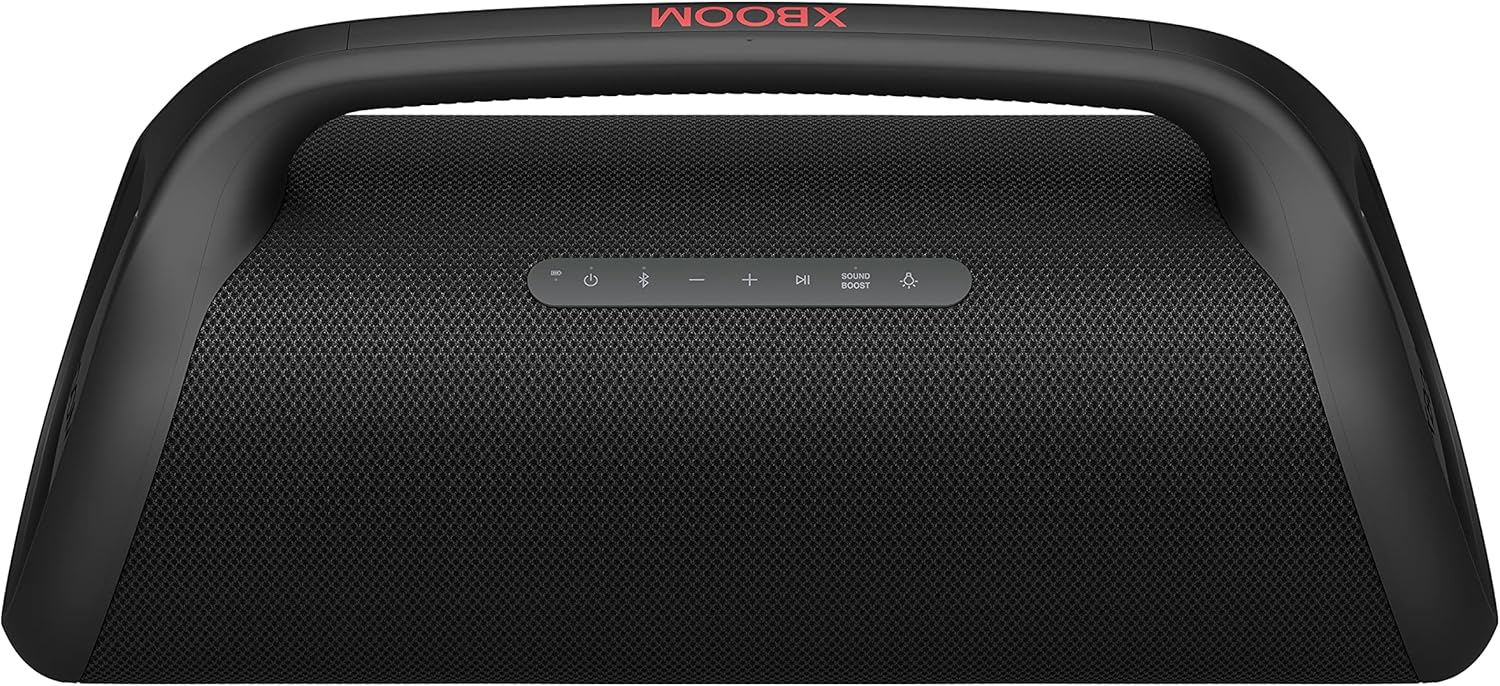
Figure 1: Front view of the LG XG9QBK Go Portable Bluetooth Speaker.
Setup
1. Initial Charging
Before first use, fully charge your LG XG9QBK speaker. Connect the speaker to a power source using the provided USB-C charging cable. The battery indicator lights will show the charging status. A full charge provides up to 24 hours of playback, depending on volume and lighting usage.
2. Powering On/Off
Press and hold the power button located on the top panel of the speaker to turn it on or off.

Figure 2: Top panel showing power and other control buttons.
3. Bluetooth Pairing
- Turn on the speaker. The Bluetooth indicator light will blink, indicating it's in pairing mode.
- On your smartphone or audio device, enable Bluetooth and search for available devices.
- Select "LG XG9QBK" from the list of devices.
- Once connected, the Bluetooth indicator light will stop blinking and remain solid.
Operating
1. Basic Audio Controls
- Volume: Use the '+' and '-' buttons on the top panel to adjust the volume.
- Play/Pause: Press the Play/Pause button to start or pause audio playback.
- Track Skip: Double-press the Play/Pause button for the next track, or triple-press for the previous track.
2. Bass Enhancement
Activate the Bass enhancement feature for increased, clear bass response, even at low volumes. This feature is controlled via the LG XBOOM App.
3. Stage Lighting
The speaker features a dome-style lighting projector with three modes and nine lighting presets. Control and customize the light show to match your mood or music using the LG XBOOM App.

Figure 3: Speaker demonstrating its stage lighting feature.
4. LG XBOOM App
Download the LG XBOOM App to control audio, lighting effects, playlists, equalizer settings, and more directly from your smartphone via Bluetooth connection.
5. Voice Control
Use the XBOOM Go as a speakerphone and control playback with your favorite voice-controlled apps like Google Assistant, Alexa, or Siri.
Maintenance
1. Water and Dust Resistance (IP67)
The LG XG9QBK speaker has an IP67 rating, meaning it is dust-tight and water-resistant. It can withstand immersion in water up to 1 meter for 30 minutes. This makes it suitable for outdoor activities, poolside parties, and beach events.

Figure 4: Speaker demonstrating its water resistance.
Important: After exposure to water, ensure the speaker is completely dry before charging. Do not charge while wet.
2. Cleaning
Wipe the speaker with a soft, dry cloth. For stubborn dirt, use a slightly damp cloth and then dry thoroughly. Avoid using harsh chemicals or abrasive cleaners.
Troubleshooting
- No Power: Ensure the battery is charged. Connect the speaker to a power source and try turning it on again.
- Bluetooth Connectivity Issues:
- Make sure Bluetooth is enabled on your device and the speaker is in pairing mode.
- Move your device closer to the speaker.
- Forget the speaker from your device's Bluetooth list and re-pair.
- Restart both the speaker and your audio device.
- Poor Sound Quality:
- Check the volume levels on both the speaker and your connected device.
- Ensure there are no obstructions between the speaker and your device.
- Disable any equalizer settings on your device or the XBOOM App to see if it improves sound.
- Lights Not Working: Check the settings in the LG XBOOM App to ensure lighting effects are enabled and configured correctly.
Specifications
| Model Name | XG9QBK.DUSALLK |
| Brand | LG |
| Speaker Type | Woofer |
| Material | Carbon |
| Connectivity Technology | Bluetooth |
| Wireless Communication Technology | Bluetooth |
| Speaker Maximum Output Power | 80 Watts |
| Signal-to-Noise Ratio | 70 dB |
| Audio Output Mode | Stereo |
| Woofer Diameter | 4.5 Inches |
| Subwoofer Diameter | 11.43 Centimeters |
| Battery Capacity | 5200 Milliamp Hours |
| Battery Life | Up to 24 hours |
| Water Resistance Level | Waterproof (IP67) |
| Item Weight | 7.5 Kilograms (16.5 pounds) |
| Product Dimensions | 7.5 x 20.6 x 9.7 inches |
| Control Method | Voice |
| Included Components | Speakers |
Warranty
This product comes with a Limited Warranty. For detailed information regarding warranty coverage, terms, and conditions, please refer to the warranty card included in the product packaging or visit the official LG website.
Support
For further assistance, technical support, or service inquiries, please visit the official LG Electronics website or contact their customer service department. You can find contact information and additional resources on the LG support page for your region.
Official Product Video
Video 1: LG XBOOM by will.i.am Brand Video. This video showcases the design and features of the LG XBOOM speaker, highlighting its sound and aesthetic appeal.