
ELP ELP-USB8MP05AF-V62
ELP 8MP USB Camera Module User Manual
Model: ELP-USB8MP05AF-V62
Brand: ELP
Introduction and Overview
This manual provides comprehensive instructions for the ELP 8MP USB Camera Module with Microphone Autofocus PC Camera. Designed for versatility, this 4K camera module is suitable for various applications including computer vision, laser engraving (Lightburn), surveillance, and integration with development boards like Raspberry Pi.
The module features an 8-megapixel sensor, autofocus capabilities, and a built-in microphone, offering high-resolution imaging and audio capture in a compact form factor.
Product Features
- Ultra HD Resolution: Still picture resolution up to 3264x2448 pixels (8MP Max).
- Autofocus Functionality: Automatically adjusts focus for objects at varying distances, eliminating the need for manual lens adjustment.
- Built-in Microphone: Enables simultaneous video and audio capture.
- Compact Design: Super small and mini strip size, ideal for integration into various systems like Lightburn laser engravers and other machine vision applications.
- Non-Distortion Lens: Features a lens with approximately 62-degree Horizontal Field of View (HFOV) and minimal distortion.
- High-Performance Sensor: Embedded with a 1/3.2” IMX179 image sensor for superior picture quality.
- Versatile Picture Formats: Supports MJPEG or YUY2 formats.
- Broad Compatibility: Compatible with Raspberry Pi, Ubuntu, OpenCV, Amcap, and various other USB webcam software and hardware.
- Plug & Play (UVC Compliant): Requires no extra drivers; simply connect to PC, laptop, or Android devices using the included USB cable.
What's in the Box
- 1 x 8MP Autofocus USB Camera Module
- 1 x 1-meter USB Cable
- 1 x User Manual (this document)
Setup Guide
The ELP 8MP USB Camera Module is designed for simple plug-and-play operation thanks to its UVC compliance. No additional drivers are typically required for most operating systems.
Connecting the Camera Module
- Locate an available USB 2.0 port on your computer, laptop, Raspberry Pi, or Android device.
- Connect the included 1-meter USB cable to the camera module's 4P 1.0 plug connector. Ensure the connection is secure.
- Insert the USB-A end of the cable into the USB port of your host device.
- Your operating system should automatically detect and install the necessary generic drivers. A notification may appear indicating that the device is ready for use.

Image: The ELP 8MP USB Camera Module connected to its USB cable, ready for integration.

Image: Detail of the 4P 1.0 plug connector on the camera module, showing where the USB cable attaches.
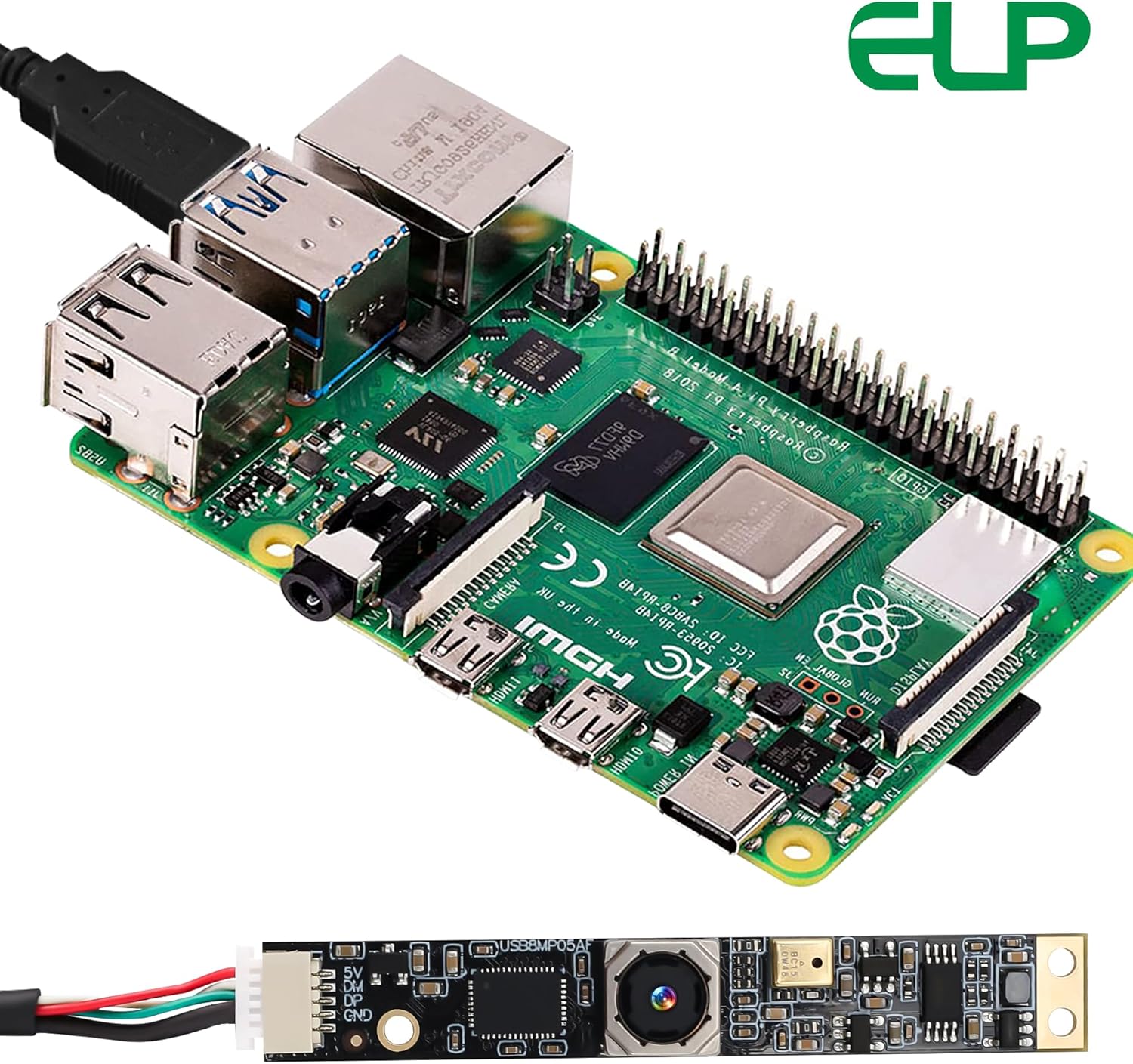
Image: The ELP 8MP USB Camera Module connected to a Raspberry Pi, demonstrating its compatibility with development boards.
Operating Instructions
Using the Camera
Once connected, the camera module can be accessed through various applications that support USB webcams. This includes standard camera applications on Windows, macOS, and Linux, as well as specialized software like Lightburn for laser engravers, OpenCV for computer vision projects, or Amcap.
- Autofocus: The camera features automatic autofocus. It will adjust to bring objects into clear focus whether they are close or far. This is particularly useful for dynamic environments or when the camera's distance to the subject changes.
- Resolution Settings: The camera supports various resolutions up to 3264x2448 for still images and 4K for video capture. You can typically select your preferred resolution and picture format (MJPEG or YUY2) within the settings of the application you are using.
- Built-in Microphone: The integrated microphone will be detected as an audio input device by your system. Ensure it is selected as the audio input in your application settings for audio recording.

Image: Demonstration of the autofocus feature, showing clear focus on lotus flowers in the foreground and background.

Image: A laptop displaying a video call, with the ELP camera module connected and its built-in microphone active.

Image: Visual comparison of the camera's high resolution capabilities, showing images at 3264x2448 and 2592x1944 pixels.

Image: Illustration of the wide-angle, low-distortion lens, highlighting its 62-degree HFOV and minimal image warping.

Image: Various application scenarios for the camera module, including barcode/QR code scanning, video door phone systems, and altimeter integration.
Official Product Video
Video: An official product video demonstrating the features and applications of the ELP 8MP USB Camera Module, including its compact size, built-in microphone, plug-and-play functionality, high resolution, fast autofocus, and various industrial and personal applications.
Maintenance
- Cleaning: Use a soft, dry cloth to gently wipe the lens and board. Avoid using liquid cleaners or abrasive materials.
- Storage: Store the camera module in a cool, dry place away from direct sunlight and extreme temperatures.
- Handling: Handle the module by its edges to avoid touching the lens or electronic components.
- Cable Care: Do not bend or crimp the USB cable excessively to prevent internal damage.
Troubleshooting
| Problem | Possible Cause | Solution |
|---|---|---|
| Camera not detected / No image |
|
|
| Autofocus issues (blurry image, slow focus) |
|
|
| No audio from microphone |
|
|
Specifications
| Feature | Detail |
|---|---|
| Brand | ELP |
| Model Number | ELP-USB8MP05AF-V62 8mp usb camera |
| Image Sensor | 1/3.2” IMX179 CMOS |
| Still Picture Resolution | 3264x2448 Max |
| Video Capture Resolution | 4K |
| Autofocus | Yes |
| Built-in Microphone | Yes |
| Lens Type | Non-distortion lens |
| Horizontal Field of View (HFOV) | Approx. 62 degrees |
| Connectivity | USB 2.0 |
| UVC Compliant | Yes (Plug & Play) |
| Dimensions | 2.45 x 0.35 x 0.24 inches (approx. 62.3 x 9 x 6.1 mm) |
| Item Weight | 0.705 ounces |
| Color | Brown (board color) |

Image: The compact size of the ELP 8MP USB Camera Module, with detailed dimensions provided for integration purposes.
Safety Information
Please use the ELP 8MP USB Camera Module strictly according to the guidelines provided in this user manual. Improper use or handling may result in damage to the device or connected equipment. Avoid exposing the module to moisture, extreme temperatures, or direct impact. Do not attempt to disassemble or modify the camera module, as this will void any potential warranty and could cause damage.
Legal Disclaimer
The ELP 8MP USB Camera Module is intended for use as described in this manual. The manufacturer and seller are not responsible for any damages or issues arising from misuse, unauthorized modifications, or failure to adhere to the instructions provided herein. Users are responsible for ensuring compliance with all local laws and regulations when using this product, especially in applications involving surveillance or data collection.
Warranty and Support
For warranty information and technical support, please refer to the contact details provided by your point of purchase or visit the official ELP website. Keep your purchase receipt as proof of purchase for any warranty claims.
Related documentsELP-USB8MP05AF-V62


Ask a question about this manual
Ask about setup, troubleshooting, compatibility, parts, safety, or missing instructions. Manuals+ will review the question and use this page’s manual context to help answer it.