
Mibro XPAW014
Mibro Watch C3 Smartwatch User Manual
Model: XPAW014
Introduction
The Mibro Watch C3 is an advanced smartwatch designed to enhance your daily life with its comprehensive features. Equipped with a 2-in-1 dual-core chip, it offers seamless connectivity and efficient performance. Its vibrant 1.85-inch HD screen provides a clear and smooth visual experience with a 60 fps frame rate. This device supports Bluetooth calls directly from your wrist, allowing for convenient communication on the go.
Key features include 4 PD heart rate monitoring for accurate health insights, a wide array of 70 sports modes to track various physical activities, and an impressive battery life of up to 10 days on a single charge. The Mibro Watch C3 is also rated 2 ATM waterproof, making it suitable for everyday use and light water activities.
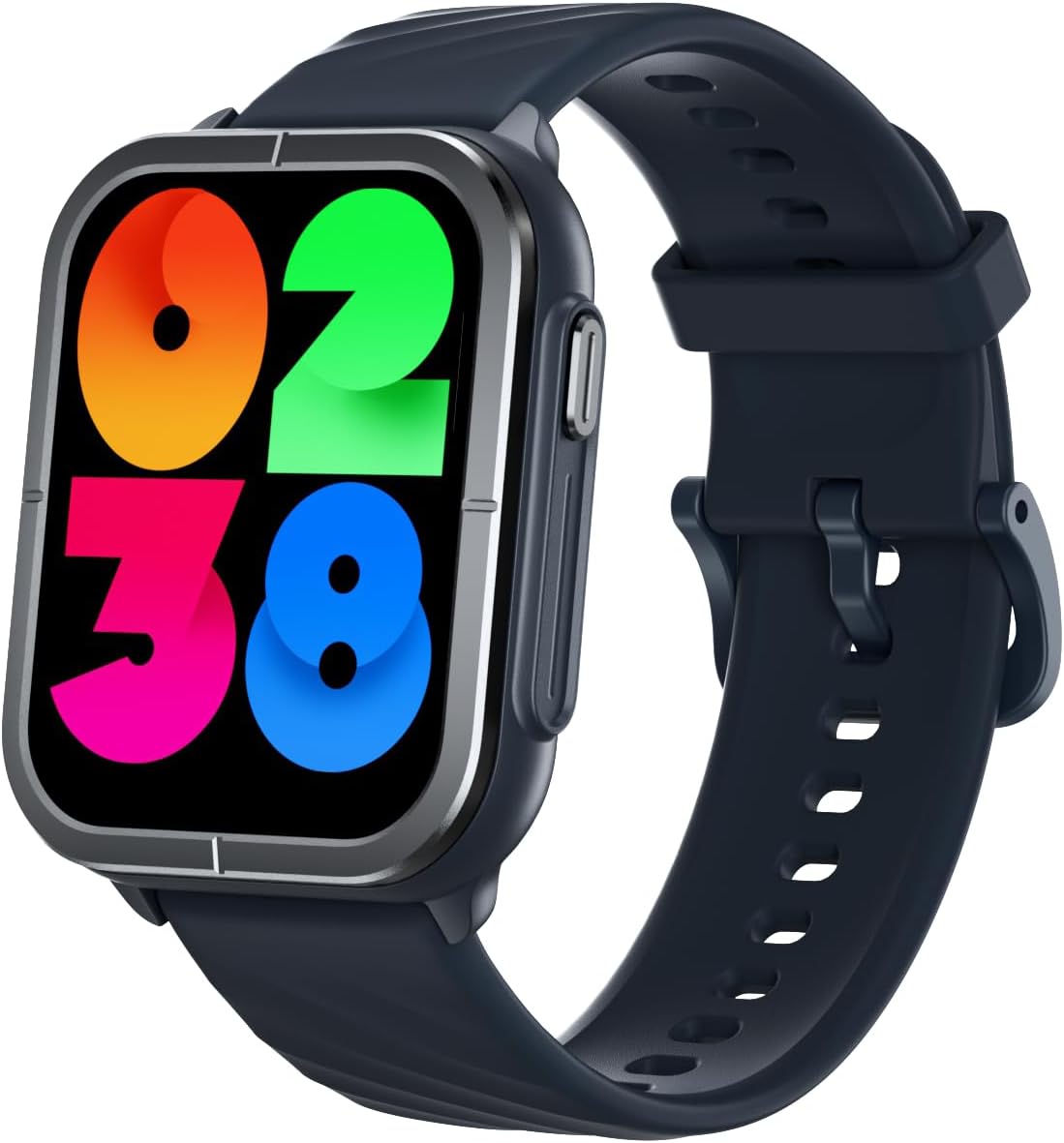
Image: Front view of the Mibro Watch C3 Smartwatch, showcasing its rectangular display and dark grey strap.
Setup Guide
1. Charging the Smartwatch
Before initial use, fully charge your Mibro Watch C3. Connect the magnetic charging cable to the charging contacts on the back of the watch and plug the USB end into a standard USB power adapter (5V/1A recommended). The watch display will indicate charging status. A full charge typically takes approximately 2 hours.
2. Downloading the Mibro Fit App
To unlock the full functionality of your smartwatch, download the official Mibro Fit application on your smartphone. Search for "Mibro Fit" in the Apple App Store (for iOS devices) or Google Play Store (for Android devices), or scan the QR code provided in the watch's quick start guide (if available).
3. Pairing with Your Smartphone
- Ensure Bluetooth is enabled on your smartphone.
- Open the Mibro Fit app and create an account or log in.
- Follow the in-app instructions to add a new device. The app will search for nearby Mibro devices. Select "Mibro Watch C3" from the list.
- Confirm the pairing request on both your smartphone and the smartwatch. A successful connection will be indicated on both devices.

Image: Infographic detailing key features of the Mibro Watch C3, including the 2-in-1 dual-core chip, 1.85-inch HD screen, Bluetooth calling, 4 PD heart rate monitoring, 70 sports modes, 10-day battery life, and 2 ATM water resistance.
Operating Instructions
Basic Navigation
- Touchscreen: Swipe left/right to navigate between main screens (e.g., daily activity, heart rate). Swipe up to access notifications. Swipe down to access quick settings. Tap to select an item or open an application.
- Side Button: Press the side button to return to the watch face or to access the app list. A long press may activate a specific function or power the device on/off.
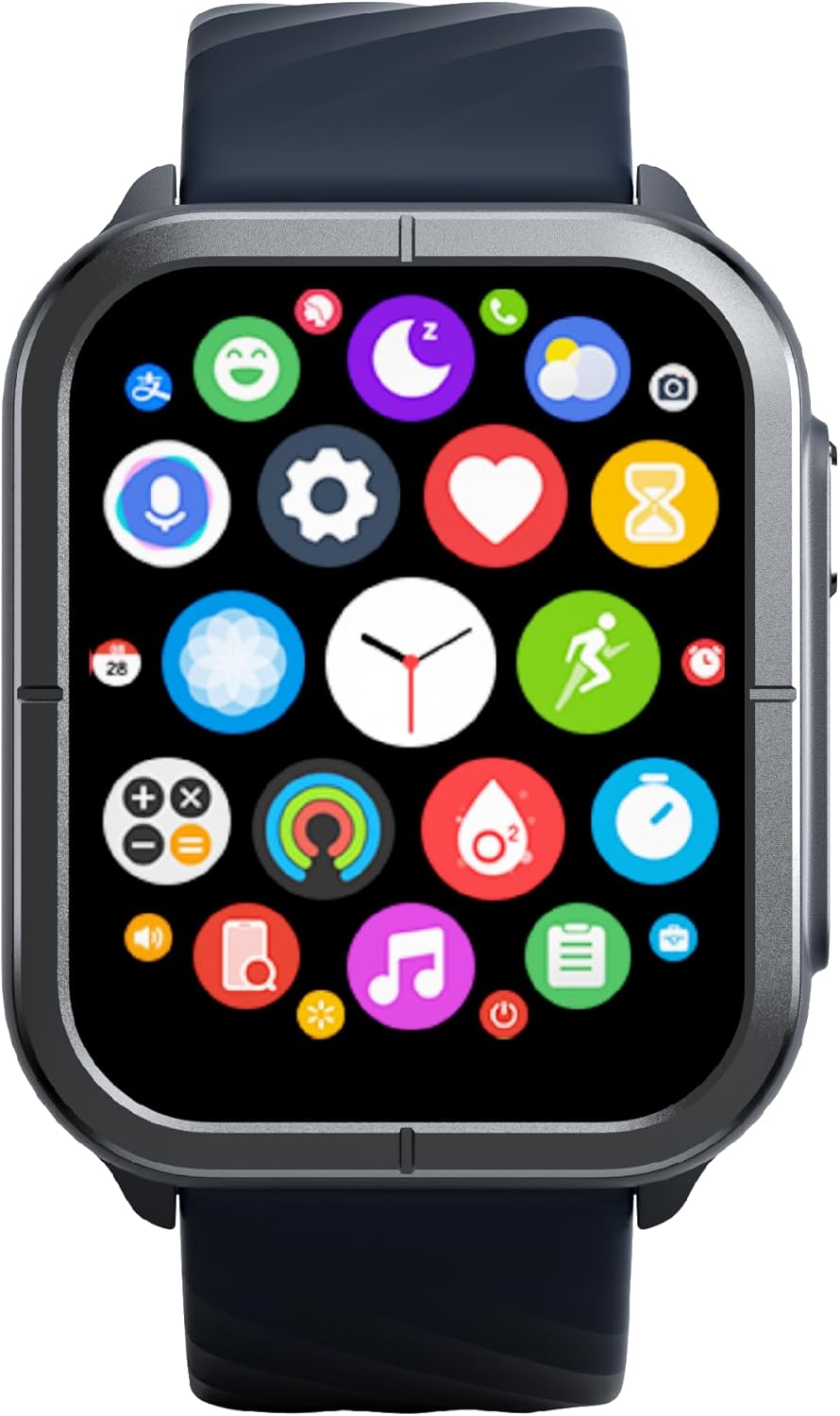
Image: The Mibro Watch C3 display showing a grid of colorful application icons, representing various functions like health tracking, settings, music, and sports modes.
Bluetooth Calling
Once paired with your smartphone, the Mibro Watch C3 allows you to make and receive calls directly from your wrist. Ensure the Bluetooth connection is stable. You can access your call history, dial pad, and contacts through the watch's phone application.
Health Monitoring
- Heart Rate: The watch continuously monitors your heart rate using its 4 PD sensors. View real-time data on the watch or detailed trends in the Mibro Fit app.
- SpO2 (Blood Oxygen): Measure your blood oxygen saturation levels on demand.
- Sleep Monitoring: The watch automatically tracks your sleep patterns, including deep sleep, light sleep, and awake times. Review your sleep quality analysis in the app.
- Women's Health: Utilize the dedicated feature to track physiological cycles and predict periods and ovulation (requires setup in the Mibro Fit app).

Image: Infographic illustrating the health monitoring capabilities of the Mibro Watch C3, including continuous heart rate detection, SpO2 measurement, sleep monitoring, and precision algorithms for women's health tracking.
Sports Modes
The Mibro Watch C3 supports 70 different sports modes. To start a workout, navigate to the Sports section on your watch, select your desired activity (e.g., running, cycling, swimming), and tap to begin. The watch will track relevant metrics such as duration, calories burned, heart rate, and distance.
Other Functions
The smartwatch includes various other useful features:
- Music Control: Control music playback on your smartphone.
- Stress Monitoring: Track your stress levels throughout the day.
- Breathing Training: Guided breathing exercises for relaxation.
- Alarm Clock: Set alarms directly from the watch.
- Stopwatch & Timer: Essential utility functions.
- Weather Forecast: Get real-time weather updates.
- Find Phone: Locate your paired smartphone.
- Remote Camera Control: Use your watch as a remote shutter for your phone's camera.

Image: Infographic highlighting additional features of the Mibro Watch C3, including 2 ATM water resistance, music control, stress monitoring, breathing training, alarm, stopwatch, and various other smart functions.
Maintenance
Water Resistance (2 ATM)
The Mibro Watch C3 is rated 2 ATM waterproof. This means it is resistant to splashes, rain, and brief immersion in shallow water, such as during hand washing or showering. It is not suitable for diving, snorkeling, high-speed water sports, or prolonged immersion. Avoid exposing the watch to hot water, steam, or strong currents, as this may compromise the water resistance.

Image: The Mibro Watch C3 worn on a person's wrist, with water droplets visible, demonstrating its water resistance in a casual setting.
Cleaning and Care
- Regularly clean the watch case and strap with a soft, damp cloth.
- Avoid using harsh chemicals, abrasive cleaners, or solvents, as these can damage the watch's finish and seals.
- Ensure the charging contacts are clean and dry before charging to prevent corrosion.
- If the watch gets wet, dry it thoroughly before charging or prolonged storage.
Battery Care
- To prolong battery life, avoid extreme temperatures.
- Charge the watch regularly, but avoid leaving it fully discharged for extended periods.
- If storing the watch for a long time, charge it to about 50% before storage.
Troubleshooting
Watch Not Turning On or Charging
- Ensure the charging cable is securely connected to both the watch and the power source.
- Check if the charging contacts on the watch and cable are clean and free of debris.
- Try a different USB power adapter or USB port.
- Allow the watch to charge for at least 10-15 minutes before attempting to turn it on.
Bluetooth Connectivity Issues
- Ensure Bluetooth is enabled on your smartphone and the watch.
- Keep the watch within the Bluetooth range of your smartphone (typically 10 meters).
- Restart both your smartphone and the Mibro Watch C3.
- In your phone's Bluetooth settings, forget the Mibro Watch C3 and then re-pair it through the Mibro Fit app.
- Ensure the Mibro Fit app is running in the background and has necessary permissions.
Inaccurate Health Data
- Ensure the watch is worn snugly on your wrist, about one finger's width above the wrist bone.
- Keep the sensor area on the back of the watch clean.
- Avoid excessive movement during measurements (e.g., SpO2).
- Ensure your personal information (height, weight, age) is accurately entered in the Mibro Fit app.
Screen Not Responding
- Try restarting the watch by long-pressing the side button until the power options appear, then select restart. If unresponsive, try a forced restart (refer to the quick start guide for specific instructions, usually a longer press of the side button).
- Ensure the screen is clean and dry.
Specifications

Image: Diagram showing the dimensions of the Mibro Watch C3, including watch face width (47mm), thickness (11.8mm), and total strap length (254mm).
| Feature | Detail |
|---|---|
| Brand | Mibro |
| Model Number | XPAW014 |
| Screen Size | 1.85 Inches |
| Operating System | Wear OS (Customized) |
| Connectivity | Bluetooth |
| Special Features | 2-in-1 Dual-Core Chip, 26 Language Support, Bluetooth Calling, Heart Rate Monitoring, SpO2, Sleep Tracking, 70 Sports Modes |
| Compatible Devices | Smartphone |
| Battery Composition | Lithium-ion / Lithium-polymer |
| Battery Life | Up to 10 days (typical usage) |
| Water Resistance | 2 ATM |
| Memory Storage Capacity | 128 MB |
| GPS | No GPS |
| Shape | Rectangular |
Warranty and Support
Warranty Information
The Mibro Watch C3 typically comes with a manufacturer's warranty covering defects in materials and workmanship. For specific warranty terms and duration, please refer to the warranty card included with your product or visit the official Mibro website. In general, a return policy of 30 days for refunds/replacements may apply from the point of purchase, as indicated by the seller.
Customer Support
For technical assistance, troubleshooting beyond this manual, or warranty claims, please contact Mibro customer support. You can usually find contact information (email, phone, or support portal) on the official Mibro website. When contacting support, please have your product model number (XPAW014) and purchase details ready.
You can also visit the official Mibro store on Amazon for more information: Mibro Amazon Store
Related documentsXPAW014


Ask a question about this manual
Ask about setup, troubleshooting, compatibility, parts, safety, or missing instructions. Manuals+ will review the question and use this page’s manual context to help answer it.