Introduction
Thank you for purchasing the DANFI AUDIO DF TE-2026 Vintage 3-Speed Turntable LP Record Player. This manual provides essential information for the safe and efficient operation of your new record player. Please read it thoroughly before use and retain it for future reference.
The TE-2026 is a versatile record player designed to play 7", 10", and 12" vinyl records at three speeds (33 1/3, 45, and 78 RPM). It features built-in speakers, Bluetooth connectivity for streaming, RCA outputs for external speakers, a headphone jack for private listening, and a USB port for digital recording and playback.
Important Safety Instructions
- Read these instructions carefully.
- Keep these instructions for future reference.
- Heed all warnings.
- Follow all instructions.
- Do not use this apparatus near water.
- Clean only with a dry cloth.
- Do not block any ventilation openings. Install in accordance with the manufacturer's instructions.
- Do not install near any heat sources such as radiators, heat registers, stoves, or other apparatus (including amplifiers) that produce heat.
- Protect the power cord from being walked on or pinched, particularly at plugs, convenience receptacles, and the point where they exit from the apparatus.
- Only use attachments/accessories specified by the manufacturer.
- Unplug this apparatus during lightning storms or when unused for long periods of time.
- Refer all servicing to qualified service personnel. Servicing is required when the apparatus has been damaged in any way, such as power-supply cord or plug is damaged, liquid has been spilled or objects have fallen into the apparatus, the apparatus has been exposed to rain or moisture, does not operate normally, or has been dropped.
Package Contents
Ensure all items are present before proceeding with setup:
- DANFI AUDIO DF TE-2026 Record Player
- Power unit (DC 5V/1A USB powered)
- Slipmat
- Extra replacement needle
- 45 RPM adapter
- User manual (this document)
Product Overview
Familiarize yourself with the components of your record player.

Image: The DANFI AUDIO DF TE-2026 record player in blue, open and ready to play a vinyl record. The tonearm is visible, along with the built-in speakers on the front.

Image: A diagram highlighting key features of the record player, including Bluetooth In, Belt-Driven Damping, USB Playback & Recording, AUX in/Out & Headphone jack, Built-in Stereo Speakers, and Turntable Auto-Stop.
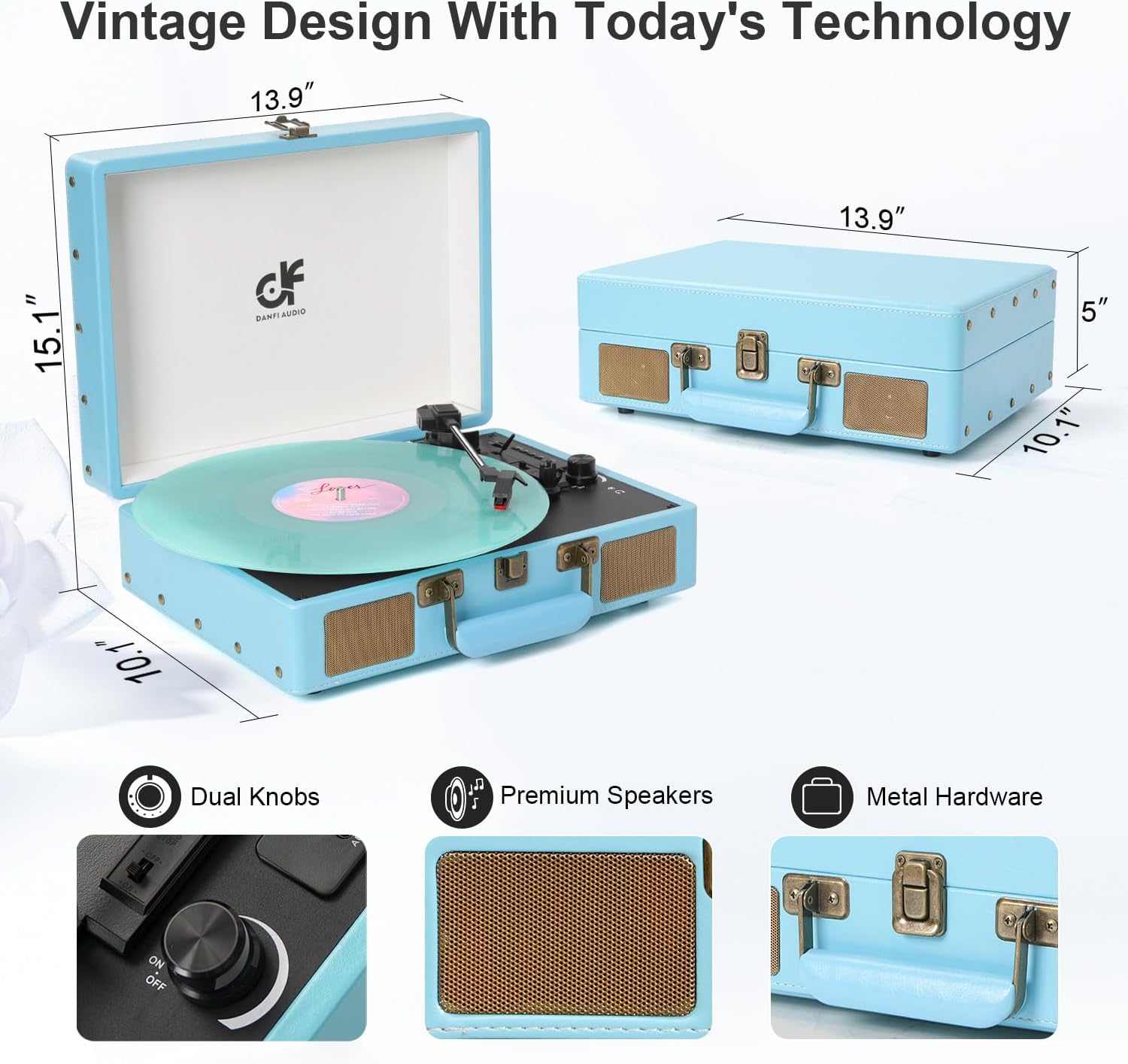
Image: This image displays the dimensions of the record player (13.9" x 10.1" x 5" when closed, 15.1" height when open) and close-ups of the dual knobs, premium speakers, and metal hardware.
Setup
- Unpacking: Carefully remove the record player and all accessories from the packaging. Retain packaging for future transport or storage.
- Placement: Place the record player on a stable, level surface away from direct sunlight, heat sources, and excessive dust or vibration.
- Power Connection: Connect the power unit to the DC 5V/1A USB port on the record player and then plug it into a suitable power outlet.
- Remove Stylus Protector: Gently remove the white plastic stylus protector from the needle. Be careful not to damage the stylus.
- Platter Setup: Place the slipmat onto the platter.
Operating Instructions
Playing a Vinyl Record
- Open the record player lid.
- Place a vinyl record on the platter. If playing a 45 RPM single, place the 45 RPM adapter on the center spindle first.
- Select the correct speed (33 1/3, 45, or 78 RPM) using the speed selector switch.
- Turn the Power/Volume knob clockwise to turn on the unit and adjust the volume.
- Release the tonearm lock.
- Lift the tonearm using the cue lever and position it over the desired track on the record.
- Gently lower the tonearm onto the record using the cue lever. The record will begin to play.
- At the end of the record, the auto-stop function will stop the platter from spinning. Lift the tonearm, return it to the tonearm rest, and engage the lock.
Bluetooth Mode
You can stream music wirelessly from your Bluetooth-enabled device to the record player's built-in speakers.
- Turn on the record player.
- Switch the mode selector to "BT" (Bluetooth). The indicator light will flash, indicating pairing mode.
- On your smartphone or other Bluetooth device, enable Bluetooth and search for "DANFI AUDIO DF" or a similar device name.
- Select the record player to pair. Once connected, the indicator light will stop flashing.
- You can now play music from your device through the record player's speakers.
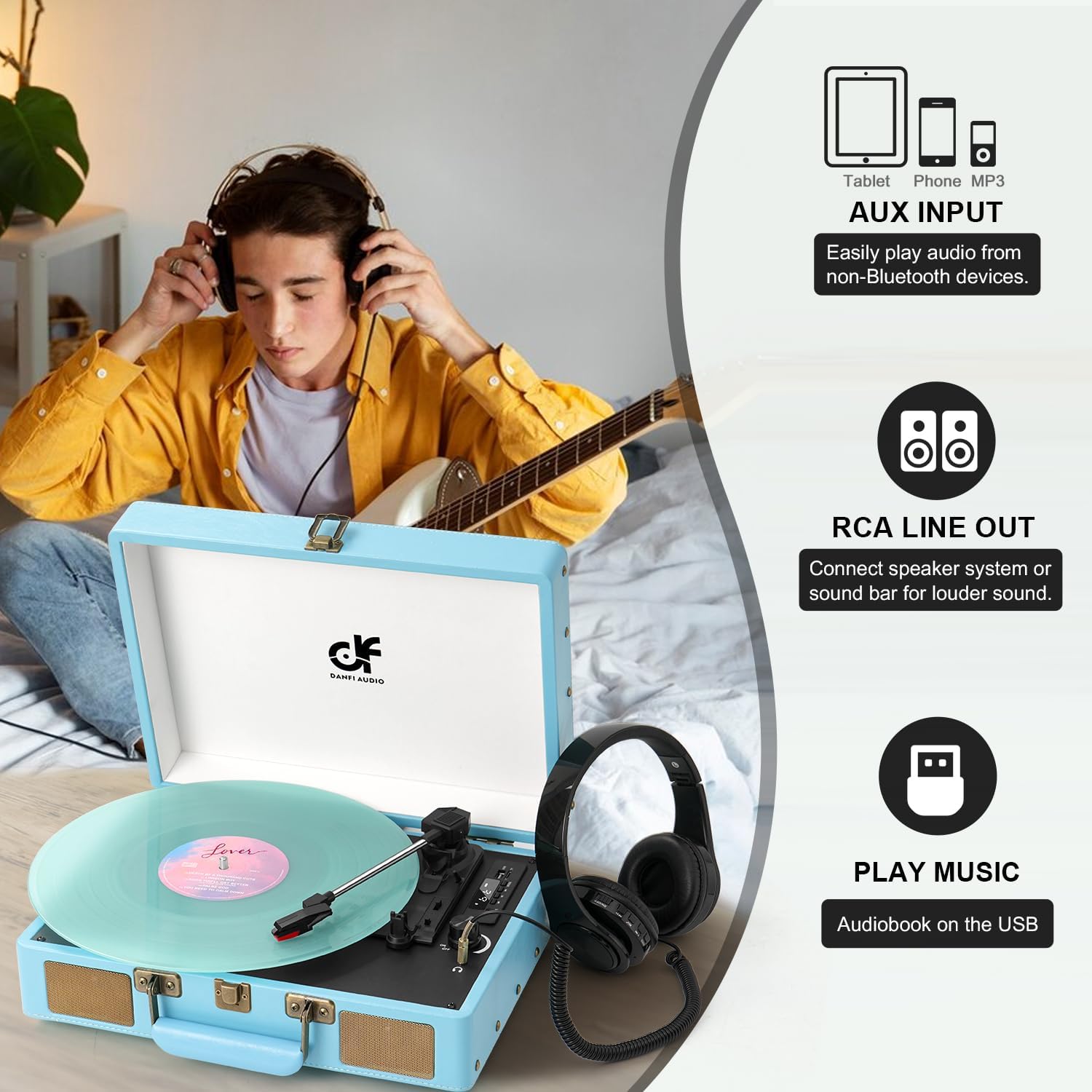
Image: A person is shown listening to music with headphones connected to the record player. The image also illustrates the AUX input for non-Bluetooth devices and RCA line out for connecting external speakers.
AUX Input
Connect external audio devices (e.g., CD player, MP3 player) using a 3.5mm AUX cable (not included).
- Connect one end of the 3.5mm AUX cable to the AUX IN port on the record player.
- Connect the other end to the headphone jack or audio output of your external device.
- Switch the mode selector to "AUX".
- Play audio from your external device.
RCA Line Output
Connect the record player to external powered speakers or an amplifier using RCA cables (not included) for enhanced sound.
- Connect RCA cables to the RCA OUT ports on the back of the record player.
- Connect the other end of the RCA cables to the audio input of your external amplifier or powered speakers.
- Ensure your external audio system is powered on and set to the correct input.
- Play a record or use Bluetooth/AUX input. Audio will be routed through the external system.
Headphone Jack
For private listening, connect headphones to the 3.5mm headphone jack.
- Plug your headphones into the headphone jack.
- The built-in speakers will automatically mute.
USB Recording and Playback
The USB port allows you to convert vinyl records to digital format (MP3/WAV) and play digital audio files from a USB drive.

Image: This diagram illustrates how to convert vinyl music to MP3/WAV format and save it to a U disk, and also how to directly play songs stored on a U disk using the turntable's USB port.
Recording Vinyl to USB:
- Insert a USB flash drive into the USB port.
- Start playing a vinyl record.
- Press the "REC" button (refer to your device's control panel for exact button). The recording will begin.
- Press "REC" again to stop recording. The recorded file will be saved to the USB drive.
Playing Music from USB:
- Insert a USB flash drive containing MP3/WAV files into the USB port.
- Switch the mode selector to "USB".
- Use the playback controls (Play/Pause, Next/Previous) to navigate and play your digital audio files.
Maintenance
Cleaning the Stylus
A dirty stylus can degrade sound quality and damage your records. Use a soft brush (not included) to gently clean the stylus from back to front.
Cleaning the Record Player
Wipe the exterior of the unit with a soft, dry cloth. Do not use abrasive cleaners or solvents.
Replacing the Stylus
The stylus has a limited lifespan (approximately 300-500 hours of play). A replacement needle is included. To replace:
- Gently pull down the front of the old stylus cartridge to detach it.
- Align the new stylus cartridge and push it upwards until it clicks into place.
Troubleshooting
| Problem | Possible Cause | Solution |
|---|---|---|
| No power | Power cord not connected; Power outlet not active | Ensure power cord is securely connected; Try a different outlet |
| No sound | Volume too low; Headphones connected; Incorrect mode selected | Increase volume; Disconnect headphones; Select correct mode (PHONO, BT, AUX, USB) |
| Record skips | Record is dirty or scratched; Stylus is dirty or worn; Player not on a level surface | Clean record; Clean or replace stylus; Place player on a stable, level surface |
| Bluetooth not connecting | Record player not in BT mode; Device too far; Bluetooth disabled on device | Switch to BT mode; Move device closer; Enable Bluetooth on your device and re-pair |
| USB recording not working | USB drive full or incompatible format; Record not playing | Ensure USB drive has sufficient space and is formatted correctly (FAT32); Ensure record is playing before pressing REC |
Specifications
- Model: TE-2026
- Brand: DANFI AUDIO DF
- Product Dimensions: 10 x 13.9 x 5 inches (L x W x H)
- Item Weight: 5.5 pounds
- Speeds: 33 1/3, 45, 78 RPM
- Connectivity: Bluetooth, AUX In, RCA Out, Headphone Jack, USB
- Special Features: Anti-Resonance, Digital Recorder, Auto-Stop, Built-in Speakers
- Power Supply: DC 5V/1A (USB powered)
- Material: Engineered Wood
- Included Components: Record player, Power unit, Slipmat, Extra replacement needle, 45rpm adapter, User manual
Warranty and Support
For warranty information and customer support, please refer to the official DANFI AUDIO DF website or contact your retailer. Keep your purchase receipt as proof of purchase.
Manufacturer: DANFI AUDIO DF
Seller: DANFI AUDIO LLC
Return Policy: 30-day refund/replacement policy from the date of purchase.
For further assistance, you may visit the DANFI AUDIO DF Store on Amazon.


