
HUIZHEN FORV4
User Manual: SmartClean V4 7997 Robot Vacuum Accessories Kit
Model: FORV4 | Brand: HUIZHEN
Introduction
This manual provides essential information for the installation, maintenance, and optimal use of the HUIZHEN replacement accessories kit for the Ionvac SmartClean V4 Self Emptying Robot Vacuum Cleaner (Model: 7997). Regular replacement of these components is crucial for maintaining the peak performance and extending the lifespan of your robot vacuum.
The kit includes:
- 2 x Main Roller Brushes
- 6 x Side Brushes
- 6 x HEPA Filters
- 4 x Dust Bags

Image: Overview of the HUIZHEN SmartClean V4 7997 Accessories Kit.
Compatibility
This accessory kit is specifically designed and manufactured to be compatible with the Ionvac SmartClean V4 Self Emptying Robot Vacuum Cleaner, Model: 7997. Ensure your robot vacuum model matches this specification for proper fit and function.

Image: Visual confirmation of compatibility with Ionvac SmartClean V4 Model 7997, highlighting the included parts.
Setup and Installation
Follow these steps to install the replacement parts. Always ensure the robot vacuum is powered off and unplugged before performing any maintenance.
1. Main Roller Brush Installation
- Turn the robot vacuum upside down.
- Locate the brush guard and unlatch it.
- Remove the old main roller brush.
- Insert the new main roller brush, ensuring it clicks into place.
- Close and latch the brush guard.

Image: Detail of the DeepClean V-Shaped Main Brush, highlighting its features and effectiveness.
2. Side Brush Installation
- Turn the robot vacuum upside down.
- Using a screwdriver, remove the screw holding the old side brush.
- Remove the old side brush.
- Align the new side brush with the post and press it down firmly until it clicks into place.
- Secure with the screw.

Image: Features of the side brushes, including soft bristles and easy slot-in design.
3. HEPA Filter Replacement
- Open the dustbin compartment on your robot vacuum.
- Remove the dustbin.
- Locate the filter frame within the dustbin and remove the old HEPA filter.
- Insert the new HEPA filter into the filter frame, ensuring a snug fit.
- Reinsert the dustbin into the robot vacuum.

Image: Illustration of the HEPA filter's effectiveness in blocking fine particles.
4. Dust Bag Replacement
- Open the self-emptying base station of your robot vacuum.
- Carefully remove the full dust bag from its slot.
- Dispose of the old dust bag responsibly.
- Insert a new dust bag into the slot, ensuring it is fully seated and sealed.
- Close the self-emptying base station.
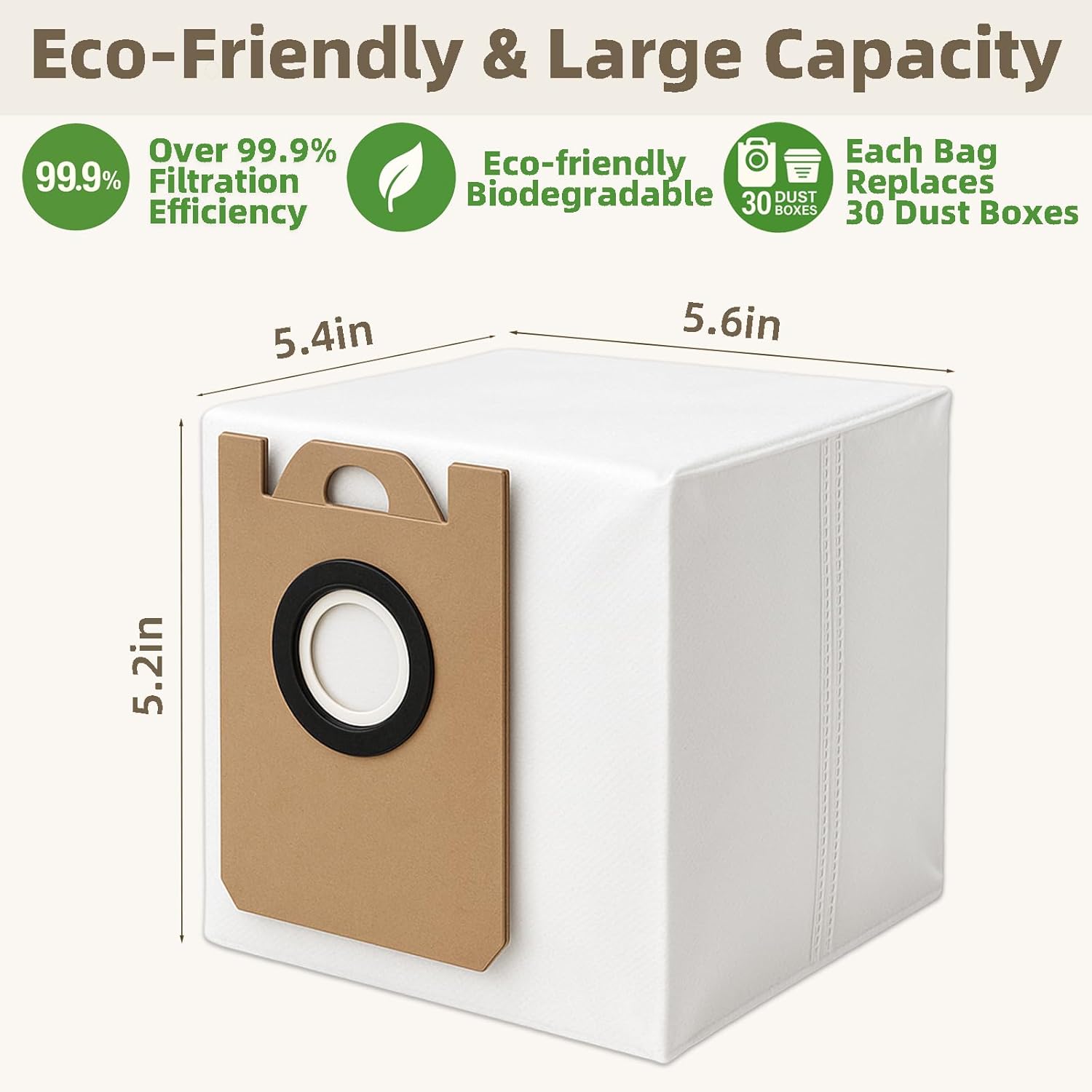
Image: Features of the high-capacity dust bag, including its eco-friendly design.
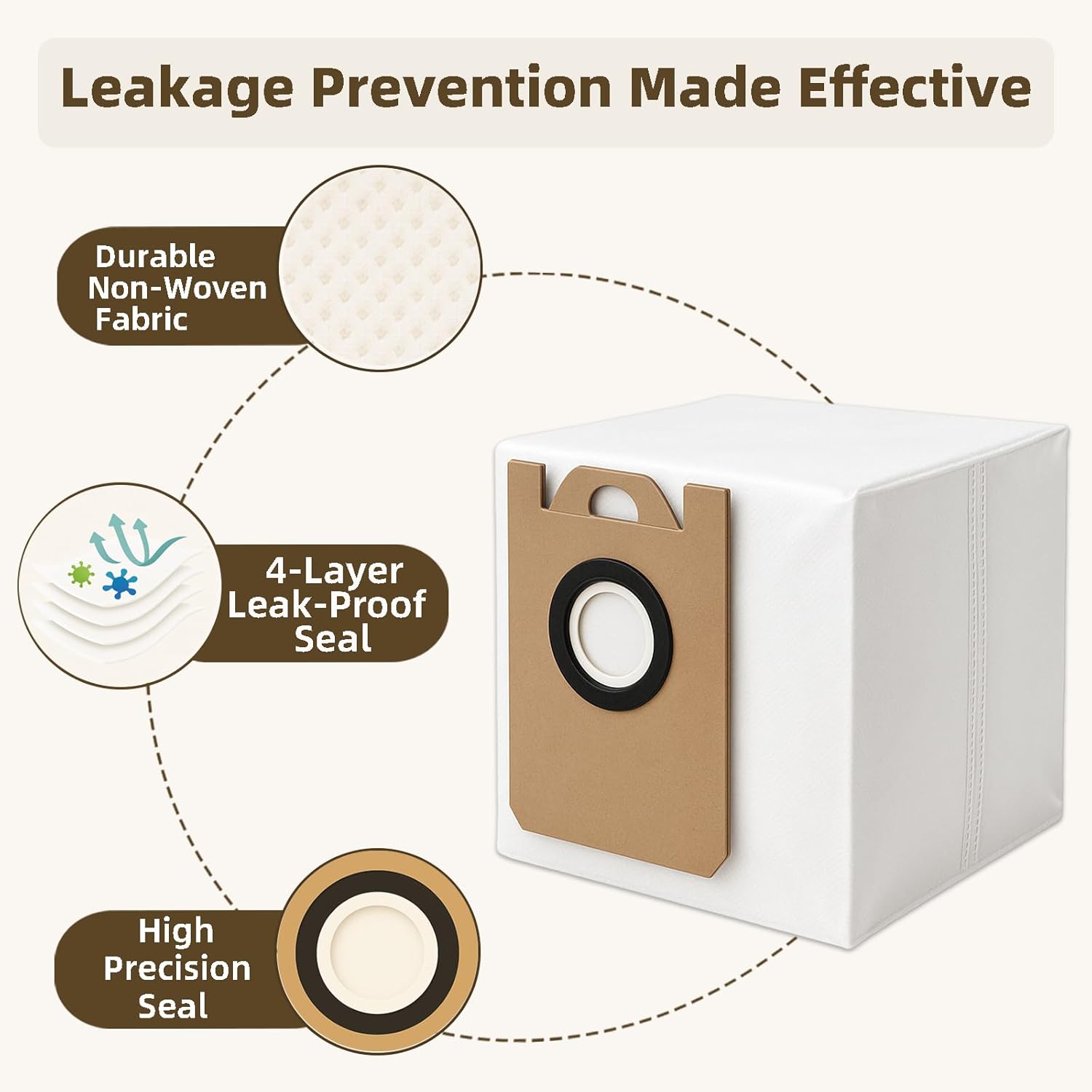
Image: Detailed view of the dust bag's leakage prevention features.
Operating Considerations
While these accessories do not directly control the robot vacuum's operation, their proper installation and maintenance are critical for the vacuum's effective functioning. Ensure all parts are securely installed before operating the robot vacuum.
- Main Roller Brush: A clean main brush ensures efficient debris pickup from various floor types.
- Side Brushes: These brushes are essential for sweeping debris from edges and corners into the vacuum's path.
- HEPA Filter: A clean filter maintains strong suction power and prevents dust and allergens from recirculating into the air.
- Dust Bag: A properly installed dust bag in the self-emptying station ensures hygienic and efficient disposal of collected debris.
Maintenance and Replacement Schedule
To ensure your robot vacuum maintains optimal performance and cleaning efficiency, we recommend adhering to the following replacement schedule:
| Component | Recommended Replacement Frequency | Notes |
|---|---|---|
| Main Roller Brush | Every 3-6 months | Inspect regularly for tangled hair or debris. Clean as needed. |
| Side Brushes | Every 3-6 months | Replace if bristles are bent or worn. |
| HEPA Filters | Every 2-3 months | Tap clean regularly to remove dust. Do not wash. |
| Dust Bags | As needed (approx. every 30 dustbin empties) | Replace when the self-emptying station indicates it's full. |
Note: Actual replacement frequency may vary based on usage intensity, pet hair presence, and environmental conditions.
Troubleshooting
This section addresses common issues related to the replacement accessories. For issues with the robot vacuum itself, please refer to its original user manual.
| Problem | Possible Cause | Solution |
|---|---|---|
| Reduced suction power after filter replacement. | Filter not seated correctly or dustbin not fully closed. | Ensure the HEPA filter is properly inserted into the dustbin and the dustbin is securely closed in the vacuum. |
| Side brushes falling off during cleaning. | Side brush not securely screwed in or worn mounting post. | Ensure the side brush screw is tightened. If the mounting post is damaged, contact Ionvac support. |
| Main brush making unusual noise or not rotating. | Debris tangled in brush or brush not installed correctly. | Remove the main brush and clear any tangled hair or debris. Reinstall, ensuring it clicks into place. |
| Self-emptying station not emptying dustbin. | Dust bag full or not installed correctly. | Replace the dust bag if full. Ensure the new dust bag is fully inserted and the station lid is closed. |
Specifications
| Attribute | Detail |
|---|---|
| Brand | HUIZHEN |
| Model Number | FORV4 |
| Compatible Device | Ionvac SmartClean V4 Self Emptying Robotic Vacuum Cleaner (Model: 7997) |
| Material Type | ABS materials, Soft nylon bristles, HEPA Filter, 4 layers of effective filter bags |
| Included Components | 2 x Main Roller Brush, 6 x Side Brushes, 6 x Hepa Filters, 4 x Dust Bags |
| Item Weight | 10.8 ounces (total package) |
| Package Dimensions | 9.41 x 6.97 x 2.68 inches |
| Reusability (Filters/Brushes) | Reusable (with regular cleaning) |
| Dust Bag Filtration Efficiency | Over 99.9% |
| HEPA Filter Particle Capture | Captures 99.9% of airborne particles as small as 0.1 microns |
Support
For any issues encountered during the use of these replacement accessories, please contact HUIZHEN customer support. Our team is committed to responding and resolving your problem within 24 hours.
Contact information (if available, otherwise general advice):
- Refer to your purchase platform for seller contact details.
- Visit the HUIZHEN brand page on Amazon: HUIZHEN Store
Ask a question about this manual
Ask about setup, troubleshooting, compatibility, parts, safety, or missing instructions. Manuals+ will review the question and use this page’s manual context to help answer it.