Introduction
Welcome to the world of premium coffee with your new Jura ENA 4 Automatic Coffee Machine. This manual provides essential information for setting up, operating, and maintaining your machine to ensure you enjoy perfect coffee every time. Please read these instructions carefully before first use and keep them for future reference.
Setup
1. Unpacking and Initial Placement
Carefully remove all packaging materials. Place the machine on a stable, level surface away from heat sources and direct sunlight. Ensure adequate ventilation around the machine.
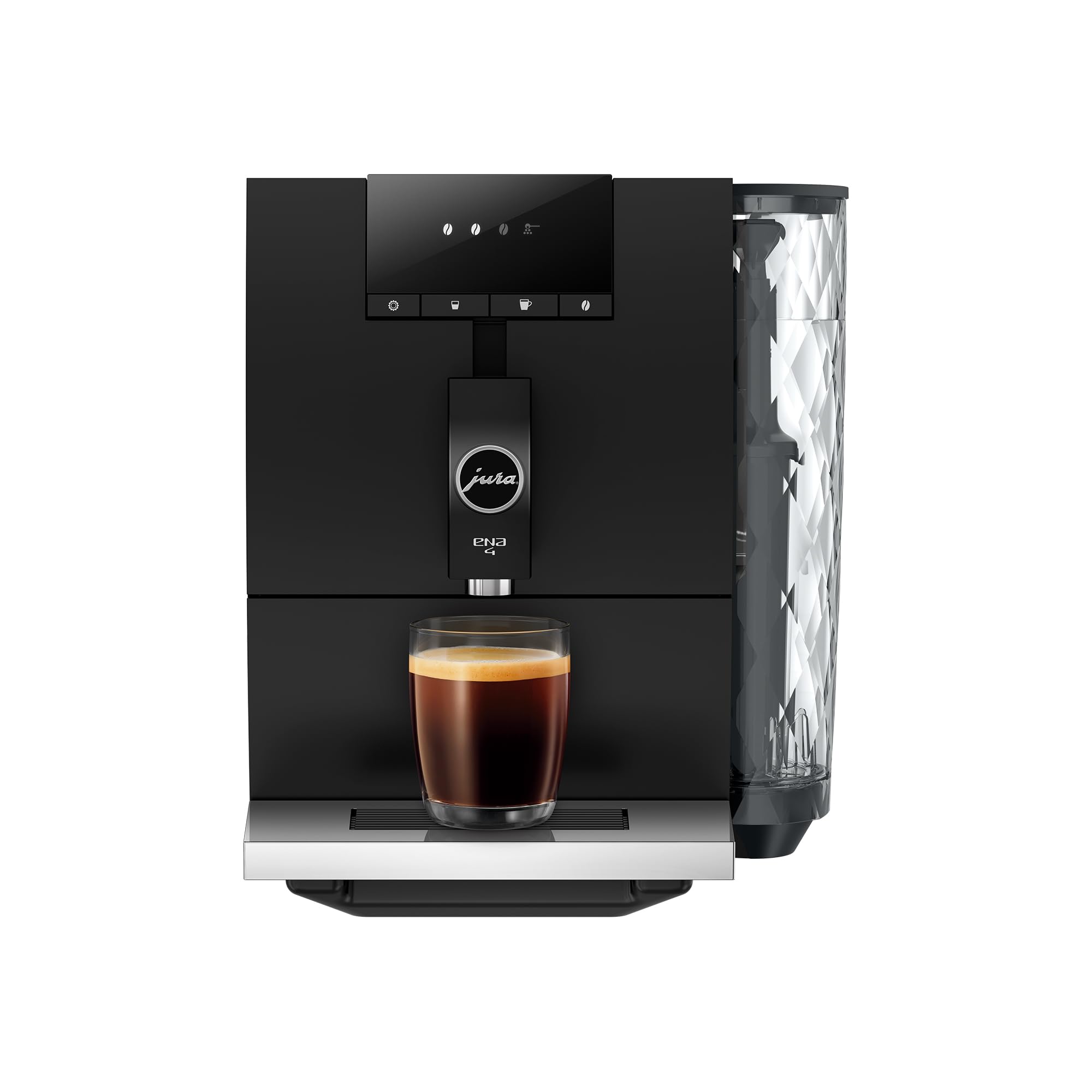
Image: The Jura ENA 4 Automatic Coffee Machine in Metropolitan Black, showcasing its compact and modern design.
2. Filling the Water Tank
Remove the water tank from the side of the machine. Fill it with fresh, cold water up to the 'Max' mark. Reinsert the water tank securely.

Image: A close-up view of the Jura ENA 4's water tank, featuring a diamond pattern design.
3. Filling the Bean Container
Open the aroma preservation cover on top of the machine. Fill the bean container with fresh coffee beans. Close the cover to preserve aroma.

Image: Top view of the Jura ENA 4, showing the coffee bean hopper filled with whole beans.
4. Power Connection
Plug the power cable into a suitable power outlet. Press the On/Off button to switch on the machine. The machine will perform an initial rinse cycle.
Operating Instructions
1. Control Panel Overview
The Jura ENA 4 features a user-friendly symbol display. The main buttons allow you to select coffee strength, cup size, and initiate brewing.

Image: Front view of the Jura ENA 4, highlighting the intuitive control panel with various beverage selection buttons.
2. Adjusting Coffee Strength
Press the 'Bean' button repeatedly to cycle through different coffee strength settings (indicated by the number of illuminated bean symbols). More beans mean stronger coffee.
Video: This video demonstrates how to adjust the coffee strength on the Jura ENA 4 espresso maker, showing the selection process via the bean icons.
Video: A guide on changing the coffee strength settings on the Jura ENA 4 espresso maker for a customized brewing experience.
3. Brewing Coffee
Place a cup under the coffee spout. Select your desired coffee strength. Press the appropriate cup button (e.g., espresso or coffee) to start brewing. The machine will grind the beans and dispense the coffee automatically.
Video: This video provides a live demonstration of the Jura ENA 4 in action, showing the brewing process for an espresso shot.
Video: A review of the Jura ENA 4 Automatic Coffee Machine, demonstrating its features and brewing capabilities.
4. Using Pre-Ground Coffee
The Jura ENA 4 also allows for pre-ground coffee. Open the cover for the pre-ground coffee chute, add one level scoop of pre-ground coffee, and then select your desired beverage. The machine will bypass the grinder and use the pre-ground coffee.
Maintenance
1. Emptying the Drip Tray and Coffee Grounds Container
The drip tray and coffee grounds container should be emptied daily or when prompted by the machine. Slide out the drip tray, remove the coffee grounds container, empty both, rinse with warm water, and reinsert.
2. Cleaning the Machine
Regularly wipe down the exterior of the machine with a soft, damp cloth. Do not use abrasive cleaners. The brewing unit is self-cleaning and does not require manual removal for cleaning.
3. Water Filter Replacement
The Jura ENA 4 uses a CLARIS water filter to ensure optimal water quality. Replace the filter when prompted by the machine or approximately every two months, depending on water hardness and usage.
Troubleshooting
- No Coffee Dispensed: Check if the water tank is filled and correctly inserted. Ensure the bean container has enough beans.
- Weak Coffee: Adjust the coffee strength setting to a higher level. Ensure fresh beans are used.
- Error Message on Display: Refer to the specific error code in the full user manual or contact Jura customer support for assistance.
- Machine Not Turning On: Verify the power cable is securely plugged into both the machine and the power outlet.
Specifications
| Feature | Detail |
|---|---|
| Brand | Jura |
| Model Name | ENA 4 |
| Product Dimensions | 17.5"D x 10.7"W x 12.7"H |
| Item Weight | 21 pounds |
| Water Tank Capacity | 37 Fluid Ounces (approx. 1.1 Liters) |
| Coffee Input Type | Whole Beans, Pre-Ground |
| Operation Mode | Fully Automatic |
| Special Feature | Programmable Coffee Strength and Volume |
Warranty and Support
Your Jura ENA 4 Automatic Coffee Machine comes with a manufacturer's warranty. Please refer to the warranty card included with your product for specific terms and conditions. For technical support, service, or further inquiries, please visit the official Jura website or contact their customer service department.
For additional resources and product information, you may visit the Jura Store on Amazon.


