1. Introduction
This manual provides essential instructions for the safe and effective use of your ciciglow Mini Cordless Rotary Tool. Please read this manual thoroughly before operating the tool and retain it for future reference.
The ciciglow Mini Cordless Rotary Tool is a versatile, compact, and lightweight electric grinder designed for precision tasks such as carving, engraving, grinding, and polishing. It features a 4.3V lithium-ion rechargeable battery, variable speed control with three settings up to 18000 RPM, and a comfortable non-slip grip for enhanced control.

Image: The ciciglow Mini Cordless Rotary Tool, showcasing its compact design and ergonomic shape.
2. Safety Information
WARNING: Read all safety warnings and instructions. Failure to follow the warnings and instructions may result in electric shock, fire, and/or serious injury.
- Eye Protection: Always wear appropriate eye protection (safety glasses or goggles) when operating the rotary tool.
- Work Area: Keep your work area clean and well-lit. Cluttered or dark areas invite accidents.
- Electrical Safety: Do not expose power tools to rain or wet conditions. Do not abuse the cord. Never use the cord for carrying, pulling, or unplugging the power tool.
- Personal Safety: Stay alert, watch what you are doing, and use common sense when operating a power tool. Do not use the tool while tired or under the influence of drugs, alcohol, or medication.
- Tool Use and Care: Do not force the power tool. Use the correct power tool for your application. Disconnect the plug from the power source and/or remove the battery pack before making any adjustments, changing accessories, or storing power tools.
- Ventilation: Ensure adequate ventilation when working with materials that produce dust or fumes.
- Secure Workpiece: Always secure the workpiece firmly to prevent movement during operation.
- Children and Bystanders: Keep children and bystanders away while operating a power tool.
3. Package Contents
Verify that all items listed below are included in your package. If any items are missing or damaged, please contact customer support.
- Mini Cordless Rotary Tool
- USB Charging Cable
- Assorted Engraving/Grinding Bits (various sizes)
- Storage Case (if included with your specific kit)

Image: The complete ciciglow Mini Cordless Rotary Tool kit, including the tool, USB charging cable, and various accessories.
4. Setup
4.1 Charging the Tool
- Connect the USB charging cable to the charging port on the rotary tool.
- Plug the other end of the USB cable into a compatible USB power adapter (not included) or a computer USB port.
- The indicator lights on the tool will illuminate to show charging status. A full charge typically takes approximately 1-2 hours.
- Once fully charged, disconnect the charging cable.
4.2 Installing/Changing Accessories
- Ensure the rotary tool is turned OFF before installing or changing any accessories.
- Locate the collet nut at the tip of the tool.
- Unscrew the collet nut counter-clockwise to loosen it.
- Insert the desired accessory (e.g., engraving bit) into the collet, ensuring it is seated securely.
- Tighten the collet nut clockwise until the accessory is firmly held in place. Do not overtighten.
5. Operating Instructions
5.1 Powering On/Off and Speed Selection
- To turn the tool ON, press and hold the power button (usually marked with a power symbol) for a few seconds until the indicator lights illuminate.
- The tool will start at the lowest speed setting. Press the power button briefly to cycle through the three available speed settings (e.g., Low, Medium, High). The indicator lights will show the current speed level.
- To turn the tool OFF, press and hold the power button again until the lights turn off.
5.2 General Usage Tips
- Start Slow: Begin with a lower speed setting, especially when working on new materials or intricate details. Gradually increase speed as needed.
- Light Pressure: Apply light, consistent pressure. Allowing the tool to do the work will prevent overheating and extend accessory life.
- Maintain Grip: Utilize the non-slip handle for a comfortable and stable grip, ensuring improved control during operation.
- Material Compatibility: This tool is suitable for various materials including wood, plastic, soft metals, and precious stones for tasks like carving, engraving, grinding, and polishing. Always test on a scrap piece first.

Image: A user operating the ciciglow Mini Cordless Rotary Tool for detailed carving on a wooden surface.
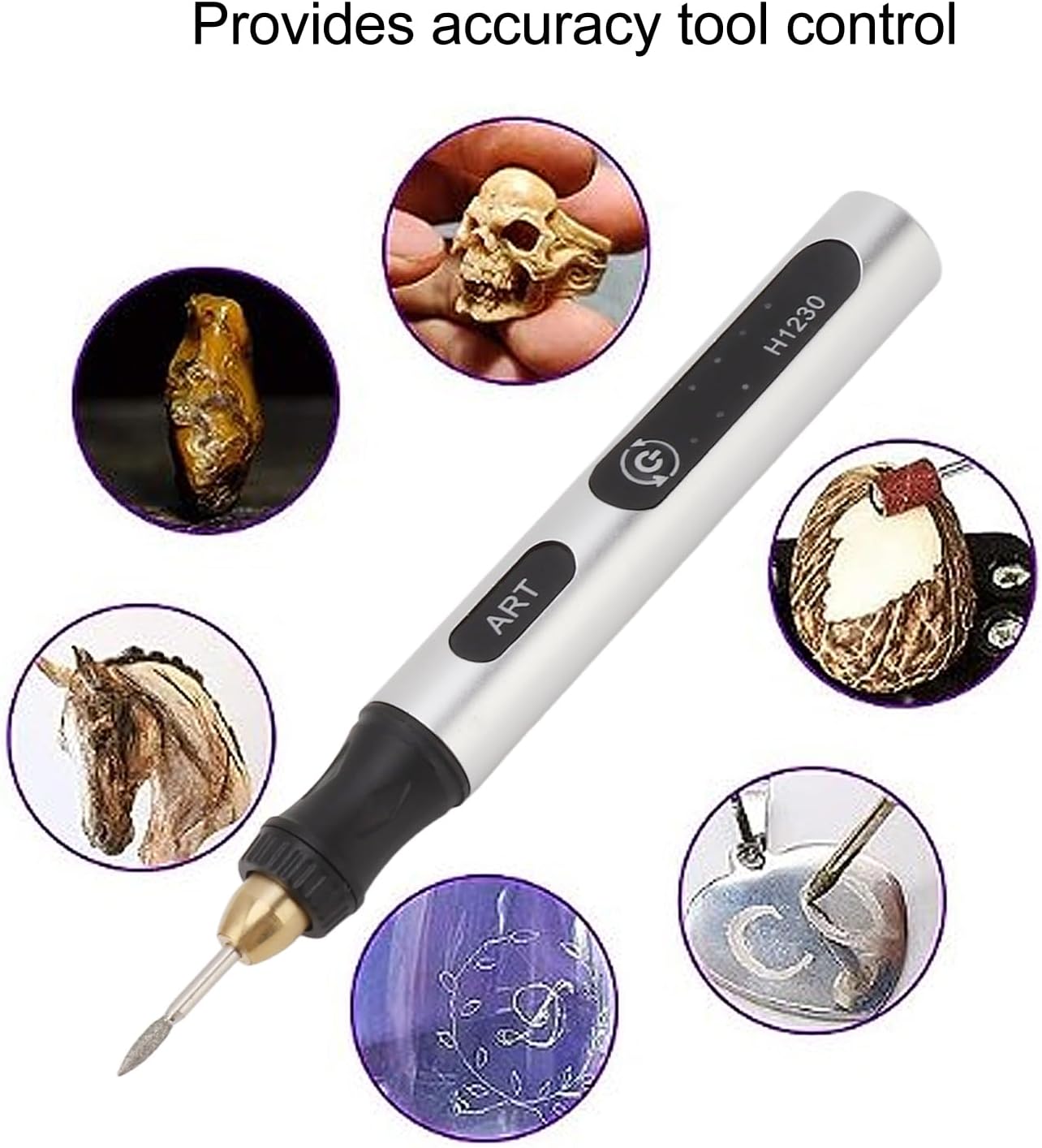
Image: The rotary tool shown with examples of intricate work it can achieve, such as carving a skull, horse, or detailed patterns.
6. Maintenance
6.1 Cleaning
- Always ensure the tool is OFF and disconnected from any power source before cleaning.
- Use a soft, dry cloth to wipe down the exterior of the tool.
- Remove any dust or debris from the ventilation openings using a soft brush or compressed air.
- Do not use harsh chemicals or abrasive cleaners, as these can damage the tool's finish.
6.2 Storage
- Store the rotary tool and its accessories in a clean, dry place, away from direct sunlight and extreme temperatures.
- Keep out of reach of children.
6.3 Battery Care
- For optimal battery life, avoid completely draining the battery before recharging.
- If storing the tool for an extended period, charge the battery to approximately 50% capacity.
7. Troubleshooting
If you encounter issues with your ciciglow Mini Cordless Rotary Tool, refer to the following common problems and solutions:
| Problem | Possible Cause | Solution |
|---|---|---|
| Tool does not turn on | Battery is depleted | Charge the tool fully. |
| Tool does not turn on | Power button not pressed correctly | Press and hold the power button for a few seconds to activate. |
| Accessory wobbles or falls out | Collet nut is loose or accessory is not inserted correctly | Ensure the accessory is fully inserted and the collet nut is tightened securely. |
| Tool performance is weak | Battery is low or incorrect speed setting | Recharge the battery. Select a higher speed setting if appropriate for the task. |
| Tool overheats | Excessive pressure or prolonged use | Reduce pressure and allow the tool to cool down. Ensure ventilation ports are clear. |
If the problem persists after trying these solutions, please contact customer support.
8. Specifications
| Feature | Specification |
|---|---|
| Brand | ciciglow |
| Model Number | ciciglowxcr7v90pse |
| Voltage | 4.2 Volts |
| Power Source | Battery Powered (Lithium-ion) |
| Maximum Rotational Speed | 18000 RPM |
| Minimum Speed | 5000 RPM |
| Speed Settings | 3 Speeds |
| Item Weight | 109 Grams (approx. 3.84 ounces) |
| Package Dimensions | 7.87 x 1.97 x 1.97 inches |
| Special Features | Cordless, Lightweight, Rechargeable |

Image: The ciciglow Mini Cordless Rotary Tool with its height dimension of 12.7cm (5 inches) indicated.
9. Warranty Information
Specific warranty details for the ciciglow Mini Cordless Rotary Tool are typically provided with the product packaging or can be found on the official ciciglow website. Please refer to these resources for information regarding warranty coverage, duration, and terms.
Retain your proof of purchase for any warranty claims.
10. Support
For further assistance, technical support, or inquiries regarding your ciciglow Mini Cordless Rotary Tool, please contact the manufacturer or retailer from whom you purchased the product.
You may also visit the official ciciglow store on Amazon for more information: ciciglow Store