
1. Introduction
The PGYTECH CapLock POV Action Camera Neck Mount is designed to provide a stable and comfortable hands-free solution for capturing first-person perspective footage with your action camera or smartphone. Featuring a patented quick-release system and adjustable components, this mount ensures secure attachment and versatile usage across various activities.
2. What's Included
Verify that all components are present in your package:
- CapLock Neck Mount x 1
- CapLock Action Camera Quick Release Plate x 1
- Knob x 1
- CapLock 1/4" Quick Release Plate x 1
- Chest Strap x 1
- User Guide x 1

3. Setup and Assembly
3.1 Assembling the Neck Mount
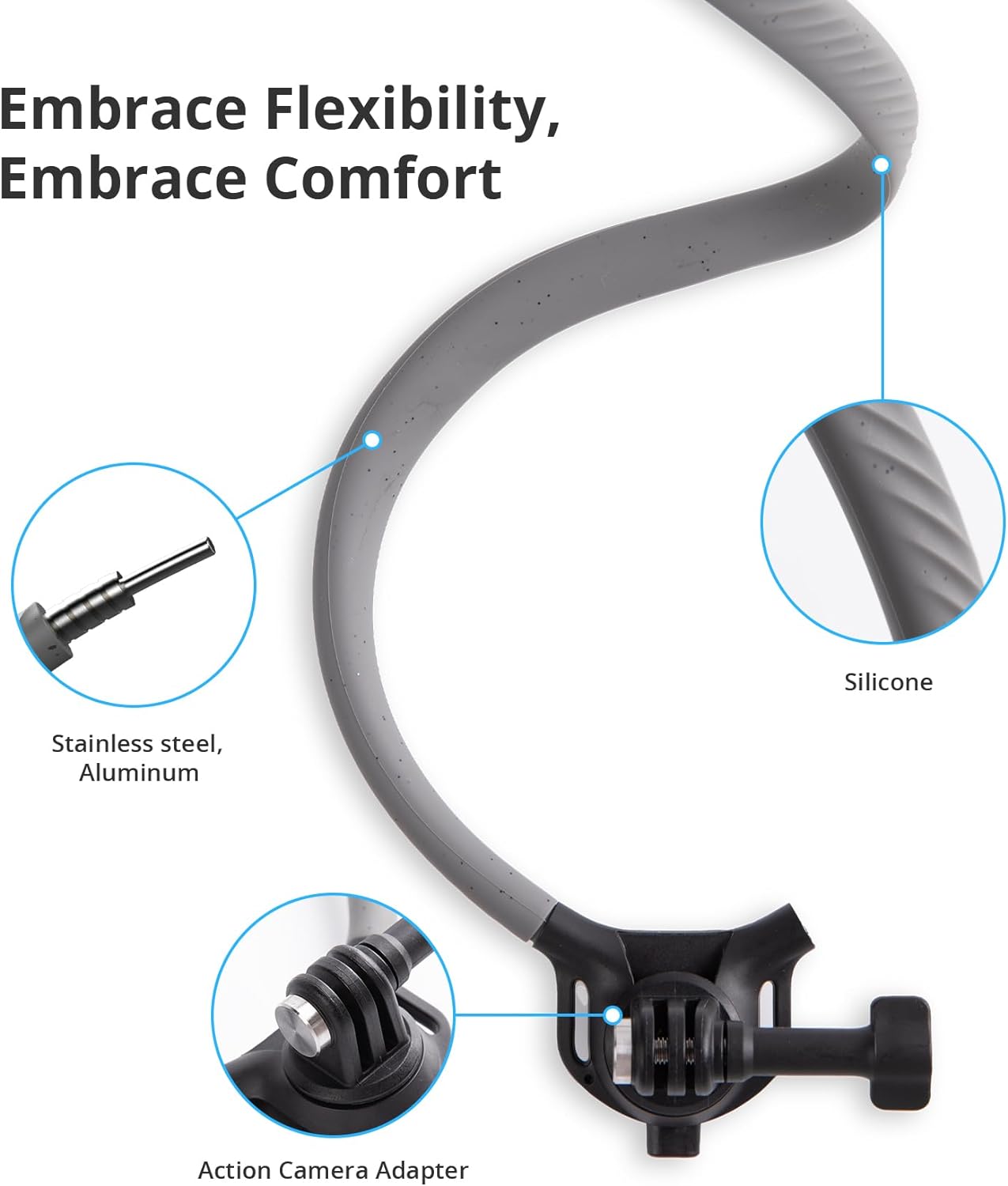
- Uncoil the flexible neck mount.
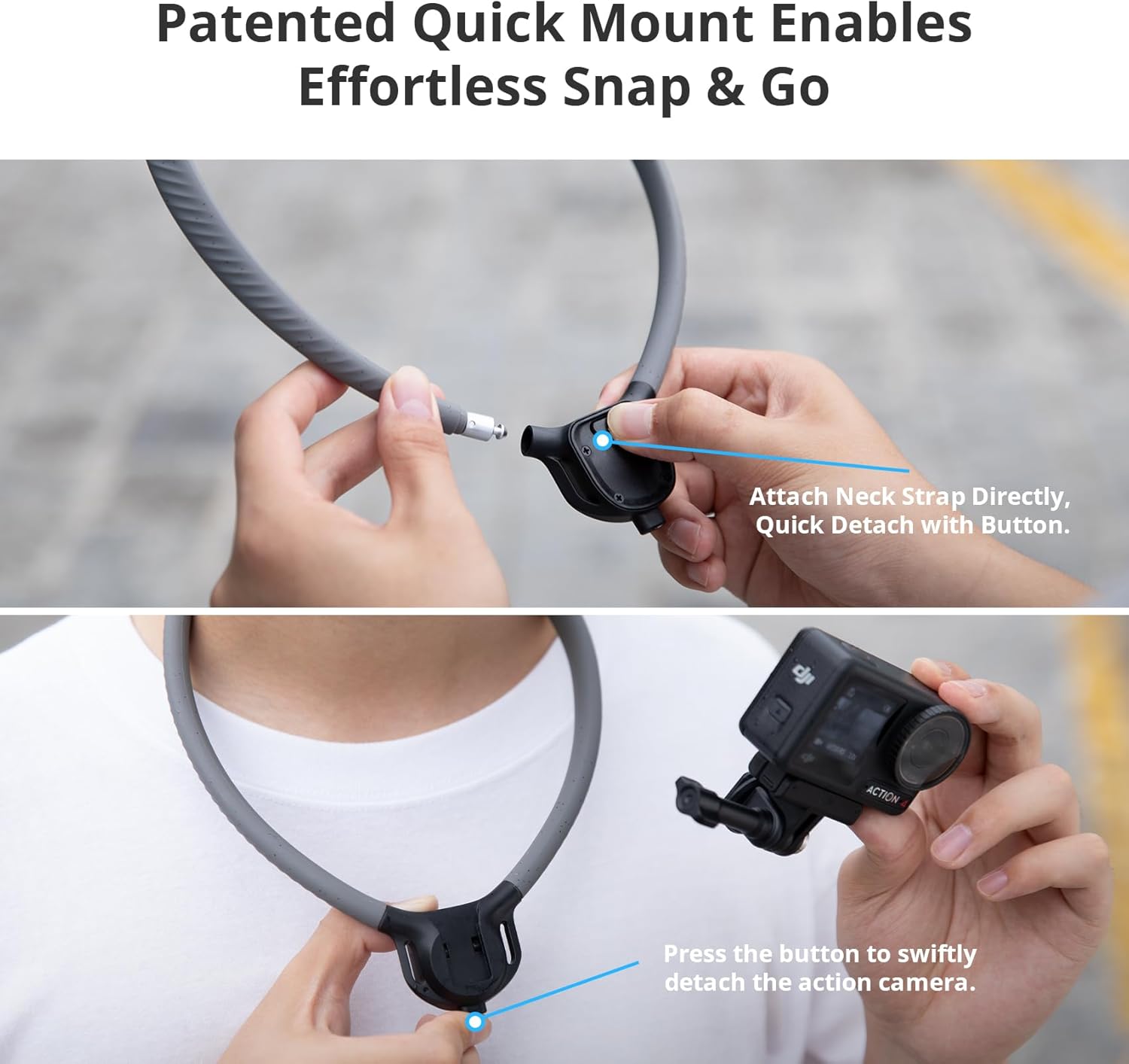
- Connect the two ends of the neck mount by inserting the metal pin into the receiver until it clicks securely.
3.2 Attaching Your Camera
- Select the appropriate quick-release plate for your camera: either the CapLock Action Camera Quick Release Plate (for GoPro-style mounts) or the CapLock 1/4" Quick Release Plate (for standard tripod screw mounts).
- Attach your action camera or smartphone holder (not included) to the selected quick-release plate using the provided knob or your camera's mounting screw.
- Align the quick-release plate with the receiver on the neck mount and slide it in until it clicks securely. Ensure it is firmly locked in place.
3.3 Using the Chest Strap for Enhanced Stability
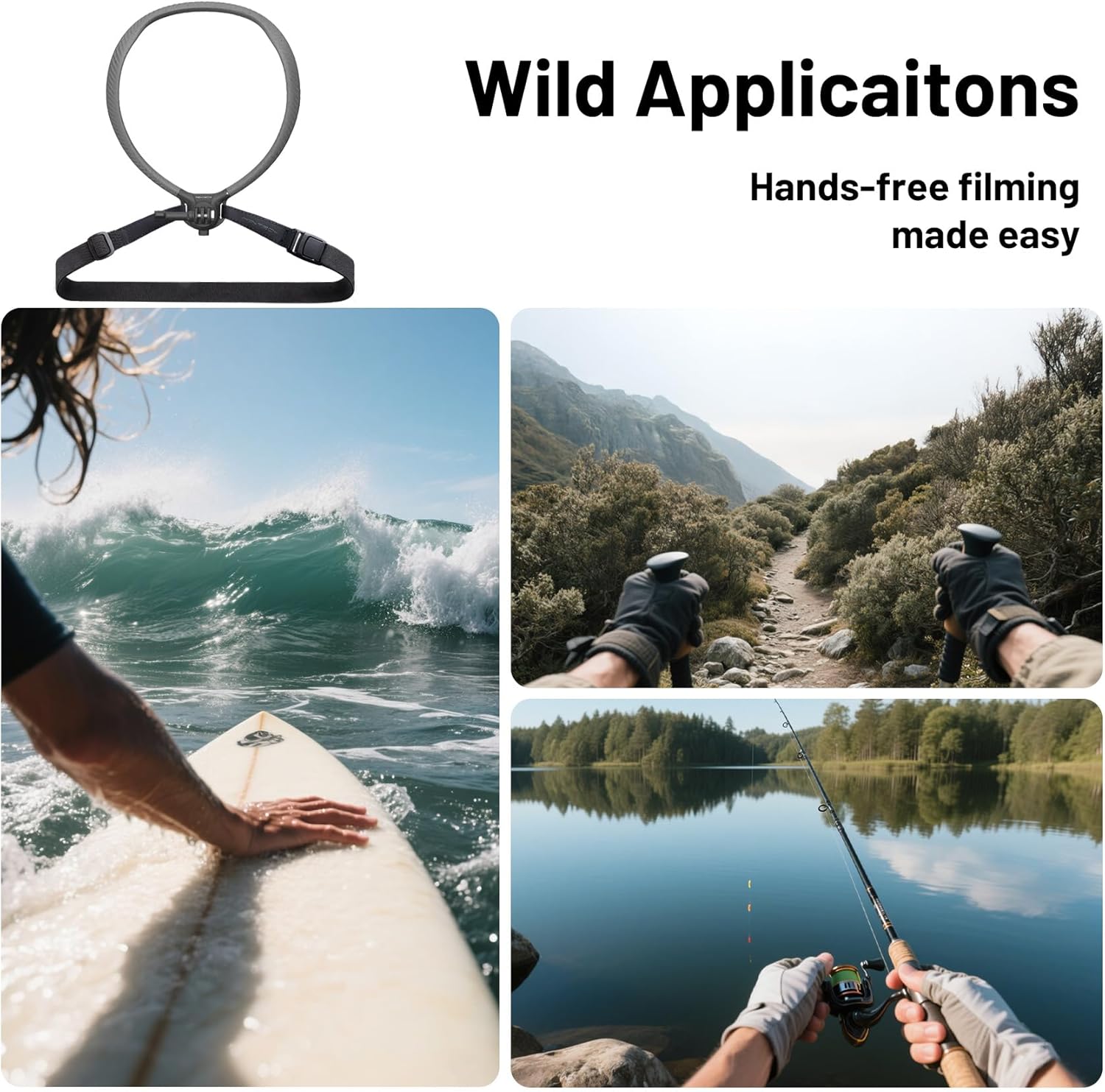
For high-motion activities like running or cycling, the included chest strap provides additional stability to prevent camera movement.
- Thread the ends of the chest strap through the designated loops on the neck mount's base.
- Wrap the strap around your chest and connect the buckle.
- Adjust the strap length for a snug, comfortable fit that keeps the camera stable against your body.


4. Operating Instructions
4.1 Capturing POV Footage
Once the camera is securely mounted and the neck mount is comfortably positioned, you can begin recording hands-free POV footage. The flexible design allows for minor adjustments to the camera's angle for optimal framing.
4.2 Versatile Applications
The CapLock POV Neck Mount is suitable for a wide range of activities where hands-free recording is desired:
- Outdoor Sports: Skiing, surfing, skateboarding, mountain biking.
- Travel Vlogging: Capturing experiences while keeping hands free for interaction.
- Creative Shots: Unique angles for cooking, crafting, or other detailed work.

4.3 Quick Release and Disassembly
To quickly remove your camera or disassemble the neck mount:
- To remove the camera: Press the quick-release button on the mount and slide the camera with its plate upwards.
- To separate the neck mount: Press the release button at the connection point and pull the two ends apart.
5. Maintenance
To ensure the longevity and optimal performance of your PGYTECH CapLock POV Action Camera Neck Mount, follow these maintenance guidelines:
- Cleaning: Wipe the silicone and plastic parts with a damp cloth after use, especially after exposure to sweat, dirt, or saltwater. Avoid harsh chemicals.
- Storage: Store the neck mount in a cool, dry place away from direct sunlight when not in use. The flexible design allows for compact storage.
- Inspection: Regularly check all connection points, straps, and the quick-release mechanism for any signs of wear, damage, or loose parts.
6. Troubleshooting
If you encounter any issues with your neck mount, refer to the following common solutions:
- Camera feels loose: Ensure the quick-release plate is fully inserted and clicked into place. Tighten the knob connecting the camera to the plate. If using the chest strap, ensure it is adjusted snugly.
- Neck mount feels uncomfortable: Adjust the aluminum strips within the silicone neck tube to conform better to your neck shape. Ensure the chest strap is not too tight or too loose.
- Difficulty with quick release: Ensure the release button is fully depressed when attempting to detach components. Check for any debris obstructing the mechanism.
7. Specifications
| Feature | Detail |
|---|---|
| Brand | PGYTECH |
| Model Name | CapLock POV Neck Mount |
| Model Number | P-GM-389 |
| Color | Black |
| Item Weight | 0.27 Kilograms |
| Maximum Weight Recommendation | 282 Grams |
| Compatible Devices | Camcorder, Camera, Cellphone |
| Compatible Camcorder Models | GoPro HERO, Insta360 Ace Pro 2, Insta360 ONE R, Insta360 ONE X2, Insta360 X3, DJI OSMO ACTION, DJI Osmo Action 3, DJI Osmo Action 4, DJI Osmo Action 5 Pro |
| Main Material | Silicone, Stainless Steel, Aluminum |
| Water Resistance Level | Waterproof |
8. Warranty and Support
PGYTECH products are designed for durability and performance. For warranty information, product registration, or technical support, please visit the official PGYTECH website or contact their customer service directly. Keep your purchase receipt for warranty claims.
For additional resources and product updates, visit the PGYTECH Store on Amazon.
