
xitomer GPSGY70
Xitomer GPS Mount Bracket Instruction Manual
Model: GPSGY70
1. Introduction
This manual provides detailed instructions for the installation, operation, and maintenance of your Xitomer GPS Mount Bracket. Designed for specific Triumph motorcycle models, this bracket offers a secure and convenient platform for various navigation devices.

Image 1.1: Xitomer GPS Mount Bracket (Model GPSGY70)
2. Product Features
- Fitment: Specifically designed for Triumph Tiger 900 (2020-2024) and Triumph Tiger 850 Sport (2020-2024) motorcycle models.
- Compatibility: Compatible with AMPs pattern GPS mounts, suitable for devices such as Garmin, Tomtom GPS, SP Connect, Lock, Action cameras, and Dash Cam Beeline mounts.
- Material: Constructed from high-quality CNC Aluminum Alloy for durability, sturdiness, and strength.
- Adjustable: Features an adjustable design for optimal viewing angles.
- Corrosion Resistance: Engineered with anti-corrosion properties to withstand various environmental conditions.
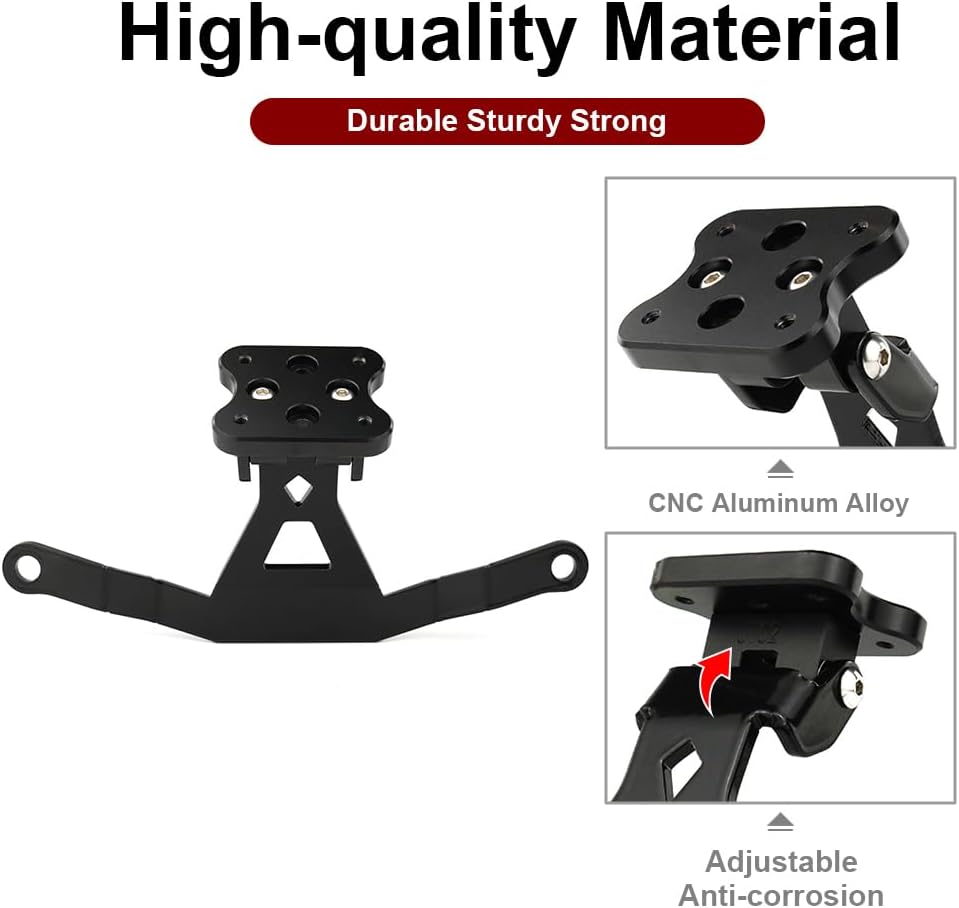
Image 2.1: Key features of the Xitomer GPS Mount Bracket, highlighting its material, adjustability, and corrosion resistance.

Image 2.2: The mount's compatibility with different types of adapters, including those for GPS devices, action cameras, and smartphone holders.
3. Setup and Installation
The Xitomer GPS Mount Bracket is designed for straightforward installation. Follow these steps carefully to ensure proper and secure mounting.
3.1. Components Overview

Image 3.1: All components included in the Xitomer GPS Mount Bracket package, including the main bracket, mounting hardware, and an Allen key.
3.2. Installation Steps
- Prepare the Bracket: Ensure all components are present and the bracket is ready for assembly.
- Install Screws: Insert the provided screws into the bracket as shown in the diagram.
- Attach to Plate: Secure the GPS bracket onto the mounting plate.

Image 3.2: Visual representation of the three main installation steps for the GPS mount bracket.
3.3. Motorcycle Integration
The mount is designed to integrate seamlessly with your motorcycle's existing structure, typically near the windshield or handlebars.

Image 3.3: The GPS mount bracket installed on a Triumph Tiger motorcycle, providing a clear view from the rider's perspective.
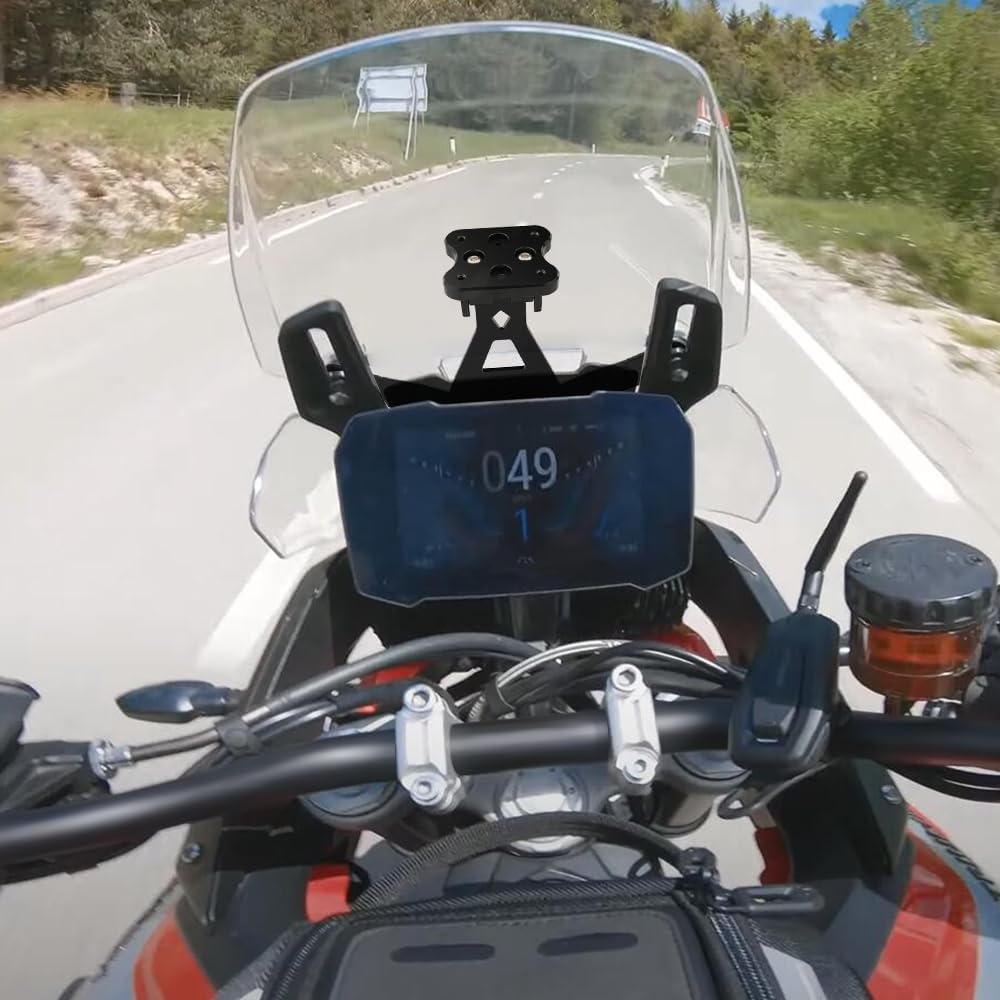
Image 3.4: An alternative view of the GPS mount bracket installed on a Triumph Tiger motorcycle, showcasing its position relative to the dashboard.
3.4. Installation Videos
Video 3.1: This video demonstrates the general installation process for a GPS mount. While not specific to the Xitomer model, it provides a helpful visual guide for similar motorcycle GPS mount installations.
Video 3.2: This video illustrates the installation of a motorcycle GPS navigator mount bracket, offering insights into the mounting procedure that may be applicable to your Xitomer bracket.
Video 3.3: This video shows the installation of a GPS holder stand navigation plate bracket, which can be useful for understanding how to attach your GPS device to the Xitomer mount.
4. Operating Instructions
The Xitomer GPS Mount Bracket is a passive accessory designed to securely hold your navigation device. Once installed, ensure your GPS device or smartphone holder is firmly attached to the bracket using its compatible AMPs pattern.
- Device Attachment: Align your GPS device or compatible holder with the AMPs pattern on the Xitomer bracket and secure it according to your device's instructions.
- Adjusting Angle: If your bracket features an adjustable angle, loosen the adjustment screw, set your preferred viewing angle, and re-tighten the screw firmly to prevent movement during riding.
- Pre-Ride Check: Always verify that your device is securely mounted and all screws are tightened before beginning your ride.
5. Maintenance
To ensure the longevity and optimal performance of your Xitomer GPS Mount Bracket, follow these maintenance guidelines:
- Regular Cleaning: Clean the bracket periodically with a soft, damp cloth to remove dust, dirt, and road grime. Avoid abrasive cleaners that could damage the finish.
- Inspect Fasteners: Regularly check all screws and bolts for tightness. Vibrations from riding can sometimes loosen fasteners. Re-tighten as necessary.
- Corrosion Check: Although the bracket is anti-corrosion, inspect it for any signs of wear or corrosion, especially after exposure to harsh weather conditions.
- Damage Inspection: Periodically inspect the bracket for any signs of damage, cracks, or deformation. If any damage is found, replace the bracket immediately to ensure safety.
6. Troubleshooting
If you encounter any issues with your Xitomer GPS Mount Bracket, consider the following:
- Mount Feels Loose: Ensure all mounting screws are securely tightened. Over time, vibrations can cause screws to loosen.
- Device Not Holding Securely: Verify that your GPS device or holder is correctly aligned with the AMPs pattern and fully engaged. Check for any obstructions or wear on the device's mounting mechanism.
- Excessive Vibration of Device: While some vibration is normal on a motorcycle, excessive movement might indicate loose fasteners or an improperly seated device. Re-check all connections. In rare cases, extreme vibrations could potentially affect the motorcycle's components. Ensure the mount is installed according to instructions and does not interfere with other parts of the motorcycle.
- Compatibility Issues: Double-check that your device or device holder uses the standard AMPs pattern for compatibility with this bracket.
If problems persist, contact Xitomer customer support for further assistance.
7. Specifications
| Feature | Specification |
|---|---|
| Model Number | GPSGY70 |
| Brand | xitomer |
| Compatible Motorcycle Models | Triumph Tiger 900 (2020-2024), Triumph Tiger 850 Sport (2020-2024) |
| Compatible Mount Patterns | AMPs pattern (Garmin, Tomtom, SP Connect, Lock, Action, Dash Cam Beeline mount) |
| Material | CNC Aluminum Alloy |
| Color | Black |
| Special Features | Adjustable, Anti-corrosion |
| Item Weight | 8.8 ounces |
| Package Dimensions | 10.63 x 4.33 x 2.17 inches |
8. Safety Information
Always prioritize safety when installing and using motorcycle accessories. Improper installation or use can lead to accidents or damage.
- Ensure the mount does not obstruct your view of the road or motorcycle instruments.
- Do not overtighten screws, as this can strip threads or damage components.
- Do not modify the bracket. Any modifications may compromise its structural integrity and void any potential warranty.
- Always use appropriate tools for installation.
- If you are unsure about any installation step, consult a professional motorcycle mechanic.
9. Warranty and Support
For warranty information, technical support, or any inquiries regarding your Xitomer GPS Mount Bracket, please refer to the contact information provided with your purchase or visit the official Xitomer website. Keep your proof of purchase for warranty claims.
Related documentsGPSGY70

Ask a question about this manual
Ask about setup, troubleshooting, compatibility, parts, safety, or missing instructions. Manuals+ will review the question and use this page’s manual context to help answer it.