
1. Introduction
Thank you for choosing the Xmenha Model 1213 Active Noise Canceling Sleep Earbuds. These earbuds are designed to provide a quiet and immersive audio experience, especially for sleep and travel, by effectively reducing ambient noise. This manual provides detailed instructions for setup, operation, maintenance, and troubleshooting to ensure optimal performance and longevity of your device.
Important Note: These earbuds are designed for sleep but are not recommended for side sleepers due to potential discomfort.
2. Package Contents
Please check the package for the following items:
- 1 Pair of Xmenha Model 1213 Wireless Active Noise Canceling Earbuds
- 1 Charging Case
- 1 USB Type-C Charging Cable
- 1 User Manual (this document)
- 1 Exquisite Packaging Box
3. Product Overview & Features

Image: Earbuds illustrating Active Noise Cancellation (ANC) capabilities, showing sound wave cancellation.
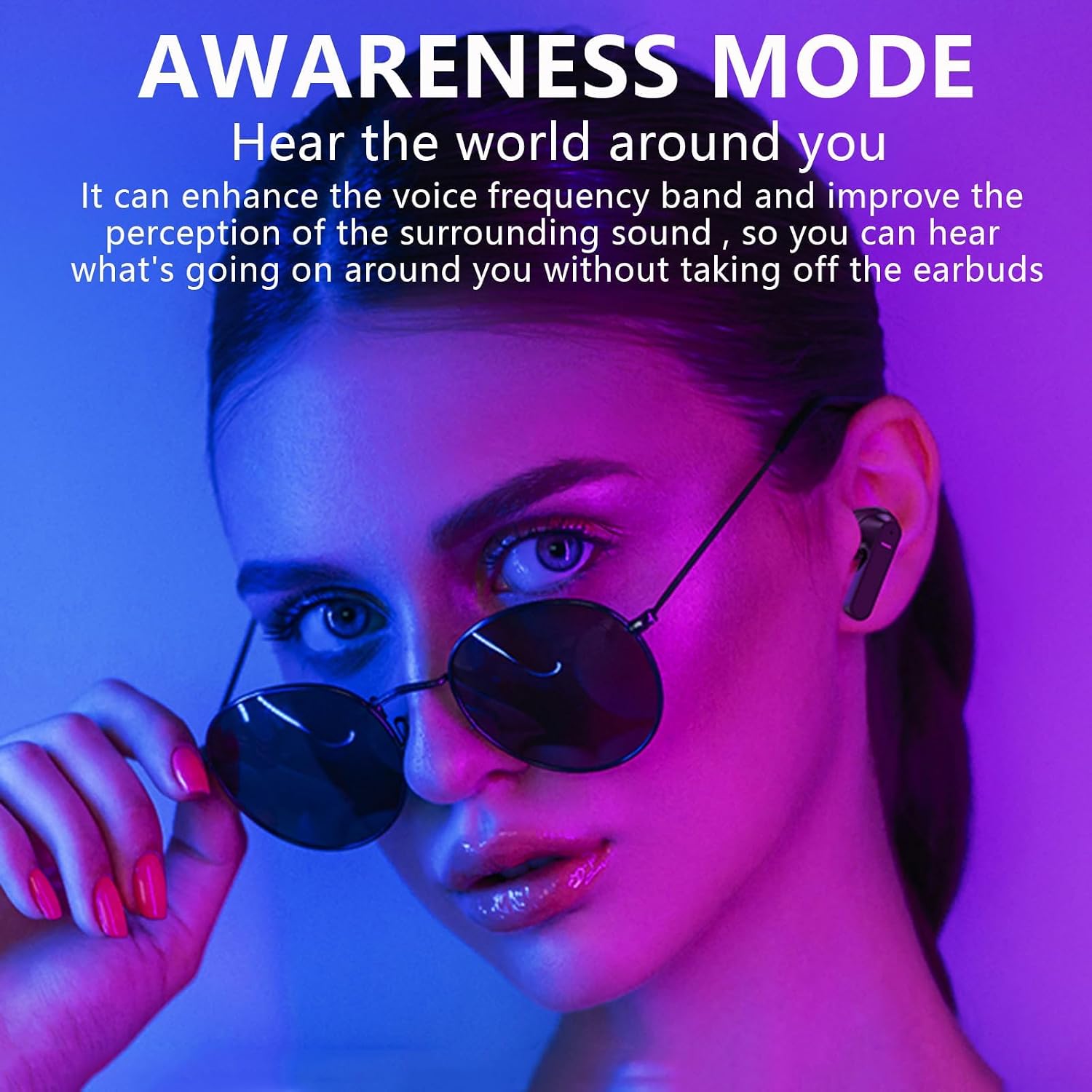
Image: Earbuds illustrating Transparency Mode, allowing users to hear their surroundings.
Key Features:
- Active Noise Cancellation (ANC): Ear caps prevent approximately 90% of noise from entering the ear canal. Outward-facing microphones detect external sounds and generate anti-noise to cancel them. Inward-facing microphones listen inside the ear canal to pick up internal sounds and produce additional anti-noise for further reduction.
- Transparency Mode: Allows you to hear announcements or interact with your surroundings without removing the earbuds.
- Smart Touch Control: Control music playback, adjust volume, manage phone calls, and activate voice assistants directly from the earbuds.
- Universal Compatibility: Compatible with iOS, Android smartphones, Macs, computers, and laptops.
- Comfortable & Lightweight Design: Mini ergonomic design fits snugly in the ear, reducing earache during prolonged wear.
- Water Resistant: Designed to withstand splashes and sweat, suitable for active use.
- Bluetooth 5.1 Connectivity: Ensures a fast, stable, and reliable wireless connection with a transmission distance of approximately 10 meters.
- Built-in Microphone: For clear calls and voice assistant interaction.
Video: Official product video showcasing the Xmenha Sleeping Active Noise Canceling Earbuds and their features.
4. Setup
4.1 Charging the Earbuds and Case
Before first use, fully charge the earbuds and the charging case.
- Place the earbuds into the charging case.
- Connect the USB Type-C cable to the charging port on the case and the other end to a USB power source (e.g., wall adapter, computer).
- The indicator lights on the case will show the charging status. Once fully charged, the lights will indicate completion or turn off.
A full charge for the earbuds takes approximately 1 hour. The charging case provides multiple charges, extending total playback time.
4.2 Pairing with Your Device
The earbuds automatically connect to your phone after the first successful pairing.
- Ensure the earbuds are charged and placed in the charging case.
- Open the charging case lid. The earbuds will automatically enter pairing mode (indicator lights may flash).
- On your device (smartphone, tablet, etc.), go to Bluetooth settings and turn Bluetooth on.
- Search for available devices and select "Xmenha 1213" (or similar name) from the list.
- Once connected, the earbuds will indicate successful pairing (e.g., a voice prompt or steady light).
- For subsequent use, simply open the charging case, and the earbuds will automatically reconnect to the last paired device.
5. Operating Instructions
5.1 Wearing the Earbuds
Gently insert the earbuds into your ear canals, ensuring a comfortable and secure fit. Adjust them until the sound is clear and the noise cancellation is effective.
5.2 Touch Controls
The Xmenha 1213 earbuds feature intuitive touch controls on each earbud.
| Function | Action |
|---|---|
| Play/Pause Music | Single tap on either earbud. |
| Next Track | Double tap on the right earbud. |
| Previous Track | Double tap on the left earbud. |
| Volume Up | Triple tap on the right earbud. |
| Volume Down | Triple tap on the left earbud. |
| Answer/End Call | Single tap on either earbud during an incoming call. |
| Reject Call | Press and hold either earbud for 2 seconds during an incoming call. |
| Activate Voice Assistant | Press and hold the left earbud for 2 seconds. |
| Switch ANC/Transparency Mode | Press and hold the right earbud for 2 seconds. |
5.3 Power On/Off
- Power On: Open the charging case, or press and hold the touch area on both earbuds for 3 seconds.
- Power Off: Place the earbuds back into the charging case and close the lid, or press and hold the touch area on both earbuds for 5 seconds.
6. Maintenance
6.1 Cleaning
- Regularly clean the earbuds and charging case with a soft, dry, lint-free cloth.
- Do not use harsh chemicals, cleaning solvents, or strong detergents.
- Remove ear tips and clean them separately with mild soap and water if necessary, ensuring they are completely dry before reattaching.
6.2 Storage
- When not in use, store the earbuds in their charging case to protect them and keep them charged.
- Store in a cool, dry place, away from extreme temperatures and direct sunlight.
6.3 Battery Care
- Avoid fully discharging the battery frequently.
- Charge the earbuds regularly, even if not used for extended periods, to maintain battery health.
7. Troubleshooting
If you encounter any issues with your Xmenha Model 1213 earbuds, please refer to the following common problems and solutions:
| Problem | Solution |
|---|---|
| Earbuds not pairing |
|
| Only one earbud working |
|
| Poor sound quality or disconnections |
|
| Earbuds not charging |
|
8. Specifications

Image: Internal view of an earbud highlighting the Bluetooth 5.1 chip for stable connection.
| Feature | Detail |
|---|---|
| Brand | Xmenha |
| Model Number | 1213 |
| Color | Black |
| Ear Placement | In Ear |
| Noise Control | Active Noise Cancellation (ANC), Sound Isolation |
| Connectivity Technology | Wireless (Bluetooth) |
| Bluetooth Version | 5.1 |
| Bluetooth Range | Up to 10 meters (approx. 33 feet) |
| Control Method | Touch |
| Playback Time (Earbuds) | 5-8 hours |
| Total Playback Time (with Charging Case) | Up to 35 hours |
| Charging Time | Approx. 1 hour |
| Standby Time | Up to 0.2 months (approx. 6 days) |
| Water Resistance Level | Waterproof (specific IP rating not provided, but described as waterproof) |
| Item Weight | 0.17 Kilograms |
| Material | Plastic |
| Compatible Devices | Smartphones, Laptops, Desktops, Tablets, Gaming Consoles, Smart Speaker, Television, Car Audio Systems, Cellphones |
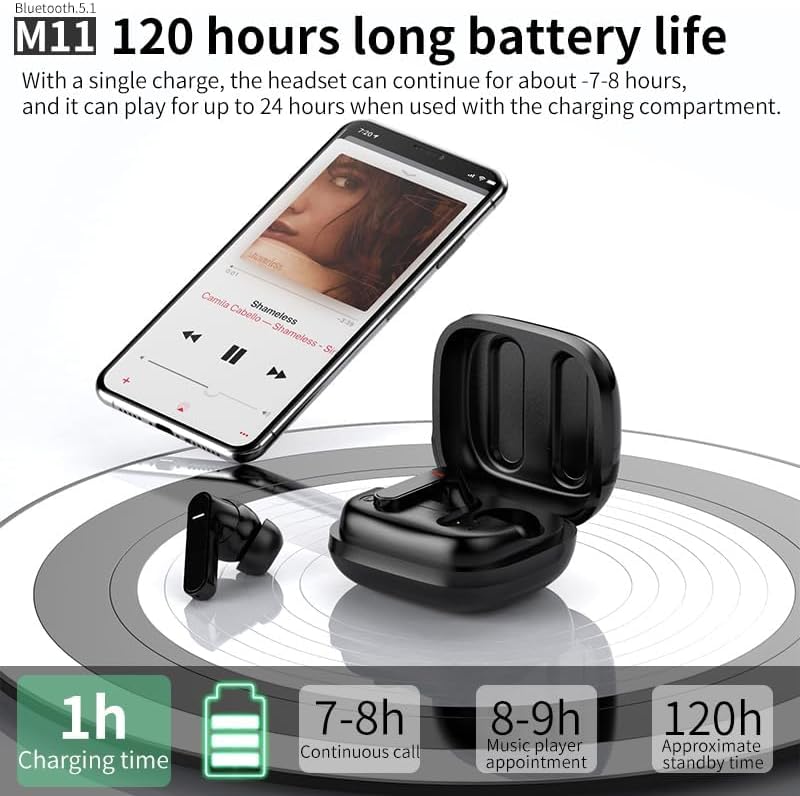
Image: Battery life information, indicating 1 hour charging time, 7-8 hours continuous call, 8-9 hours music playback, and 120 hours standby time (note: some battery life figures in this image may differ slightly from the product specifications provided in text).
9. Warranty and Support
For warranty information and customer support, please refer to the product's original packaging or contact Xmenha customer service directly.
- Return Policy: 30-day refund/replacement policy (as per Amazon's buybox winner information).
- Manufacturer: Shenzhen Xiangxing Digital Technology Co., Ltd.
You can also visit the Xmenha Store on Amazon for more product information and support.