
1. Introduction
This manual provides essential information and instructions for the safe and proper installation and use of your PKPOWER 6ft 18AWG AC Internal Power Cord Cable Lead. This cable is designed to replace or upgrade the internal power connection for specific Vizio television models, ensuring reliable power delivery to the power board.
2. Product Overview
The PKPOWER 6ft 18AWG AC Internal Power Cord is a replacement power cable featuring a standard US 2-prong wall plug on one end and a specialized internal connector on the other. It is constructed with 18AWG wire for efficient power transmission and is 6 feet in length, providing ample reach for most installations. This cable is specifically compatible with Vizio E420AR, E500AR, D40F-J09, and D43F-J04 television models.

Figure 2.1: This image displays the complete PKPOWER 6ft 18AWG AC Internal Power Cord. It features a standard US 2-prong wall plug on one end and a white internal connector designed for power board connection on the other.

Figure 2.2: This image illustrates the compatibility of the PKPOWER internal power cord with various television models. While the image shows ONN models as examples, this specific cable is designed for Vizio E420AR, E500AR, D40F-J09, and D43F-J04 televisions.
3. Specifications
- Input Voltage: 100-240V AC, 50-60Hz
- Wire Gauge: 18AWG
- Cable Length: 6 feet (approximately 1.83 meters)
- Connector Type: Standard US 2-prong plug to internal power board connector
- Color: Black
- Material: Plastic
- Certifications: CE / FCC / RoHS certified
- Protection Features: OVP (Over Voltage output Protection), OCP (Over Current output Protection), SCP (Short Circuit output Protection)
- Compatible Devices: Vizio E420AR, E500AR, D40F-J09, D43F-J04 TVs
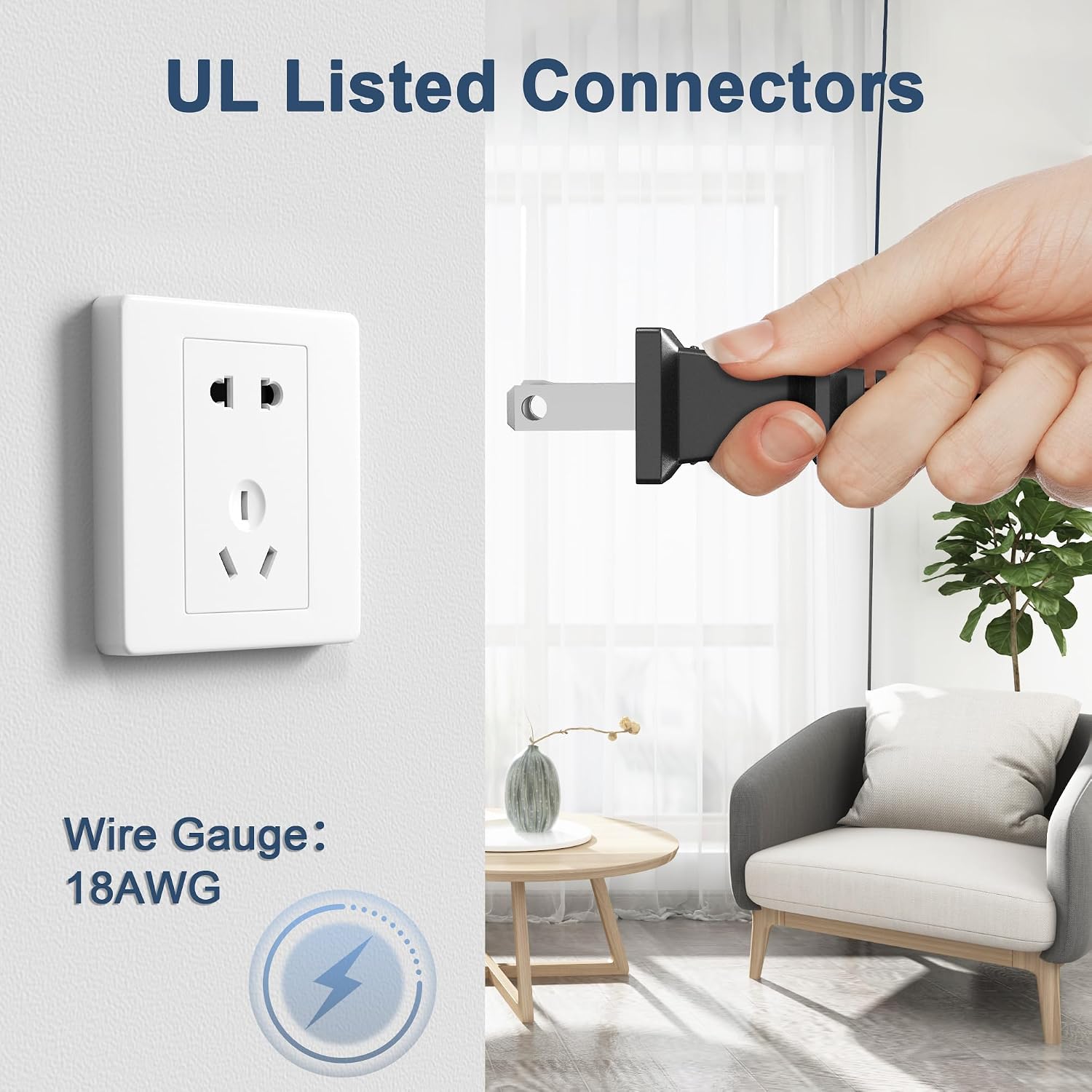
Figure 3.1: This image highlights the UL Listed US plug of the PKPOWER internal power cord, emphasizing safety and quality. The wire gauge is specified as 18AWG, indicating its thickness and current carrying capacity.

Figure 3.2: This image shows the PKPOWER internal power cord coiled, indicating its manageable size. The cable has a length of 6 feet (approximately 1.83 meters) and weighs approximately 80 grams.
4. Safety Information
WARNING: Installation of this internal power cord requires opening the television casing, which exposes internal components. This procedure carries a risk of electric shock and damage to the device if not performed correctly. It is strongly recommended that installation be performed by a qualified technician. If you choose to proceed yourself, exercise extreme caution.
- Always disconnect the television from the main power outlet before attempting any internal installation or repair.
- Ensure the television is completely powered off and unplugged for at least 10 minutes to allow any residual charge in capacitors to dissipate.
- Wear appropriate personal protective equipment, such as anti-static gloves, to prevent electrostatic discharge (ESD) damage to sensitive electronic components.
- Do not force connectors. Ensure proper alignment before applying gentle pressure.
- Keep children and pets away from the work area.
- Do not use the cable if it appears damaged in any way (frayed wires, cracked insulation, bent pins).
5. Setup and Installation
Follow these steps carefully for the installation of the internal power cord. Refer to the Safety Information section (Section 4) before proceeding.
- Prepare the Work Area: Ensure you have a clean, well-lit, and static-free workspace. Gather necessary tools, which may include screwdrivers and a pry tool for opening the TV casing.
- Disconnect Power: Unplug the television from the wall outlet. Wait at least 10 minutes.
- Access TV Internals: Carefully remove the back panel of your Vizio television. This typically involves unscrewing multiple screws around the perimeter and potentially some in the center. Use a pry tool if necessary to gently separate the panel. Note the location of all screws for reassembly.
- Locate Power Board Connection: Identify the power board within the television. The existing internal power cord will be connected to this board. It usually leads from the external AC inlet to the power board.
- Remove Old Cable (if applicable): Gently disconnect the existing internal power cord from the power board. Note its orientation and routing within the TV.
- Install New Cable: Connect the white internal connector of the PKPOWER cable to the corresponding port on the television's power board. Ensure it is seated firmly and correctly.
- Route Cable: Route the new cable carefully, ensuring it does not obstruct any moving parts, ventilation, or other components. The external US 2-prong plug should exit through the designated opening or AC inlet of the TV.
- Reassemble TV: Carefully replace the back panel of the television, ensuring all screws are reinserted and tightened appropriately. Do not overtighten.
- Test Connection: Plug the external US 2-prong plug of the PKPOWER cable into a wall outlet or surge protector. Power on the television to verify functionality.

Figure 5.1: This image demonstrates the PKPOWER internal power cord in use, connected to a power strip which then powers a television. It shows a typical setup for powering a compatible TV.
6. Operation
Once the PKPOWER 6ft 18AWG AC Internal Power Cord is correctly installed and connected to a power source, your television will receive the necessary electrical power to operate. No further specific operation is required for the power cord itself.
7. Maintenance
The PKPOWER internal power cord requires minimal maintenance. Follow these guidelines to ensure its longevity and safe operation:
- Keep the external portion of the cable clean and free from dust.
- Avoid bending or kinking the cable sharply, especially near the connectors.
- Do not place heavy objects on the cable.
- Regularly inspect the external plug and cable for any signs of damage, such as cuts, fraying, or discoloration. If damage is observed, discontinue use and replace the cable.
- Ensure the cable is not exposed to excessive heat or moisture.
8. Troubleshooting
If your television does not power on after installing the PKPOWER internal power cord, consider the following troubleshooting steps:
- No Power:
- Ensure the external plug is fully inserted into a working wall outlet or power strip.
- Check if the wall outlet or power strip is receiving power (e.g., by plugging in another device).
- Verify that the internal connector is securely seated on the television's power board.
- Confirm that the television's power button or remote control is functioning correctly.
- Intermittent Power:
- Check for any loose connections at both the wall outlet and the internal power board.
- Inspect the cable for any visible damage that might cause intermittent contact.
If troubleshooting steps do not resolve the issue, contact PKPOWER customer service or a qualified technician for further assistance.
9. Warranty and Support
PKPOWER products are designed and manufactured to high standards. This product is covered by a manufacturer's warranty against defects in materials and workmanship. For specific warranty terms and conditions, please refer to the product packaging or contact PKPOWER customer service.
Customer Service: Our friendly and reliable customer service team is available to assist you. We aim to respond to inquiries within 24 hours.
- For support, please visit the PKPOWER Store on Amazon or refer to the contact information provided with your purchase.