Introduction
Thank you for choosing the ganopterygon A8 Wireless Bluetooth Earbuds. These earbuds are designed to provide a superior audio experience with advanced features such as Bluetooth 5.3 connectivity, powerful noise cancellation, long battery life, and IP7 waterproof protection. This manual will guide you through the setup, operation, and maintenance of your new earbuds to ensure optimal performance and longevity.
Product Overview
Key Features:
- Bluetooth 5.3 Technology: Ensures stable, faster signal transmission with low latency and a connection distance of up to 10.7 meters.
- Powerful ENC Noise Cancellation: Equipped with 4 microphones and an advanced AAC audio codec chip, effectively blocking 90% of background noise for clear calls.
- 13mm Dynamic Drivers: Delivers crystal-clear, professional immersive sound with silky treble and deep bass.
- LED Power Display: Frosted digital LED display on the charging case shows the power status of your earbuds.
- Intuitive Touch Controls: Manage music, calls, and volume with simple finger taps on the earbuds.
- Extended Playtime: Up to 6 hours on a single charge, and a total of 42 hours with the charging case. Quick charge provides 1 hour of playback from 15 minutes of charging.
- IP7 Waterproof Protection: Made with ultra-light nanomaterials, offering resistance against water splashes, sweat, and rain.
- Ergonomic Design: In-ear design ensures a secure and comfortable fit for prolonged use.
Components:
Your ganopterygon A8 package includes:
- ganopterygon A8 Wireless Earbuds (Left and Right)
- Charging Case
- USB Charging Cable
- User Manual (this document)
Product Visuals:

Figure 1: The ganopterygon A8 Wireless Earbuds placed inside their charging case, showcasing the LED display on the front of the case indicating battery percentage for both earbuds and the case.
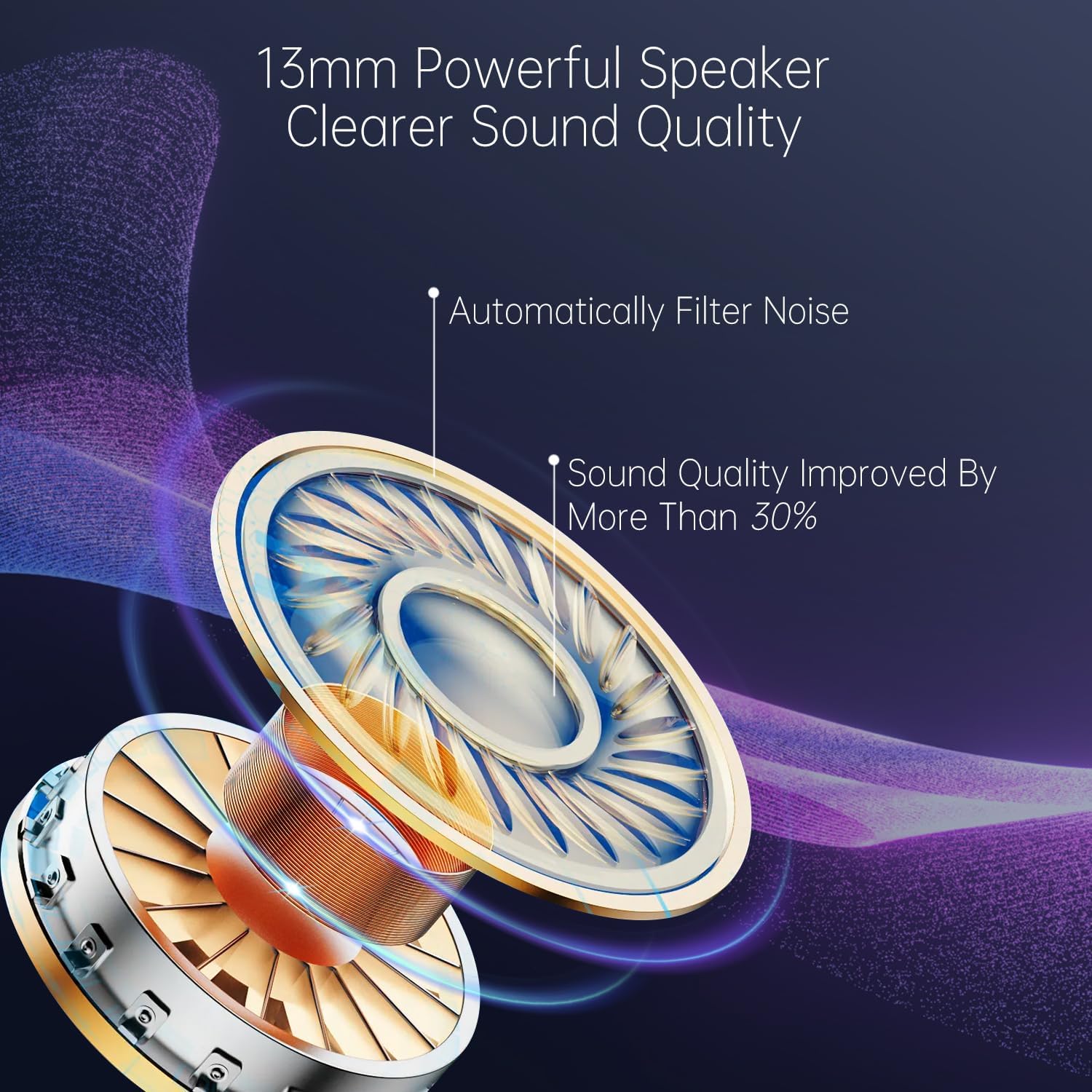
Figure 2: An exploded view diagram illustrating the 13mm powerful speaker driver within the earbud, highlighting its components and the claim of over 30% sound quality improvement and automatic noise filtering.

Figure 3: A visual representation of the earbud's internal components, emphasizing the integrated Bluetooth 5.3 chip for faster and more advanced connectivity, with a comparison bar showing Bluetooth 5.3's superior transfer speed over Bluetooth 5.1.

Figure 4: An image depicting a person cycling while using the earbuds, illustrating the benefit of the four-microphone design and CVC8.0 technology in reducing noise by over 80% for clearer call experiences, with a visual representation of sound waves.

Figure 5: The earbuds partially submerged in water, demonstrating their IP7 waterproof rating. The accompanying text highlights the nano-level waterproof material, making them sweatproof, dustproof, light, and easy to carry.

Figure 6: A visual showing the earbuds and charging case, emphasizing the battery life: 6 hours on a single charge, 42 hours total playtime with the case, and 10 minutes of charging providing 2 hours of playtime.
Setup
1. Charging the Earbuds and Case:
Before first use, fully charge the earbuds and the charging case. Connect the provided USB charging cable to the charging port on the case and a power source (e.g., USB wall adapter, computer USB port). The LED display on the case will show the charging progress. A full charge provides up to 42 hours of total playtime with the case.
- Earbud Charging: Place the earbuds into the charging case. They will automatically begin charging.
- Quick Charge: For a quick boost, charge the case for 15 minutes to get up to 1 hour of earbud playback.
2. Pairing with Your Device:
- Initial Pairing:
- Open the charging case. The earbuds will automatically power on and enter pairing mode.
- On your device (smartphone, tablet, computer), go to Bluetooth settings.
- Search for available devices and select "A8" from the list.
- Once connected, you will hear a confirmation tone, and the earbuds will be ready for use.
- Automatic Reconnection:
- After the initial pairing, the earbuds will automatically connect to the last paired device when taken out of the charging case, provided Bluetooth is enabled on your device.
- Single Earbud Use:
- You can use either the left or right earbud independently. Simply take one earbud out of the case, and it will connect to your device. The other earbud can remain in the case or be used later.
Operating Instructions
Touch Controls:
The ganopterygon A8 earbuds feature intuitive touch controls on both earbuds. The following actions can be performed by tapping the touch sensitive area:
| Action | Left Earbud (L) | Right Earbud (R) |
|---|---|---|
| Play/Pause Music | Single Tap | Single Tap |
| Next Track | Double Tap | Double Tap |
| Previous Track | Triple Tap | Triple Tap |
| Answer/End Call | Single Tap | Single Tap |
| Reject Call | Press and Hold (2 seconds) | Press and Hold (2 seconds) |
| Activate Voice Assistant (Siri/Google Assistant) | Press and Hold (3 seconds) | Press and Hold (3 seconds) |
| Volume Up | N/A (Control via device) | N/A (Control via device) |
| Volume Down | N/A (Control via device) | N/A (Control via device) |
Note: Volume control is typically managed directly from your connected device.
Maintenance
Cleaning:
- Regularly clean the earbuds and charging case with a soft, dry, lint-free cloth.
- Do not use abrasive cleaners, alcohol, or chemical solvents.
- Gently clean the charging contacts on both the earbuds and the case to ensure proper charging.
Storage:
- When not in use, store the earbuds in their charging case to protect them and keep them charged.
- Store in a cool, dry place, away from extreme temperatures and direct sunlight.
Water Resistance (IP7):
The ganopterygon A8 earbuds are rated IP7 waterproof, meaning they can withstand immersion in water up to 1 meter for 30 minutes. This makes them suitable for sports and protection against sweat and rain. However, they are not designed for swimming or prolonged submersion. Ensure the earbuds are dry before placing them back in the charging case to prevent damage.
Troubleshooting
If you encounter any issues with your ganopterygon A8 earbuds, please refer to the following common solutions:
- Earbuds not pairing/connecting:
- Ensure both earbuds are charged.
- Turn off and on Bluetooth on your device.
- Delete "A8" from your device's Bluetooth history and try pairing again.
- Place both earbuds back in the charging case, close the lid, wait a few seconds, then open the lid to reset them.
- Only one earbud working:
- Ensure both earbuds are charged.
- Place both earbuds back in the charging case, close the lid, wait a few seconds, then open the lid. They should reconnect to each other.
- If the issue persists, try resetting the earbuds and re-pairing them with your device.
- No sound or low volume:
- Check the volume level on both your earbuds (if applicable, though typically controlled by device) and your connected device.
- Ensure the earbuds are properly seated in your ears.
- Clean any debris from the earbud speaker mesh.
- Reconnect the earbuds to your device.
- Charging issues:
- Ensure the charging cable is securely connected to both the case and the power source.
- Try a different USB cable or power adapter.
- Clean the charging contacts on the earbuds and inside the case.
- Check the LED display on the case for charging indicators.
- Poor call quality:
- Ensure the microphones are not obstructed.
- Move closer to your connected device to improve signal strength.
- The ENC noise cancellation works best in moderately noisy environments. Very loud or chaotic environments may still affect call clarity.
If these steps do not resolve your issue, please contact ganopterygon customer support for further assistance.
Specifications
| Feature | Detail |
|---|---|
| Model Number | A8 |
| Brand | ganopterygon |
| Connectivity Technology | Wireless (Bluetooth 5.3) |
| Form Factor | In-Ear |
| Water Resistance Level | IP7 (Waterproof) |
| Battery Composition | Lithium Polymer |
| Total Playtime | Up to 42 hours (with charging case) |
| Single Charge Playtime | 5-6 hours |
| Quick Charge | 15 minutes for 1 hour playback |
| Control Type | Call Control (Touch) |
| Item Weight | 98 Grams |
| Material | Acrylonitrile Butadiene Styrene (ABS) |
| Recommended Use | Running |
| Compatible Devices | Cell Phone |
Warranty and Support
Specific warranty information for the ganopterygon A8 Wireless Bluetooth Earbuds is not provided in the product details. For any warranty claims, technical support, or inquiries regarding spare parts, please contact the manufacturer directly through their official website or the retailer from whom you purchased the product.
Please retain your proof of purchase for any warranty-related requests.


