
1. Introduction
This user manual provides comprehensive instructions for the operation, maintenance, and troubleshooting of the Hantek TO1112C Touch Screen Digital Oscilloscope. The TO1112C is a versatile handheld tablet device integrating a digital oscilloscope and a high-precision multimeter, designed for various electrical testing and measurement applications.
Key features include a multi-touch large screen with 800x480 resolution, 2 channels, 110MHz bandwidth, 250MSa/s sampling rate, and 8M storage depth. It also supports Type-C fast charging.
2. Safety Information
Always observe the following safety precautions to prevent injury and avoid damage to the instrument or other connected devices.
- Do not operate the device in wet or damp conditions.
- Ensure proper ventilation to prevent overheating.
- Use only the specified power adapter and accessories.
- Do not attempt to open or modify the device. Refer all servicing to qualified personnel.
- Before making any connections, ensure the device is powered off.
- Be aware of voltage limits and do not exceed the maximum input ratings.
3. Package Contents
Verify that all items listed below are present in your package:
- Hantek TO1112C Digital Oscilloscope Unit
- Oscilloscope Probe(s) (Note: Some configurations may include only one probe for a 2-channel unit. Consider purchasing an additional probe if needed.)
- USB Cable
- Power Adapter (18W Type-C fast charger)
- Multimeter Test Leads
- Soft Carrying Case
- User Manual (this document)

Image: Hantek TO1112C unit with its standard accessories including probes, cables, and carrying case.
4. Product Overview
4.1 Device Features
- Multi-touch Large Screen: 800x480 resolution for intuitive interaction.
- Integrated Multimeter: High-precision multimeter with data recording, storage, trend chart, and statistical analysis.
- Suspension Foot Design: Unique design for hands-free operation, anti-falling, and anti-seismic durability.
- Oscilloscope Specifications: 2 channels, 110MHz bandwidth, 250MSa/s maximum sampling rate, 8M large storage.
- Fast Charging: Standard 18W charger with Type-C support, compatible with mobile phone charging equipment.

Image: Front view of the Hantek TO1112C displaying its multi-touch screen with waveform analysis.
4.2 Model Comparison (TO1112, TO1112C, TO1112D)
The Hantek TO1000 series offers different models with varying functionalities. The TO1112C model includes both oscilloscope and multimeter functions.
| Model | Channels | Bandwidth | Sampling Rate | Storage Depth | Signal Source | Multimeter |
|---|---|---|---|---|---|---|
| TO1112 | 2 | 110MHz | 250MSa/s | 8M | / | / |
| TO1112C | 2 | 110MHz | 250MSa/s | 8M | / | √ |
| TO1112D | 2 | 110MHz | 250MSa/s | 8M | 25MHz | √ |

Image: Visual comparison of the TO1000 series models, highlighting their features.
5. Setup
5.1 Charging the Device
Before first use, fully charge the Hantek TO1112C. Connect the provided Type-C USB cable to the device's charging port and the other end to the 18W power adapter. Plug the adapter into a suitable power outlet. The charging indicator will show the charging status. A full charge typically takes several hours.
The device can be used while charging. It supports various fast charging protocols, allowing it to share charging equipment with compatible mobile phones.

Image: Close-up of the device's side, showing the USB and Type-C charging ports, indicating 9V2A fast charging support.
5.2 Initial Power On
Press and hold the power button located on the side or top of the device until the screen illuminates. The device will boot up and display the main interface.
5.3 Attaching Probes and Test Leads
- Oscilloscope Probes: Connect the BNC connector of the oscilloscope probe to the input channels (CH1, CH2) on the device. Ensure a secure connection.
- Multimeter Test Leads: For multimeter functions, connect the red test lead to the VΩmA input and the black test lead to the COM input.
6. Operating Instructions
6.1 Navigating the User Interface
The TO1112C features a multi-touch capacitive screen. Navigate through menus and settings by tapping, swiping, and pinching gestures, similar to a tablet device. The main screen typically displays waveform data, while side menus provide access to different functions like Oscilloscope (OSC), Digital Multimeter (DMM), and settings.
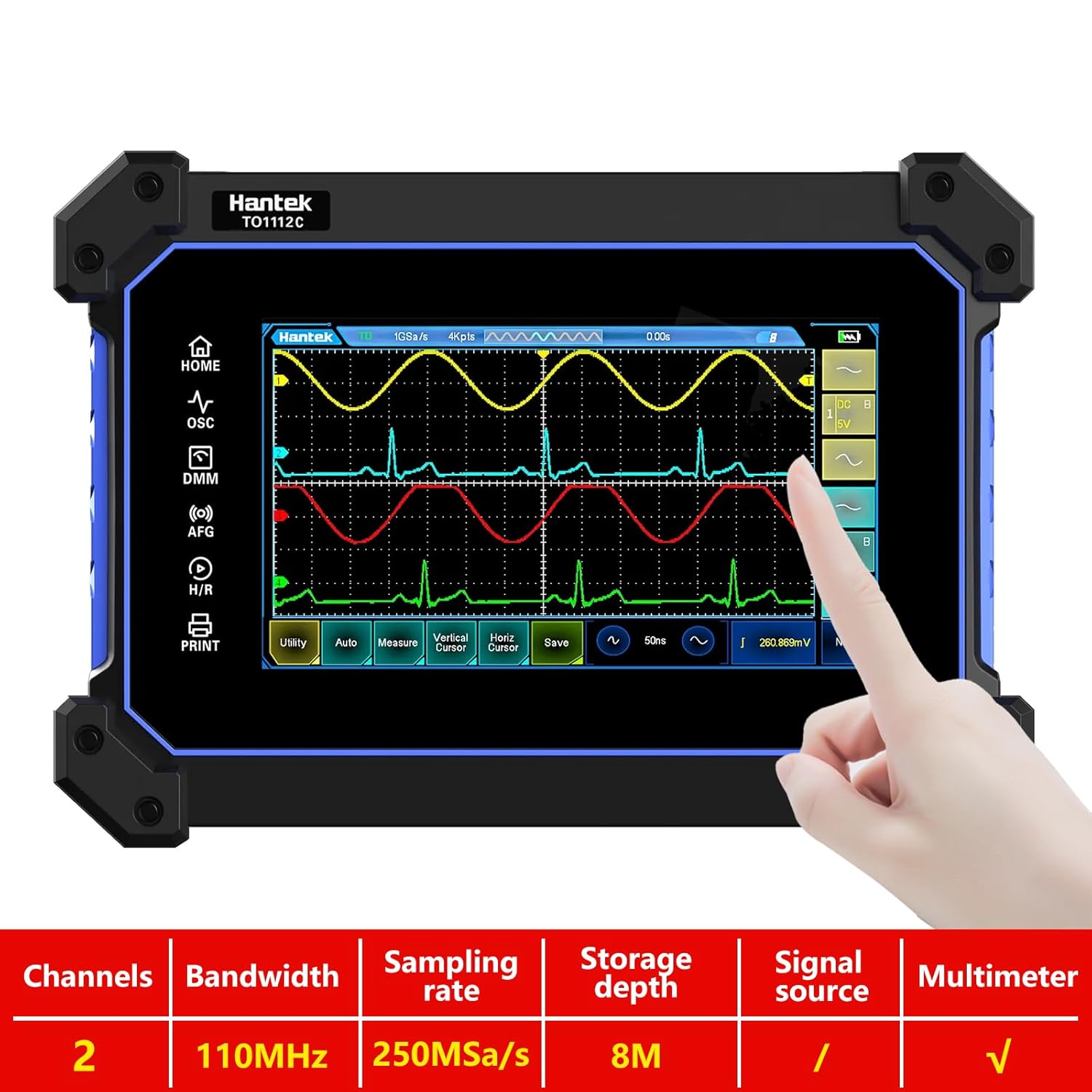
Image: A hand interacting with the touch screen of the Hantek TO1112C, demonstrating its intuitive interface for waveform control.
6.2 Oscilloscope Function (OSC)
To use the oscilloscope, select the "OSC" mode from the main menu. You can adjust vertical scale (Volts/Div), horizontal time base (Sec/Div), trigger settings, and measurement parameters directly on the touch screen. The 8M storage depth allows for capturing longer waveforms.
- Auto-Set: Tap the "Auto" button for automatic waveform scaling and triggering.
- Measurements: Access various automatic measurements (e.g., Vpp, Vrms, Frequency) through the "Measure" menu.
- Cursors: Use horizontal and vertical cursors for precise manual measurements.
6.3 Digital Multimeter Function (DMM)
Switch to "DMM" mode to access the multimeter functions. The TO1112C supports measurements for AC/DC voltage, current, resistance, capacitance, diode, and continuity (on-off measurement).
- Data Recording: The multimeter function includes data recording capabilities, allowing you to log measurements over time.
- Trend Chart: View recorded data as a trend chart for analysis.
- Statistical Analysis: Perform basic statistical analysis on recorded data.

Image: The Hantek TO1112C screen showing the digital multimeter interface, displaying voltage readings.
7. Maintenance
7.1 Cleaning
Wipe the device with a soft, dry cloth. For stubborn dirt, use a slightly damp cloth with mild detergent. Do not use abrasive cleaners or solvents.
7.2 Battery Care
The device uses two 18650 Lithium Ion batteries. To prolong battery life:
- Avoid fully discharging the battery frequently.
- Store the device in a cool, dry place if not used for extended periods, with the battery charged to about 50%.
- If the battery drains quickly, it may indicate a need for replacement.
8. Troubleshooting
| Problem | Possible Cause | Solution |
|---|---|---|
| Device does not power on. | Low or depleted battery; Power button not pressed correctly. | Charge the device for at least 30 minutes. Press and hold the power button firmly for a few seconds. |
| Screen is unresponsive. | Software glitch; Screen protector interference. | Restart the device. Ensure the screen is clean and free of debris. Remove any non-standard screen protectors. |
| Inaccurate measurements. | Improper probe compensation; Incorrect settings; Faulty probes/leads. | Perform probe compensation. Verify measurement settings (e.g., AC/DC coupling, attenuation). Test with known good probes/leads. |
| Battery drains quickly. | Aging battery; High brightness settings; Background processes. | Reduce screen brightness. Close unused applications. Consider battery replacement if issues persist. |
9. Specifications
- Model: TO1112C
- Channels: 2
- Bandwidth: 110MHz
- Sampling Rate: 250MSa/s (Max)
- Storage Depth: 8M
- Screen: 7" TFT LCD Capacitive Touch Screen, 800x480 resolution
- Multimeter Functions: AC/DC Voltage, Current, Resistance, Capacitance, Diode, Continuity
- Battery: 2 x 18650 Lithium Ion batteries (included)
- Charging: Type-C, 18W fast charging (9V2A)
- Dimensions: Approximately 248mm x 176mm x 54mm (9.76 x 6.93 x 2.13 inches)
- Weight: Approximately 4 Pounds (1.8 kg)
- Item Model Number: stinf-do-0116
- Manufacturer: Hantek
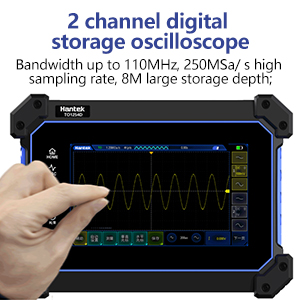
Image: Diagram showing the dimensions of the Hantek TO1112C unit.
10. Warranty and Support
For warranty information and technical support, please refer to the official Hantek website or contact your local distributor. You can often find additional resources, including PDF manuals and video tutorials, by scanning QR codes provided in the device's settings menu or by visiting the manufacturer's support page.
For direct support, you may visit the Hantek Store on Amazon.