
Introduction
This manual provides essential instructions for the safe and efficient use of your AVUMDA G102-C Magnetic Charger. This 2-pin magnetic charging cable is specifically designed for G102 smartwatches, ensuring a secure and reliable power connection. Please read this manual thoroughly before using the product.
Product Overview
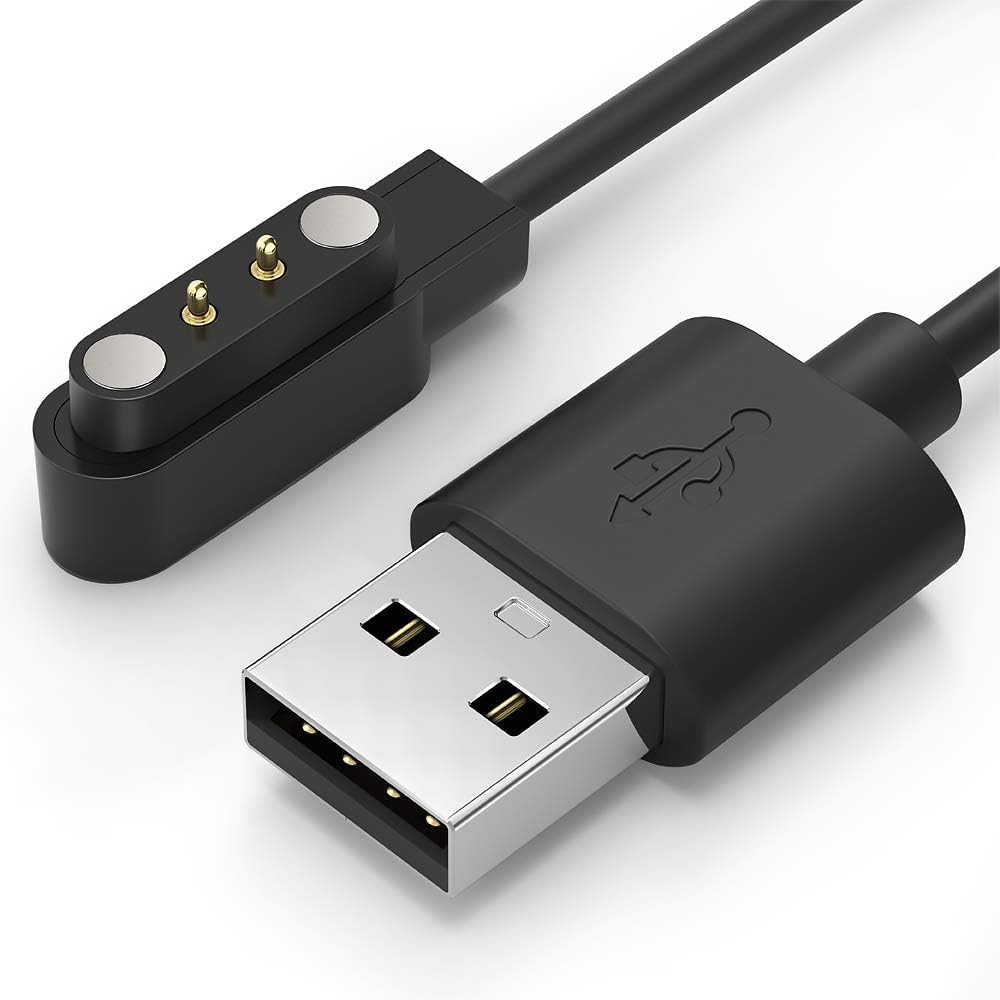
Image 1: The AVUMDA G102-C Magnetic Charger. This image displays the charging cable with its USB-A connector on one end and the 2-pin magnetic charging head on the other. The magnetic head is designed to securely attach to compatible G102 smartwatches for charging.
The AVUMDA G102-C is a replacement or spare charging cable for G102 smartwatches. It features a magnetic 2-pin connector that aligns automatically with the charging contacts on your smartwatch, providing a stable charging experience. The cable connects to any standard USB-A power source.
Setup
- Unpack the Charger: Carefully remove the AVUMDA G102-C magnetic charging cable from its packaging.
- Inspect for Damage: Before first use, visually inspect the cable and magnetic connector for any signs of damage. Do not use if damaged.
- Connect to Power Source: Insert the USB-A end of the charging cable into a compatible USB power adapter (e.g., a wall charger, computer USB port, or power bank). Ensure the power source provides a stable 5V output.
Operating Instructions
- Prepare Smartwatch: Ensure your G102 smartwatch is clean and dry, especially around the charging contacts.
- Attach Charger: Bring the magnetic 2-pin charging head close to the charging contacts on the back of your G102 smartwatch. The magnets will automatically align and snap into place, creating a secure connection.
- Verify Charging: Once connected, your smartwatch display should indicate that it is charging. If it does not, adjust the magnetic connector to ensure proper alignment.
- Charging Time: Charging time may vary depending on the smartwatch's battery level and the power source used. Refer to your smartwatch's manual for typical charging durations.
- Disconnect: Once charging is complete, gently pull the magnetic connector away from your smartwatch. Disconnect the USB-A end from the power source when not in use.
Maintenance
- Cleaning: Use a soft, dry cloth to clean the charging cable and magnetic contacts regularly. Avoid using liquids or abrasive cleaners.
- Storage: Store the charger in a cool, dry place away from direct sunlight and extreme temperatures. Avoid bending or kinking the cable excessively.
- Handling: Do not pull the cable forcefully to disconnect it from the smartwatch or power source. Always grasp the connector ends.
Troubleshooting
- Smartwatch not charging:
- Ensure the magnetic connector is properly aligned with the smartwatch's charging pins.
- Check if the USB-A end is securely plugged into a working power source.
- Try a different USB power adapter or USB port.
- Clean the charging contacts on both the cable and the smartwatch.
- Slow charging:
- Ensure the power source provides sufficient current (e.g., a wall adapter is generally better than a computer USB port for faster charging).
- Avoid using the smartwatch while it is charging.
- Cable appears damaged:
- Discontinue use immediately. Contact customer support for a replacement if under warranty.
Specifications
| Feature | Detail |
|---|---|
| Brand | AVUMDA |
| Model Number | G102-C |
| Connector Type | USB-A to 2-Pin Magnetic |
| Compatible Devices | G102 Smartwatches |
| Package Dimensions | 11 x 7 x 0.7 cm |
| Item Weight | 12.5 grams |
| Number of USB Ports | 1 (for connection to power source) |
| Portable | Yes |
Warranty and Support
Information regarding product warranty and customer support is not available in this manual. Please refer to the product packaging or the retailer's website for details on warranty coverage and how to contact customer support for assistance.