
1. Introduction
Thank you for choosing Bewinner Bluetooth Earbuds. These earbuds are designed to provide a high-quality audio experience with enhanced connectivity and comfort. This manual will guide you through the setup, operation, and maintenance of your new earbuds.
2. Safety Information
- Do not expose the earbuds or charging case to extreme temperatures, humidity, or liquids.
- Avoid dropping or subjecting the device to strong impacts.
- Do not attempt to disassemble or modify the earbuds or charging case.
- Keep out of reach of children and pets.
- Use only the provided charging cable or a certified equivalent.
- Prolonged listening at high volume levels may cause hearing damage.
3. Package Contents
Verify that all items are present in your package:
- Bewinner Bluetooth Earbuds (Left and Right)
- Charging Case
- USB Charging Cable
- Silicone Ear Tips (Small, Medium, Large)
- User Manual

Image: Package contents including earbuds, charging case, cable, and ear tips.
4. Setup
4.1. Charging the Earbuds and Case
Before first use, fully charge the earbuds and the charging case.
- Place the earbuds into the charging case. Ensure they are correctly seated.
- Connect the USB charging cable to the charging port on the case and to a USB power source.
- The indicator lights on the case will show the charging status. Once fully charged, the lights will indicate completion or turn off.
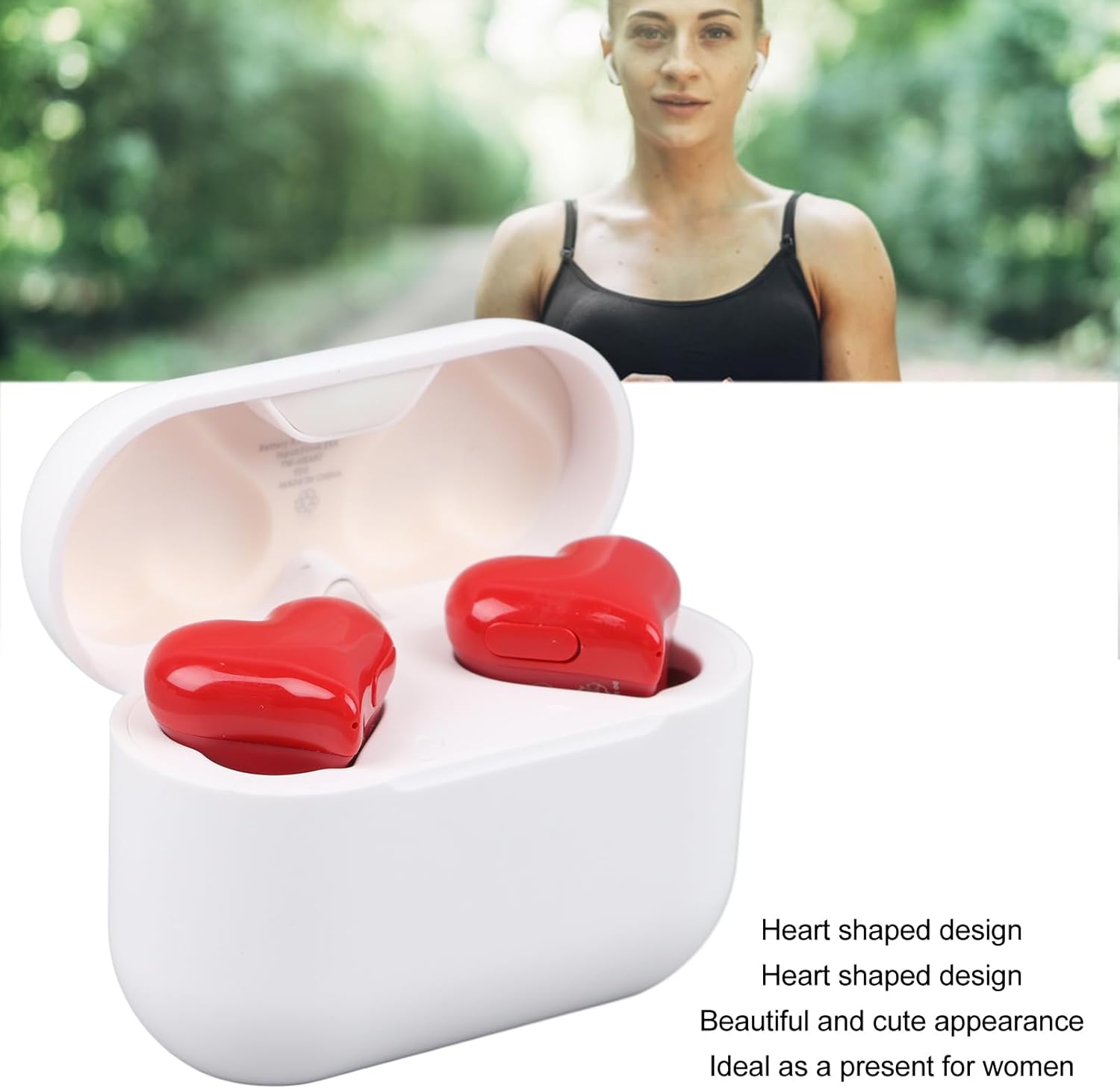
Image: Charging case with charging port visible.
4.2. Pairing with a Device
The earbuds utilize Bluetooth 5.0 technology for a stable connection.
- Open the charging case. The earbuds will automatically enter pairing mode.
- On your device (smartphone, tablet, laptop), enable Bluetooth.
- Search for available Bluetooth devices and select "Bewinner Earbuds" (or similar name) from the list.
- Once connected, you will hear a confirmation tone, and the indicator lights on the earbuds will change.

Image: Bluetooth 5.3 technology for stable connection.
4.3. Wearing the Earbuds
Choose the ear tips that provide the most comfortable and secure fit for optimal sound quality and noise isolation.
- Gently insert the earbuds into your ear canals.
- Twist slightly to ensure a snug and comfortable fit.
- Experiment with the different sized silicone ear tips to find your ideal fit.

Image: Earbud properly inserted in ear.
5. Operating Instructions
5.1. Basic Controls
The earbuds feature touch controls for easy management of audio and calls.
- Play/Pause: Tap once on either earbud.
- Next Track: Double-tap the right earbud.
- Previous Track: Double-tap the left earbud.
- Answer/End Call: Tap once on either earbud.
- Reject Call: Press and hold either earbud for 2 seconds.
- Activate Voice Assistant: Triple-tap either earbud.
5.2. Noise Control (Active Noise Cancellation)
These earbuds feature Active Noise Cancellation (ANC) to reduce ambient noise.
- Toggle ANC: Press and hold the touch area on the right earbud for 2 seconds to switch between ANC On, Transparency Mode, and ANC Off.

Image: Earbuds delivering superior sound quality.
6. Maintenance
6.1. Cleaning
- Wipe the earbuds and charging case with a soft, dry, lint-free cloth.
- Do not use harsh chemicals or abrasive materials.
- Remove ear tips and clean them with mild soap and water, then dry thoroughly before reattaching.
6.2. Storage
- Store the earbuds in their charging case when not in use to protect them and keep them charged.
- Store in a cool, dry place away from direct sunlight.
6.3. Water Resistance
The earbuds are IPX4 life waterproof, meaning they are resistant to splashing water from any direction. They are not designed for submersion in water.

Image: IPX4 water resistance for daily use.
7. Troubleshooting
| Problem | Possible Cause | Solution |
|---|---|---|
| Earbuds not pairing | Bluetooth off on device, earbuds not in pairing mode, out of range. | Ensure Bluetooth is on. Place earbuds in case, close, then open to re-enter pairing mode. Move closer to device. |
| No sound | Volume too low, not connected, media paused. | Increase device volume. Reconnect earbuds. Check if media is playing. |
| One earbud not working | Low battery, connection issue. | Place both earbuds in the case to charge. Re-pair the earbuds. |
| Poor sound quality | Improper fit, dirty ear tips, interference. | Adjust earbud fit. Clean ear tips. Move away from sources of interference. |
8. Specifications
| Feature | Detail |
|---|---|
| Brand | Bewinner |
| Model | B0CFZ9Z13H |
| Connectivity Technology | Wireless (Bluetooth 5.0) |
| Noise Control | Active Noise Cancellation |
| Ear Placement | In Ear |
| Form Factor | In Ear |
| Earpiece Shape | Heart |
| Material | Acrylonitrile Butadiene Styrene (ABS), Polycarbonate (PC) |
| Item Weight | 5 ounces (approx. 0.14 Kilograms) |
| Package Dimensions | 5.91 x 5.16 x 2.4 inches |

Image: Charging case dimensions.
9. Warranty and Support
Bewinner products are designed for reliability and performance. For warranty information or technical support, please refer to the contact details provided on the product packaging or the official Bewinner website. Keep your purchase receipt as proof of purchase.