
Pininfarina PMH01A-02
Pininfarina Senso Hybrid Smartwatch User Manual
Model: PMH01A-02
Product Overview
The Pininfarina Senso Hybrid Smartwatch seamlessly blends classic analog watch design with advanced smart technology. It offers sophisticated health monitoring and activity tracking features while maintaining an elegant aesthetic.

Image: Pininfarina Senso Hybrid Smartwatch in Mercure Grey, showcasing its analog hands and digital display.
Key Features:
- Hybrid Revolution: Combines classic analog mechanics with cutting-edge technology.
- Premium Design: Inspired by Pininfarina, featuring sapphire glass, 316L stainless steel case and bezel, and interchangeable Italian leather straps.
- Durability: Sapphire glass with anti-fingerprint coating, scratch-resistant and erosion-free stainless steel, 5 ATM water and dust resistance.
- Comprehensive Health Monitoring: Detailed sleep data, heart rate, and ECG measurements. Powered by an optimized lithium battery.
- Smart Connectivity: Connects to a dedicated app (Android and iOS) to record and analyze health and activity data, helping you improve your well-being.
Setup Guide
1. Unboxing and Initial Charge
Upon opening the box, ensure all components are present: the Pininfarina Senso Hybrid Smartwatch, charging cable, and user manual. Before first use, fully charge your smartwatch. The optimized lithium battery provides up to 30 days of autonomy on a single 60-minute charge.

Image: The Pininfarina Senso Hybrid Smartwatch highlighting its impressive 30-day battery life.
2. App Installation and Pairing
To unlock the full potential of your Pininfarina Senso, download the companion application on your smartphone. The app is available for both Android and iOS devices.
- Search for the "Pininfarina Hybrid Watch" app on the Google Play Store (for Android) or Apple App Store (for iOS).
- Install the application on your smartphone.
- Ensure Bluetooth is enabled on your smartphone.
- Open the Pininfarina app and follow the on-screen instructions to pair your smartwatch. You may need to select your model and initiate a connection.

Image: Screenshot of the Pininfarina companion app interface, showing health data and connectivity options.
Note: Some users have reported initial pairing difficulties. If you encounter issues, try restarting both your watch and phone, and re-installing the app if necessary.
3. Time Synchronization
Once paired with the app, the watch's analog and digital displays will automatically synchronize with your smartphone's time. Manual adjustment of analog hands is possible through the watch's menu, but it is recommended to rely on app synchronization for accuracy.
Operating Your Smartwatch
Basic Navigation and Display
The Pininfarina Senso features a classic analog watch face with a small, integrated digital display. The watch crown and side buttons are used for navigation and accessing various functions. The analog hands intelligently move out of the way to provide a clear view of the digital screen when needed.

Image: The Pininfarina Senso Hybrid Smartwatch displaying the time and date on its digital screen.
Health Monitoring Features
- Heart Rate Monitoring: The watch continuously monitors your heart rate. Detailed graphs and cardiograms are available in the app.
- ECG (Electrocardiogram): Perform on-demand ECG measurements directly from your watch. Results are synchronized and viewable in the app.
- SpO2 (Blood Oxygen Saturation): Measure your blood oxygen levels manually. This feature is not automatically monitored during sleep.
- Sleep Tracking: The watch provides detailed sleep data, including sleep stages and duration, to help you understand and improve your sleep patterns.

Image: Close-up of the Pininfarina Senso Hybrid Smartwatch displaying heart rate monitoring.

Image: The Pininfarina Senso Hybrid Smartwatch highlighting its smart features: ECG, SpO2, real-time GPS tracking (via smartphone), and real-time weather models.
Activity Tracking
The smartwatch tracks various activities, including steps, calories burned, and distance. It supports a range of sports and activities, providing detailed insights into your physical performance.
- GPS Tracking: Utilizes your smartphone's GPS for accurate route tracking during outdoor activities.
- Supported Activities: Box, Free Training, Yoga, Hiking, Running, Basketball, Walking, Outdoor Cycling, Elliptical.

Image: The Pininfarina Senso Hybrid Smartwatch emphasizing its performance tracking and Bluetooth 5.0 connectivity.

Image: Collage illustrating various sports activities supported by the smartwatch, including boxing, running, yoga, hiking, and cycling.
Notifications and Compass
- Notifications: Receive notifications from your smartphone directly on the watch's digital display. Note that the display area for notifications is small, and messages may be truncated.
- Compass: The watch features a compass function, where the analog hands form an arrow pointing North.

Image: Close-up of the smartwatch's digital display showing an incoming message notification.

Image: Close-up of the smartwatch's digital display showing the compass function with direction.
Maintenance
Cleaning Your Smartwatch
To maintain the appearance and functionality of your Pininfarina Senso, regularly clean the watch case, sapphire glass, and straps. Use a soft, lint-free cloth. For the leather strap, avoid excessive moisture and harsh chemicals.
Water and Dust Resistance
The smartwatch is designed with 5 ATM water and dust resistance. This means it can withstand splashes, rain, and brief immersion in shallow water, such as during swimming. However, it is not suitable for diving or high-pressure water activities.
Durability and Materials
The Pininfarina Senso is built with high-quality materials for long-lasting durability:
- Sapphire Glass: Five times more durable than standard glass, with an anti-fingerprint coating for enhanced resilience and clarity.
- 316L Stainless Steel: The case and bezel are crafted from revolutionary scratch-resistant and erosion-free 316L stainless steel, commonly used in aerospace and chemical industries.
- Interchangeable Straps: The watch comes with an elegant range of interchangeable genuine Italian leather straps.
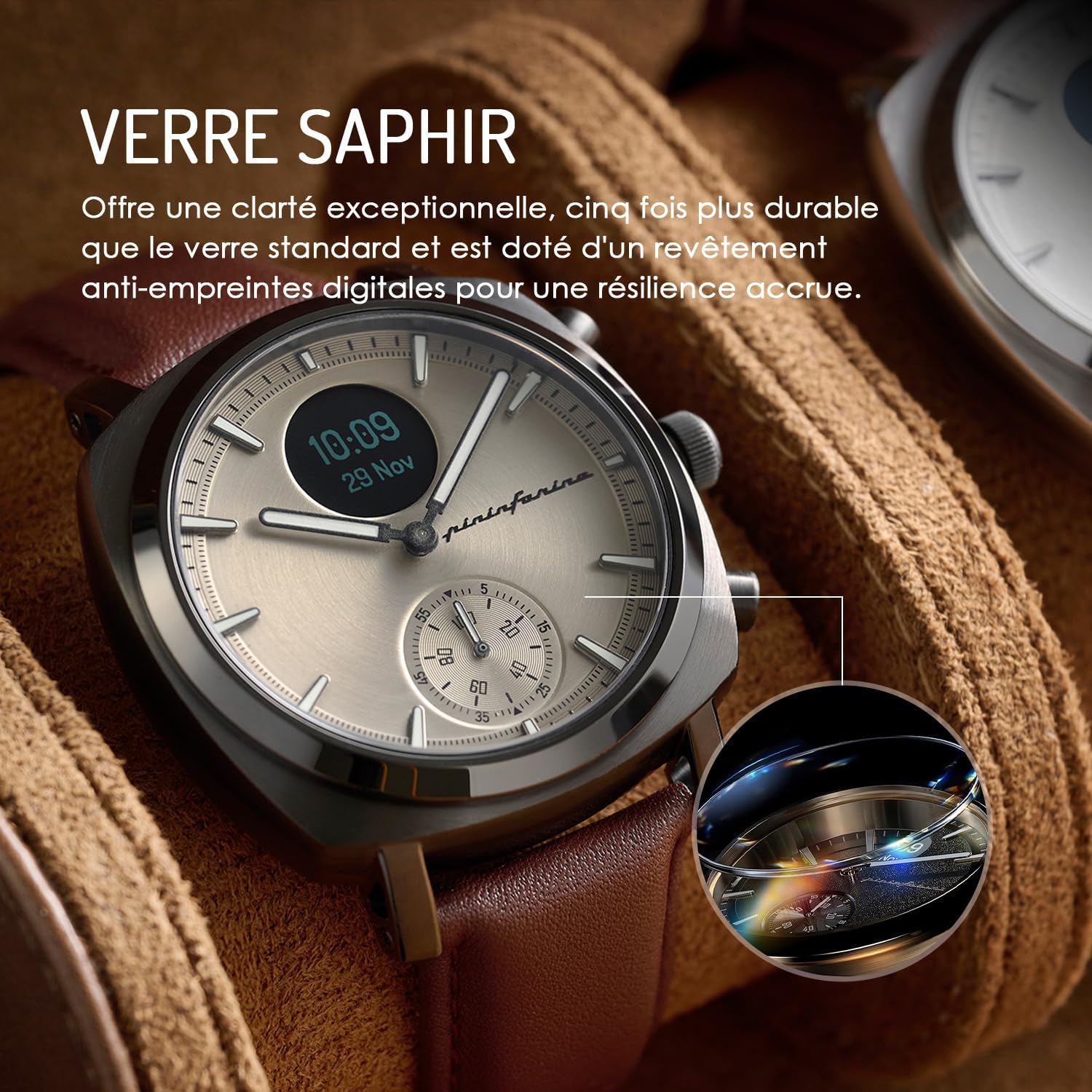
Image: The Pininfarina Senso Hybrid Smartwatch highlighting its sapphire glass, offering exceptional clarity and durability.

Image: An exploded view of the Pininfarina Senso Hybrid Smartwatch, illustrating its robust internal construction and 316L stainless steel components designed for long-term durability.

Image: The Pininfarina Senso Hybrid Smartwatch showcasing its range of interchangeable genuine Italian leather straps.
Troubleshooting
If you encounter issues with your Pininfarina Senso Hybrid Smartwatch, please refer to the following common solutions:
| Problem | Possible Cause / Solution |
|---|---|
| Watch not connecting to app / Bluetooth issues |
|
| Inaccurate or non-functional compass |
|
| Notifications not displaying or truncated |
|
| Battery draining quickly |
|
Specifications
| Feature | Detail |
|---|---|
| Model Name | Pininfarina Senso Hybrid Smartwatch |
| Model Number | PMH01A-02 |
| Brand | Pininfarina |
| Display Type | Analog-Digital |
| Screen Size | 1.3 Centimeters |
| Connectivity Technology | Bluetooth |
| Wireless Communication Standard | Bluetooth |
| GPS | GPS via smartphone |
| Operating System Compatibility | Android, iOS |
| Battery Type | Lithium-ion (1 included) |
| Battery Life | Up to 30 days (optimized) |
| Water Resistance | 5 ATM |
| Main Material | Leather (strap), 316L Stainless Steel (case/bezel) |
| Special Features | Heart Rate Monitor, ECG, SpO2, Sleep Tracker, Activity Tracker, Compass |
| Product Dimensions (L x W x H) | 15.7 x 13.7 x 9 cm |
| Item Weight | 830 grams |
Warranty and Support
For product support, technical assistance, or warranty inquiries regarding your Pininfarina Senso Hybrid Smartwatch, please contact the manufacturer's support team.
Support Email: support@pininfarina-hybridwatchbyglobics.com
Please include your model number (PMH01A-02) and a detailed description of your issue when contacting support to ensure a prompt resolution.
Related documentsPMH01A-02


Ask a question about this manual
Ask about setup, troubleshooting, compatibility, parts, safety, or missing instructions. Manuals+ will review the question and use this page’s manual context to help answer it.