
1. Introduction
Thank you for purchasing the DYNASONIC S90 Portable Bluetooth Speaker. This manual provides essential information for the safe and optimal use of your device. Please read it carefully before operation and retain it for future reference.
The DYNASONIC S90 is a versatile portable speaker designed for high-quality audio playback in various environments. It features Bluetooth connectivity, multiple input options, vibrant LED lights, and an IPX7 waterproof rating, making it suitable for both indoor and outdoor use.
2. Safety Information
- Do not expose the speaker to extreme temperatures or direct sunlight for extended periods.
- Ensure all port covers are securely closed before exposing the speaker to water to maintain its IPX7 rating.
- Avoid dropping or subjecting the speaker to strong impacts.
- Do not attempt to disassemble or modify the speaker. This will void the warranty.
- Use only the provided charging cable or a certified equivalent.
- Keep out of reach of children.
3. Package Contents
- DYNASONIC S90 Portable Bluetooth Speaker
- Wireless Microphone
- Remote Control
- Charging Cable
- AUX Cable
- User Manual

4. Product Overview
4.1. Controls and Indicators
The control panel is located on the top of the speaker. Refer to the image below for button identification.
- Light Mode Button: Cycles through LED light patterns or turns them off.
- Bass Boost Button: Enhances bass frequencies.
- Mode Button (M): Switches between Bluetooth, USB, Micro-SD, and AUX input modes.
- Play/Pause Button (►▮): Plays or pauses audio playback.
- Volume Down / Previous Track Button (-): Short press for previous track, long press to decrease volume.
- Volume Up / Next Track Button (+): Short press for next track, long press to increase volume.
- Power Button (⏻): Long press to power on/off.
4.2. Ports
The input ports are typically located on the rear or side, protected by a waterproof cover.
- USB Port: For USB drive playback.
- Micro-SD Card Slot: For Micro-SD card playback.
- AUX Input (3.5mm): For connecting external audio devices via AUX cable.
- Charging Port: For connecting the charging cable.
- Microphone Input: For connecting the wired microphone (if applicable) or for the wireless microphone receiver.

5. Setup
5.1. Charging the Speaker
- Connect the charging cable to the speaker's charging port.
- Connect the other end of the cable to a suitable USB power adapter (not included) or a computer's USB port.
- The charging indicator light will illuminate. It will turn off or change color once fully charged.
- For optimal battery life, fully charge the speaker before first use.
5.2. Powering On/Off
- To Power On: Long press the Power button (⏻) until you hear an audible prompt or see the LED lights activate.
- To Power Off: Long press the Power button (⏻) again until you hear an audible prompt or the LED lights turn off.
5.3. Bluetooth Pairing
- Ensure the speaker is powered on and in Bluetooth mode (indicated by a flashing blue LED or audible prompt). If not, press the Mode (M) button to switch to Bluetooth mode.
- Enable Bluetooth on your smartphone or other device.
- Search for available Bluetooth devices and select "DYNASONIC S90" from the list.
- Once connected, you will hear a confirmation sound, and the Bluetooth indicator light will stop flashing.
- The speaker will automatically attempt to reconnect to the last paired device when powered on.
5.4. TWS (True Wireless Stereo) Pairing
This feature allows you to connect two DYNASONIC S90 speakers for a stereo sound experience.
- Ensure both DYNASONIC S90 speakers are powered on and in Bluetooth mode, but not connected to any device.
- On one of the speakers (this will be the primary speaker), long press the Play/Pause (►▮) button for a few seconds. You will hear a pairing tone.
- The two speakers will automatically connect to each other. A confirmation tone will sound once TWS pairing is successful.
- Now, connect your smartphone or device to the primary speaker via Bluetooth as described in section 5.3. The audio will play in stereo through both speakers.

6. Operating Instructions
6.1. Audio Playback
- Bluetooth Mode: After successful pairing, start playing music on your connected device. Use the Play/Pause (►▮), Volume Up (+), and Volume Down (-) buttons on the speaker or your device to control playback.
- USB/Micro-SD Mode: Insert a USB drive or Micro-SD card into the respective port. The speaker will automatically switch to USB/Micro-SD mode and begin playing audio files. If not, press the Mode (M) button to select the correct input.
- AUX Mode: Connect an external audio device (e.g., MP3 player, computer) to the speaker's AUX input using the provided 3.5mm audio cable. Press the Mode (M) button until AUX mode is selected. Control playback from your connected device.
6.2. Microphone Usage (Karaoke)
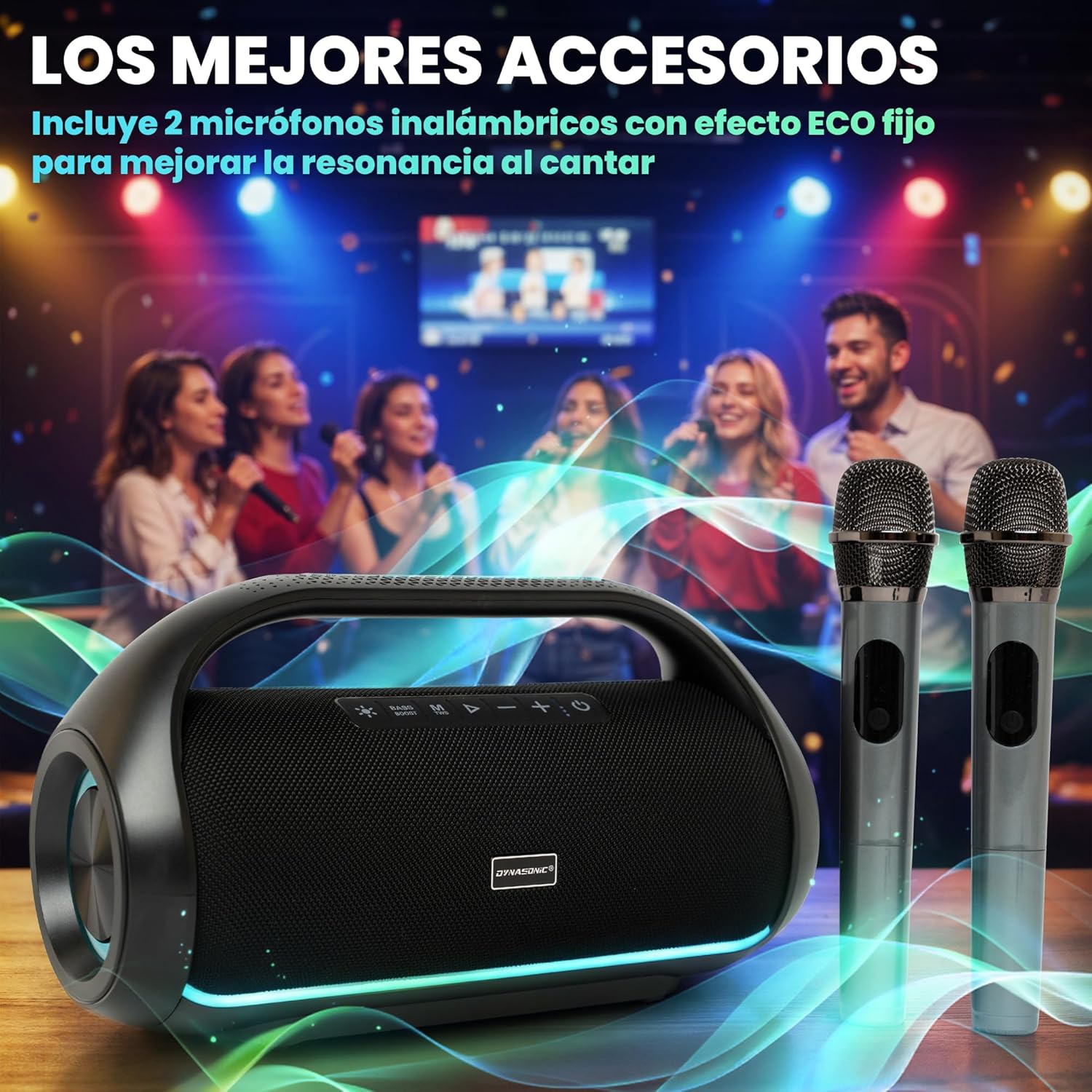
The DYNASONIC S90 includes a wireless microphone for karaoke functionality.
- Ensure the speaker is powered on.
- Power on the wireless microphone. It should automatically connect to the speaker.
- Adjust the microphone volume on the microphone itself or via the speaker's controls if available.
- The microphone features a fixed ECO effect to enhance vocal resonance.
6.3. LED Light Modes
Press the Light Mode button to cycle through different rhythmic LED light patterns. Press it repeatedly to find your preferred mode or to turn the lights off.

6.4. Bass Boost Function
Press the Bass Boost button to activate or deactivate the bass enhancement feature. This will provide a deeper and more pronounced bass sound.
7. Maintenance
7.1. Cleaning
- Wipe the speaker with a soft, damp cloth.
- Do not use abrasive cleaners, alcohol, or chemical solvents.
- Ensure the speaker is dry before charging or using any ports.
7.2. Water Resistance (IPX7)
The DYNASONIC S90 is IPX7 waterproof, meaning it can be submerged in up to 1 meter of water for 30 minutes. However, proper care is essential:
- Always ensure the rubber flap covering the charging and input ports is securely closed before exposing the speaker to water.
- Do not intentionally submerge the speaker for extended periods or beyond the specified depth.
- After exposure to water, wipe the speaker dry with a soft cloth. Allow it to air dry completely before opening the port cover or charging.
- Avoid exposing the speaker to saltwater or chlorinated water, as these can degrade the seals over time. If exposed, rinse with fresh water and dry thoroughly.

7.3. Battery Care
- Charge the speaker regularly, even if not in use, to maintain battery health.
- Avoid completely draining the battery frequently.
- Store the speaker in a cool, dry place when not in use for extended periods.

8. Troubleshooting
| Problem | Possible Cause | Solution |
|---|---|---|
| Speaker does not power on. | Battery is depleted. | Charge the speaker fully. |
| No sound. | Volume is too low; incorrect input mode; device not connected. | Increase volume on speaker and device; press Mode (M) to select correct input; ensure device is paired/connected. |
| Bluetooth connection fails. | Speaker not in pairing mode; device too far; interference. | Ensure speaker is in Bluetooth pairing mode; move device closer; restart speaker and device. |
| Microphone not working. | Microphone not powered on; battery low in microphone. | Ensure microphone is powered on; check/replace microphone batteries. |
| TWS pairing fails. | One or both speakers already connected to a device. | Disconnect both speakers from any devices before attempting TWS pairing. |
9. Specifications
| Feature | Specification |
|---|---|
| Model Name | B60 |
| Brand | DYNASONIC |
| Speaker Type | Outdoor, Portable |
| Connectivity Technology | Bluetooth |
| Audio Output Mode | Stereo (2.0 Channel) |
| Max Speaker Output Power | 80 Watts |
| Frequency Response | 16 KHz |
| Waterproof Rating | IPX7 |
| Power Source | Electric Cable (Rechargeable Battery) |
| Battery Type | 1 Lithium-ion (included) |
| Input Voltage | 12 Volts |
| Material | Plastic |
| Product Dimensions (L x W x H) | 14.2 x 36.8 x 20 cm |
| Product Weight | 3.08 kg |
| Compatible Devices | Smartphone |
| Recommended Uses | Ambient Sound System |

10. Warranty and Support
The DYNASONIC S90 Portable Bluetooth Speaker comes with a limited quality guarantee. For specific warranty terms, duration, and customer support inquiries, please refer to the warranty card included in your package or contact DYNASONIC customer service through their official website or the retailer where the product was purchased.


