
hurkins Grande Black
Contents
Smug V2 Coffee Mug Warmer & Wireless Charger
Model: Grande Black | Brand: hurkins
Introduction
Welcome to the user manual for your hurkins Smug V2 Coffee Mug Warmer and Wireless Charger. This innovative device is designed to keep your beverages at an optimal temperature while also providing convenient wireless charging for your compatible smartphone. Please read this manual thoroughly to ensure proper use, maintenance, and to maximize your product's lifespan.
Important Safety Information
Failure to follow these safety instructions could result in fire, electric shock, injury, or damage to the product or property.
- Do not immerse the heating pad or power adapter in water or other liquids.
- Do not microwave the mug. The mug contains metallic components that are not microwave safe and can cause damage or injury.
- Use only the provided power adapter and C-type cable. Using unauthorized accessories may cause damage or malfunction.
- Keep the device out of reach of children and pets.
- Do not touch the heating surface immediately after removing the mug, as it may still be warm.
- Ensure the heating pad is placed on a stable, flat, and heat-resistant surface.
- Unplug the device when not in use for extended periods or before cleaning.
- Do not attempt to disassemble or repair the device yourself. Contact customer support for assistance.
Package Contents
Verify that all items are present in your package:
- 1 x hurkins Smug V2 Ceramic Mug
- 1 x PCTG Lid
- 1 x Heating Pad / Wireless Charger Base
- 1 x C-type Fabric Cable
- 1 x Fast Charge Adapter
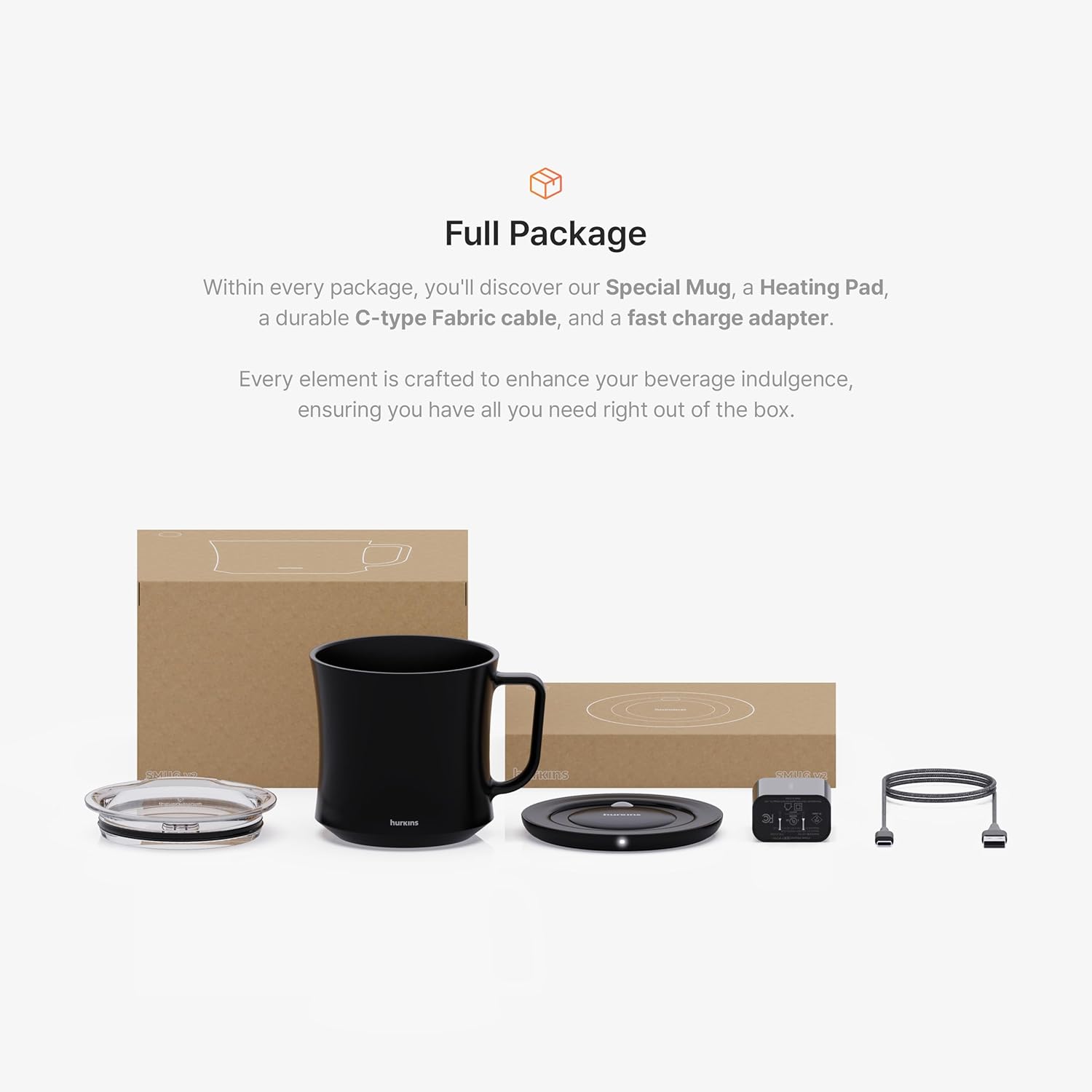
Image: All components included in the hurkins Smug V2 package.
Setup Guide
1. Unpacking
Carefully remove all components from the packaging. Inspect for any signs of damage. If any items are damaged or missing, please contact customer support.
2. Connecting Power
- Connect the C-type fabric cable to the heating pad.
- Plug the fast charge adapter into a standard wall outlet. Ensure you use the provided adapter for optimal performance and to avoid issues like blinking lights.
3. Initial Placement
Place the heating pad on a flat, stable surface where you intend to use it, such as a desk or table. Ensure there is adequate ventilation around the device.

Image: The hurkins Smug V2 mug and heating pad ready for use.
Operating Instructions
Using the Mug Warmer
The hurkins Smug V2 utilizes induction technology for efficient heating:
- Pour your desired beverage (coffee, tea, water) into the hurkins Smug V2 mug.
- Place the mug onto the center of the heating pad. The induction technology will automatically activate, and the pad will begin warming your beverage.
- For optimal temperature retention and to reach the maximum temperature of 150°F (65°C), place the PCTG lid onto the mug. Without the lid, the temperature will be maintained around 131°F.
- The heating pad will automatically de-activate when the mug is removed.
- The device features an 8-hour auto-sleep function for safety and energy saving. If the mug remains on the pad for 8 continuous hours, the heating function will automatically turn off.

Image: The mug warmer maintains beverages at an ideal temperature.
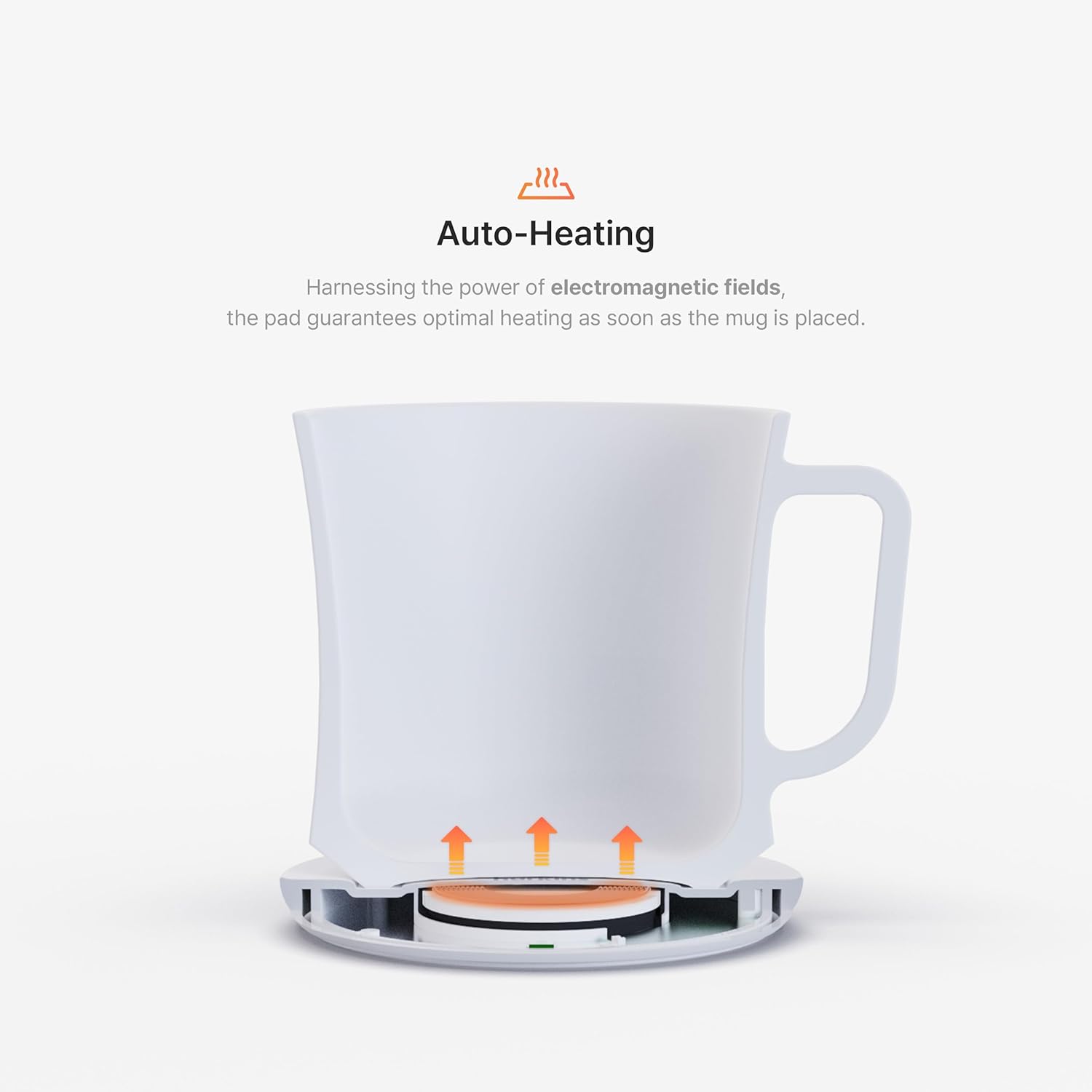
Image: The heating pad automatically activates when the mug is placed.

Image: The mug effectively keeps beverages hot.
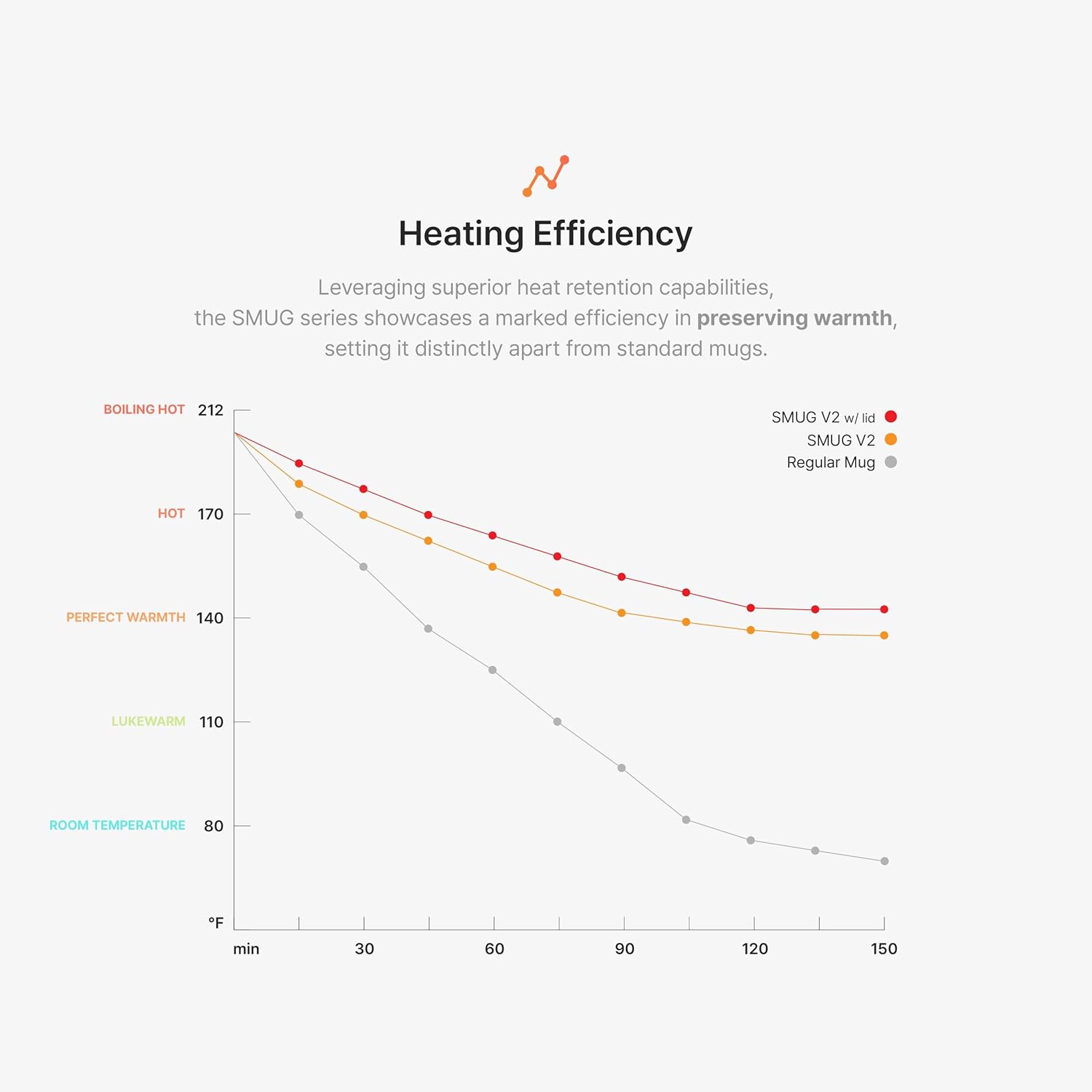
Image: Heating efficiency comparison of the Smug V2.
Using the Wireless Charging Function
The heating pad doubles as a 10W wireless charger for compatible smartphones:
- Ensure the heating pad is connected to power.
- Remove the hurkins Smug V2 mug from the heating pad.
- Place your compatible smartphone onto the center of the heating pad. The pad will automatically detect the smartphone and begin wireless charging at 10W power.
- Remove your smartphone once charging is complete.

Image: The heating pad also functions as a wireless charger for smartphones.
Care and Maintenance
Proper care will ensure the longevity and performance of your hurkins Smug V2:
- Mug and Lid: The ceramic mug and PCTG lid are safe to hand wash. Use mild soap and warm water. Rinse thoroughly and dry completely before reuse. Do not use abrasive cleaners or scrubbers that could damage the ceramic coating.
- Heating Pad: Wipe the surface of the heating pad with a soft, damp cloth. Do not use harsh chemicals or immerse the pad in water. Ensure the pad is completely dry before plugging it back in.
- Storage: When not in use, store the mug warmer set in a clean, dry place.

Image: The BPA-free PCTG lid is designed for safety and easy cleaning.
Troubleshooting
If you encounter any issues with your hurkins Smug V2, please refer to the table below for common problems and solutions:
| Problem | Possible Cause | Solution |
|---|---|---|
| Mug is not heating. | Mug not centered on pad; Power not connected; Incorrect power adapter. | Ensure the mug is placed directly in the center of the heating pad. Check that the power cable is securely connected to both the pad and the wall outlet. Use only the provided fast charge adapter. |
| Wireless charging is not working. | Mug still on pad; Phone not compatible; Phone not centered. | Remove the mug from the heating pad before attempting to charge a smartphone. Ensure your smartphone supports wireless charging. Place the phone directly in the center of the pad. |
| Indicator light is blinking. | Insufficient power supply (e.g., connected to computer USB). | Ensure the heating pad is connected to the provided fast charge wall adapter and plugged into a wall outlet, not a computer USB port. |
| Beverage is not hot enough. | Lid not used; Initial beverage temperature too low. | For maximum temperature retention (up to 150°F), always use the PCTG lid. The warmer maintains temperature; it does not rapidly heat cold liquids. Start with a warm or hot beverage. |
Product Specifications
| Feature | Detail |
|---|---|
| Model | Grande Black |
| Brand | hurkins |
| Material | Ceramic Mug, PCTG Lid |
| Color | Black (also available in White, Special Blue, Special Grey) |
| Wattage | 10 watts |
| Voltage | 5 Volts |
| Temperature Range | 131°F (without lid) - 150°F (with lid) |
| Wireless Charging Output | 10W |
| Auto-Sleep Function | 8 hours |
| Item Weight | 2.25 pounds |
| Package Dimensions | 7.64 x 6.77 x 6.06 inches |
| Country of Origin | Korea, Republic of |
Warranty and Customer Support
Warranty Information
The hurkins Smug V2 Coffee Mug Warmer & Wireless Charger comes with a 1-year full warranty from the date of purchase. This warranty covers defects in materials and workmanship under normal use. Please note that as of November 2023, all electric components have been upgraded to enhance durability and reliability.
The warranty does not cover damage caused by misuse, accident, unauthorized modification, or failure to follow the instructions in this manual.
Customer Support
For any questions, concerns, or warranty claims, please contact hurkins customer support through the retailer's platform or the official hurkins website. Please have your purchase receipt and product model information ready when contacting support.
Ask a question about this manual
Ask about setup, troubleshooting, compatibility, parts, safety, or missing instructions. Manuals+ will review the question and use this page’s manual context to help answer it.