Introduction
This user manual provides detailed instructions for the operation and maintenance of your COLAZE 12L/Day Dehumidifier. Please read this manual thoroughly before using the appliance to ensure safe and efficient operation. This dehumidifier is designed to effectively remove excess moisture from the air, helping to prevent dampness, mold, and mildew in various indoor environments such as homes, bedrooms, basements, and laundry rooms.
Safety Information
Always follow basic safety precautions when using electrical appliances to reduce the risk of fire, electric shock, and injury.
- Ensure the power supply matches the voltage specified on the rating label.
- Do not operate the dehumidifier with a damaged cord or plug.
- Keep the appliance away from heat sources and direct sunlight.
- Do not block air inlets or outlets. Maintain at least 20 cm clearance around the unit.
- Always unplug the unit before cleaning or performing any maintenance.
- Do not immerse the unit, power cord, or plug in water or other liquids.
- This appliance is for indoor use only.
- Do not allow children to operate the dehumidifier unsupervised.
Product Overview
Familiarize yourself with the main components of your COLAZE dehumidifier.
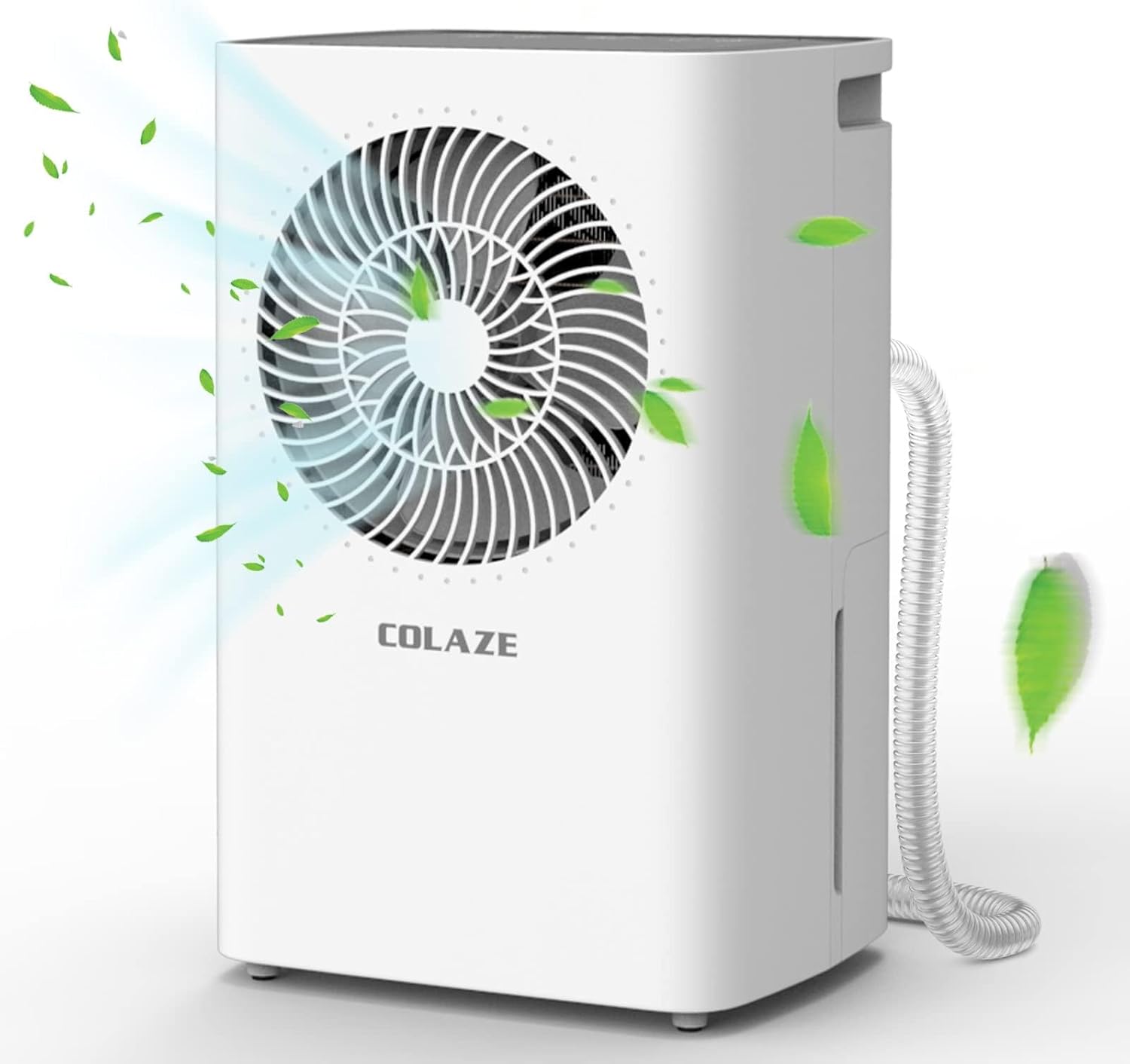
Figure 1: Front view of the COLAZE 12L/Day Dehumidifier, showing the air intake grille and control panel on top.

Figure 2: Close-up of the smart control panel located on the top of the dehumidifier, featuring buttons for Humidity Setting, Timer, Speed, and Power, along with a digital display.
Key Components:
- Control Panel: Digital display and touch buttons for various settings.
- Air Inlet/Outlet: Located on the front and rear for air circulation.
- Water Tank: Removable tank for collecting condensed water.
- Continuous Drain Port: For connecting a hose for continuous drainage.
- Washable Filter: Located at the air inlet to filter dust.
- Handles: Integrated handles for easy portability.
Setup
1. Unpacking
Carefully remove the dehumidifier from its packaging. Inspect the unit for any signs of damage. Retain the packaging for future storage or transport.

Figure 3: Front view of the COLAZE dehumidifier product packaging.
2. Placement
Place the dehumidifier on a flat, stable surface in the area where moisture reduction is desired. Ensure there is at least 20 cm (8 inches) of clear space around all sides of the unit for proper airflow.

Figure 4: The dehumidifier placed in a room, illustrating its compact size and effective moisture removal from 80% RH to 45% RH.
3. Power Connection
Plug the power cord into a grounded electrical outlet. The unit is now ready for operation.
4. Drainage Methods
Your COLAZE dehumidifier offers two drainage options:
- Water Tank (Manual Drainage): The dehumidifier will collect water in its internal tank. When the tank is full, the unit will automatically shut off and an indicator light will illuminate. You will need to manually empty the tank.
- Continuous Drainage: For extended operation without manual emptying, connect the included drain hose to the continuous drain port on the back of the unit. Route the hose to a suitable drain (e.g., floor drain, large bucket). Ensure the hose is sloped downwards to allow gravity drainage.

Figure 5: Illustration of the two drainage methods: continuous drainage via hose (left) and manual drainage using the removable water tank (right).
Operating Instructions
1. Power On/Off
Press the Power button on the control panel to turn the unit on or off.
2. Humidity Setting
Press the Humidity Setting button to adjust the desired humidity level (30%-80% RH). The unit will operate until the set humidity level is reached, then cycle on and off to maintain it.
3. Timer Function
Press the Timer button to set a delay for the unit to turn on or off (1-24 hours). Each press increases the time by one hour.
4. Fan Speed
Press the Speed button to switch between Low and High fan speeds. High speed provides faster dehumidification, while Low speed offers quieter operation.

Figure 6: The dehumidifier operating in a bedroom, demonstrating its ultra-quiet operation (below 42dB) and 24-hour timer function, suitable for use during sleep.
5. Laundry Drying Mode (Continuous Mode)
For continuous dehumidification, such as when drying laundry, set the unit to continuous mode. In this mode, the unit will run continuously regardless of the humidity level until manually turned off or the water tank is full (if continuous drainage is not used).
6. Auto Defrost
The dehumidifier is equipped with an automatic defrost function. If the ambient temperature drops too low (below 0°C/32°F), the unit will automatically enter defrost mode to prevent ice buildup on the coils, ensuring efficient operation.
7. Overflow Protection
When the water tank is full, the dehumidifier will automatically shut off to prevent overflow. The "Tank Full" indicator light will illuminate. Empty the water tank to resume operation.
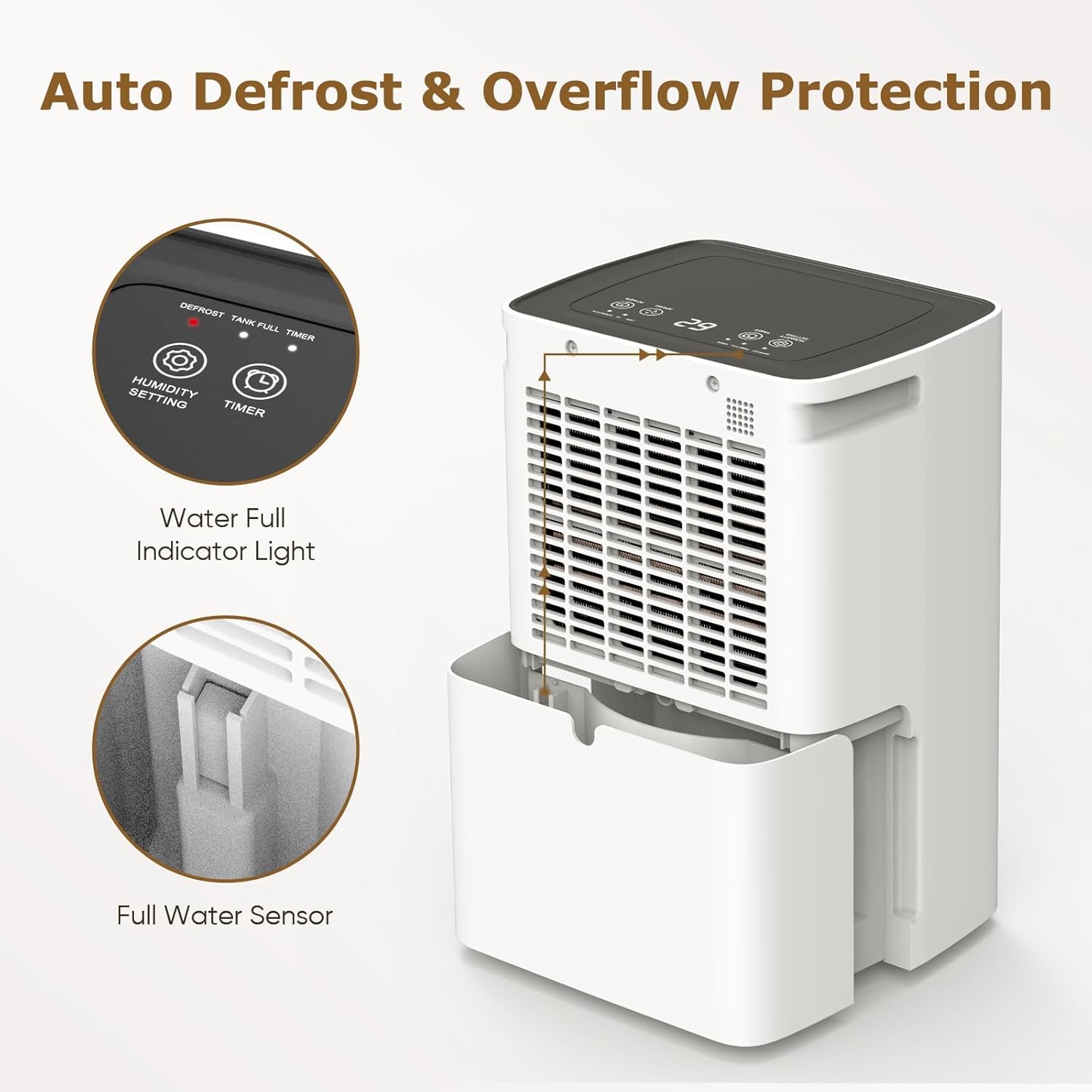
Figure 7: Visual representation of the auto defrost and overflow protection features, highlighting the water full indicator light and the full water sensor in the tank.
Maintenance
Regular maintenance ensures optimal performance and extends the lifespan of your dehumidifier. Always unplug the unit before cleaning.
1. Emptying the Water Tank
When the water tank is full, carefully slide it out from the unit. Dispose of the collected water. Clean the tank with mild detergent and water periodically to prevent mold and mildew growth. Rinse thoroughly and reinsert the tank until it clicks into place.
2. Cleaning the Air Filter
The air filter should be cleaned every two weeks or more frequently depending on usage and air quality. A dirty filter can reduce efficiency.
- Turn off and unplug the dehumidifier.
- Remove the air filter from its slot (usually located at the back or side air inlet).
- Wash the filter with warm, soapy water. For heavy dust, a vacuum cleaner can be used first.
- Rinse the filter thoroughly and allow it to air dry completely before reinserting. Do not use a dryer or direct heat.

Figure 8: Image highlighting the washable filter, handles, and 1M draining hose, along with product dimensions.
3. Storage
If the dehumidifier will not be used for an extended period:
- Empty and clean the water tank.
- Clean the air filter.
- Unplug the unit and coil the power cord neatly.
- Store the unit upright in a cool, dry place, away from direct sunlight and extreme temperatures.
Troubleshooting
Before contacting customer support, please refer to the following common issues and solutions:
| Problem | Possible Cause | Solution |
|---|---|---|
| Dehumidifier does not turn on. | No power; Power cord not plugged in; Water tank full or not properly inserted. | Check power outlet; Ensure power cord is securely plugged in; Empty and reinsert water tank correctly. |
| No water collected or low dehumidification. | Humidity level already low; Air filter clogged; Room temperature too low; Unit size too small for area. | Increase desired humidity setting; Clean air filter; Ensure room temperature is above 5°C (41°F); Consider a larger capacity unit for the space. |
| Unit is noisy. | Fan speed set to High; Unit not on a level surface; Obstruction in fan. | Switch to Low fan speed; Place unit on a flat, stable surface; Check for and remove any obstructions. |
| "Tank Full" indicator is on, but tank is not full. | Water tank not properly seated; Float switch malfunction. | Remove and reinsert the water tank firmly; Contact customer support if issue persists. |
Specifications
| Feature | Detail |
|---|---|
| Brand | COLAZE |
| Model | PD12R-02AE |
| Colour | White |
| Product Dimensions | 39 x 25 x 20 cm (approx.) |
| Item Weight | 8.28 kg |
| Dehumidification Capacity | 12 L/day (at 35°C, 90% RH) |
| Power / Wattage | 150 watts |
| Tank Volume | 2 Litres |
| Recommended Floor Area | Up to 30m² (approx. 4500 sq ft) |
| Special Features | High Efficient Compressor-type, Adjustable Humidity Control, Anti-Spill, Automatic Defrost, Automatic Moisture Removal, Automatic Shutoff, Continuous Draining, Digital Display, Ergonomic Handle, Quiet Operation |
| Included Components | Drain Hose |
Warranty and Support
COLAZE offers a two-year warranty for this dehumidifier, covering manufacturing defects and ensuring reliable operation. In addition, customers are provided with free replacement services for eligible issues and lifetime technical support.
For warranty claims, technical assistance, or any inquiries, please contact COLAZE customer support through the retailer's platform or the official COLAZE website. Please have your purchase details and model number (PD12R-02AE) ready when contacting support.


