
GODOX LED-FH50Bi
Contents
Godox FH50Bi Flexible Handheld LED Light
Instruction Manual
1. Introduction
The Godox FH50Bi is a versatile and portable flexible handheld LED light designed for various photography and videography applications, including streaming, Zoom calls, YouTube, TikTok, and studio photo lighting. Its unique flexible design allows for easy shaping and placement in tight spaces, while offering adjustable brightness and color temperature for optimal illumination.

Figure 1: Godox FH50Bi Flexible Handheld LED Light
2. Package Contents
Please check the contents of your package to ensure all items are present:
- Light Body FH50Bi *1
- Carry Bag *1
- Adapter *1
- Stand Adapter *1
- AC Power Cord *1

Figure 2: What's in the box
3. Product Features
- Convenient Light Shaping: The strong metal frame allows for quick and secure shaping of the illuminating area with a single bend.

Figure 3: Flexible light shaping capability
- Lighting on the Move: An ultra-light and portable design makes the FH50Bi ideal for outdoor applications and easy transport.

Figure 4: Portability of the FH50Bi light
- Hide Where You Need: The ultra-thin panel is suitable for narrow spaces like closets, shelves, or small studios, and can be discreetly placed.

Figure 5: Discreet placement in tight areas
- Soft Lighting: The panel design provides a soft, balanced illumination, reducing harsh contrasts and enhancing natural lighting for subjects.
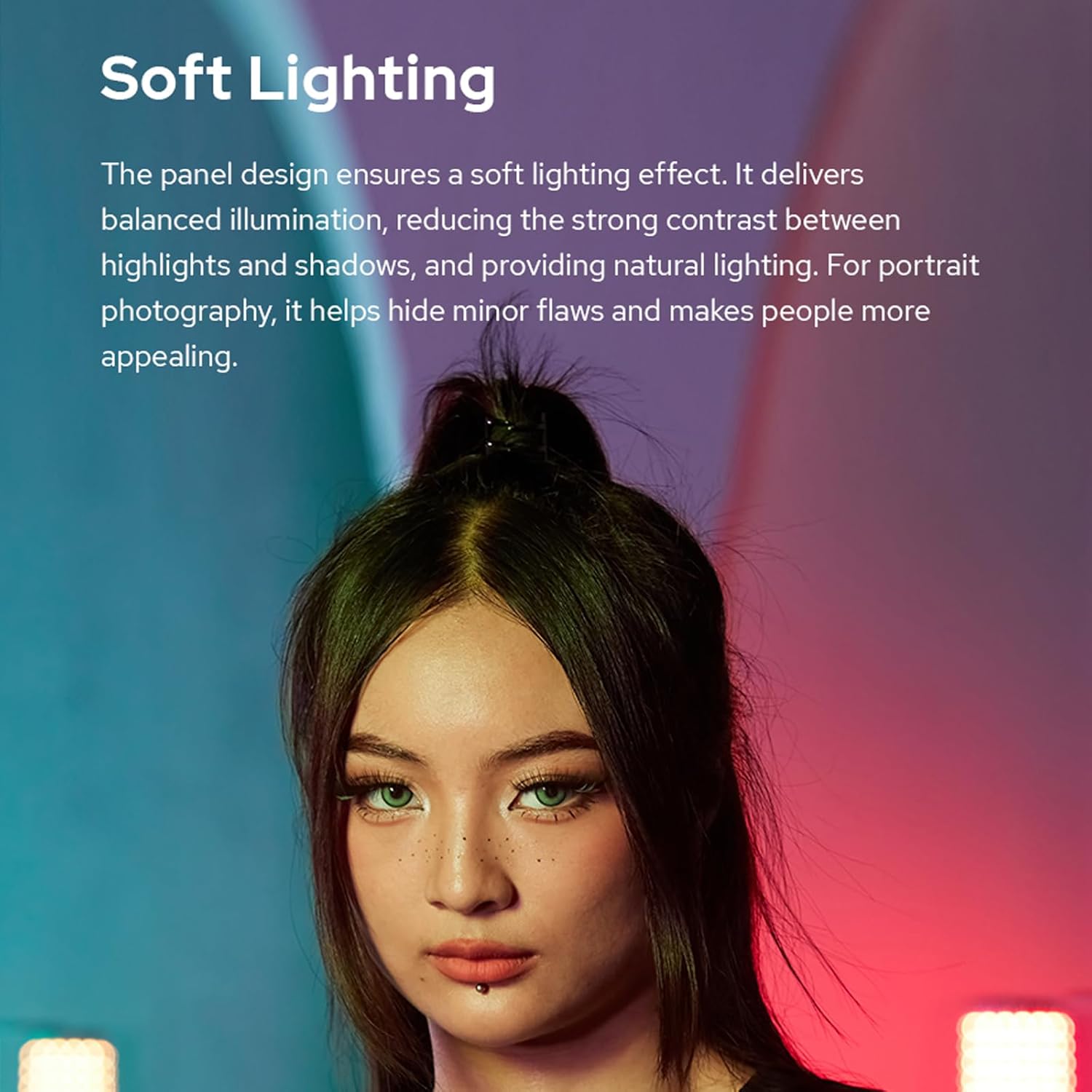
Figure 6: Soft lighting effect on a subject
- Mood-Matching Color Temperatures: The FH50Bi offers a color temperature range from 2800K to 6500K, allowing for versatile lighting conditions and matching other fixtures.

Figure 7: Adjustable color temperature
- Free Control: The light supports 2.4G wireless control and Bluetooth app control (Godox Light app), enabling remote adjustments.

Figure 8: Smartphone app control
- Easy On-location Shooting: Multiple power supply options, including V-mount lithium batteries, NP-F series batteries (available separately), and external DC power supply, provide flexibility for various shooting environments.

Figure 9: Battery power option for portability
4. Setup Guide
4.1 Attaching the Stand Adapter
- Locate the mounting point on the back of the FH50Bi light body.
- Attach the provided Stand Adapter to this mounting point and secure it firmly.
- Mount the light with the attached stand adapter onto a compatible light stand or tripod.
4.2 Powering the Light
The FH50Bi offers multiple power options:
- AC Power: Connect the AC Power Cord to the Adapter, and then plug the Adapter into the light body's DC input port. Plug the AC Power Cord into a wall outlet.
- NP-F Batteries (Sold Separately): Insert compatible NP-F series batteries into the battery slots on the light's control unit. Ensure correct polarity.
- V-mount Battery (Sold Separately): Connect a V-mount battery to the appropriate input on the light's control unit using a compatible cable.
Once powered, the light's display will illuminate, indicating it is ready for operation.
5. Operating Instructions
5.1 Basic Operation
- Power On/Off: Press and hold the power button on the control unit to turn the light on or off.
- Brightness Adjustment: Use the dedicated dial or buttons on the control unit to adjust brightness from 0% to 100%.
- Color Temperature Adjustment: Use the dedicated dial or buttons to change the color temperature between 2800K and 6500K.
5.2 Wireless Control (2.4G & Bluetooth App)
The FH50Bi can be controlled remotely via 2.4G wireless system or the Godox Light smartphone app.
- 2.4G Wireless Control: Ensure your Godox 2.4G remote controller (sold separately) is set to the same channel (1-32) and group (A-F, 0-9) as your FH50Bi light. Refer to your remote controller's manual for pairing instructions.
- Bluetooth App Control:
- Download the "Godox Light" app from your smartphone's app store.
- Enable Bluetooth on your smartphone.
- Open the Godox Light app and follow the on-screen instructions to search for and connect to your FH50Bi light.
- Once connected, you can adjust brightness, color temperature, and access special effects directly from the app.
5.3 Special Effects (FX Modes)
The FH50Bi includes 11 built-in special effects to enhance your creative lighting. These can typically be accessed via the control unit's menu or the Godox Light app.
- Common FX modes include Flash, Lightning, Cloudy, Broken Bulb, Television, Candle, Fire, Fireworks, Explosion, Welding, and SOS.
- Navigate through the FX menu and select the desired effect. Adjust parameters like speed or intensity if available.

Figure 10: Available Special Effects (FX Modes)
6. Maintenance and Care
- Cleaning: Use a soft, dry cloth to clean the light body. Do not use abrasive cleaners or solvents.
- Storage: Store the light in its carry bag in a cool, dry place away from direct sunlight and extreme temperatures.
- Battery Care: If using batteries, remove them if the light will not be used for an extended period. Follow battery manufacturer guidelines for charging and storage.
- Handling: While the light is flexible, avoid excessive or sharp bending that could damage internal components.
7. Troubleshooting
| Problem | Possible Cause | Solution |
|---|---|---|
| Light does not turn on. | No power, low battery, faulty connection. | Check AC power connection or battery charge. Ensure all cables are securely connected. |
| Cannot control via app/remote. | Bluetooth/2.4G not enabled, incorrect channel/group, app issue. | Ensure Bluetooth is on. Verify channel/group settings. Restart app/light. |
| Light flickers or is unstable. | Low power, loose connection, environmental interference. | Check power source. Secure all connections. Move away from strong electromagnetic sources. |
| Color temperature/brightness not changing. | Controls locked, mode conflict. | Check if controls are locked. Ensure you are in the correct mode for adjustment (e.g., CCT mode for color temperature). |
8. Specifications
| Feature | Detail |
|---|---|
| Model | FH50Bi |
| Product Dimensions | 1.25 x 1.22 x 1.34 inches |
| Item Weight | 1.26 pounds |
| Item Model Number | LED-FH50Bi |
| Brand | GODOX |
| Connectivity Technology | Bluetooth, 2.4G |
| Flash Modes Description | Constant illumination, Adjustable brightness (0%-100%), Adjustable color temperature (2800K-6500K) |
| Has Self-Timer | No |
| Water Resistance Level | Not Water Resistant |
| Manufacturer | Godox |
| Date First Available | August 17, 2023 |
9. Warranty and Support
For warranty information and technical support, please refer to the official Godox website or contact your local distributor. Keep your purchase receipt as proof of purchase for any warranty claims.
For further assistance, you may visit the official GODOX Store: GODOX Amazon Store
Ask a question about this manual
Ask about setup, troubleshooting, compatibility, parts, safety, or missing instructions. Manuals+ will review the question and use this page’s manual context to help answer it.