
VTech LS1000
VTech LS1000 DECT Cordless Phone User Manual
Model: LS1000 | Brand: VTech
Introduction
Welcome to the user manual for your new VTech LS1000 DECT Cordless Phone. This manual provides detailed instructions on setting up, operating, and maintaining your phone, ensuring you get the most out of its features. The VTech LS1000 combines innovative design with essential functionalities for a seamless communication experience.

Product Overview: The VTech LS1000 DECT Cordless Phone with its base station, showcasing its sleek design and dual-charging capability.
Key Features
- Innovative Dual-Charging Design: Charge the handset face-up for easy viewing or face-down for compact placement.
- Backlit Display and Keypad: Large 2-inch LCD screen and keypad illuminate for clear visibility in low-light conditions.
- Long Battery Life: Enjoy up to 13 hours of talk time and 200 hours of standby time.
- ECO Mode: Automatically adjusts radio frequency power based on distance from the base station, ensuring reduced energy consumption.
- Caller ID / Call Waiting: Stores up to 20 incoming call records, displaying name, number, time, and date.
- Phonebook: Store up to 50 names and numbers for quick and easy dialing.
- Hands-Free Speakerphone: Conveniently make or receive calls without holding the handset.
- Adjustable Ringtones: Choose from 12 polyphonic and 3 simple melodies, with adjustable ringtone volume.
- Last Number Redial: Quickly redial the last 10 numbers called.
Setup Guide
1. Unpacking and Components
Carefully remove all items from the packaging. Ensure you have the following components:
- VTech LS1000 Handset
- Base Station
- Power Adapter
- Telephone Line Cord
- NiMH Rechargeable Battery (1 included)
2. Battery Installation
- Locate the battery compartment cover on the back of the handset.
- Slide the cover downwards to open it.
- Connect the NiMH battery pack plug into the socket inside the compartment, ensuring correct polarity.
- Place the battery pack into the compartment.
- Slide the battery compartment cover back into place until it clicks.
3. Connecting the Base Station
- Plug the small end of the power adapter into the power jack on the back of the base station.
- Plug the large end of the power adapter into a standard electrical outlet.
- Plug one end of the telephone line cord into the telephone jack on the back of the base station.
- Plug the other end of the telephone line cord into a telephone wall jack.
- Place the base station on a flat, stable surface, away from other electronic devices that may cause interference.
4. Initial Battery Charging
Place the handset on the base station to charge. The VTech LS1000 features an innovative dual-charging design, allowing you to place the handset face-up or face-down.

Dual-Way Charging: The handset can be charged face-up for display visibility or face-down for a compact setup.
Allow the handset to charge for at least 16 hours before initial use to ensure optimal battery performance. The battery icon on the display will indicate charging status.
Operating Instructions
Making and Receiving Calls
- To Make a Call: Pick up the handset or press the TALK button. Dial the desired phone number.
- To Receive a Call: When the phone rings, pick up the handset or press the TALK button.
- To End a Call: Place the handset back on the base station or press the END button.
Hands-Free Speakerphone
To activate the hands-free speakerphone during a call, press the SPEAKER button. Press it again to switch back to handset mode.
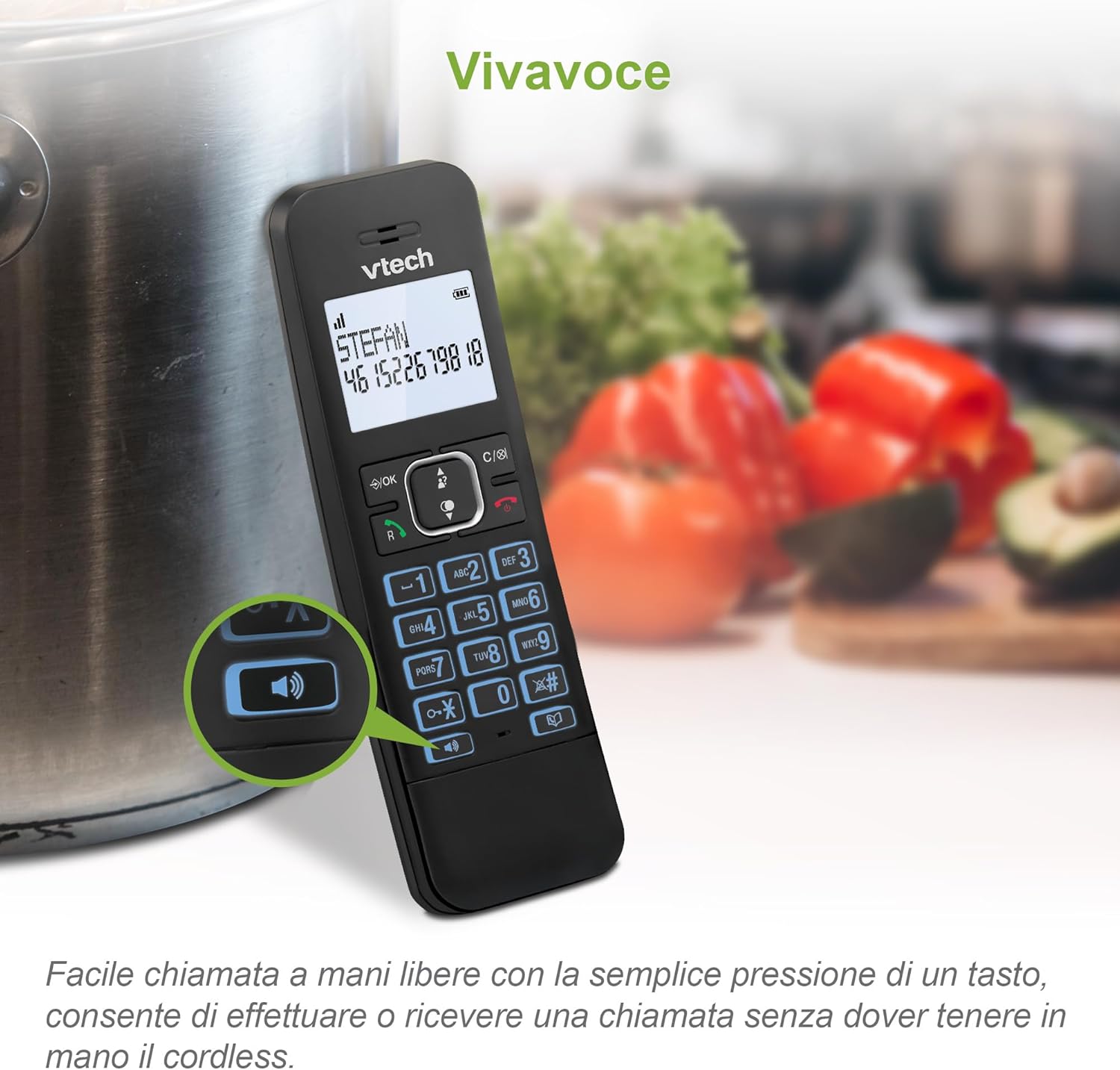
Hands-Free Calling: Easily engage the speakerphone function for convenient conversations.
Caller ID and Call Waiting
The phone displays the caller's name and number (if available) for incoming calls. It stores up to 20 caller ID records. If you subscribe to Call Waiting service, the phone will alert you to a second incoming call.

Caller ID Display: View incoming call details including name and number on the handset screen.
Phonebook Management
Store up to 50 names and numbers in the phonebook for quick access.
- To Add a Contact: Navigate to the phonebook menu, select "Add New," and enter the name and number.
- To Dial from Phonebook: Press the PHONEBOOK button, scroll to the desired contact, and press TALK.
Last Number Redial
The phone stores the last 10 numbers dialed. Press the REDIAL button to view the list, then select a number and press TALK to redial.

Quick Redial: Easily redial the last 10 numbers with a simple button press.
Adjusting Settings
- Ringtone Volume and Melodies: Access the menu to adjust the ringtone volume and choose from 12 polyphonic or 3 simple melodies.
- Mute Function: During a call, press the MUTE button to temporarily silence your microphone. Press again to unmute.
- Alarm: Set an alarm through the phone's menu settings.
- ECO Mode: This mode is automatically enabled to reduce radio frequency power when the handset is close to the base station, conserving energy.

Customizable Ringtones: Adjust volume and select from various melodies to personalize your phone.
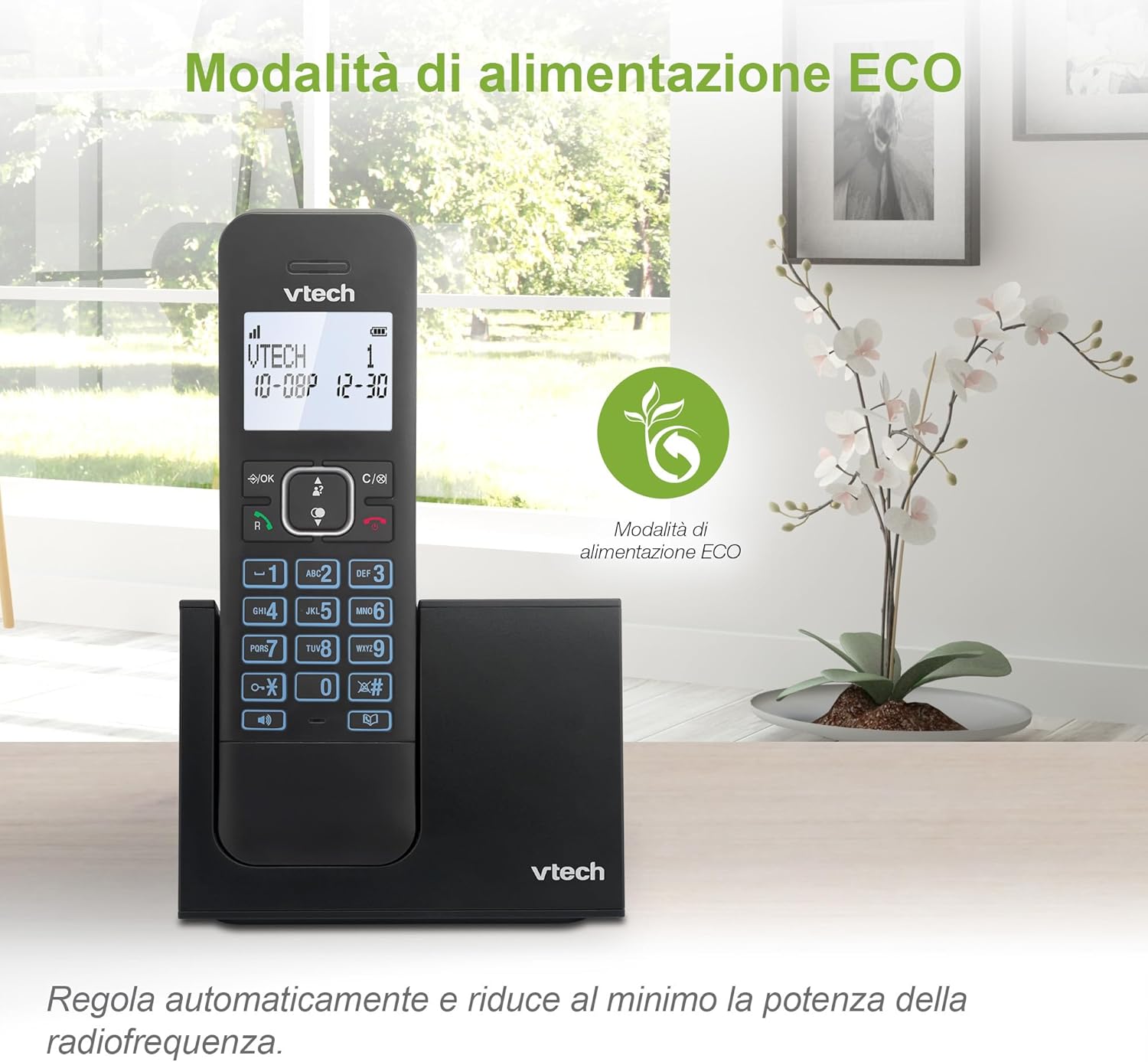
Energy-Saving ECO Mode: The phone automatically optimizes power consumption for efficiency.
Maintenance
To ensure the longevity and optimal performance of your VTech LS1000 cordless phone, follow these simple maintenance guidelines:
- Cleaning: Wipe the handset and base station with a soft, damp cloth. Do not use harsh chemicals or abrasive cleaners.
- Avoid Liquids: Keep the phone away from water and other liquids. If it gets wet, disconnect power immediately and allow it to dry completely before reconnecting.
- Temperature: Store and operate the phone in a moderate temperature environment. Avoid extreme heat or cold.
- Battery Care: Fully charge the battery regularly. If the phone will not be used for an extended period, remove the battery.
Troubleshooting
If you encounter any issues with your VTech LS1000, please refer to the following common troubleshooting steps:
| Problem | Possible Cause | Solution |
|---|---|---|
| No dial tone | Telephone line cord is not connected properly. | Ensure the telephone line cord is securely plugged into the base station and the wall jack. |
| Handset not charging | Handset not properly seated in the cradle; dirty charging contacts. | Ensure the handset is correctly placed on the base station. Clean the charging contacts on both the handset and base with a dry cloth. |
| Poor audio quality / Static | Interference from other electronic devices; handset too far from base. | Move the base station away from other electronic appliances. Ensure the handset is within range of the base station. |
| Display is blank | Battery is low or not installed correctly. | Charge the handset for at least 16 hours. Check battery installation. |
Specifications
| Feature | Detail |
|---|---|
| Brand | VTech |
| Model Number | LS1000 |
| Color | Black |
| Screen Size | 2 Inches |
| Special Features | Cordless, Backlit Display, Backlit Keypad, Hands-Free Speakerphone, ECO Mode |
| Compatible Devices | DECT compatible cordless phones and digital answering systems |
| Battery Composition | NiMH |
| Number of Batteries | 1 (Product Specific - Included) |
| Talk Time | Up to 13 hours |
| Standby Time | Up to 200 hours |
| Phonebook Capacity | 50 names and numbers |
| Caller ID Memory | 20 records |
| Material | Plastic |
| Item Weight | 400 Grams |
| Country of Origin | China |
Warranty and Support
For detailed information regarding the product warranty, please refer to the warranty card included in your product packaging or visit the official VTech website.
If you require technical assistance, have questions about your product, or need to order replacement parts, please contact VTech Customer Support. Contact information can typically be found on the VTech official website or in the product's original documentation.
- Online Support: Visit the VTech support page for FAQs, troubleshooting guides, and software updates.
- Contact Information: Refer to your product's packaging or the VTech website for phone numbers and email addresses for customer service.
Related documentsLS1000


Ask a question about this manual
Ask about setup, troubleshooting, compatibility, parts, safety, or missing instructions. Manuals+ will review the question and use this page’s manual context to help answer it.