
1. Important Safety Instructions
Before operating the HomeTro Treadmill, please read and understand all safety instructions. Retain this manual for future reference.
- Always consult with a physician before starting any exercise program.
- Ensure the treadmill is placed on a flat, stable surface with adequate clearance around it.
- Keep children and pets away from the treadmill during operation.
- Use the safety key/clip at all times. In an emergency, the safety key will stop the treadmill.
- Do not operate the treadmill if it has a damaged cord or plug, or if it is not working properly.
- Wear appropriate athletic footwear and clothing.
- The maximum user weight for this treadmill is 120 kg (265 lbs).
2. Setup and Storage
The HomeTro Treadmill is designed for convenience and requires no assembly. It arrives fully assembled and ready for use.
Unpacking and Placement
- Carefully remove the treadmill from its packaging.
- Place the treadmill on a firm, level surface. Ensure there is at least 2 meters (6.5 feet) of clear space behind the treadmill and 0.5 meters (1.6 feet) on each side.
- Connect the power cord to a grounded electrical outlet.
Folding and Storage
This treadmill features a compact, foldable design with built-in wheels for easy relocation and storage.

Image: The treadmill can be easily folded and stored horizontally under a bed or sofa, or vertically against a wall. The image illustrates the folding mechanism and how it can be stored compactly.
- To fold, ensure the treadmill is powered off and unplugged.
- Lift the rear end of the running deck until it locks into the upright position (if applicable for running mode). For compact storage, the entire unit folds flat.
- Utilize the integrated wheels to move the folded treadmill to your desired storage location, such as under a desk, bed, or sofa.
3. Operating Instructions
The HomeTro Treadmill offers two primary modes: Walking Pad mode and Running mode, catering to various exercise intensities.
Getting Started
- Plug in the treadmill and press the power button.
- Attach the safety key clip to your clothing and insert the safety key into its designated slot on the console. The treadmill will not operate without the safety key in place.
- Step onto the treadmill belt, holding onto the handrails if needed.
Operating Modes and Speed Control

Image: This image illustrates the treadmill's dual functionality, showing it configured for walking (lower speed, flat) and running (higher speed, with upright handles).
- Walking Pad Mode: Ideal for light exercise or use under a standing desk. Speeds range from 1 km/h to 4 km/h.
- Running Mode: For more intense workouts. Speeds range from 4 km/h to 14 km/h.
Speed adjustments can be made using the included remote control or the touch controls on the LED display.
LED Display and Controls

Image: Close-up of the treadmill's LED display, highlighting metrics like speed, time, distance, and calories. The remote control is also shown, indicating its use for adjusting settings.
The large LED display tracks essential workout metrics in real-time:
- Speed: Current speed in km/h.
- Time: Duration of your workout.
- Distance: Total distance covered.
- Calories: Estimated calories burned.
The display also features touch controls for starting, stopping, and adjusting speed. The remote control provides convenient access to these functions, allowing for instant speed changes and emergency stops.
Predefined Programs and App Control
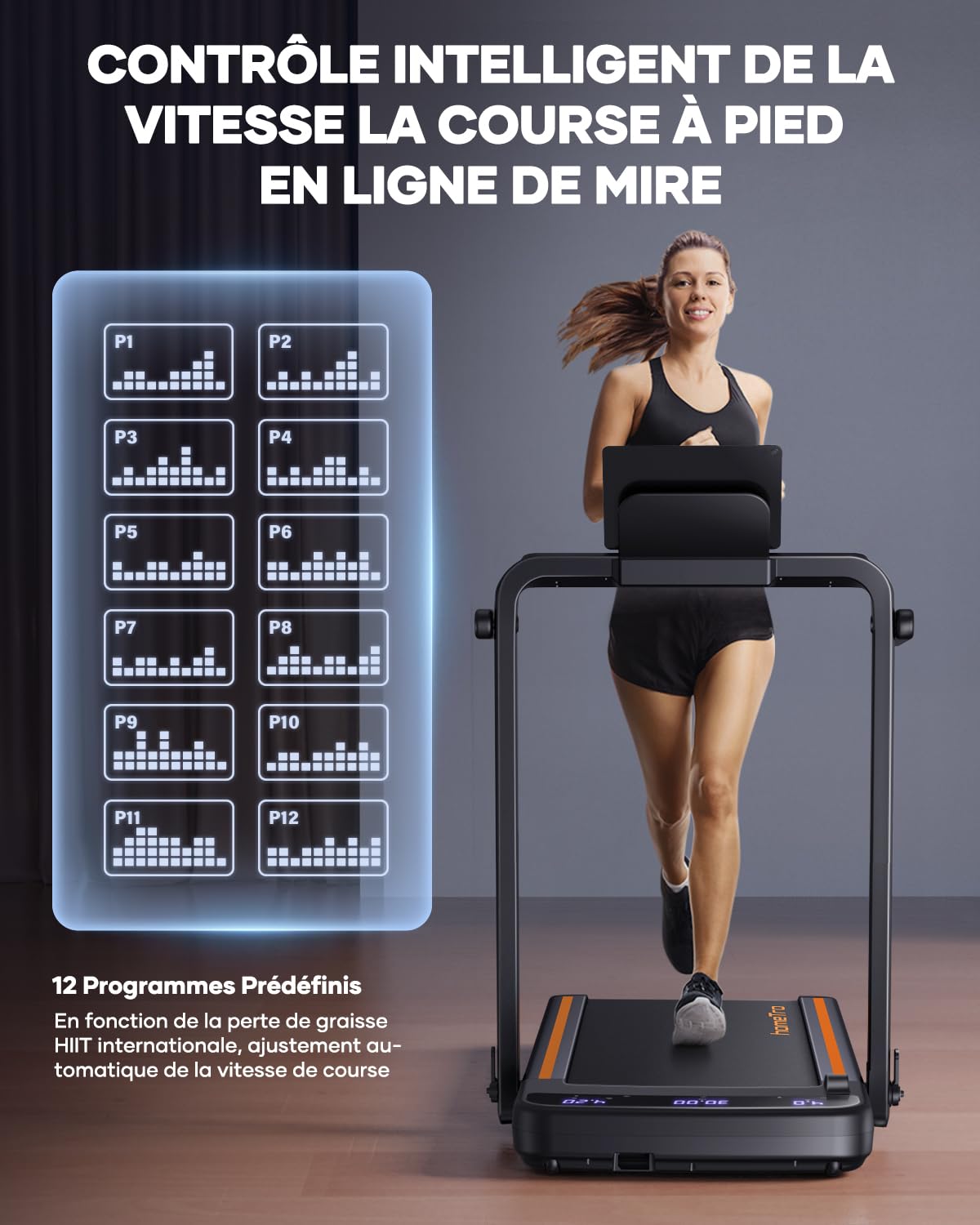
Image: This graphic displays 12 different predefined workout programs (P1-P12) available on the HomeTro Treadmill, offering varied intensity profiles for users.
The treadmill includes 12 predefined programs (P1-P12) designed to offer varied workout intensities and help achieve fitness goals. These programs automatically adjust speed over time.
For enhanced tracking and interaction, the treadmill supports smart app control (e.g., FITSHOW APP). This allows you to record exercise data, track progress, and potentially share results with others.
Additional Features
- Device Holder: A built-in holder allows you to place your phone or tablet for entertainment during your workout.
- Shock Absorption: The treadmill features 4-point shock absorption and a 5-layer running belt to protect joints and provide a comfortable experience.

Image: This image highlights the treadmill's advanced features, including 4-point shock absorption and a multi-layered running belt designed for user comfort and joint protection.
4. Maintenance
Regular maintenance ensures the longevity and optimal performance of your HomeTro Treadmill.
Cleaning
- After each use: Wipe down the console and other surfaces with a soft, damp cloth to remove sweat and dust. Avoid abrasive cleaners.
- Weekly/Bi-weekly: Vacuum underneath the treadmill to prevent dust and debris from accumulating in the motor area.
Belt Lubrication
The running belt requires periodic lubrication to reduce friction and extend its lifespan. Refer to the specific instructions in your included product manual for the recommended lubrication schedule and type of lubricant.
Belt Tension and Alignment
Over time, the running belt may become loose or shift to one side. If the belt feels loose or slips during use, or if it is not centered, refer to your product manual for instructions on how to adjust the belt tension and alignment using the provided L-type key (6#).
5. Troubleshooting
If you encounter issues with your HomeTro Treadmill, refer to the following common troubleshooting steps. For more complex problems, consult your product manual or contact customer support.
| Problem | Possible Cause | Solution |
|---|---|---|
| Treadmill does not start. | Not plugged in; Power switch off; Safety key not inserted. | Ensure power cord is securely plugged in. Turn on the power switch. Insert the safety key fully into its slot. |
| Running belt slips or hesitates. | Belt too loose; Belt needs lubrication. | Adjust belt tension (refer to manual). Lubricate the running belt (refer to manual). |
| Display not working or showing incorrect data. | Loose cable connection; Sensor issue. | Check all cable connections. Power cycle the treadmill (unplug, wait 30 seconds, plug back in). |
| Unusual noise during operation. | Loose parts; Belt friction; Motor issue. | Inspect for any loose screws or components and tighten them. Lubricate the belt if needed. If noise persists, discontinue use and contact support. |
6. Specifications
Detailed technical specifications for the HomeTro Treadmill.

Image: This graphic highlights the treadmill's powerful yet quiet 2.5 HP motor, its low noise output (≤65dB), and its robust maximum weight capacity of 120 kg (265 lbs).
| Feature | Detail |
|---|---|
| Brand | HomeTro |
| Model Number | Hometro Tapis de Course Pliable 2 en 1 |
| Motor Power | 2.5 HP (Peak) |
| Speed Range | 1 - 14 km/h (Walking: 1-4 km/h, Running: 4-14 km/h) |
| Maximum User Weight | 120 Kilograms (265 lbs) |
| Product Dimensions (D x W x H) | 143D x 75W x 15H Centimeters |
| Item Weight | 27 Kilograms |
| Display Type | LED (16 Inches) |
| Frame Material | Alloy Steel |
| Special Features | Cardio training, Compact Design, Foldable, Touch Screen, Wheeled, With wheels, 4-point Shock Absorption, 5-layer Running Belt |
| Assembly Required | No |
| Power Source | Corded Electric |
| Metrics Measured | Distance, Speed, Time, Calories |
| What's in the Box | 1 x folding walking mat, 1 x remote control, 1 x product manual, 1 x L-type key (6#), 1 x power cable, 1 x security lock, 1 x mobile phone holder |
7. Warranty and Support
For information regarding the product warranty, please refer to the warranty card included with your purchase or the dedicated section within the comprehensive product manual.
If you require technical assistance, have questions about operation, or need to report a defect, please contact HomeTro customer support. Contact details can typically be found in your product manual or on the official HomeTro website.