
1. Important Safety Information
Please read all instructions carefully before assembly and use. Retain this manual for future reference.
- Weight Capacity: Do not exceed the maximum weight capacity of 330 pounds (150 kg). Exceeding this limit may cause instability and damage to the chair, potentially leading to injury.
- Assembly: Ensure all components are correctly assembled and tightened according to the provided assembly instructions to ensure stability and safe use.
- Placement: Use the chair on a flat, stable surface. Avoid placing it on uneven ground or near heat sources.
- Children: Keep children away from moving parts during adjustment. This chair is intended for adult use.
- Electrical Components: For models with heated massage functions, ensure the power cord is not damaged and is connected to an appropriate power source. Do not use if the cord is frayed or damaged.
2. Product Components
Before assembly, verify that all parts are present and undamaged. Refer to the separate assembly guide included in your package for a detailed list of components and diagrams.
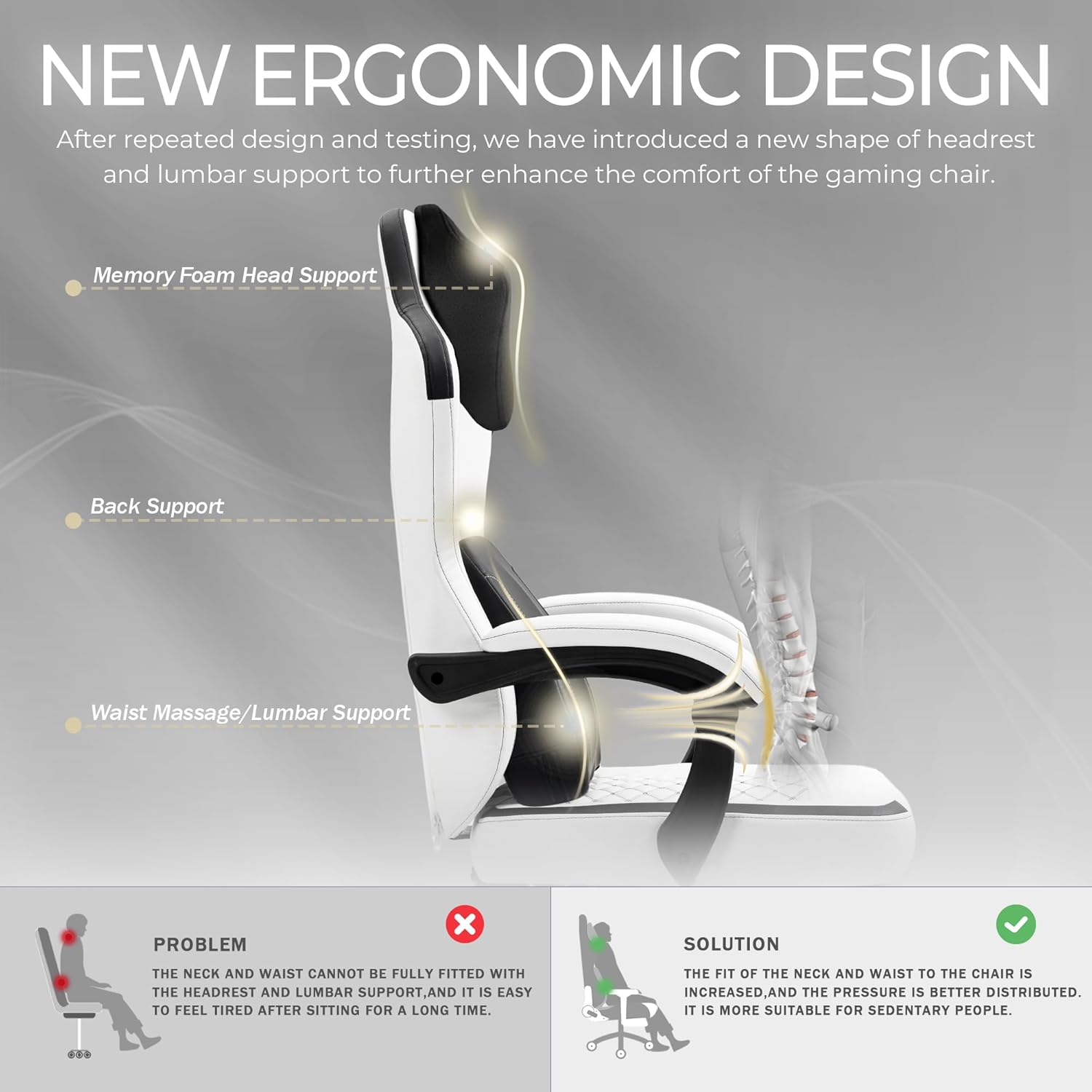
Image: Chair dimensions and specifications overview.
3. Assembly Instructions
Detailed assembly instructions with diagrams are provided in a separate manual within your product packaging. Please follow those instructions step-by-step. General steps include:
- Attach the casters to the chair base.
- Insert the gas lift into the chair base.
- Assemble the seat and backrest components.
- Connect the assembled seat and backrest to the gas lift.
- Attach armrests and any additional accessories like the lumbar pillow and headrest.
Ensure all screws are securely tightened after assembly. Periodically check and re-tighten fasteners as needed.
4. Operating Instructions
4.1 Chair Adjustments
- Height Adjustment: Use the lever located under the seat on the right side to adjust the chair height. Lift the lever to raise or lower the seat while applying or releasing weight.
- Backrest Recline: Use the lever on the right side of the seat to recline the backrest. The backrest can be adjusted between 90° and 155°. Lean back to your desired angle and release the lever to lock it in place.
- Footrest: Pull out the retractable footrest located under the seat for leg support. Push it back in when not in use.
- Swivel Function: The chair features a 360° swivel for easy movement.
4.2 Heated Massage Lumbar Support
The lumbar pillow provides intelligent finger sensation massage and an adjustable heating function.

Image: Controls for heated massage lumbar support.
- Power On: Long press the ON/OFF button to turn on the massage function. It will default to massage from the inside out with red light heating activated.
- Change Massage Direction: Short press the button to switch the massage direction.
- Turn Off Heating: Short press the button again to turn off the heating function while massage continues.
- Power Off: Short press the button one more time to turn off the entire unit.
The lumbar pillow can be adjusted up and down to find the optimal position for your back.

Image: Adjustable lumbar pillow.
5. Maintenance
- Cleaning: Wipe clean with a soft, damp cloth. Avoid using harsh chemicals or abrasive cleaners, which may damage the PU leather.
- Inspection: Periodically inspect all bolts and screws to ensure they are tight. Re-tighten if necessary.
- Storage: Store the chair in a cool, dry place away from direct sunlight and extreme temperatures.
6. Troubleshooting
- Chair is Wobbly: Check all assembly bolts and screws. Ensure they are fully tightened. Verify that the chair is on a flat, even surface.
- Gas Lift Not Functioning: Ensure the height adjustment lever is fully engaged or disengaged. If the issue persists, the gas lift may need replacement. Contact customer support.
- Massage/Heating Not Working: Check the power connection to the lumbar pillow. Ensure the USB cable is securely plugged into a working power source. Follow the operating instructions to properly activate the functions.
- Squeaking Noises: Apply a small amount of lubricant to moving parts or pivot points if squeaking occurs. Check for any loose connections.
7. Specifications
| Brand | Vigosit |
| Model Name | JD07 |
| Product Dimensions | 25"D x 23"W x 40"H |
| Material | PU Leather, Sponge |
| Maximum Weight Recommendation | 330 Pounds |
| Special Features | Heated, Massage Lumbar Support, Footrest, Reclining (90°-155°) |
| Assembly Required | Yes |

Image: Vigosit Gaming Chair in use.
8. Warranty and Support
This Vigosit Gaming Chair comes with a 1-year warranty from the date of purchase, covering manufacturing defects. Please retain your proof of purchase for warranty claims.
For any questions, concerns, or assistance with assembly, operation, or troubleshooting, please contact our customer service team. Our team is available to provide support.
Contact Information: Please refer to the contact details provided in your product packaging or visit the official Vigosit website for support.