
hoco. 20000379
Hoco EQ2 True Wireless Headset User Manual
Model: 20000379
Brand: hoco.
1. Introduction
The Hoco EQ2 True Wireless Headset offers a comfortable and stable audio experience. Designed for extended use, these earbuds feature Bluetooth 5.3 for a reliable connection with minimal audio lag. An integrated microphone allows for clear phone calls, and the included charging case ensures your earbuds are ready for use on the go. With IPX5 certification, the Hoco EQ2 is resistant to splashes, making it suitable for various environments.
Key Features:
- Stable connection without audio lag thanks to Bluetooth 5.3.
- Comfortable earbuds designed for hours of listening.
- Integrated microphone for convenient phone calls.
- IPX5 water resistance for protection against splashes.

Image: The Hoco EQ2 True Wireless Headset, showing the earbuds resting within their open charging case. A blue indicator light is visible on one earbud, and a green light on the case, indicating power or charging status.
2. Setup
2.1 Charging the Headset
Before first use, fully charge the Hoco EQ2 headset and its charging case. Place the earbuds into their respective slots in the charging case. Connect the charging case to a power source using a compatible USB cable. The indicator light on the case will show the charging status.
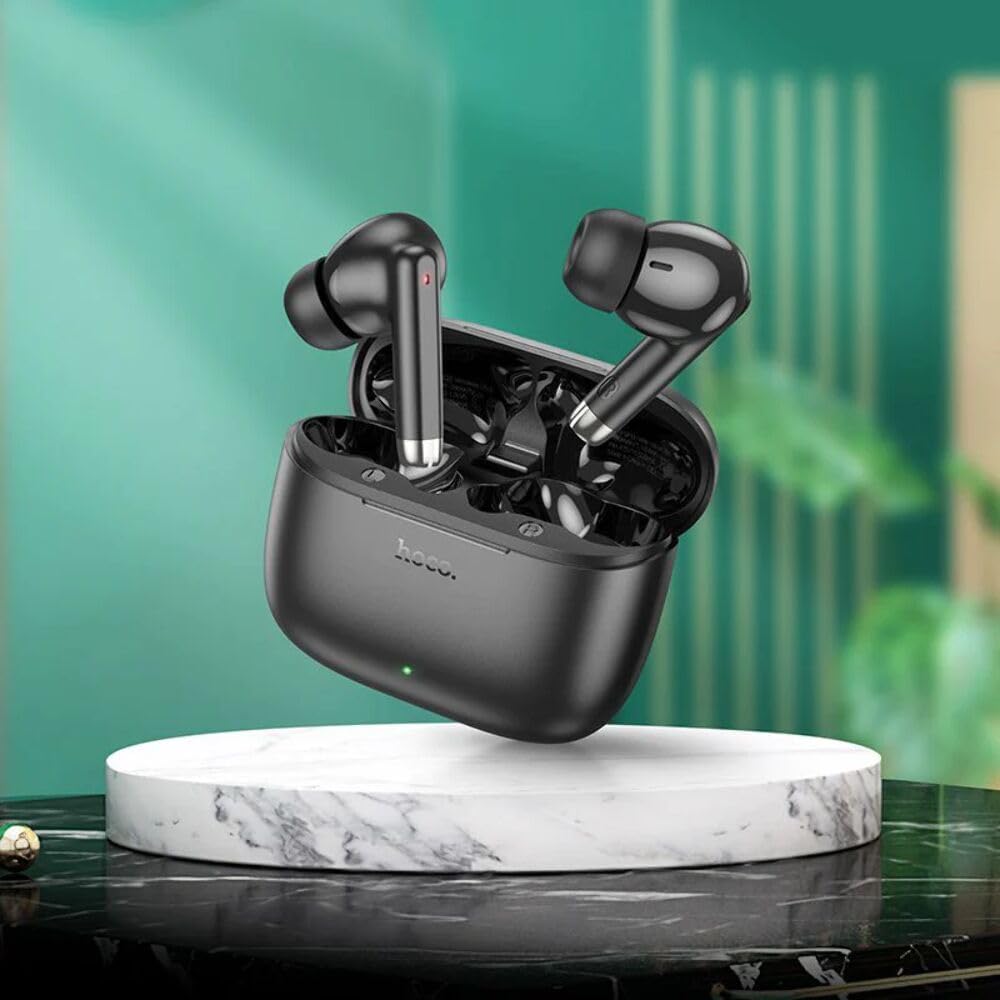
Image: The Hoco EQ2 earbuds are shown inside their open charging case. A blue LED indicator is lit on one of the earbuds, and a green LED on the front of the case, signifying that the devices are powered on or charging.
2.2 Bluetooth Pairing
- Ensure the earbuds are charged.
- Open the charging case. The earbuds will automatically enter pairing mode.
- On your device (smartphone, tablet, etc.), enable Bluetooth.
- Search for available Bluetooth devices and select "Hoco EQ2" from the list.
- Once connected, a voice prompt will confirm successful pairing.

Image: A stylized graphic depicting a microchip with the number "5.3" prominently displayed, surrounded by circuit board patterns. This represents the Bluetooth 5.3 technology used by the headset, highlighting its advanced connectivity.
3. Operating Instructions
3.1 Power On/Off
- Power On: Open the charging case, and the earbuds will automatically power on and connect to the last paired device.
- Power Off: Place the earbuds back into the charging case and close the lid. They will automatically power off and begin charging.
3.2 Music Playback
- Play/Pause: Tap either earbud once.
- Next Track: Double-tap the right earbud.
- Previous Track: Double-tap the left earbud.
3.3 Call Management
- Answer/End Call: Tap either earbud once.
- Reject Call: Press and hold either earbud for 2 seconds.
3.4 Voice Assistant
- Activate Voice Assistant: Triple-tap either earbud.

Image: A graphic showing two Hoco EQ2 earbuds, one for the left ear and one for the right, surrounded by circular sound waves. This illustrates the True Wireless Stereo (TWS) capability, providing immersive 360-degree surround audio and independent use of each earbud.

Image: A graphic featuring a person wearing an earbud, with text indicating "7h battery life." This highlights that a single earbud can provide up to 7 hours of playback in normal mode, allowing for extended listening sessions.
4. Maintenance
4.1 Cleaning
Regularly clean your earbuds and charging case to ensure optimal performance and hygiene. Use a soft, dry, lint-free cloth to wipe down the surfaces. For stubborn dirt, slightly dampen the cloth with water. Do not use harsh chemicals or abrasive materials.
4.2 Storage
When not in use, store the earbuds in their charging case to protect them from dust and damage. Store the case in a cool, dry place, away from direct sunlight and extreme temperatures.
4.3 Water Resistance (IPX5)
The Hoco EQ2 headset is IPX5 water-resistant, meaning it can withstand splashes of water from any direction. It is not designed for submersion in water. Do not expose the earbuds or case to running water or use them while swimming or showering.
5. Troubleshooting
5.1 Earbuds Not Pairing
- Ensure both earbuds are charged.
- Place both earbuds back into the charging case, close the lid, wait a few seconds, then open it again.
- On your device, forget or delete the "Hoco EQ2" Bluetooth connection, then try pairing again.
- Restart your device's Bluetooth function or restart the device itself.
5.2 No Sound or Low Volume
- Check the volume level on both your device and the earbuds.
- Ensure the earbuds are properly connected to your device.
- Clean any debris from the earbud speaker mesh.
5.3 Charging Issues
- Ensure the charging cable is securely connected to both the case and the power source.
- Try a different USB cable or power adapter.
- Clean the charging contacts on both the earbuds and inside the case.
6. Specifications
| Feature | Specification |
|---|---|
| Brand | hoco. |
| Model Name | 20000379 |
| Item Model Number | 20000379 |
| Manufacturer | Hoco |
| Connectivity Technology | Wireless |
| Wireless Communication Technology | Bluetooth |
| Bluetooth Version | 5.3 |
| Ear Placement | In-Ear |
| Form Factor | In-Ear |
| Color | Black |
| Water Resistance Level | Waterproof (IPX5) |
| Rechargeable Battery | Yes (1 AA battery included, likely refers to internal battery type) |
| Material | Faux Leather (unusual for earbuds, may refer to case or accent) |
| Age Range (Description) | Adult |
| Compatible Devices | Smartphones, tablets, laptops, desktop computers, smart speakers |

Image: A detailed graphic showing the internal components of a speaker, specifically highlighting a 13mm composite fiber PU diaphragm dynamic coil speaker. This illustrates the audio technology used for full and delicate sound reproduction.
7. Warranty and Support
For warranty information and customer support, please refer to the documentation provided with your purchase or contact the manufacturer directly. Specific warranty terms and conditions may vary by region and retailer.
For further assistance, please visit the official hoco. website or contact their customer service department.