
Jansite P35
Jansite AHD 1080P Backup Camera User Manual
Model: P35
Brand: Jansite
1. Introduction
Thank you for choosing the Jansite AHD 1080P Backup Camera. This manual provides detailed instructions for the installation, operation, and maintenance of your new backup camera. Please read this manual thoroughly before use to ensure proper functionality and safety. This camera is designed to enhance your driving safety by providing a clear view of your vehicle's rear surroundings.
2. Product Overview
The Jansite P35 backup camera features a robust metal housing and a highly adjustable lens, offering superior durability and flexibility. Its compact design allows for discreet installation while providing a wide field of view.
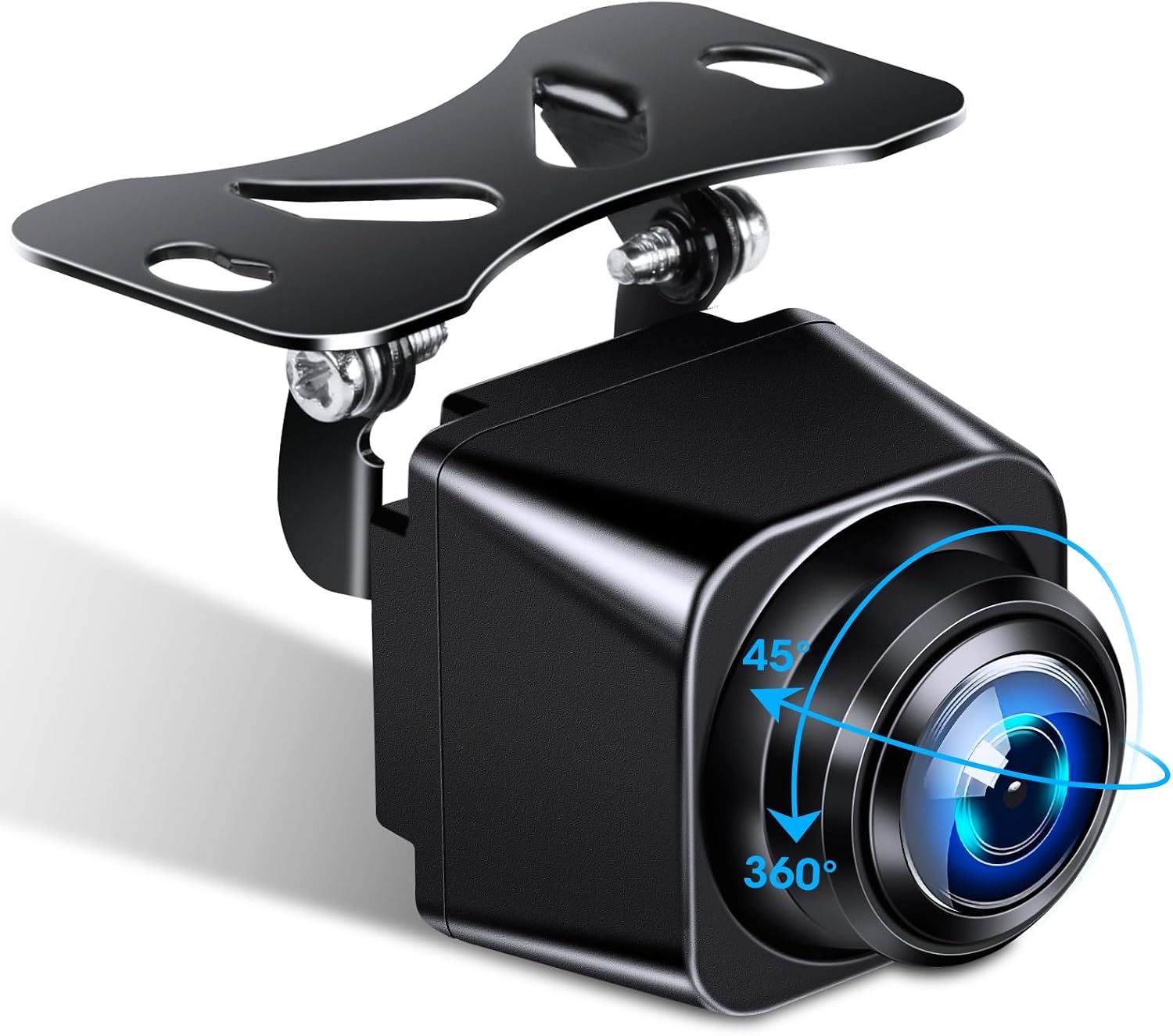
The Jansite AHD 1080P Backup Camera, showcasing its compact design and adjustable mounting bracket.

The camera features a 360-degree rotatable body and 45-degree vertical adjustment, allowing for precise angle setting after installation.

Comparison showing the mini size of the camera, making it discreet and easy to install.
3. Key Features
- 360° Rotatable Design: Allows for flexible adjustment of the viewing angle (up/down/left/right) without needing to adjust the mounting position.
- Wired AHD 1080P Output: Provides high-definition video output for clear and detailed images.
- Optimized Night Vision: Equipped with a Sony image sensor and F1.8 aperture for enhanced brightness and color saturation in low-light conditions.
- 170° Wide Angle Lens: Offers an expansive field of view to minimize blind spots.
- AHD & CVBS Dual Signal Support: Compatible with a wide range of head units; easily switch between AHD and CVBS modes by cutting the orange wire.
- Mirror/Original Image Switch: Allows the camera to be used as either a rear view (default) or front view camera by cutting the white wire.
- Parking Line ON/OFF: Parking guidelines can be enabled (default) or disabled by cutting the green wire.
- IP69 Waterproof Rating: Durable metal housing ensures reliable operation in extreme weather conditions (-22°F to 158°F).
- Universal RCA Connection: Compatible with most aftermarket LCD/TFT monitors and head units with RCA inputs.
- Wide Vehicle Compatibility: Supports 12-24V vehicles including cars, mini trucks, mini-vans, RVs, SUVs, and trailers.

Comparison of AHD and CVBS video signals, demonstrating the superior clarity of AHD for both day and night vision.

Illustration of the 170-degree wide-angle view, showing how it captures a broad area behind the vehicle.

The camera's IP69 waterproof rating ensures durability and performance in harsh conditions like snow and dust.

Diagram illustrating the advanced lens and sensor technology that provides superior night vision.
4. Package Contents
Please check the package contents upon opening to ensure all items are present and undamaged:
- Jansite AHD 1080P Backup Camera Unit
- Pure Copper Shielded Core Power Cable (0.9M / 2.95ft)
- RCA Extension Cable (6M / 19.7ft)
- Mounting Accessories (screws, mini spanner)
- Instruction Manual

Visual representation of all items included in the package: camera, power cable, RCA extension cable, mounting accessories, and instruction manual.
5. Setup and Installation
Follow these steps for proper installation of your Jansite backup camera:
- Mounting the Camera: Choose a suitable location at the rear of your vehicle, typically above the license plate. Use the provided mounting accessories to securely attach the camera. The 360° rotatable design allows for fine-tuning the viewing angle after mounting.
- Wiring Connection:
- Connect the camera's power cable (red wire) to your vehicle's reversing light positive (+) wire.
- Connect the camera's ground wire (black wire) to a reliable ground point on your vehicle's chassis.
- Connect the RCA video output cable from the camera to the RCA video input of your monitor or head unit.
- If your head unit is an Android unit, you may need to connect the head unit's trigger wire (A) to the camera's trigger wire (B) for automatic display switching when reversing.
- Signal Compatibility Check: Ensure your head unit supports AHD 1080P 25fps for optimal performance. If your head unit only supports CVBS, you can switch the camera to CVBS mode by cutting the orange wire (refer to Operating Instructions).

Detailed wiring diagram showing connections for the monitor, camera power source, and backup camera.

Instructions on how to verify if your Android head unit supports 1080P AHD camera input through its settings.

Visual guide to the wide range of 12-24V vehicles compatible with the camera, including campers, vans, SUVs, trucks, pickups, and sedans.
6. Operating Instructions
The Jansite P35 camera offers several customizable features:
- Switching Video Signal (AHD/CVBS): The camera defaults to AHD 1080P mode. If your monitor or head unit does not support AHD, you can switch to CVBS mode by cutting the orange wire on the camera's cable.
- Changing Image View (Mirror/Original): By default, the camera provides a mirror image (rear view). To switch to an original image (front view), cut the white wire on the camera's cable.
- Enabling/Disabling Parking Lines: Parking lines are ON by default. To turn them OFF, cut the green wire on the camera's cable.
Note: Perform these wire cuts carefully and ensure the camera is powered off before making any changes.

Illustrates how to switch between mirror (rear) and original (front) images, and how to enable or disable the reversing parking lines by cutting specific wires.
7. Maintenance
To ensure the longevity and optimal performance of your Jansite backup camera, follow these maintenance guidelines:
- Cleaning: Regularly clean the camera lens with a soft, damp cloth to remove dirt, dust, or water spots that may obstruct the view. Avoid using abrasive cleaners or solvents.
- Inspection: Periodically check the mounting bracket and wiring connections to ensure they are secure and free from damage.
- Weather Protection: While the camera is IP69 waterproof, extreme conditions like heavy snow or ice buildup should be cleared from the lens for clear visibility.
8. Troubleshooting
If you encounter issues with your Jansite backup camera, refer to the following common problems and solutions:
| Problem | Possible Cause | Solution |
|---|---|---|
| No image on screen | Loose power/video connection; Incorrect signal mode (AHD/CVBS); Faulty camera/monitor. | Check all connections. Ensure power is supplied to the camera. Verify the video signal mode matches your head unit (cut orange wire if needed). Test with another monitor if possible. |
| Image is blurry or distorted | Dirty lens; Incorrect focus; Signal interference. | Clean the camera lens. Ensure the lens is not physically damaged. Check for strong electromagnetic interference near wiring. |
| Parking lines are missing/incorrect | Parking line feature disabled; Incorrect camera orientation. | Ensure the green wire has not been cut (or cut it if you want them off). Adjust camera angle if lines appear skewed. |
| Camera not switching to front view | White wire not cut. | Ensure the white wire has been cut to switch to original (front) view. |
Important Note: The Jansite backup camera is designed with a standard RCA connection. It is not compatible with DVRs, dash cams, or mirror dash cams that do not have a standard RCA video input due to different connection and pin definitions. Attempting to connect to incompatible devices may result in damage or malfunction.

Warning regarding incompatibility with certain DVRs, dash cams, and mirror dash cams that do not support standard RCA video input.
9. Technical Specifications
| Feature | Specification |
|---|---|
| Brand | Jansite |
| Model | P35 |
| Video Capture Resolution | 1080p (AHD) |
| Lens Type | Fisheye, Wide Angle |
| Actual Viewing Angle | 170 Degrees |
| Optical Sensor Technology | CCD |
| Maximum Aperture | F1.8 |
| Connectivity Technology | RCA |
| Mounting Type | Flexible Mount |
| Operating Voltage | 12-24V DC |
| Waterproof Rating | IP69 |
| Operating Temperature | -22°F to 158°F (-30°C to 70°C) |
| Color | Black |
| Dimensions (Camera Unit) | Approx. 40mm (W) x 24mm (H) x 18mm (D) |
10. Warranty and Support
Jansite is committed to providing high-quality products and customer satisfaction. For warranty information, technical support, or any inquiries regarding your product, please refer to the contact information provided on the product packaging or visit the official Jansite website. Please retain your proof of purchase for warranty claims.
Ask a question about this manual
Ask about setup, troubleshooting, compatibility, parts, safety, or missing instructions. Manuals+ will review the question and use this page’s manual context to help answer it.