
1. Introduction
Thank you for choosing the Skazeke UPS15000 Rechargeable 9V 15000mAh DC Output Lithium-ion Battery Pack. This device is designed to provide an uninterruptible power supply for your 9V DC devices, such as routers, CCTV cameras, LED strips, and more, ensuring continuous operation during power outages. This manual provides essential information for the safe and efficient use of your battery pack.
2. Safety Information
Please read and understand all safety instructions before using this product. Failure to follow these instructions may result in electric shock, fire, or serious injury.
- Do not disassemble, open, or attempt to repair the battery pack.
- Keep the battery pack away from water, moisture, and high temperatures.
- Do not expose the battery pack to direct sunlight for extended periods.
- Use only the provided AC adapter for charging.
- Ensure the voltage and current requirements of your device match the output of the battery pack (9V DC, 2A).
- Keep out of reach of children.
- Dispose of the battery pack according to local regulations.
3. Package Contents
Verify that all items are present in your package:
- 1 x Skazeke UPS15000 15000mAh UPS Power Bank
- 9 x DC Output Interface Adapters
- 1 x AC Adapter (Charger)
- 1 x User Manual (this document)
4. Product Features
- Uninterruptible Power Supply (UPS) Function: Automatically switches to battery power during outages, ensuring continuous operation of connected devices.
- High Capacity: 15000mAh lithium-ion battery provides extended backup time (typically 3-8 hours depending on device consumption).
- Wide Compatibility: Designed for 9V DC devices such as routers, fish tank equipment, LED light strips, CCTV cameras, network cameras, LED panels, amplifiers, modems, car DVRs, speakers, and more.
- Intelligent Protection: Built-in safeguards protect against overcharge, over-discharge, overcurrent, and short circuits.
- Energy Conservation: Optimized design to reduce internal power consumption.
- Adaptive Power Output: Automatically detects and matches the appropriate power supply voltage for connected devices.
- Multiple DC Output Ports: Includes 9 different DC output interface adapters for broad device compatibility.
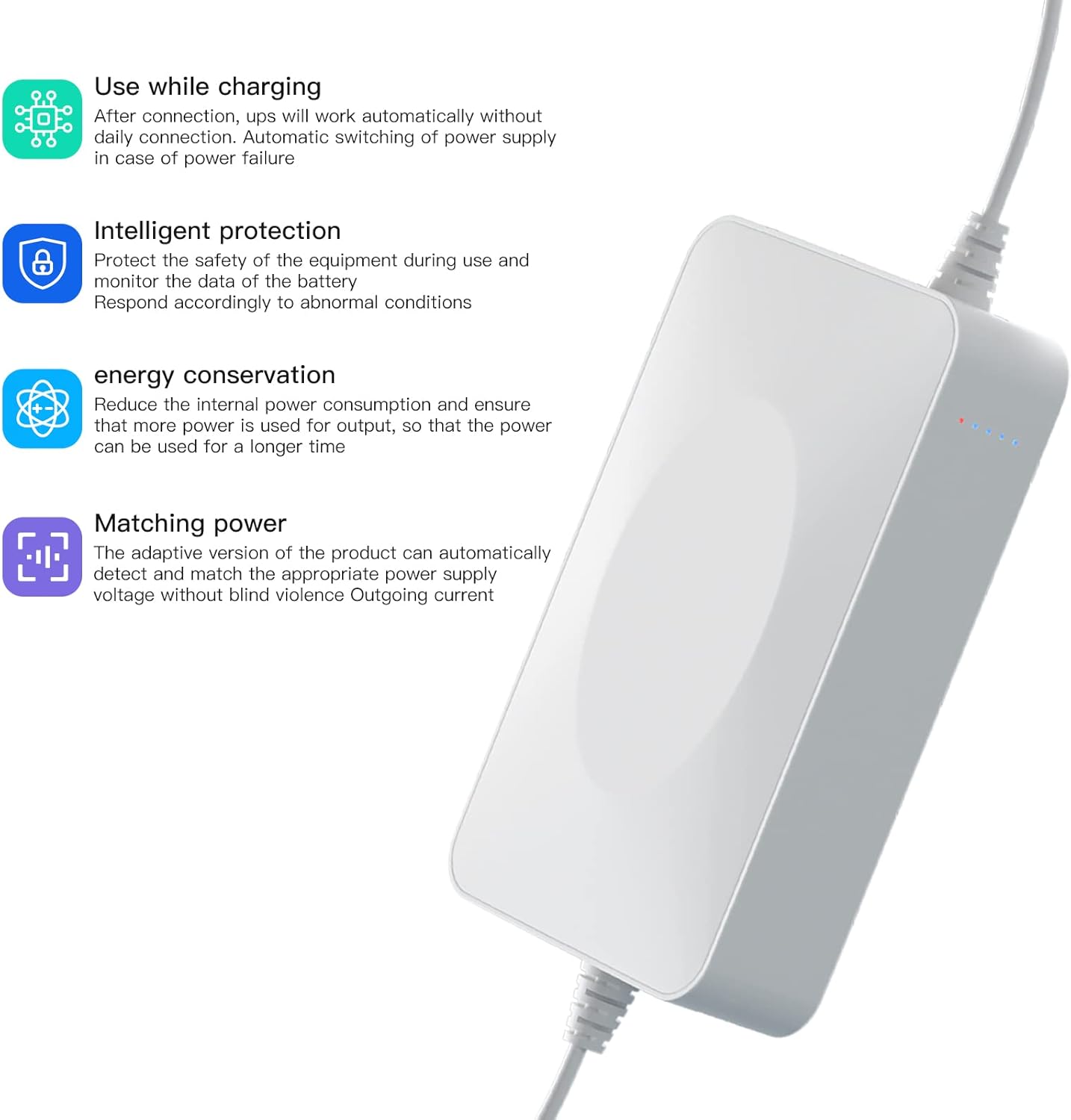
Image 4.1: Side view of the Skazeke UPS15000 highlighting its key features: use while charging, intelligent protection, energy conservation, and matching power.
5. Setup Instructions
Follow these steps to connect your Skazeke UPS15000 to your device:
- Step 1: Check Device Power Specifications. Before connecting, identify the input voltage and current requirements of your device (e.g., router). This information is usually found on the device's label or its original power adapter. Ensure your device requires 9V DC input.

Image 5.1: A close-up view of a router's label, indicating where to find the power specification (e.g., "Power Specification: 9V === 1A").
- Step 2: Connect the AC Adapter. Plug the provided AC adapter into a wall power outlet.
- Step 3: Connect UPS Power Input. Connect the output of your device's original AC adapter (or the provided AC adapter if your device uses a standard DC plug) to the input port of the Skazeke UPS15000. This will charge the UPS and allow it to pass power through.
- Step 4: Connect UPS Power Output to Device. Select the appropriate DC output interface adapter from the 9 provided pieces that matches your device's power input port. Connect this adapter to one of the DC output ports on the Skazeke UPS15000, then connect the other end to your device's power input.

Image 5.2: A visual guide demonstrating the connection process: the router's original adapter connects to the UPS, and the UPS then connects to the router.
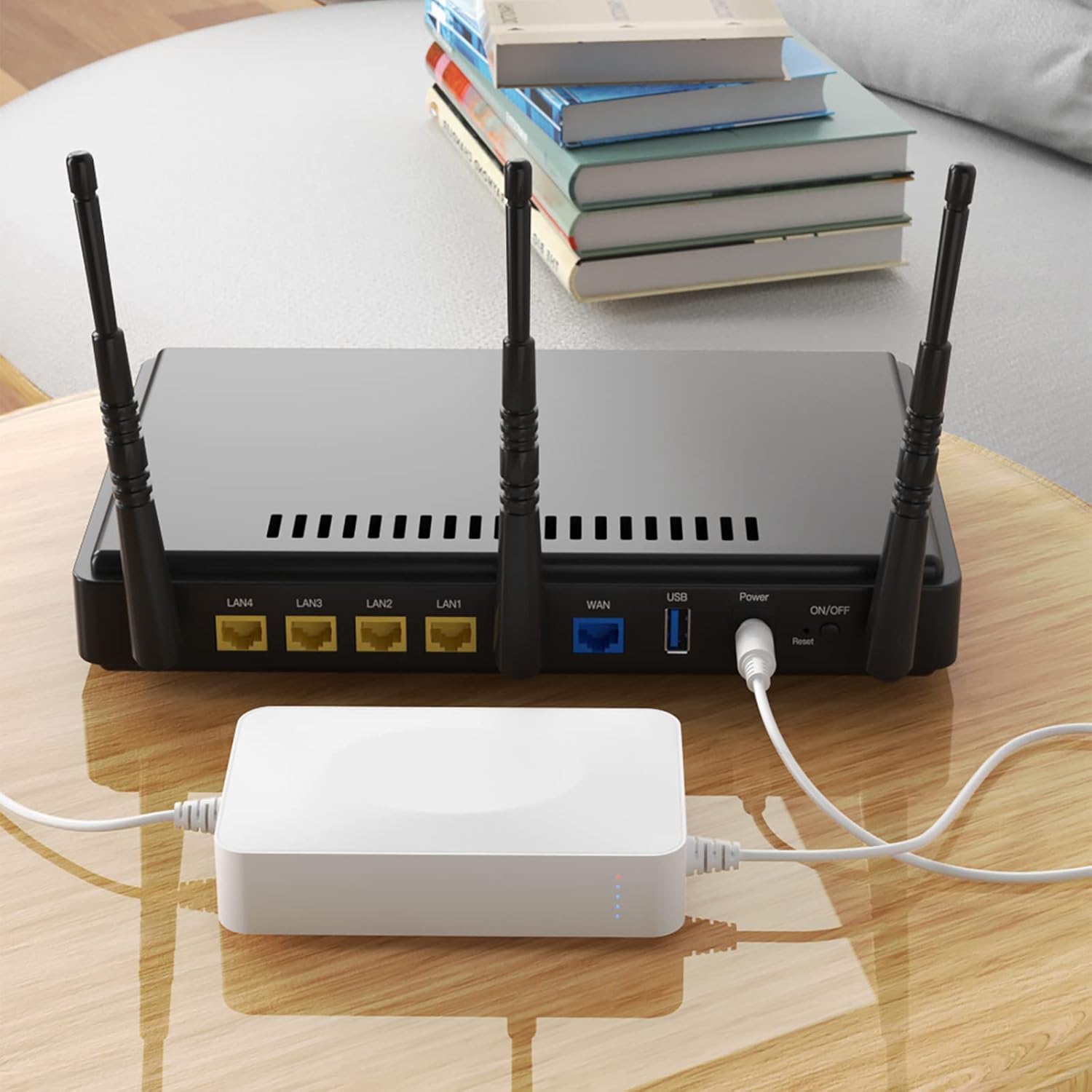
Image 5.3: The Skazeke UPS15000 connected and providing power to a router, illustrating a typical setup.
6. Operating Instructions
Once connected as described in the setup section, the Skazeke UPS15000 operates automatically:
- Normal Operation: When wall power is available, the UPS will charge its internal battery while simultaneously supplying power to your connected device.
- Power Outage: In the event of a power failure, the UPS will automatically and seamlessly switch to its internal battery power, ensuring your device remains operational without interruption.
- Battery Indicator: The LED indicators on the UPS will show the current battery charge level. Refer to the product for specific LED patterns (e.g., number of lit LEDs indicates charge).
- Recharging: The UPS will automatically recharge when wall power is restored.
7. Maintenance
To ensure the longevity and optimal performance of your Skazeke UPS15000:
- Cleaning: Wipe the exterior with a soft, dry cloth. Do not use liquid cleaners or solvents.
- Storage: If storing for an extended period, charge the battery pack to approximately 50-70% and store in a cool, dry place. Recharge every 3-6 months to prevent deep discharge.
- Temperature: Avoid operating or storing the unit in extreme temperatures.
- Ventilation: Ensure the unit has adequate ventilation and is not covered during operation.
8. Troubleshooting
| Problem | Possible Cause | Solution |
|---|---|---|
| Device not receiving power from UPS. | Incorrect voltage/current match; loose connections; UPS battery depleted. |
|
| UPS not charging. | AC adapter not connected; faulty AC adapter or wall outlet. |
|
| Short backup time. | High power consumption of connected device; battery degradation. |
|
9. Specifications
| Brand | Skazeke |
| Model Number | UPS15000 |
| Battery Capacity | 15000mAh |
| Battery Cell Composition | Lithium Polymer |
| Input Voltage | 9 Volts |
| Output Voltage | 9 Volts (DC) |
| Output Current | 2 Amps |
| Maximum Power | 55 Watts |
| Number of DC Outlets | 9 (with various adapters) |
| Typical Runtime | 5-6 hours (depending on load) |
| Material | Acrylonitrile Butadiene Styrene (ABS) |
| Color | White |
| Item Dimensions (L x W x H) | 5.91 x 3.15 x 1.18 inches |
| Item Weight | 16 ounces |

Image 9.1: Diagram illustrating the dimensions of the Skazeke UPS15000 as 99mm length, 76mm width, and 24mm height. Note: Official specifications state dimensions as 5.91 x 3.15 x 1.18 inches.
10. Warranty and Support
The Skazeke UPS15000 comes with a 1-year warranty from the date of purchase.
If you encounter any issues, have questions about product usage, or require technical assistance, please do not hesitate to contact Skazeke customer support. Refer to the product packaging or the seller's contact information for the most up-to-date support channels.