
Introduction
Thank you for choosing the Coby Pro Fitness True Wireless Earbuds. These earbuds are designed to provide a high-quality audio experience with features tailored for an active lifestyle. They offer a secure fit, sweat resistance, noise isolation, HD audio, and seamless connectivity with Bluetooth 5.3. This manual will guide you through the setup, operation, and maintenance of your new earbuds.
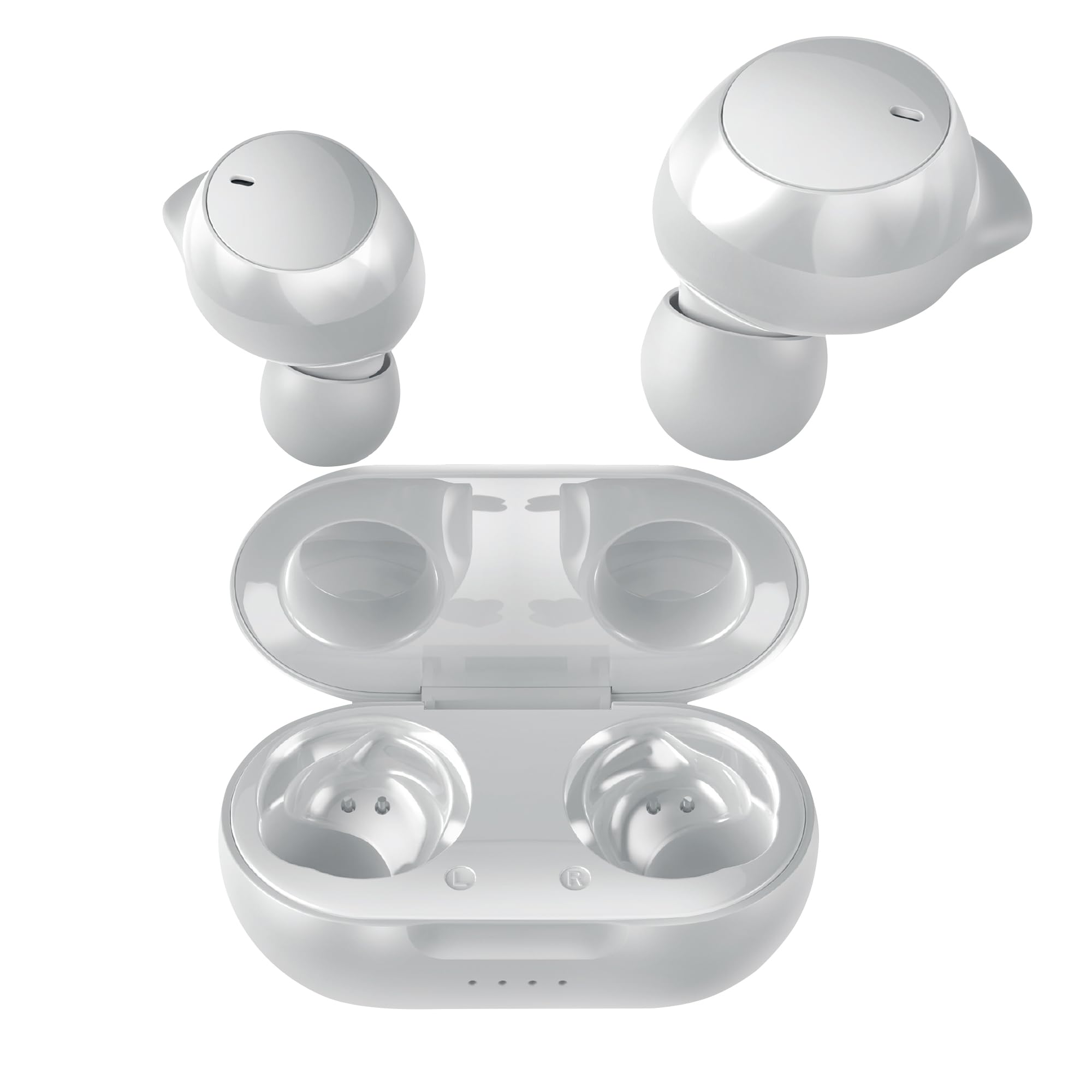
Image: Coby Pro Fitness True Wireless Earbuds and their charging case.
Setup
Package Contents
- Coby Pro Fitness True Wireless Earbuds (Left and Right)
- Charging Case
- USB Charging Cable
- Multiple Sizes of Silicone Ear Tips
- User Manual
Charging the Earbuds and Case
- Place the earbuds into the charging case, ensuring they are correctly seated in their respective slots.
- Connect the USB charging cable to the charging port on the case and plug the other end into a USB power source (e.g., wall adapter, computer USB port).
- The indicator lights on the charging case will illuminate to show charging status. A full charge typically takes approximately 1-2 hours for the earbuds and 2-3 hours for the case.
- Once fully charged, the indicator lights will change or turn off. Disconnect the charging cable.
Initial Pairing
Follow these steps to pair your earbuds with your device for the first time:
- Ensure the earbuds are charged. Open the charging case. The earbuds will automatically enter pairing mode, indicated by a flashing LED light on one or both earbuds.
- On your smartphone, tablet, or other Bluetooth-enabled device, go to the Bluetooth settings.
- Search for available devices. You should see "Coby CETW553" or a similar name appear in the list.
- Select "Coby CETW553" to connect. Once connected, you will hear an audio prompt, and the earbud LED lights will stop flashing.

Image: Illustration of earbuds automatically pairing with a smartphone.
Wearing the Earbuds
For optimal sound quality and a secure fit, choose the correct size ear tips and insert the earbuds properly:
- Experiment with the different sizes of silicone ear tips provided to find the pair that creates a comfortable and snug seal in your ear canal. A good seal is crucial for noise isolation and bass response.
- Gently insert each earbud into your ear, twisting slightly until it feels secure and comfortable. The earbuds are ergonomically designed to stay in place during physical activity.

Image: A woman demonstrating the snug and secure fit of the ear tips.
Operating the Earbuds
Power On/Off
- Power On: Open the charging case, and the earbuds will automatically power on. Alternatively, press and hold the touch control area on both earbuds for 3 seconds.
- Power Off: Place the earbuds back into the charging case and close the lid. They will automatically power off. Alternatively, press and hold the touch control area on both earbuds for 5 seconds.
Music Playback
- Play/Pause: Tap the touch control area on either earbud once.
- Next Track: Double-tap the touch control area on the right earbud.
- Previous Track: Double-tap the touch control area on the left earbud.
- Volume Up: Triple-tap the touch control area on the right earbud.
- Volume Down: Triple-tap the touch control area on the left earbud.
Call Management
- Answer/End Call: Tap the touch control area on either earbud once.
- Reject Call: Press and hold the touch control area on either earbud for 2 seconds.
Voice Assistant
The earbuds are compatible with Siri and Google Assistant. To activate your device's voice assistant:
- Activate Voice Assistant: Press and hold the touch control area on either earbud for 2 seconds (when not on a call).

Image: Earbuds shown with compatibility logos for Siri and Google Assistant.
Maintenance
Cleaning
- Regularly clean the earbuds and charging case to ensure optimal performance and hygiene.
- Use a soft, dry, lint-free cloth to wipe the exterior surfaces of the earbuds and case.
- For ear tips, remove them from the earbuds and wash with mild soap and water. Rinse thoroughly and allow them to dry completely before reattaching.
- Gently remove any earwax or debris from the earbud mesh using a clean, dry cotton swab or a small, soft brush. Avoid using sharp objects.
Storage
- When not in use, always store the earbuds in their charging case to protect them from damage and keep them charged.
- Store the charging case and earbuds in a cool, dry place, away from extreme temperatures, humidity, and direct sunlight.
Troubleshooting
| Issue | Solution |
|---|---|
| Earbuds not pairing with device |
|
| Only one earbud is working |
|
| No sound or low volume |
|
| Charging case not charging |
|
Specifications
| Feature | Detail |
|---|---|
| Model Number | COBY-CETW553 |
| Connectivity Technology | Wireless (Bluetooth) |
| Bluetooth Version | 5.3 |
| Ear Placement | In Ear |
| Noise Control | Sound Isolation |
| Water Resistance Level | Water Resistant (Sweatproof) |
| Battery Average Life (Earbuds) | 5 Hours (per charge) |
| Frequency Range | 20 Hz - 20,000 Hz |
| Audio Driver Type | Dynamic Driver |
| Control Method | Voice, Touch |
| Compatible Devices | Smartphones, Tablets, Smart Speakers, Laptops, Desktops |
| Material | Silicone (ear tips) |
| Item Weight | 1.4 Ounces |
Warranty Information
The Coby Pro Fitness True Wireless Earbuds (Model CETW553) come with a 90-day manufacturer's warranty. This warranty covers defects in materials and workmanship under normal use. Please retain your proof of purchase for warranty claims. For specific terms and conditions, or to initiate a warranty claim, please refer to the official Coby website or contact customer support.
Support
If you encounter any issues not covered in this manual or require further assistance, please visit the official Coby website for FAQs, support resources, and contact information. You can typically find support details on the product page or in the 'Support' section of the Coby brand website.
