
Altec Lansing MZX4400
Altec Lansing Kid Safe 2-in-1 Bluetooth and Wired Headphones User Manual
Model: MZX4400
Introduction
Thank you for choosing the Altec Lansing Kid Safe 2-in-1 Bluetooth and Wired Headphones. These headphones are designed with children in mind, offering a safe and enjoyable listening experience with features like volume control, noise cancellation, and a comfortable, foldable design. This manual provides detailed instructions on how to set up, operate, and maintain your headphones to ensure optimal performance and longevity.
Product Overview
Package Contents
- Altec Lansing Kid Safe 2-in-1 Bluetooth and Wired Headphones
- Charging Cable (USB-C, assumed based on modern devices)
- 3.5mm Audio Cable
- User Manual (this document)
Headphone Features
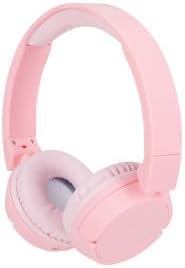
Figure 1: Altec Lansing Kid Safe 2-in-1 Bluetooth and Wired Headphones (Pink)

Figure 2: Overview of key features including age suitability, comfort, portability, water resistance, battery life, connectivity, and noise cancellation.

Figure 3: The headphones are designed with an 85-decibel volume limit for child safety.

Figure 4: Details of the adjustable headband, cushioned headband, and soft lightweight ear cushions for enhanced comfort.

Figure 5: The headphones are compatible with various devices such as laptops, phones, computers, and tablets.
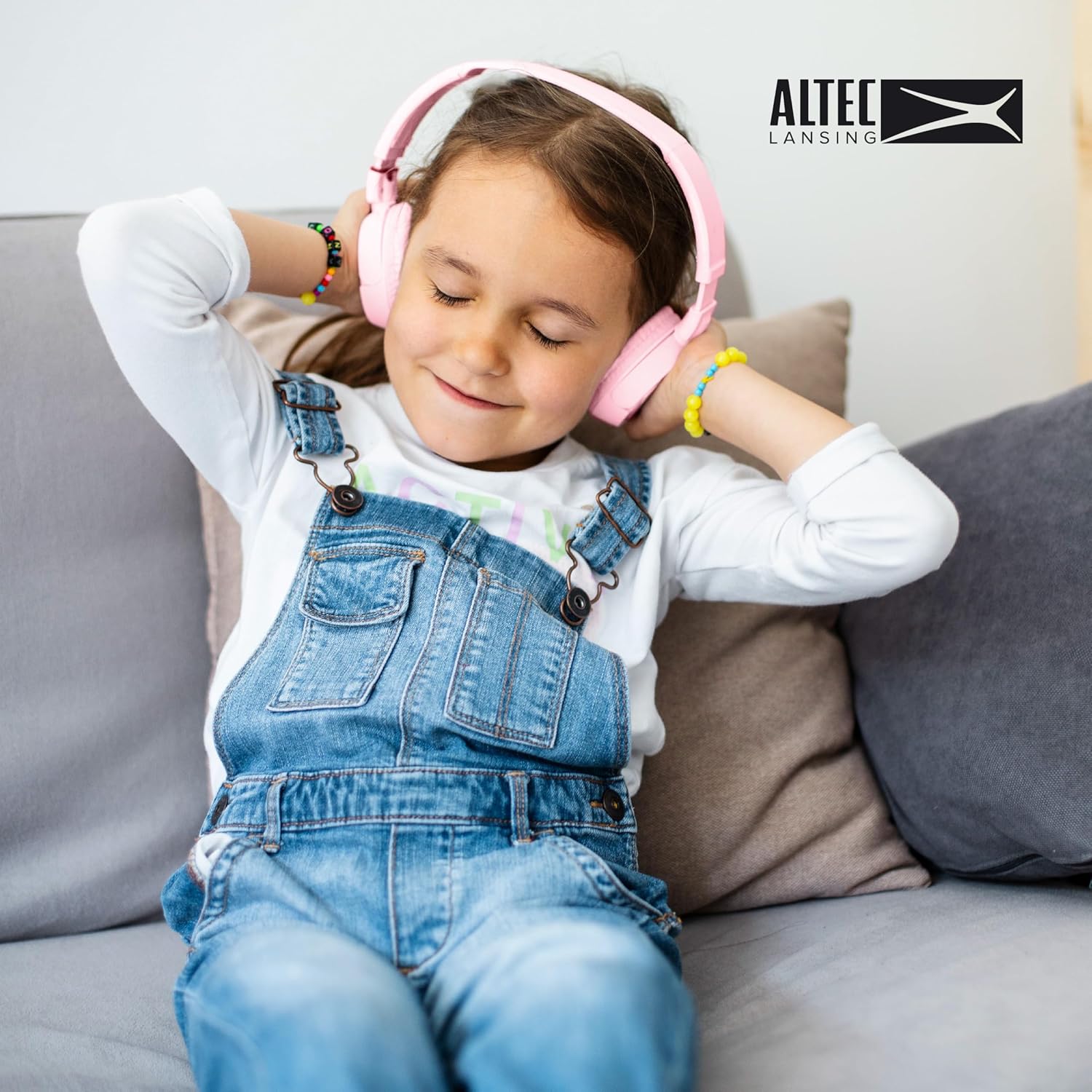
Figure 6: A child enjoying the comfortable fit of the Altec Lansing Kid Safe Headphones.
Controls and Indicators
- Power Button: Used to turn the headphones on/off and initiate Bluetooth pairing.
- Volume Up/Next Track Button: Increases volume with a short press, skips to next track with a long press.
- Volume Down/Previous Track Button: Decreases volume with a short press, goes to previous track with a long press.
- Multi-function Button (MFB): Play/Pause, Answer/End calls.
- ANC (Active Noise Cancellation) Button: Toggles noise cancellation on/off.
- LED Indicator: Shows power status, pairing mode, charging status.
- 3.5mm Audio Jack: For wired connection.
- USB-C Charging Port: For charging the internal battery.
Setup
Charging the Headphones
- Connect the USB-C charging cable to the charging port on the headphones.
- Connect the other end of the cable to a USB power adapter (not included) or a computer's USB port.
- The LED indicator will show red while charging and turn off or blue when fully charged.
- A full charge provides approximately 4 hours of wireless playtime.
Bluetooth Pairing (Wireless Mode)
- Ensure the headphones are charged.
- Press and hold the Power Button for 3-5 seconds until the LED indicator flashes blue and red, indicating pairing mode.
- On your device (smartphone, tablet, computer), enable Bluetooth and search for available devices.
- Select "Altec Lansing MZX4400" (or similar name) from the list of devices.
- Once connected, the LED indicator will flash blue slowly or turn solid blue.
- The headphones will automatically reconnect to the last paired device when powered on, if within range.
Wired Connection
- Insert one end of the 3.5mm audio cable into the audio jack on the headphones.
- Insert the other end of the cable into the 3.5mm audio jack of your device (e.g., laptop, phone, computer).
- The headphones will automatically switch to wired mode. No battery power is required for wired listening.
Operating Instructions
Power On/Off
- Power On: Press and hold the Power Button for 3 seconds.
- Power Off: Press and hold the Power Button for 3 seconds.
Music Playback (Wireless Mode)
- Play/Pause: Short press the Multi-function Button (MFB).
- Volume Up: Short press the Volume Up button.
- Volume Down: Short press the Volume Down button.
- Next Track: Long press the Volume Up button.
- Previous Track: Long press the Volume Down button.
Call Management (Wireless Mode)
- Answer/End Call: Short press the Multi-function Button (MFB).
- Reject Call: Long press the Multi-function Button (MFB).
Active Noise Cancellation (ANC)
- Turn ANC On/Off: Press the dedicated ANC button. The LED indicator will light up when ANC is active.
Maintenance
Cleaning
- Wipe the headphones with a soft, dry cloth.
- Do not use abrasive cleaners, alcohol, or chemical solvents.
- Avoid getting moisture into any openings.
Storage
- When not in use, store the headphones in a cool, dry place, away from direct sunlight and extreme temperatures.
- Utilize the foldable design for compact storage and protection during travel.
Battery Care
- To preserve battery life, charge the headphones fully before long periods of inactivity.
- Recharge the battery at least once every three months if not used regularly.
Troubleshooting
| Problem | Possible Cause | Solution |
|---|---|---|
| Headphones do not power on. | Low battery. | Charge the headphones fully. |
| Cannot pair via Bluetooth. | Headphones not in pairing mode; device Bluetooth off; too far from device. | Ensure headphones are in pairing mode (flashing blue/red). Turn device Bluetooth on/off. Move headphones closer to device. |
| No sound in wireless mode. | Not connected; volume too low; incorrect audio output selected on device. | Verify Bluetooth connection. Increase headphone and device volume. Select headphones as audio output on your device. |
| No sound in wired mode. | Audio cable not fully inserted; cable damaged. | Ensure 3.5mm cable is fully inserted into both headphone and device jacks. Try a different 3.5mm cable if available. |
| Noise cancellation not working. | ANC feature is off. | Press the ANC button to activate it. |
Specifications
| Feature | Detail |
|---|---|
| Model Name | MZX4400 |
| Connectivity Technology | Wireless (Bluetooth), Wired (3.5mm Jack) |
| Wireless Communication Technology | Bluetooth |
| Headphones Jack | 3.5 mm Jack |
| Included Components | Headphones |
| Age Range (Recommended) | Ages 6-9 |
| Compatible Devices | Laptops, Phones, Computers, and Devices with 3.5mm Audio Jack |
| Water Resistance | IPX4 Splash Resistant |
| Frequency Range | 20 Hz - 20,000 Hz |
| Control Method | Remote |
| Audio Driver Type | Dynamic Driver |
| Earpiece Shape | Over Ear |
| Special Feature | Foldable, Volume Control, Active Noise Cancellation |
| Manufacturer | Altec Lansing Technologies |
| Package Dimensions | 9.84 x 7.56 x 2.05 inches |
| Item Weight | 9.1 ounces |
| UPC | 021331056177 |
| Color | Pink |
| Noise Control | Active Noise Cancellation |
| Wireless Playtime | Approx. 4 hours |
| Safe Volume Limit | 85 Decibels |
Note: The product is specifically designed and marketed for "Ages 6-9" and features "IPX4 Splash Resistant" capabilities, as indicated by product imagery and description.
Warranty and Support
Altec Lansing products are designed for quality and reliability. For specific warranty information regarding your Kid Safe 2-in-1 Bluetooth and Wired Headphones, please refer to the warranty card included with your purchase or visit the official Altec Lansing website.
If you encounter any issues or require technical assistance, please contact Altec Lansing customer support through their official website or the contact information provided in your product packaging.
Online Support: www.alteclansing.com/support/
Related documentsMZX4400


Ask a question about this manual
Ask about setup, troubleshooting, compatibility, parts, safety, or missing instructions. Manuals+ will review the question and use this page’s manual context to help answer it.