
Introduction
Thank you for choosing the Hoenofly 48-inch Smart Ceiling Fan with LED Lights, Model YJ325. This modern ceiling fan is designed for both indoor and outdoor (damp-rated) use, featuring a quiet DC motor, dimmable and color-changing LED lights, and multiple control options including remote, mobile app, and voice control via Alexa or Google Assistant. Please read this manual thoroughly before installation and operation to ensure safe and efficient use.
Safety Information
- Always turn off power at the circuit breaker before installation or maintenance.
- Ensure all electrical connections comply with local codes and ordinances.
- Consult a qualified electrician if you are unsure about wiring or installation.
- Mount the fan to a ceiling joist or a securely anchored support structure capable of supporting the fan's weight.
- Keep hands, clothing, and other objects clear of the fan blades when the fan is operating.
- This fan is suitable for damp locations but should not be exposed directly to water.
Package Contents
Verify that all components are present before beginning installation:
- Motor Housing
- Fan Blades (3x Durable ABS Plastic)
- LED Light Fixture
- Remote Control (requires 2x AAA batteries, not included)
- Hanger Bracket
- Downrods (6-inch and 10-inch options)
- Canopy and Decorative Cover
- Mounting Hardware (screws, washers, wire nuts)
- Instruction Manual
Setup and Installation
Installation typically takes less than an hour. Ensure power is OFF at the circuit breaker before starting.
- Prepare the Mounting Location: Securely attach the hanger bracket to a ceiling joist or a suitable electrical junction box rated for ceiling fan support. The fan supports flat ceiling downrod-mounted or vaulted/sloped mounting smaller than 15°.
- Assemble the Downrod: Choose either the 6-inch or 10-inch downrod based on your ceiling height. Feed the electrical wires from the motor housing through the chosen downrod.
- Hang the Fan: Carefully lift the motor housing and place the downrod ball into the hanger bracket.
- Wire the Fan: Connect the fan's electrical wires to your household wiring according to the wiring diagram provided in the full manual. Ensure all connections are secure. The remote control receiver should be connected at this stage.
- Attach Blades: Secure the three ABS plastic blades to the motor housing.
- Install Light Fixture: Connect the LED light fixture wiring and attach it to the bottom of the motor housing. Secure the acrylic cover.
- Secure Canopy: Slide the canopy up to the ceiling and secure it to the hanger bracket, covering all wiring.


Operating Instructions
Remote Control
The included remote control allows for convenient operation of all fan and light functions. Insert 2 AAA batteries (not included) into the remote before use.
- Fan On/Off: Press the fan button to turn the fan on or off.
- Fan Speed: Select from 6 adjustable speeds. Speeds 1-2 provide a gentle "Sleeping Wind," speeds 3-4 offer "Natural Wind," and speeds 5-6 deliver "Strong Wind."
- Reverse Function: Activate the reversible function for year-round comfort. In summer, blades rotate counter-clockwise to push cool air down. In winter, blades rotate clockwise to draw warm air up.
- Light On/Off: Press the light button to turn the LED light on or off.
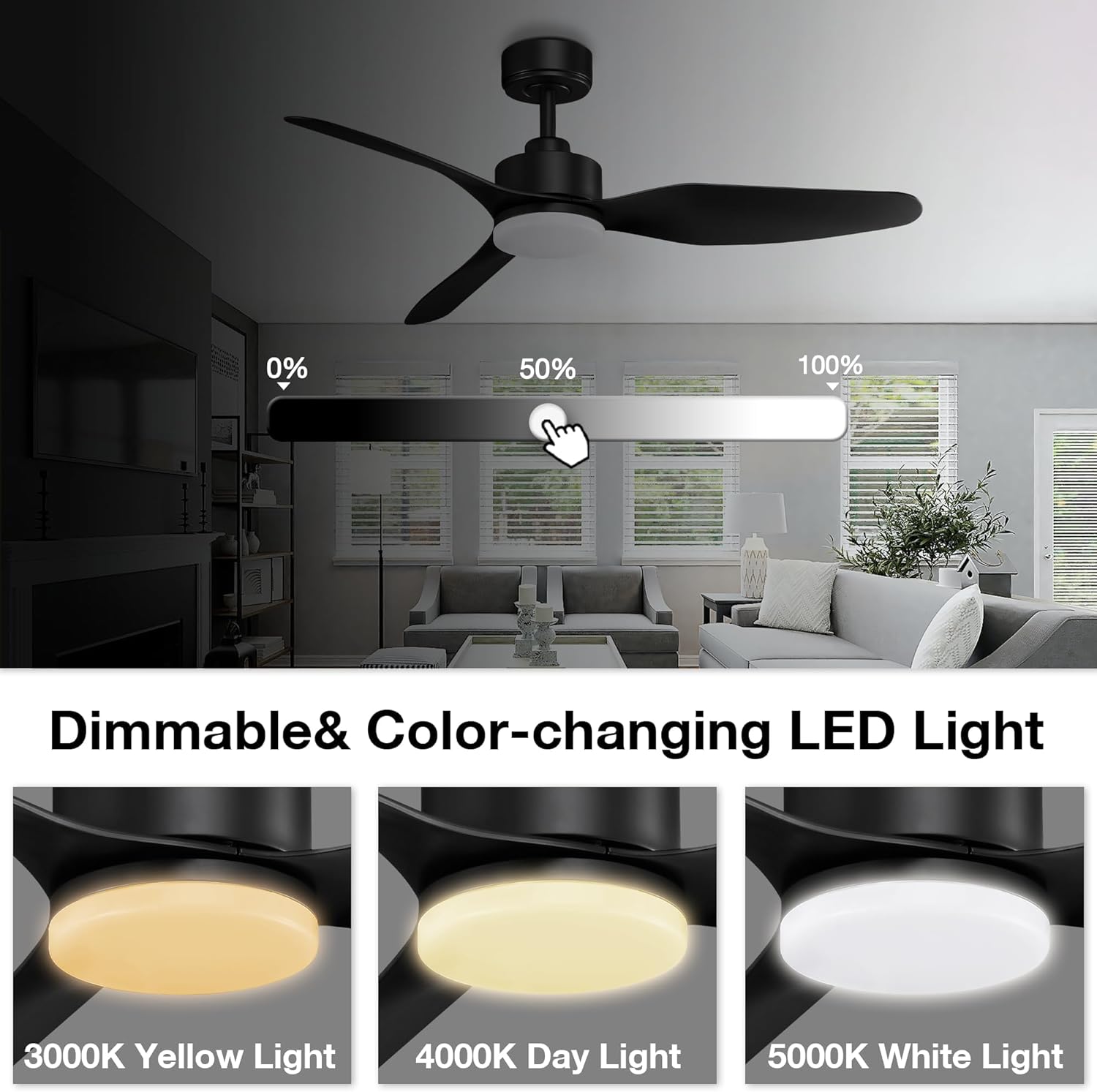
- Light Dimming: Adjust brightness from 0% to 100%.
- Color Temperature: Cycle through 3 color temperatures: 3000K (warm yellow), 4000K (bright daylight), and 5000K (cool white).
- Timer: Set an auto-off timer for 0-8 hours.

Smart Control (Wi-Fi, App, Voice)
The Hoenofly Smart Ceiling Fan can be controlled via a mobile application and voice commands through smart home assistants.
- App Control: Download the compatible smart home app (e.g., Tuya Smart or Smart Life) from your device's app store. Follow the in-app instructions to pair your ceiling fan with your Wi-Fi network. Once paired, you can control all fan and light functions from your smartphone or tablet, including setting schedules.
- Voice Control: Integrate the fan with Amazon Alexa or Google Assistant. Enable the smart home skill/action for your fan in the Alexa or Google Home app. Use simple voice commands such as "Alexa, turn on the living room fan" or "Hey Google, set the fan speed to 3."


Maintenance
Regular maintenance ensures optimal performance and longevity of your ceiling fan.
- Cleaning: Dust the fan blades and motor housing periodically with a soft, damp cloth. Do not use abrasive cleaners or solvents.
- Blade Balance: If the fan wobbles, check that all blade screws are tight and that the blades are properly balanced. Balancing kits are available if needed.
- Light Source: The integrated LED light is designed for long life and is not user-replaceable. Contact customer support if the light fails.
Troubleshooting
| Problem | Possible Cause | Solution |
|---|---|---|
| Fan does not start | No power, loose wiring, remote control issue. | Check circuit breaker. Ensure all wiring connections are secure. Replace remote batteries. Re-pair remote if necessary. |
| Light does not work | Loose wiring, LED failure, remote control issue. | Check light wiring connections. Replace remote batteries. If LED is faulty, contact customer support. |
| Fan wobbles | Loose blades, unbalanced blades, loose mounting. | Ensure all blade screws are tight. Use a blade balancing kit. Verify mounting bracket is securely fastened. |
| Remote control not working | Dead batteries, remote not paired. | Replace batteries. Refer to the full manual for remote pairing instructions. |
| Wi-Fi/App control not working | No Wi-Fi connection, incorrect pairing, app issues. | Ensure your Wi-Fi network is active. Re-pair the fan with the app. Check for app updates. |
Specifications
| Brand | Hoenofly |
| Model Number | YJ325 |
| Product Dimensions | 48"D x 48"W x 13.46"H |
| Blade Length | 48 Inches |
| Number of Blades | 3 |
| Blade Material | Durable ABS Plastic |
| Motor Type | Quiet DC Motor |
| Number of Speeds | 6 |
| Noise Level | 30 Decibels |
| Air Flow Capacity | 3912 Cubic Feet Per Minute (CFM) |
| Light Type | Integrated LED |
| Light Color Temperature | 3000K (Warm Yellow), 4000K (Bright Daylight), 5000K (Cool White) |
| Dimmable | Yes (0%-100%) |
| Wattage | 27 watts |
| Voltage | 120 Volts |
| Control Methods | Remote Control, Mobile App (Wi-Fi), Voice Control (Alexa, Google Assistant) |
| Indoor/Outdoor Usage | Indoor, Outdoor (Damp-rated) |
| Mounting Type | Flat/Angled Mount (up to 15°) |
| Item Weight | 13.4 Pounds |
Warranty and Support
Hoenofly provides the following for your product:
- 1-Year Quality Period: A 1-year quality period covers the entire smart ceiling fan.
- 30-Day Return Policy: Enjoy a 30-day return policy guarantee.
- 24/7 Online Customer Service: Our customer support team is available 24/7 to assist you with any questions or issues.
For further assistance, please refer to the contact information provided with your purchase or visit the official Hoenofly website.