
LIGE ST19-E-DE-BS
LIGE Smartwatch User Manual
Model: ST19-E-DE-BS
1. Introduction
Thank you for choosing the LIGE Smartwatch. This manual provides detailed instructions on how to set up, operate, maintain, and troubleshoot your new device. Please read this manual carefully before using the product to ensure proper function and longevity.

Image: The LIGE Smartwatch, showcasing its design and a secondary image illustrating its call function.
2. Product Overview
2.1. Components Included
- LIGE Smartwatch (Model: ST19-E-DE-BS)
- Charging Cable
2.2. Key Features
- Display: 1.43-inch AMOLED HD Always-on Touchscreen with 466x466 resolution.
- Durability: Robust composite steel casing, military-grade tested for temperature, impact, low pressure, dust, and liquid contamination.
- Water Resistance: IP68 waterproof rating.
- Communication: Bluetooth calling with built-in speaker and microphone; receives messages and app notifications (WhatsApp, Facebook, Instagram, Twitter, etc.).
- Sports Modes: Over 110 indoor and outdoor sports modes (walking, running, cycling, hiking, ball sports, gym, training).
- Activity Tracking: Tracks daily steps, calories burned, and distance.
- Health Monitoring: Equipped with advanced high-performance sensors for 24/7 monitoring of heart rate, blood pressure, blood oxygen (SpO2), and sleep.
- Battery Life: 400mAh battery providing 7-10 days of typical use, up to 45 days standby, with a 2-hour full charge time.
- Additional Functions: Weather forecast, music control, timer, alarm, voice assistant.

Image: The 1.43-inch AMOLED Always-On Display, providing clear visuals and smooth operation.

Image: The smartwatch's military-grade durability, including 5ATM water resistance, shockproof, anti-scratch, and anti-impact features.
3. Setup
To begin using your LIGE Smartwatch, follow these steps to pair it with your smartphone and configure essential settings.
3.1. App Installation and Pairing (FitCloudPro)
- Activate Bluetooth: Ensure Bluetooth is enabled on your smartphone.
- Download App: Scan the QR code below or search for "FitCloudPro" in your phone's app store (Google Play Store for Android, Apple App Store for iOS) and download the application.
FitCloudPro App Download Link - Open App and Connect: Launch the FitCloudPro app. Click on "Connect device," then find and select "ST19" from the list of available devices to establish the connection.
- Enable Notifications: Within the app, grant permission for the smartwatch to display notifications from your phone.
- Activate Call Function: You can activate the call function directly on the smartwatch.
- Enable Connected Call Audio: In your phone's Bluetooth settings, ensure that "Connected call audio" is activated for the smartwatch.
- Connection Success: Once successfully connected, you can use your smartwatch to make/answer phone calls and play music.

Image: Step-by-step guide for downloading the FitCloudPro app and connecting your smartwatch for full functionality.
4. Operating Instructions
4.1. Basic Navigation
The smartwatch features a responsive touchscreen and physical buttons for navigation. Swipe across the screen to access different functions and menus. Press the side buttons for specific actions like returning to the home screen or accessing the app list.
4.2. Bluetooth Calls and Notifications
With the Bluetooth call function enabled, you can make, answer, or reject calls directly from your wrist. The built-in speaker and microphone allow for clear communication. You can also add contacts and view call records on the watch. Incoming messages and notifications from various applications will be displayed on the watch screen.

Image: The Bluetooth call feature allows you to make and receive calls directly from your wrist.

Image: Bluetooth call functionality and message notifications from popular apps displayed on the smartwatch.
4.3. Sport Modes and Activity Tracking
The smartwatch supports over 110 sport modes. Select your desired activity to track real-time data such as time, calories burned, heart rate, and distance. The watch also functions as a daily activity tracker, recording your steps, calories, and distance throughout the day.

Image: The smartwatch supports over 110 sport modes, tracking various metrics during your activities.

Image: Track your daily activity with 126 exercise routine patterns, monitoring steps, calories, and distance.
4.4. Health Monitoring
The LIGE Smartwatch continuously monitors your health metrics. It provides real-time data for heart rate, blood pressure, and blood oxygen levels. It also offers comprehensive sleep monitoring to help you understand your sleep patterns.

Image: The smartwatch provides 24-hour health tracking, including heart rate, blood pressure, and blood oxygen.

Image: Monitor your health around the clock, including heart rate, blood pressure, blood oxygen, and sleep patterns.
4.5. Other Functions
The smartwatch offers various other useful functions:
- Weather Forecast: Get real-time weather updates.
- Music Control: Control music playback on your connected smartphone.
- Timer & Alarm: Set timers and alarms for daily tasks.
- Voice Assistant: Access your phone's voice assistant directly from the watch.

Image: The multifunctional smartwatch includes features like weather, music control, voice assistant, and more.
5. Maintenance
5.1. Waterproofing
The LIGE Smartwatch has an IP68 waterproof rating, meaning it is resistant to dust and can withstand immersion in water up to 1.5 meters for 30 minutes. It is suitable for daily use, including hand washing, rain, and swimming. Note: Prolonged use underwater, especially in hot water or during high-pressure water activities (e.g., diving, hot showers), is not recommended as it may compromise the seal.

Image: The smartwatch is 5ATM waterproof, supporting use during washing, rain, and swimming.
5.2. Cleaning
To clean your smartwatch, gently wipe the screen and body with a soft, damp cloth. Avoid using harsh chemicals or abrasive materials, as these can damage the device's finish and functionality. Ensure the charging contacts are clean and dry before charging.
6. Troubleshooting
If you encounter any issues with your LIGE Smartwatch, please refer to the following common solutions:
- Watch not turning on: Ensure the watch is fully charged. Connect it to the charging cable and a power source for at least 30 minutes.
- Unable to pair with phone:
- Ensure Bluetooth is enabled on your phone and the watch.
- Make sure the FitCloudPro app is installed and running.
- Restart both your phone and the smartwatch.
- Forget the device in your phone's Bluetooth settings and try pairing again through the app.
- Notifications not received:
- Check app notification permissions on your phone and within the FitCloudPro app.
- Ensure the watch is connected via Bluetooth.
- Disable and re-enable notification access for the FitCloudPro app in your phone's settings.
- Inaccurate health data: Ensure the watch is worn snugly on your wrist, not too tight or too loose. Clean the sensor on the back of the watch.
- Short battery life: Reduce screen brightness, disable unnecessary features like Always-on Display if not needed, and limit background app refresh.
If the issue persists, please contact customer support for further assistance.
7. Specifications
| Feature | Specification |
|---|---|
| Brand | LIGE |
| Model | ST19-E-DE-BS |
| Dimensions | 4.8 x 4.8 x 1.3 cm |
| Weight | 100 g |
| Display Size | 1.43 inches |
| Display Type | AMOLED |
| Display Resolution | 466 x 466 pixels |
| Refresh Rate | 60 Hz |
| Battery Capacity | 400 mAh (4E+2 mAh) |
| Rated Battery Power | 360 mAh |
| Battery Type | Lithium Polymer |
| Charging Time | 2 Hours |
| Average Battery Life | 7-10 Days (typical use) |
| Standby Battery Life | Up to 45 Days |
| Connectivity | Bluetooth |
| Operating System | Android (compatible with Smartphone) |
| Water Resistance | IP68 |
| Material | Alloys |
| Included Components | Charging cable |
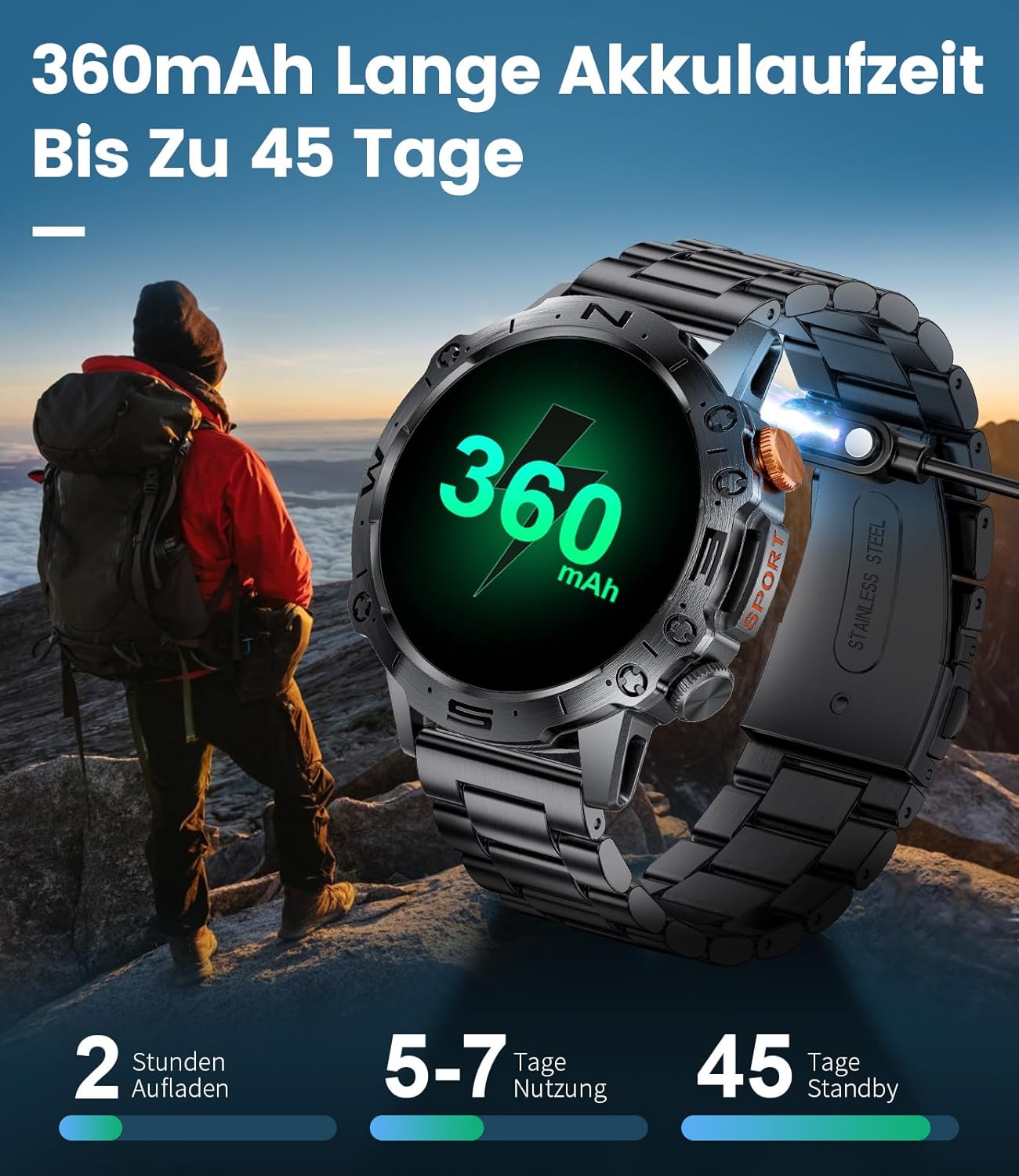
Image: The smartwatch's long battery life, offering up to 45 days of standby time.
8. Warranty and Support
8.1. Warranty Information
Your LIGE Smartwatch comes with a 12-month free replacement warranty for quality, functionality, and battery-related issues. Additionally, a general 2-year warranty is provided for the product.

Image: LIGE's commitment to customer service, including a 2-year warranty.
8.2. Customer Support
For any questions, technical assistance, or warranty claims, please contact LIGE customer support through the platform where you purchased the product. Please have your model number (ST19-E-DE-BS) and purchase details ready when contacting support.
Related documentsST19-E-DE-BS


Ask a question about this manual
Ask about setup, troubleshooting, compatibility, parts, safety, or missing instructions. Manuals+ will review the question and use this page’s manual context to help answer it.