
1. Introduction
Thank you for purchasing the CAMRY EK2550 Foldable Digital Kitchen Scale. This scale is designed for precise measurement of ingredients, suitable for various applications including cooking, baking, portion control, and portable use during travel or camping. Its unique foldable design ensures easy storage and portability. Please read this manual thoroughly before use to ensure proper operation and to maintain the product's longevity.
2. Safety Information
- Place the scale on a hard, flat surface to ensure accurate readings.
- Do not immerse the scale in water or other liquids. Clean with a damp cloth.
- Avoid exposing the scale to extreme temperatures or humidity.
- Do not overload the scale beyond its maximum capacity of 5 kg (11 lb).
- Keep out of reach of children.
- Remove batteries if the scale will not be used for an extended period.
3. Product Features
- Foldable Design: Unique scissor-like folding mechanism for compact storage and portability.
- High Precision: Equipped with 4 high-precision sensors for accurate measurements with 1g increments.
- Multiple Units: Supports weighing in lb:oz, g, fl'oz, and ml.
- Large LED Display: 15.7mm LED display for clear and easy-to-read digits.
- Touch Switch: Simple touch controls for power and functions.
- Tare Function: Allows weighing of multiple ingredients in the same container.
- Auto-Off: Automatically turns off after 2 minutes of inactivity to conserve battery life.
- Hanging Design: Integrated hole for convenient wall hanging storage.
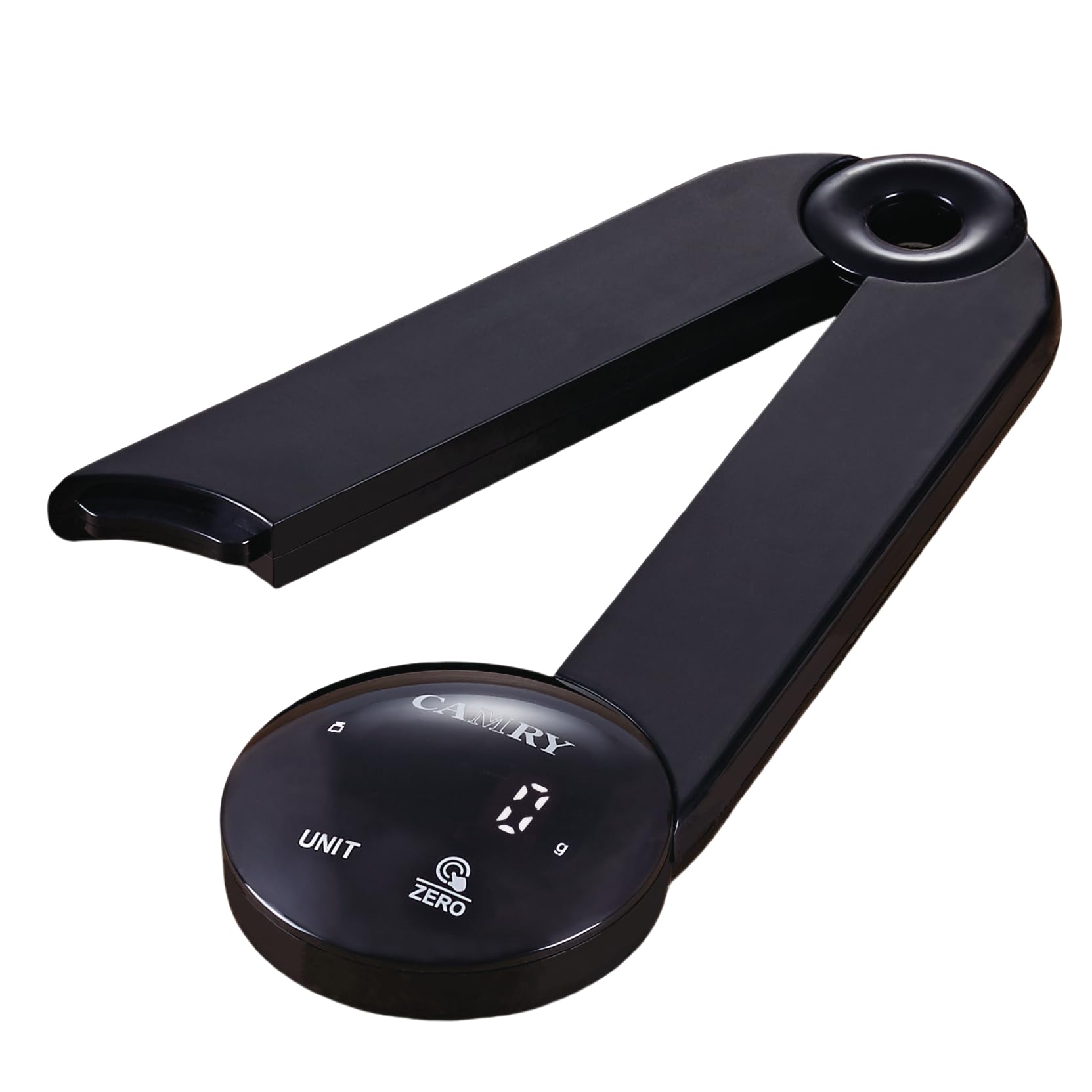
Image: The CAMRY EK2550 foldable digital kitchen scale in an open position, ready for use, with various food items around it, demonstrating its high accuracy and ease of use.
4. Specifications
| Brand | CAMRY |
| Model | EK2550 |
| Color | LED-black |
| Maximum Weight Capacity | 5 Kilograms (11 Pounds) |
| Measurement Accuracy | +/- 1 gram |
| Units of Measurement | lb:oz, g, fl'oz, ml |
| Display Type | LED |
| Material | Acrylonitrile Butadiene Styrene (ABS) |
| Power Source | 3 x AAA batteries (not included) |
| Auto-Off Function | 2 minutes |

Image: A diagram illustrating the compact dimensions of the CAMRY EK2550 foldable digital kitchen scale, measuring 23 cm in length and 7 cm in height when folded.
5. Setup
5.1. Battery Installation
- Locate the battery compartment on the underside of the scale.
- Open the battery compartment cover.
- Insert 3 AAA batteries, ensuring correct polarity (+/-).
- Close the battery compartment cover securely.
5.2. Unfolding the Scale
Gently unfold the scale from its compact position until it forms a stable, open platform. The two arms should extend outwards, creating a stable base for weighing.
6. Operating Instructions
6.1. Power On/Off
- To power on, press the ZERO/ON/OFF button. The display will show "0 g" when ready.
- To power off, press and hold the ZERO/ON/OFF button for a few seconds. The scale will also automatically turn off after 2 minutes of inactivity.
6.2. Unit Conversion
Press the UNIT button to cycle through the available measurement units: grams (g), pounds and ounces (lb:oz), fluid ounces (fl'oz), and milliliters (ml).
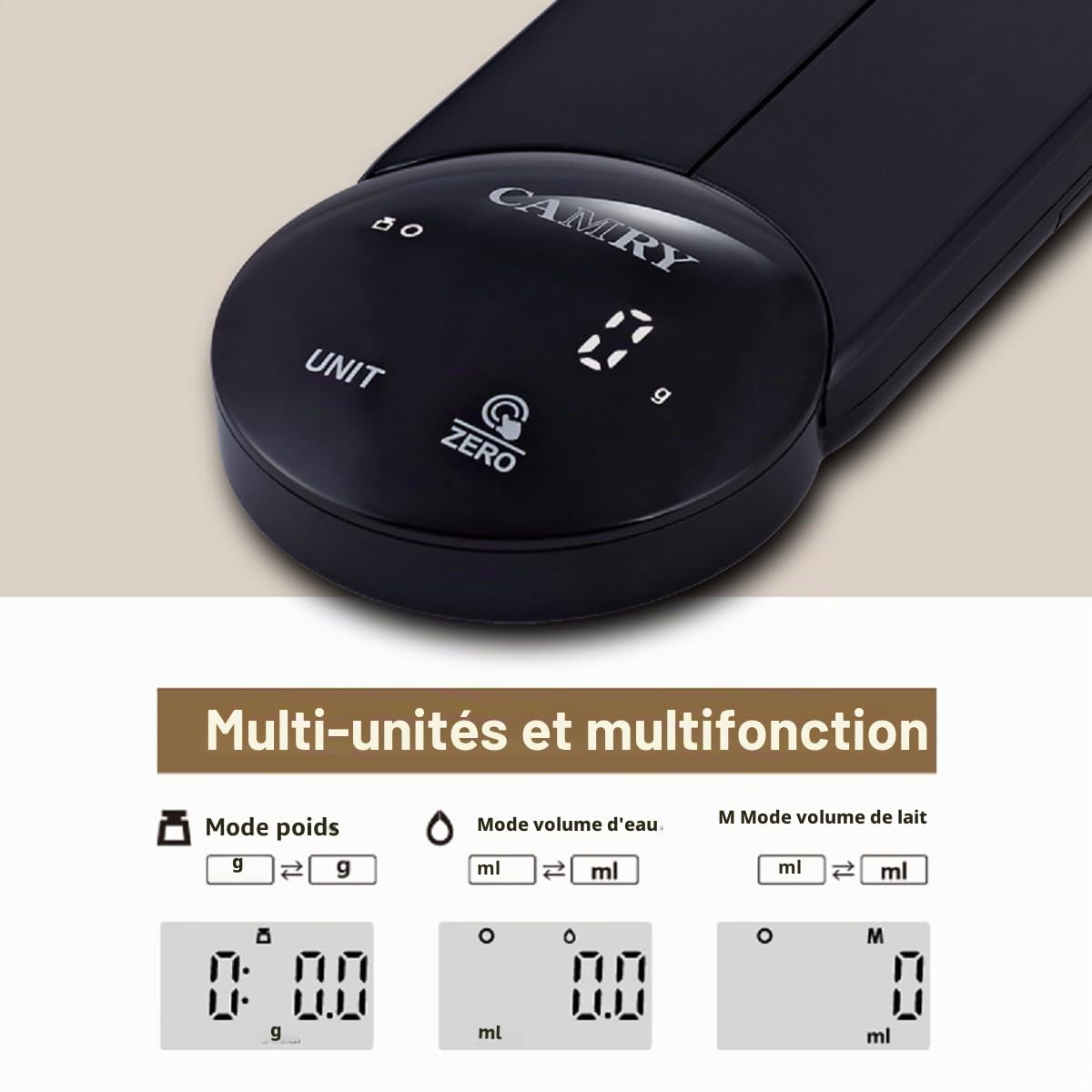
Image: The CAMRY EK2550 digital kitchen scale's display illustrating the various unit modes available, including grams, fluid ounces, and milliliters.
6.3. Tare Function
The tare function allows you to subtract the weight of a container, so you only measure the ingredients.
- Place an empty container on the scale platform. The display will show its weight.
- Press the ZERO/ON/OFF button. The display will reset to "0" (or "0 g").
- Add ingredients to the container. The display will now show only the weight of the ingredients.
6.4. Weighing Procedure
- Ensure the scale is on a flat, stable surface and powered on.
- Select your desired unit of measurement using the UNIT button.
- If using a container, perform the tare function as described above.
- Place the item(s) to be weighed onto the center of the scale platform.
- Read the stable weight displayed on the LED screen.

Image: A detailed view of the CAMRY EK2550's circular control panel, highlighting the clear LED display showing '0 g' and the touch-sensitive 'UNIT' and 'ZERO' buttons.
7. Maintenance
7.1. Cleaning
- Wipe the scale surface with a soft, damp cloth.
- Do not use abrasive cleaners or immerse the scale in water.
- Ensure the scale is completely dry before storage or next use.
7.2. Storage
The foldable design allows for convenient storage. Fold the scale into its compact form. It can be stored in a drawer or hung on a wall using the integrated hanging hole.
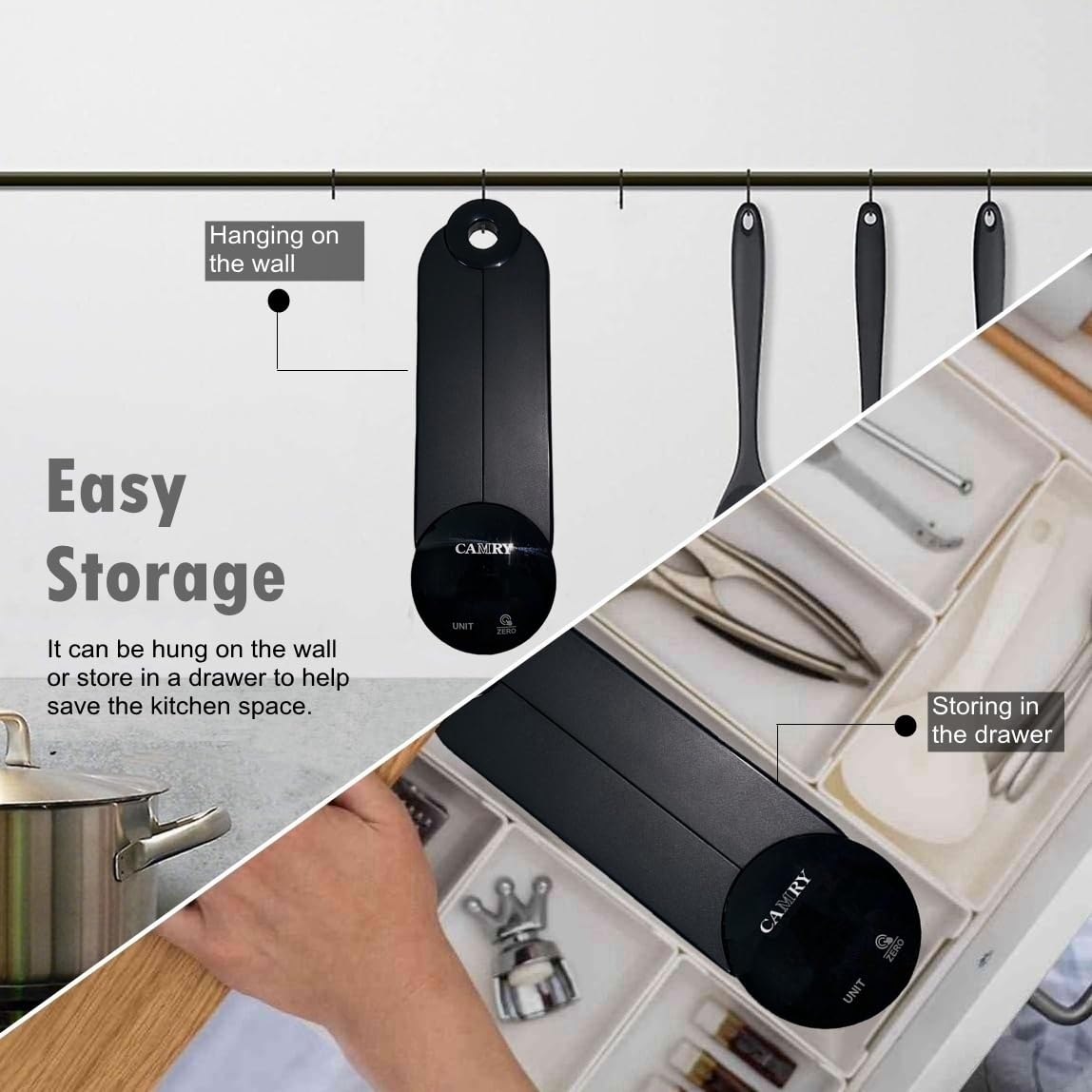
Image: The CAMRY EK2550 scale demonstrating its easy storage capabilities, showing it both hanging on a kitchen wall and neatly tucked away in a kitchen drawer.
8. Troubleshooting
| Problem | Possible Cause | Solution |
|---|---|---|
| "Lo" displayed | Low battery power. | Replace the 3 AAA batteries. |
| "Err" displayed | Overload or unstable surface. | Remove excess weight. Ensure the scale is on a flat, stable surface. |
| Inaccurate readings | Unstable surface, scale not zeroed, or external interference. | Place on a firm, level surface. Press the ZERO button before weighing. Avoid drafts or vibrations. |
9. Warranty and Support
CAMRY products are manufactured with quality and precision. For warranty information or technical support, please refer to the documentation included with your purchase or contact your retailer. Keep your purchase receipt as proof of purchase.


