
Introduction
Thank you for choosing the AVUMDA Cronos S56 Smart Watch. This device is engineered for durability and functionality, offering a robust solution for tracking your fitness, managing communications, and monitoring your health. This manual provides essential information to help you set up, operate, and maintain your new smartwatch.
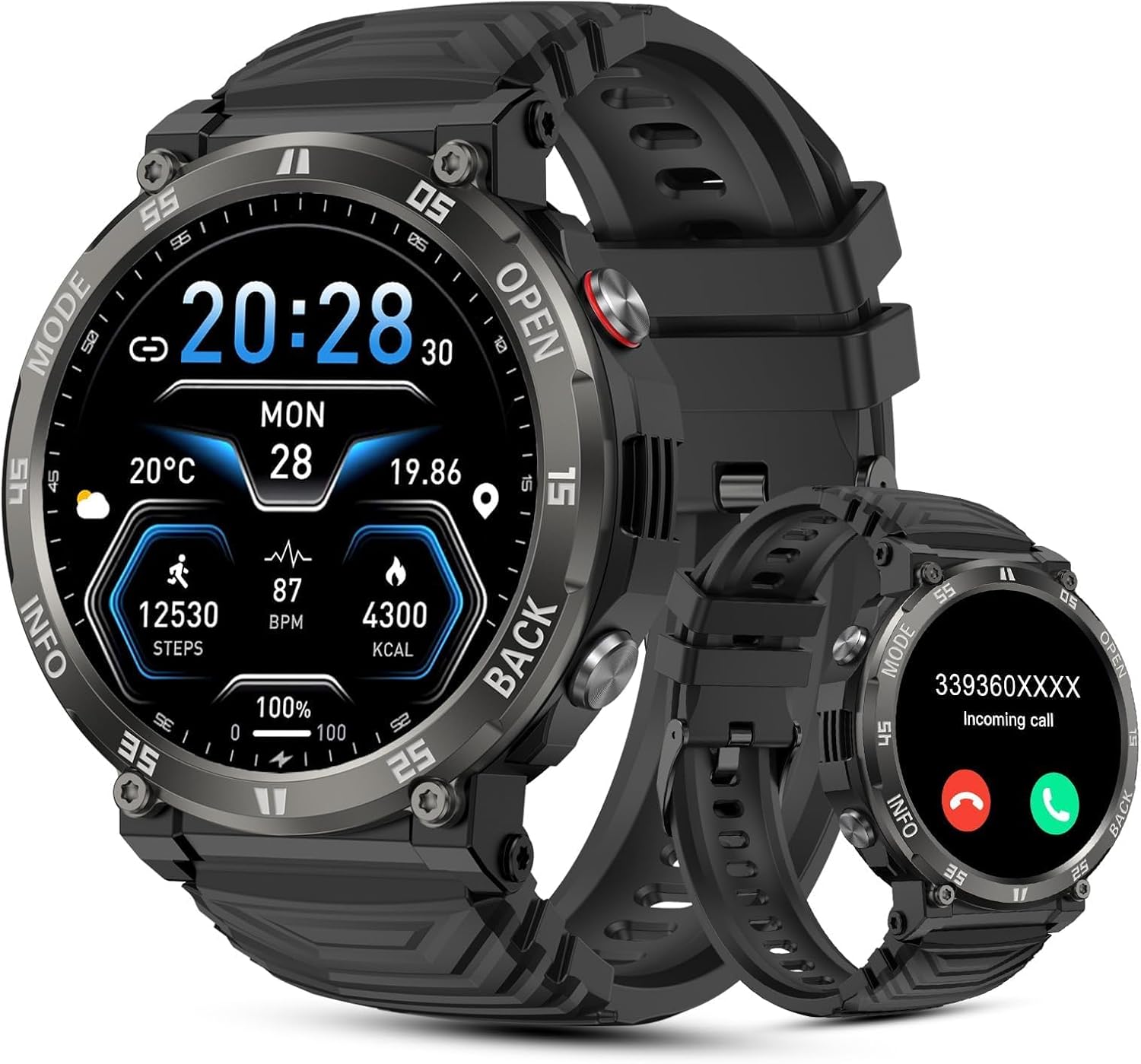
Figure 1: AVUMDA Cronos S56 Smart Watch
What's in the Box
- 1 x Smartwatch
- 1 x Charging Cable
- 1 x User Manual
Setup Guide
1. Initial Charging
Before first use, fully charge your AVUMDA Cronos S56 Smart Watch. Connect the magnetic charging cable to the charging points on the back of the watch and plug the USB end into a power adapter (not included). A full charge typically takes approximately 2 hours.
2. App Download and Installation
To unlock the full potential of your smartwatch, download the 'GloryFit' app from your smartphone's app store (Google Play Store for Android or Apple App Store for iOS). The app is compatible with Android 9.0 / iOS 10.0 or higher.
3. Device Pairing
After installing the app, open it and follow the on-screen instructions to pair your smartwatch. You may need to scan a QR code displayed on the watch screen or select the device from a list. Ensure Bluetooth is enabled on your smartphone.
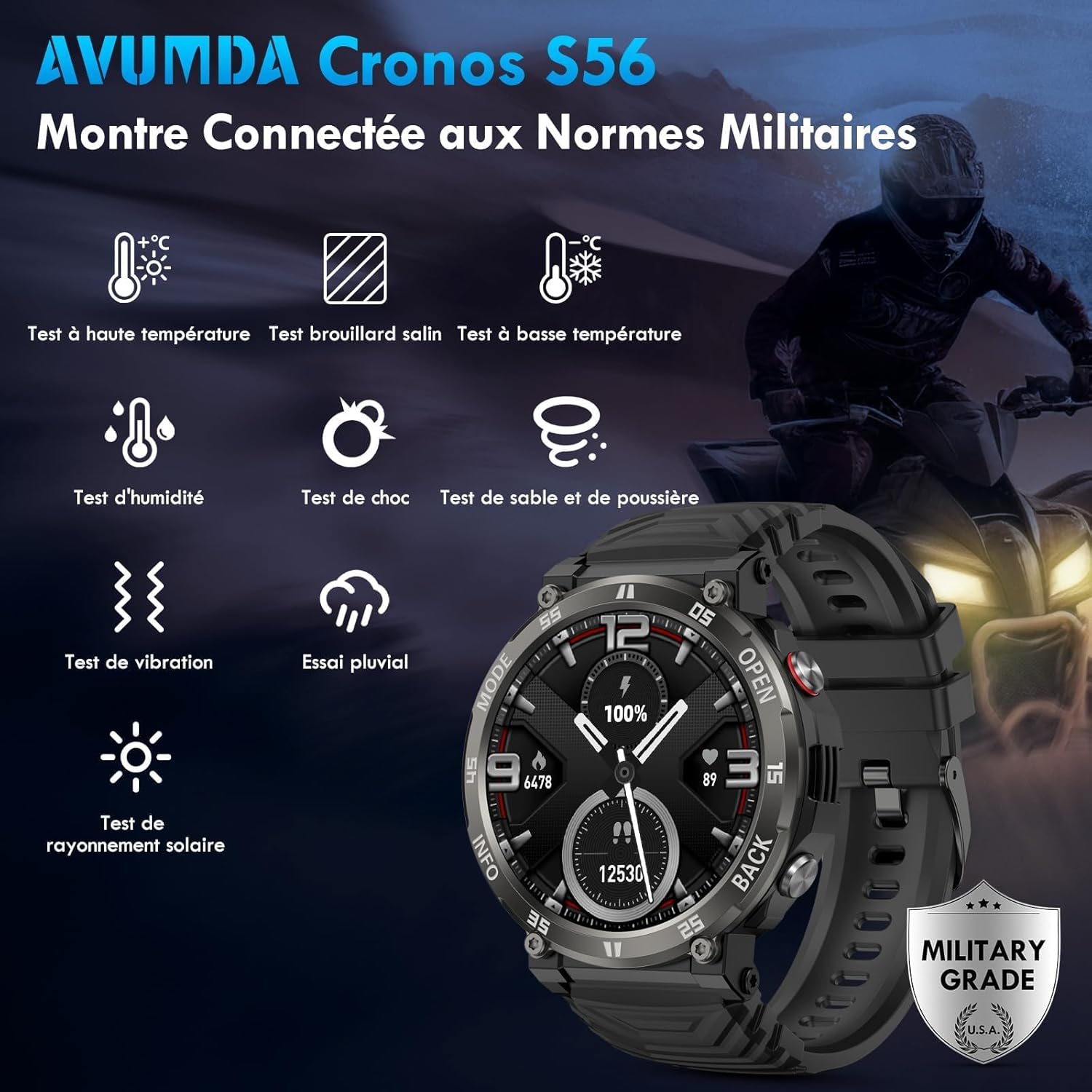
Figure 2: Smartwatch and smartphone pairing interface
Video 1: Step-by-step guide on how to connect the AVUMDA Cronos S56A Smart Watch to a smartphone using the companion app and Bluetooth pairing.
Operating Your Smart Watch
1. Basic Navigation
The Cronos S56 features a 1.52-inch full round touch screen and four physical buttons for navigation. Swipe left/right, up/down on the touchscreen to access different functions and menus. Use the physical buttons for quick access to specific modes or to return to the home screen.
2. Bluetooth Calls and Notifications
With its built-in speaker and microphone, the smartwatch allows you to make, receive, and reject calls directly from your wrist when connected to your phone. It also displays notifications from various apps like SMS, email, WhatsApp, Snapchat, and Messenger. A 'Do Not Disturb' mode can be activated to silence notifications.

Figure 3: Bluetooth call and message notification features
3. Health Monitoring
The enhanced sensor provides 24-hour heart rate and SpO2 monitoring, real-time blood pressure data, and sleep quality tracking. You can view detailed health data in the 'GloryFit' app. Remember, this data is for reference and not for medical diagnosis.

Figure 4: Continuous health monitoring features
4. Sports Modes
The watch supports over 100 sports modes, including running, soccer, swimming, and hiking. It tracks steps, calories burned, distance, and heart rate during workouts. You can customize the display order of sports modes within the 'GloryFit' app.

Figure 5: Multiple sports modes tracking
5. Custom Watch Faces
Personalize your smartwatch with various watch faces available in the 'GloryFit' app. You can also import custom photos to create unique watch faces.

Figure 6: Customizable watch faces
6. Additional Functions
The Cronos S56 includes useful features such as weather forecasts, remote music control, a stopwatch, alarm clock, calculator, remote camera control, and sedentary reminders to encourage activity.

Figure 7: Additional smart watch functions
Maintenance
1. Durability and Water Resistance
The AVUMDA Cronos S56 is designed with military-grade durability, making it waterproof (IP68), shockproof, and dustproof. It can withstand various outdoor conditions. Note: Avoid contact with hot water, as this can compromise the waterproof seal.

Figure 8: Military-grade durability tests
Video 2: Demonstration of the AVUMDA Cronos S56A Smart Watch's military-grade durability, including resistance to low temperatures, impacts, scratches, water, and crushing.
2. Battery Life
The 400mAh battery provides 5-7 days of normal usage and up to 25 days of standby time on a single charge. Actual battery life may vary based on usage patterns and activated features.

Figure 9: Long-lasting battery capacity
3. Cleaning
Wipe the watch and strap regularly with a soft, damp cloth to remove sweat, dirt, and debris. Ensure the charging contacts are clean and dry before charging.
Troubleshooting
- Watch not turning on: Ensure the watch is fully charged. Connect it to the charger for at least 10 minutes.
- Cannot pair with phone: Make sure Bluetooth is enabled on your phone and the watch. Restart both devices and try pairing again. Ensure the 'GloryFit' app is updated to the latest version.
- Inaccurate health data: Ensure the watch is worn snugly on your wrist, not too tight or too loose. Clean the sensor on the back of the watch.
- Notifications not received: Check app notification settings on your phone and within the 'GloryFit' app. Ensure the watch is connected via Bluetooth.
- Short battery life: Reduce screen brightness, disable unnecessary features like continuous heart rate monitoring if not needed, and ensure no background apps are draining power.
Specifications
| Feature | Specification |
|---|---|
| Model Number | Cronos S56 |
| Screen Size | 1.52 Inches |
| Resolution | 360 x 360 HD |
| Battery Capacity | 400 mAh Lithium Polymer |
| Normal Usage Time | 5-7 days |
| Standby Time | Up to 25 days |
| Charging Time | Approx. 2 hours |
| Water Resistance | IP68 |
| Connectivity | Bluetooth |
| Operating System | iOS (10.0+), Android (9.0+) |
| Item Weight | 57.2 Grams (2.02 ounces) |
| Dimensions | 50.9mm (diameter), 13.6mm (thickness) |

Figure 10: Product dimensions and wrist size guide
Warranty and Support
Warranty Information
Your AVUMDA Cronos S56 Smart Watch comes with a standard manufacturer's warranty. Please refer to the warranty card included in your packaging or contact AVUMDA customer support for specific details regarding warranty coverage and terms.
Customer Support
For any questions, technical assistance, or support needs, please contact AVUMDA customer service. AVUMDA is committed to providing the best experience in innovation, design, technology, and brand services. You can typically find contact information on the product packaging, the official AVUMDA website, or through your purchase platform.

Figure 11: Customer Support Information
