
Kuulaa KL-YD47
Kuulaa Portable USB C Power Bank User Manual
Model: KL-YD47
1. Introduction
Thank you for choosing the Kuulaa Portable USB C Power Bank. This compact and portable power bank is designed to provide emergency power for your USB-C compatible devices, including Android smartphones (Samsung Galaxy, Pixel, LG, Moto, OnePlus) and other devices like the Nintendo Switch. Its built-in USB-C connector offers a cable-free charging experience, making it an ideal companion for travel and daily use.
This manual provides essential information on the product's features, setup, operation, maintenance, and safety precautions. Please read it thoroughly before using the device to ensure optimal performance and longevity.

Image: The Kuulaa Portable USB C Power Bank, showcasing its compact design and integrated USB-C plug.
2. Package Contents
Please check the package for the following items:
- 1 x Kuulaa 4500mAh USB-C Power Bank (Model: KL-YD47)
- 1 x USB Charging Cable (for recharging the power bank)
- 1 x User Manual
If any items are missing or damaged, please contact customer support.
3. Product Overview
The Kuulaa Portable USB C Power Bank features a compact design with an integrated USB-C connector for direct plug-in charging. It includes LED indicators to display the remaining battery level.
3.1 Components
- Integrated USB-C Connector: For direct connection to compatible devices.
- USB-C Input Port: For recharging the power bank.
- LED Indicator Lights: Four lights indicating battery charge status.
- Power Button: To check battery level or initiate charging (if applicable).

Image: The power bank displaying its four LED indicators, which show charge levels from 0-25%, 25-50%, 50-70%, and 70-100%.
4. Setup
4.1 Initial Charge
Before first use, it is recommended to fully charge your Kuulaa Portable USB C Power Bank. This ensures optimal battery performance and accuracy of the LED indicators.
- Connect the provided USB charging cable to the USB-C input port on the power bank.
- Connect the other end of the USB cable to a compatible USB power adapter (not included) or a computer's USB port.
- The LED indicator lights will illuminate to show the charging progress. All four LEDs will be solid when fully charged.
4.2 Checking Battery Level
Press the power button once to check the current battery level. The LED indicators will light up for a few seconds, showing the approximate charge remaining:
- 1 LED: 0-25%
- 2 LEDs: 25-50%
- 3 LEDs: 50-70%
- 4 LEDs: 70-100%
5. Operating Instructions
5.1 Charging Your Device
The Kuulaa Portable USB C Power Bank is designed for direct, cable-free charging of USB-C compatible devices.
- Ensure your device has a USB-C charging port. Note: This power bank is not compatible with devices requiring a Lightning connector.
- Carefully plug the integrated USB-C connector of the power bank directly into your device's USB-C charging port.
- Charging should begin automatically. The power bank's LED indicators will show its remaining charge.
- Once your device is charged, or when you wish to stop charging, gently unplug the power bank from your device.

Image: A user demonstrating the direct plug-in functionality of the power bank with a smartphone, highlighting its cordless design.
5.2 Pass-Through Charging
This power bank supports pass-through charging, meaning you can charge your mobile phone while simultaneously recharging the power bank itself. Connect the power bank to a power source using its USB-C input, then plug your phone into the power bank's integrated USB-C connector.

Image: An illustration detailing the 4500mAh capacity and confirming compatibility with USB-C devices, while indicating non-compatibility with Lightning iPhones.
5.3 Compatibility
The Kuulaa Portable USB C Power Bank is compatible with a wide range of USB-C devices, including but not limited to:
- Samsung Galaxy series (e.g., S23 Ultra, S22, S10)
- Google Pixel phones
- LG smartphones
- Motorola phones
- OnePlus devices
- Nintendo Switch
- VR headsets like Oculus Quest 1 and 2
- Other devices with a USB-C charging port.

Image: A visual representation of the power bank providing emergency power to various USB-C compatible devices.
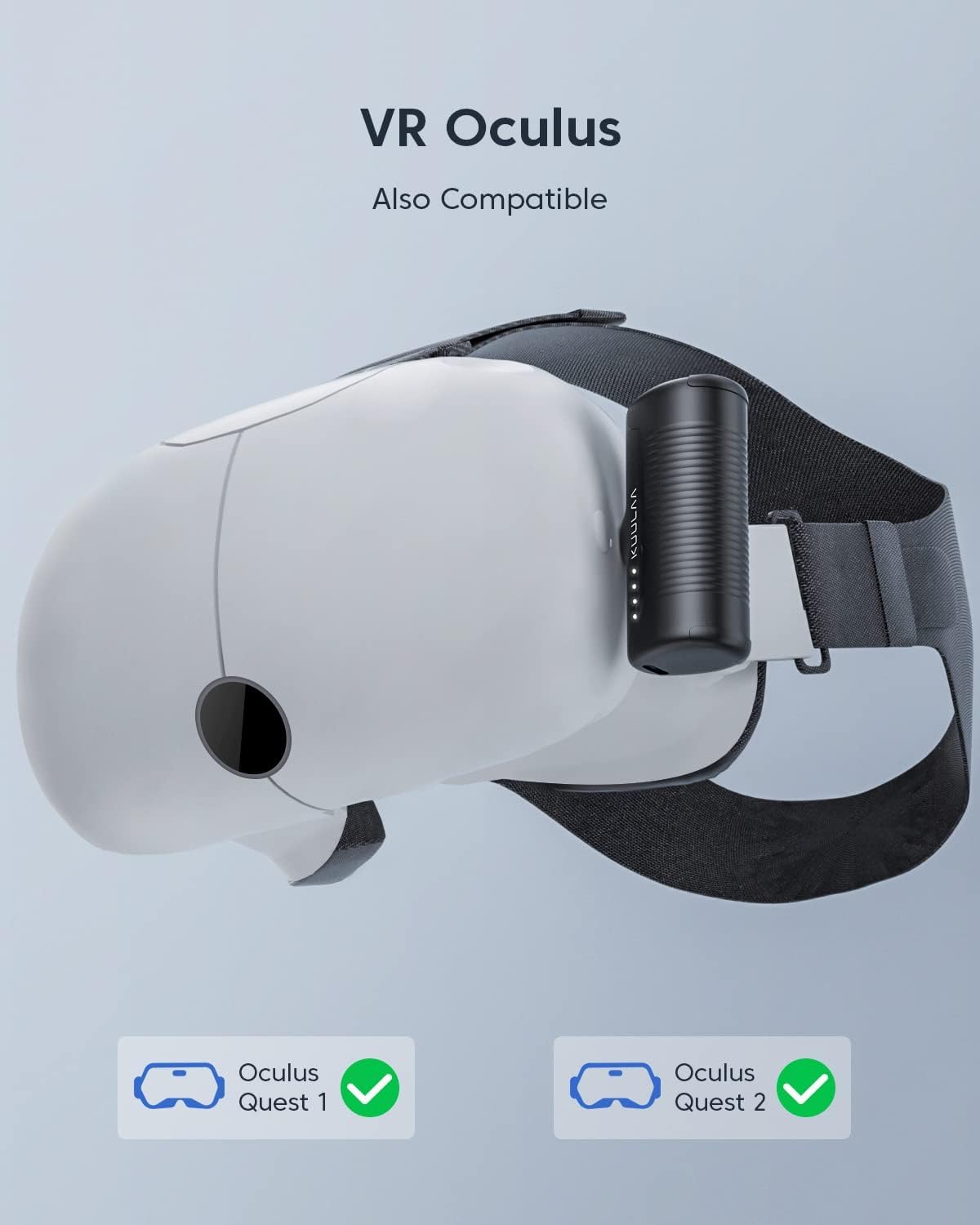
Image: The power bank shown attached to a VR headset, demonstrating its compatibility with devices like Oculus Quest 1 and 2.
6. Maintenance
6.1 Cleaning
To clean the power bank, use a soft, dry cloth. Do not use liquid cleaners, aerosols, or solvents, as these may damage the device.
6.2 Storage
Store the power bank in a cool, dry place away from direct sunlight and extreme temperatures. For long-term storage, it is recommended to charge the power bank to approximately 50-75% every three months to maintain battery health.
6.3 General Care
- Avoid dropping or subjecting the power bank to strong impacts.
- Keep away from water and high humidity.
- Do not attempt to disassemble or modify the device.
7. Troubleshooting
If you encounter issues with your Kuulaa Portable USB C Power Bank, please refer to the following common problems and solutions:
| Problem | Possible Cause | Solution |
|---|---|---|
| Power bank not charging device. |
|
|
| Power bank not recharging. |
|
|
| LED indicators not lighting up. |
|
|
If the problem persists after trying these solutions, please contact Kuulaa customer support for further assistance.
8. Specifications
| Feature | Detail |
|---|---|
| Model Number | KL-YD47 |
| Battery Capacity | 4500 mAh |
| Battery Type | Lithium Polymer |
| Connector Type | USB Type C (Integrated) |
| Input Port | USB Type C |
| Product Dimensions | 1.57 x 2.91 x 1.42 inches (40 x 74 x 36 mm approx.) |
| Item Weight | 4.2 ounces (119 grams approx.) |
| Special Features | Auto Shut-Off, LED Indicator Lights, Pocket Size, Pass-through Charging |
| Color | Purple (for this specific model) |

Image: The compact size of the power bank, illustrating its portability and ease of carrying in a pocket or bag.
9. Safety Information
Please read and follow these safety guidelines to prevent damage to the product or injury to yourself:
- Do not expose the power bank to extreme temperatures (above 45°C/113°F or below -10°C/14°F), direct sunlight, or high humidity.
- Do not use the power bank if it has been damaged or modified.
- Keep the power bank away from water and other liquids.
- Do not attempt to open, disassemble, or repair the power bank yourself. This will void the warranty and may cause safety hazards.
- Keep out of reach of children.
- Dispose of the power bank according to local regulations for electronic waste. Do not dispose of it in household trash.
- The power bank is equipped with multiple safety mechanisms to prevent over-discharging, over-charging, and overloading. It will automatically stop charging in the event of a short-circuit or excessive heating.
10. Warranty and Support
10.1 Warranty Information
Your Kuulaa Portable USB C Power Bank comes with a 12-month warranty from the date of purchase. This warranty covers manufacturing defects and workmanship. It does not cover damage caused by misuse, accidents, unauthorized modifications, or normal wear and tear.
Additionally, a 45-day money-back guarantee is offered. Please retain your proof of purchase for warranty claims.
10.2 Customer Support
For technical support, warranty claims, or any questions regarding your product, please contact Kuulaa customer support. You can typically find contact information on the official Kuulaa website or through the retailer where you purchased the product.
Kuulaa offers 7/24 hours technical support. If you have any questions, please feel free to contact us via message.
Manufacturer: Shenzhen Kula Technology Co., LTD
Related documentsKL-YD47


Ask a question about this manual
Ask about setup, troubleshooting, compatibility, parts, safety, or missing instructions. Manuals+ will review the question and use this page’s manual context to help answer it.