1. Product Overview
The Gourmia 2-in-1 Single Serve Pod + 12-Cup Coffee Maker (Model GCM3269) offers versatile brewing options to suit your coffee preferences. This innovative appliance allows you to brew a full 12-cup carafe or a single-serve pod without the need for separate attachments. Its intuitive interface simplifies the brewing process, providing various brew sizes and strength controls. Designed for convenience, it features a transparent, removable water reservoir, a fold-away shelf for different mug sizes, and a programmable 'Brew Later' function.

Image 1: The Gourmia 2-in-1 Coffee Maker, showcasing both the 12-cup carafe and the single-serve brewing options with a mug. Coffee grounds and a K-cup are also visible.
2. Important Safety Information
Please read all instructions carefully before using your Gourmia coffee maker. Failure to follow these instructions may result in electric shock, fire, or serious personal injury.
- Do not immerse the appliance, power cord, or plug in water or any other liquid.
- Ensure the appliance is placed on a stable, level surface away from hot surfaces or open flames.
- Unplug the coffee maker from the outlet when not in use and before cleaning.
- Do not operate the appliance with a damaged cord or plug, or after the appliance malfunctions or has been damaged in any manner.
- Close supervision is necessary when any appliance is used by or near children.
- Use only accessories and attachments recommended by the manufacturer.
- Do not use outdoors.
- Always ensure the water reservoir is filled to the appropriate level before brewing.
- Avoid contact with hot surfaces. Use handles or knobs.
3. Parts and Features
Familiarize yourself with the components of your Gourmia coffee maker:
- Control Panel: Intuitive display with touch buttons for setting time, brew options, and strength.
- Carafe Mode: Brews 2, 4, 6, 8, 10, or 12 cups of coffee.
- Pod Mode: Brews 6, 8, 10, 12, or 14 oz. for single servings.
- Water Reservoir: 64 oz. transparent and removable for easy refilling.
- Filter Basket (Carafe): Includes a reusable filter and removable funnel for ground coffee.
- Pod Holder (Single Serve): Designed to accommodate K-Cups® and a reusable filter for single-serve grounds.
- 12-Cup Glass Carafe: For brewing multiple servings.
- Fold-Away Shelf: Adjustable shelf to accommodate various mug and tumbler sizes.
- Brew Later Function: Programmable timer to set brewing in advance.
- Brew Strength Control: Adjust coffee strength to your preference.
- Adjustable 4-Hour Keep Warm: Keeps carafe coffee hot for up to 4 hours.
- Pause & Serve: Allows temporary removal of the carafe during brewing.
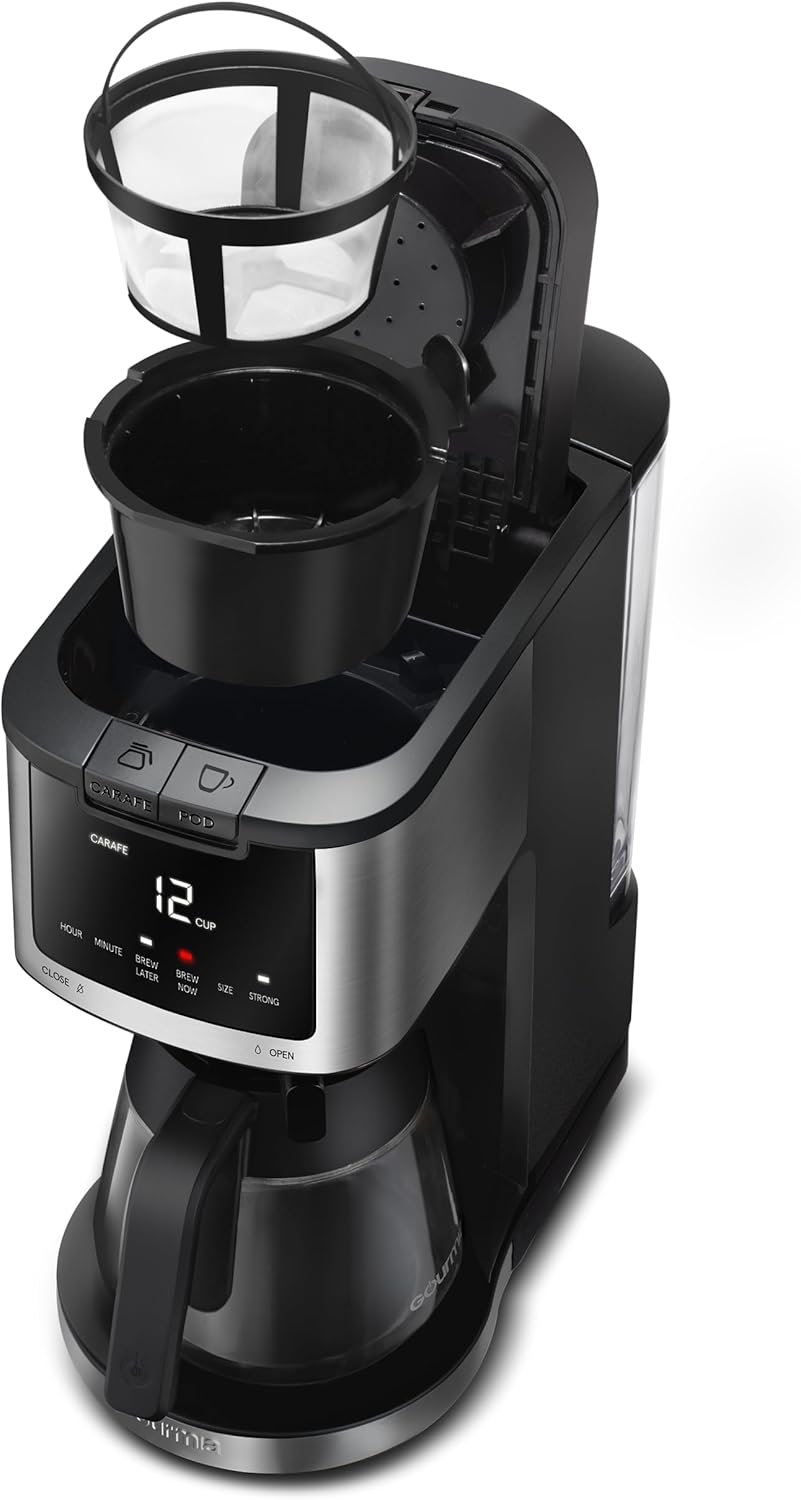
Image 2: A close-up view of the control panel, highlighting the distinct "CARAFE" and "POD" selection buttons for different brewing modes.
4. Initial Setup
- Unpack: Carefully remove all packaging materials and ensure all parts are present.
- Clean: Wash the carafe, reusable filter, funnel, and pod holder in warm, soapy water. Rinse thoroughly and dry. Wipe the exterior of the coffee maker with a damp cloth.
- Position: Place the coffee maker on a dry, level, heat-resistant surface. Ensure adequate ventilation around the unit.
- First Use (Cleaning Cycle):
- Fill the removable water reservoir with fresh water up to the "MAX" line.
- Place the empty carafe on the warming plate.
- Select CARAFE mode and brew a full 12 cups without coffee grounds. Discard the water.
- Repeat this process for the POD mode: fill the reservoir with water for a 14 oz brew, insert the empty reusable pod filter (or no pod), and brew into a mug. Discard the water.
5. Operating Instructions
5.1. Carafe Brewing (Ground Coffee)
- Fill Water Reservoir: Open the lid of the water reservoir and fill it with fresh, cold water to your desired level (2 to 12 cups). The transparent reservoir allows easy monitoring.
- Add Coffee Grounds: Open the carafe side lid. Insert the reusable filter into the funnel, then add your desired amount of ground coffee. Close the lid securely.
- Place Carafe: Ensure the 12-cup glass carafe is placed correctly on the warming plate.
- Select Carafe Mode: Press the CARAFE button on the control panel.
- Choose Brew Size: Use the CUP SIZE buttons to select the desired number of cups (2, 4, 6, 8, 10, or 12).
- Adjust Strength (Optional): Press the BREW STRENGTH button to cycle through regular or bold options.
- Start Brewing: Press the BREW NOW button to begin brewing. The coffee maker will automatically keep the coffee warm for up to 4 hours after brewing.
- Pause & Serve: You can temporarily remove the carafe during brewing to pour a cup. The brewing will pause and resume once the carafe is returned within 20 seconds.

Image 3: The carafe side of the coffee maker with the lid open, showing the reusable filter filled with coffee grounds, ready for brewing.
5.2. Single-Serve Pod Brewing (K-Cups®)
- Fill Water Reservoir: Fill the removable water reservoir with fresh, cold water to the desired level for your single-serve brew (6, 8, 10, 12, or 14 oz).
- Insert Pod: Open the POD side lid. Place a K-Cup® pod into the pod holder. Close the lid firmly until it clicks.
- Place Mug: Place your mug or travel tumbler on the fold-away shelf. Lower the shelf for smaller mugs or lift it for taller tumblers.
- Select Pod Mode: Press the POD button on the control panel.
- Choose Brew Size: Use the CUP SIZE buttons to select the desired ounce (6, 8, 10, 12, or 14 oz).
- Adjust Strength (Optional): Press the BREW STRENGTH button to cycle through regular or bold options.
- Start Brewing: Press the BREW NOW button to begin brewing.
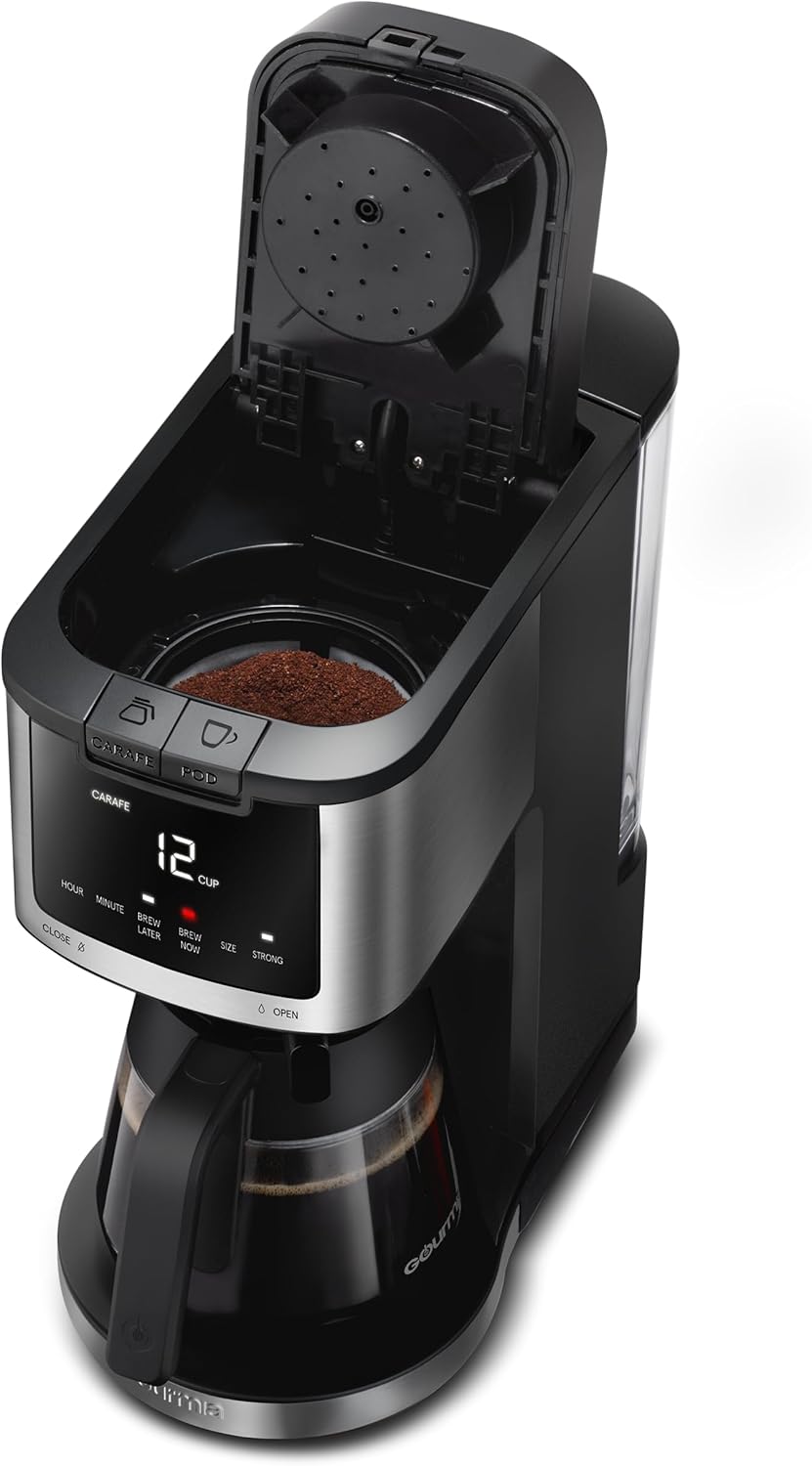
Image 4: The transparent water reservoir on the side of the coffee maker, showing water level markings for easy measurement.

Image 5: The single-serve side of the coffee maker with the lid open, revealing a K-Cup® pod correctly placed in the pod holder.
5.3. Single-Serve Ground Coffee Brewing
- Prepare Reusable Filter: Remove the K-Cup® pod holder. Insert the reusable filter (included) into the single-serve brewing chamber. Add your desired amount of ground coffee to the reusable filter.
- Follow Pod Mode Steps: Proceed with steps 1, 3, 4, 5, 6, and 7 from the "Single-Serve Pod Brewing" section above.
5.4. Programmable Brew Later
- Prepare Coffee: Set up your coffee maker for either carafe or single-serve brewing as described above, including water and coffee.
- Set Time: Press the SET TIME button to adjust the current time.
- Set Delay Brew: Press the DELAY BREW button. Use the hour and minute buttons to set the desired brew time.
- Confirm: Press the DELAY BREW button again to confirm. The indicator light will illuminate, signifying the delay brew is active.
6. Maintenance and Cleaning
- Daily Cleaning: After each use, discard used coffee grounds/pods. Wash the carafe, reusable filter, funnel, and pod holder in warm, soapy water. Rinse and dry thoroughly.
- Exterior Cleaning: Wipe the exterior of the coffee maker with a soft, damp cloth. Do not use abrasive cleaners or scouring pads.
- Descaling (Monthly or Bi-Monthly): To remove mineral deposits, fill the water reservoir with a mixture of 1 part white vinegar and 2 parts water. Run a full carafe brew cycle without coffee. After the cycle, let it sit for 15 minutes, then run another cycle. Follow with 2-3 cycles of fresh water to rinse. Repeat for the single-serve side.
- Removable Parts: The water reservoir, carafe, reusable filter, and pod holder are all removable for easy cleaning.
7. Troubleshooting
| Problem | Possible Cause | Solution |
|---|---|---|
| Coffee not brewing. | No water in reservoir; unit not plugged in; wrong mode selected. | Fill water reservoir; ensure power cord is securely plugged in; select correct CARAFE or POD mode. |
| Coffee tastes weak. | Insufficient coffee grounds; incorrect brew strength selected. | Add more coffee grounds; select "Bold" brew strength. |
| Coffee overflows. | Too much water for selected brew size; filter basket/pod holder clogged. | Ensure water level matches selected brew size; clean filter basket/pod holder. |
| Unit leaks. | Water reservoir not seated correctly; carafe/mug not positioned properly. | Ensure water reservoir is firmly in place; correctly position carafe or mug. |
8. Product Specifications
- Brand: Gourmia
- Model Name: Gourmia GCM3269
- Item Model Number: GCM3269
- UPC: 810002863806
- Coffee Maker Type: Drip Coffee Machine
- Brewing Capacity: 12 cups (Carafe mode), 6-14 oz (Pod mode)
- Water Reservoir Capacity: 64 oz.
- Product Dimensions: 12.85"D x 6.5"W x 15"H
- Item Weight: 7.5 pounds
- Color: Black and SS (Stainless Steel)
- Special Features: Auto Shut-Off, Permanent Filter, Programmable, Timer, Brew Strength Control, Adjustable 4-Hour Keep Warm, Pause & Serve.
- Operation Mode: Fully Automatic
- Voltage: 230 Volts (AC)
- Included Components: 12-Cup Glass Carafe, Reusable Filter, Removable Funnel.
9. Warranty and Support
For warranty information, product registration, or technical support, please refer to the official Gourmia website or contact their customer service directly. Keep your purchase receipt as proof of purchase for any warranty claims.
Online Support: Visit www.gourmia.com
Customer Service: Refer to your product packaging or the Gourmia website for contact details.


