
Alpha Digital MT-CN320
Alpha Digital 320W Portable Power Station
Model: MT-CN320
User Manual
Introduction
The Alpha Digital 320W Portable Power Station is a versatile and reliable power source designed for various applications, including home backup, outdoor adventures, and emergency situations. Featuring a 298Wh/93120mAh LiFePO4 lithium battery, it provides stable AC, DC, and USB outputs to power a wide range of devices. This manual provides essential information for safe and efficient operation, maintenance, and troubleshooting of your power station.
What's in the Box
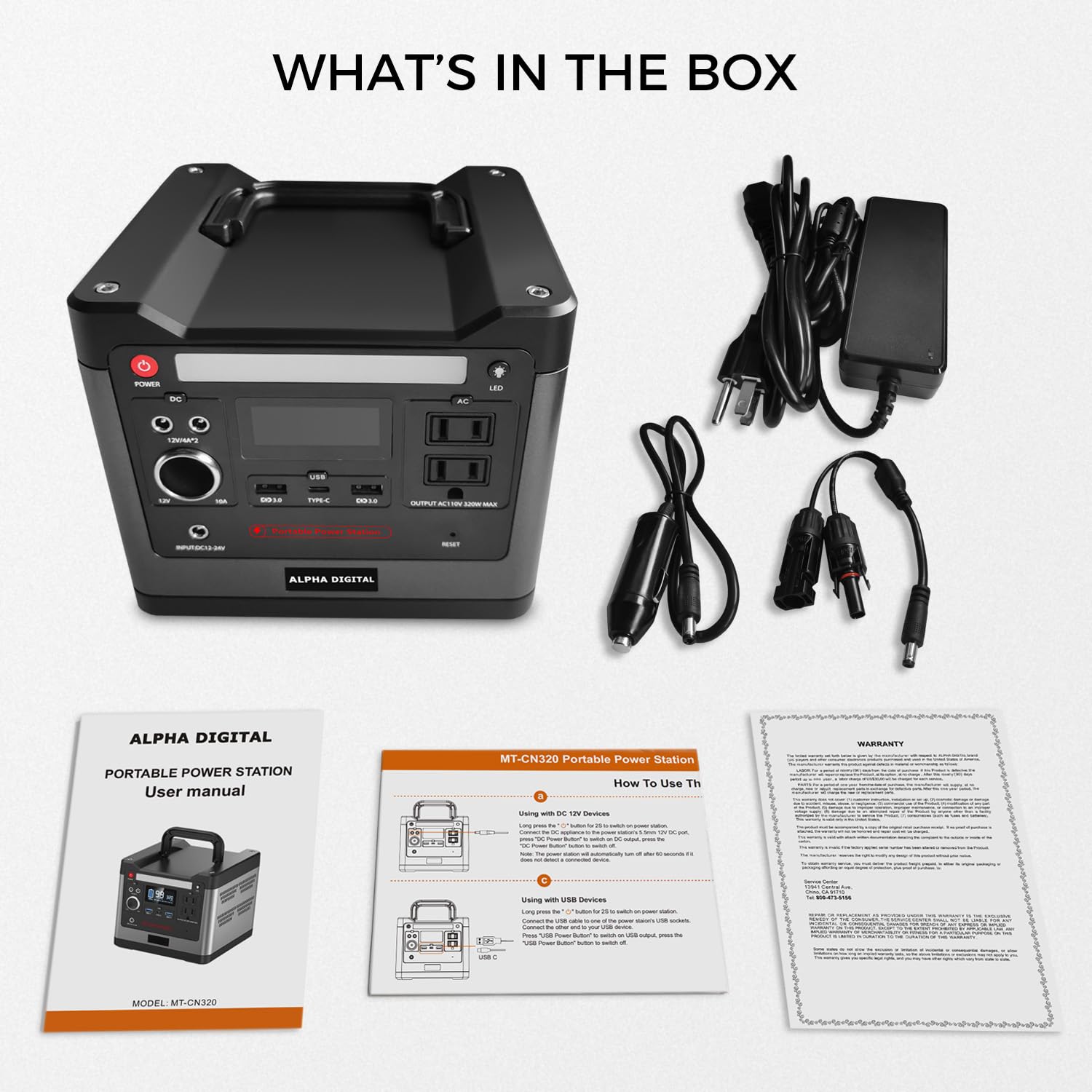
Image: Contents of the Alpha Digital 320W Portable Power Station box.
- Alpha Digital 320W Portable Power Station
- AC Adapter
- User Manual
- Car Charger Cable
Product Overview

Image: Front panel of the power station with display and ports.
The Alpha Digital 320W Portable Power Station features a user-friendly interface and multiple output options to meet diverse power needs. Its compact design and integrated handle ensure portability.
Key Features:
- Digital Display: Shows battery capacity, remaining time, and indicators for AC/DC/USB output, and over-temperature warnings.
- AC Outlets: Two 110V/320W pure sine wave AC outlets for sensitive electronics.
- DC Outputs: Two 12V/4A DC ports and one 12V/10A car output port.
- USB Ports: Two USB QC3.0 ports and one Type-C (PD60W) port for rapid charging of mobile devices.
- LED Flashlight: Built-in LED light with 3 brightness levels and an SOS mode for emergencies.
- Integrated Handle: For easy transportation.
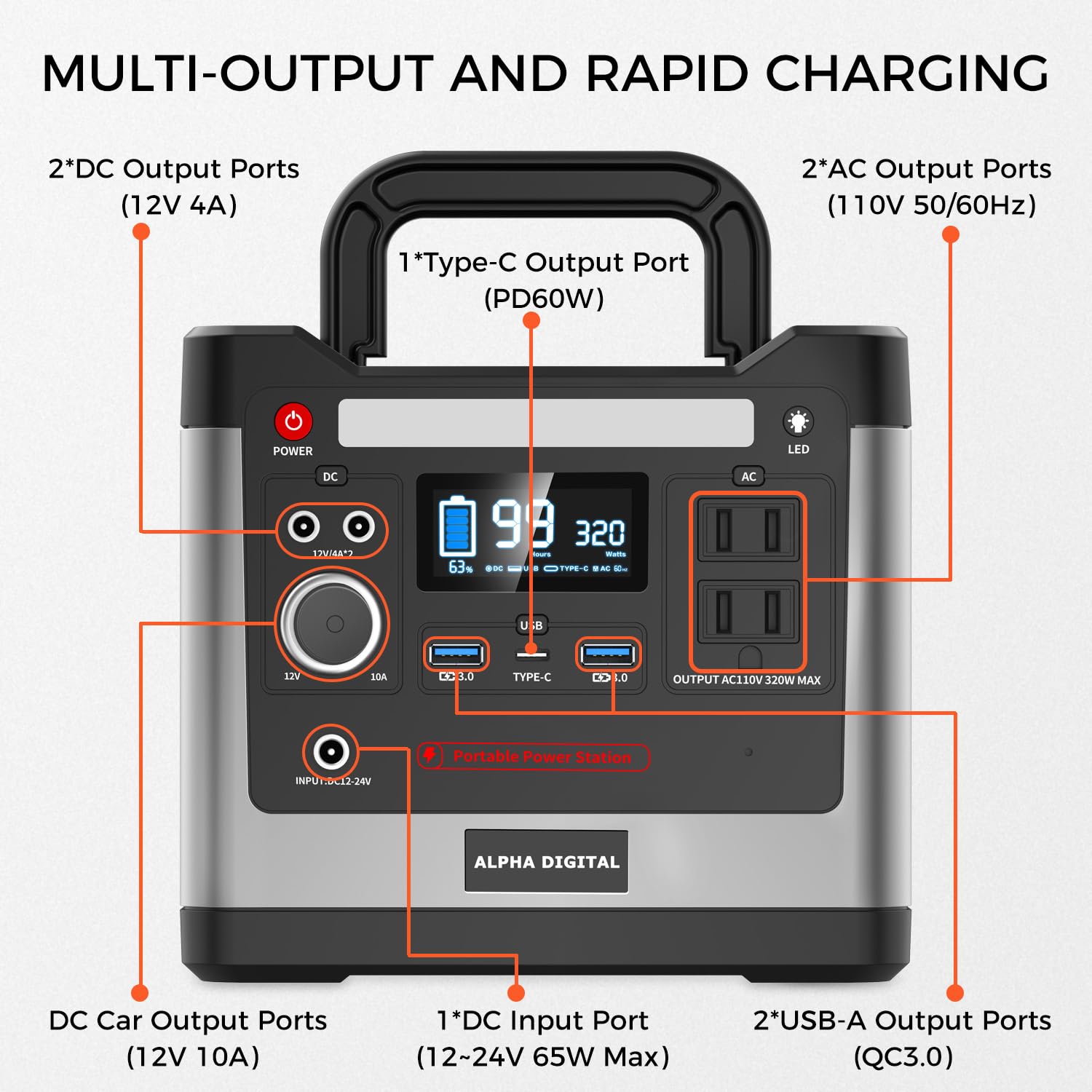
Image: Detailed view of multi-output and rapid charging ports.

Image: Informative LCD screen display details.
Setup
Before first use, fully charge your Alpha Digital Portable Power Station. It comes partially charged, but a full charge ensures optimal performance and battery longevity.
Charging Methods:

Image: Three convenient ways to recharge your power station.
- AC Wall Outlet: Connect the included AC adapter to the power station's input port and then to a standard wall outlet. A full charge typically takes 5-6 hours.
- Car Charger: Use the included car charger cable to connect the power station to your vehicle's 12V cigarette lighter port. Charging time is approximately 5-6 hours.
- Solar Panel (Not Included): For eco-friendly charging, connect a 12-24V / 35W-80W solar panel (sold separately) to the power station's input port. Charging time varies from 10-20 hours depending on sunlight intensity.
Operating Instructions
To begin using your power station, press and hold the main power button until the display illuminates. The display will show the current battery level and estimated remaining runtime.
Using Output Ports:

Image: Powering multiple devices simultaneously.
- AC Output: Press the 'AC' button to activate the AC outlets. Plug in your devices (rated power less than 320W). The pure sine wave inverter ensures safe power for sensitive electronics.
- DC Output: Press the 'DC' button to activate the DC ports and car output. Connect your 12V devices.
- USB Output: The USB QC3.0 and Type-C ports are typically always active when the unit is on. Simply plug in your USB-compatible devices for fast charging.
LED Flashlight:

Image: LED flashlight with SOS mode in use.
Press the 'LED' button to turn on the flashlight. Press again to cycle through brightness levels (3 levels available). Press and hold the 'LED' button to activate the SOS flashing mode for emergencies.
Safety Information
Your Alpha Digital Portable Power Station is equipped with a robust Battery Management System (BMS) to ensure safe and reliable operation. Adhere to the following safety guidelines:

Image: Built-in BMS for high safety.
- Do not disassemble, repair, or modify the unit.
- Keep away from fire, heat sources, and direct sunlight.
- Do not expose to water or extreme humidity.
- Use only specified chargers and accessories.
- Ensure proper ventilation during use to prevent overheating.
- Avoid dropping or subjecting the unit to strong impacts.
- Keep out of reach of children.

Image: Multi-Safety Protections with Built-in BMS.
Maintenance
Proper maintenance ensures the longevity and optimal performance of your power station.
- Cleaning: Use a soft, dry cloth to clean the exterior. Do not use abrasive cleaners or solvents.
- Storage: Store the unit in a cool, dry place, away from direct sunlight and extreme temperatures. For long-term storage, charge the battery to 50-80% every 3-6 months to prevent deep discharge.
- Battery Care: Avoid fully discharging the battery frequently. Recharge promptly after use.
Troubleshooting
If you encounter issues with your power station, refer to the following common troubleshooting steps:
- Unit Not Turning On: Ensure the battery is charged. Press and hold the power button for a few seconds.
- No Output from Ports: Check if the specific output (AC/DC/USB) is activated by pressing its respective button. Ensure the device you are trying to power is within the power station's wattage limits.
- Over-temperature Warning: If the over-temperature indicator appears, disconnect all devices and allow the unit to cool down in a well-ventilated area.
- Charging Issues: Verify that the charging cable and adapter are securely connected. Ensure the power source (wall outlet, car, solar panel) is functioning correctly.
- Display Malfunction: Try resetting the unit by turning it off and on again. If the issue persists, contact customer support.
Specifications
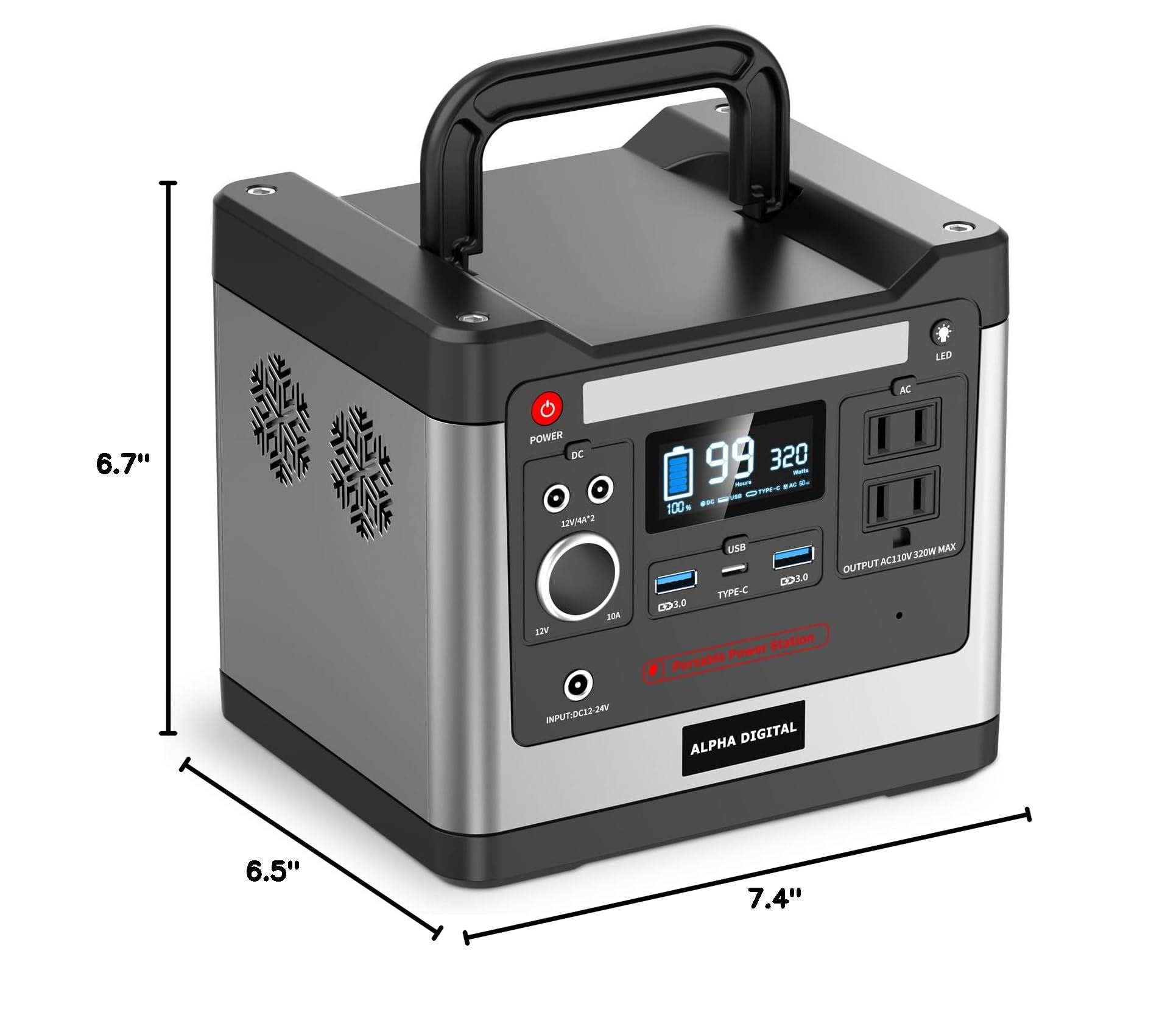
Image: Product dimensions.
| Specification | Detail |
|---|---|
| Brand | Alpha Digital |
| Model Name | MT-CN320 |
| Battery Capacity | 298Wh / 93120mAh |
| Battery Cell Type | LiFePO4 (Lithium-Phosphate) |
| AC Output | 110V / 320W (Pure Sine Wave) |
| DC Output | 2 x 12V/4A, 1 x 12V/10A (Car Output) |
| USB Output | 2 x USB QC3.0, 1 x Type-C (PD60W) |
| Input (Charging) | DC 12-24V (65W Max) |
| Product Dimensions | 6.5"L x 6.7"W x 7.4"H |
| Item Weight | 9.58 pounds |
| Special Features | Portable, Lightweight, USB Port, LED Flashlight |
Warranty & Support
For warranty information and customer support, please refer to the warranty card included in your product packaging or contact Alpha Digital directly. This product is manufactured by Dongguan Mauten Electronic Technology Co.
Related documentsMT-CN320


Ask a question about this manual
Ask about setup, troubleshooting, compatibility, parts, safety, or missing instructions. Manuals+ will review the question and use this page’s manual context to help answer it.