
Introduction
The VANGREE Powered USB Hub (Model: MK1-1200800C8) is a versatile 17-in-1 solution designed to expand your device connectivity and charging capabilities. Featuring high-speed data transfer and multiple fast-charging ports, this hub is ideal for laptops, PCs, computers, hard drives, flash drives, and other USB-compatible devices. Its robust design and individual port controls ensure efficient and reliable operation.
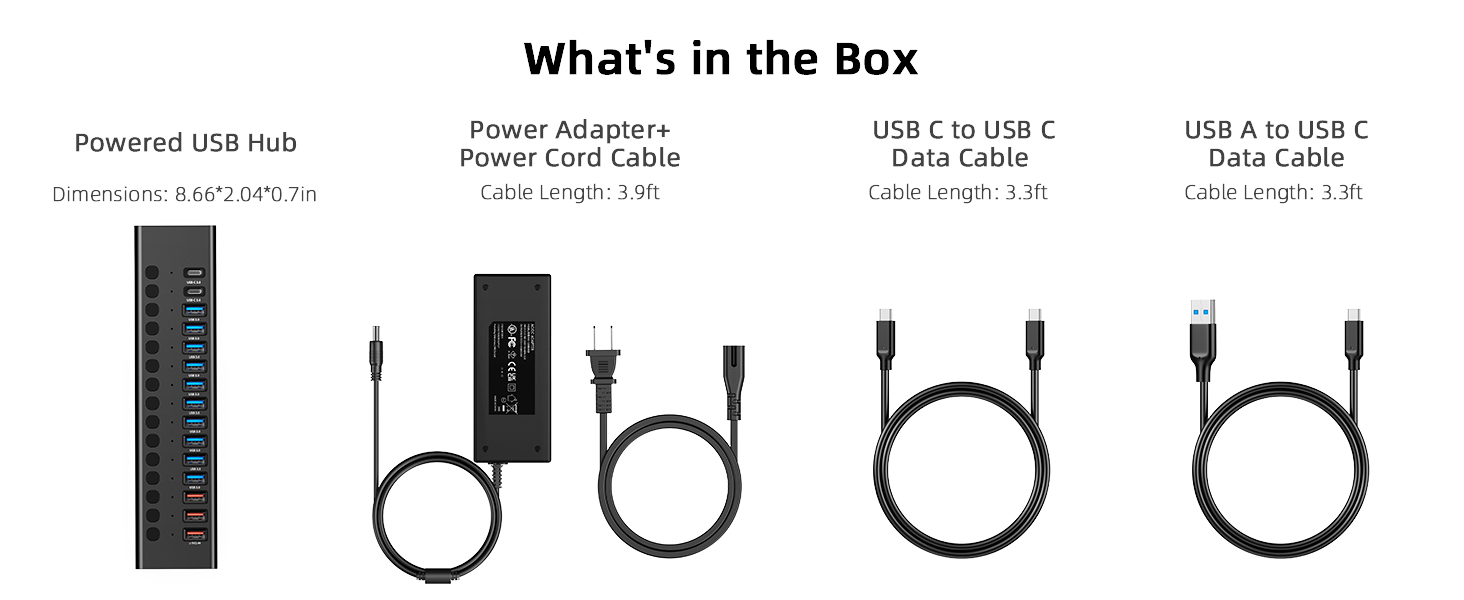
What's in the Box
- 1 x VANGREE Powered USB Hub (Model: MK1-1200800C8)
- 1 x 96W UL Certificated Power Adapter with Power Cord Cable (approx. 3.9 ft / 120 cm)
- 1 x USB-C to USB-C Data Cable (approx. 3.3 ft / 100 cm)
- 1 x USB-A to USB-C Data Cable (approx. 3.3 ft / 100 cm)
Product Overview
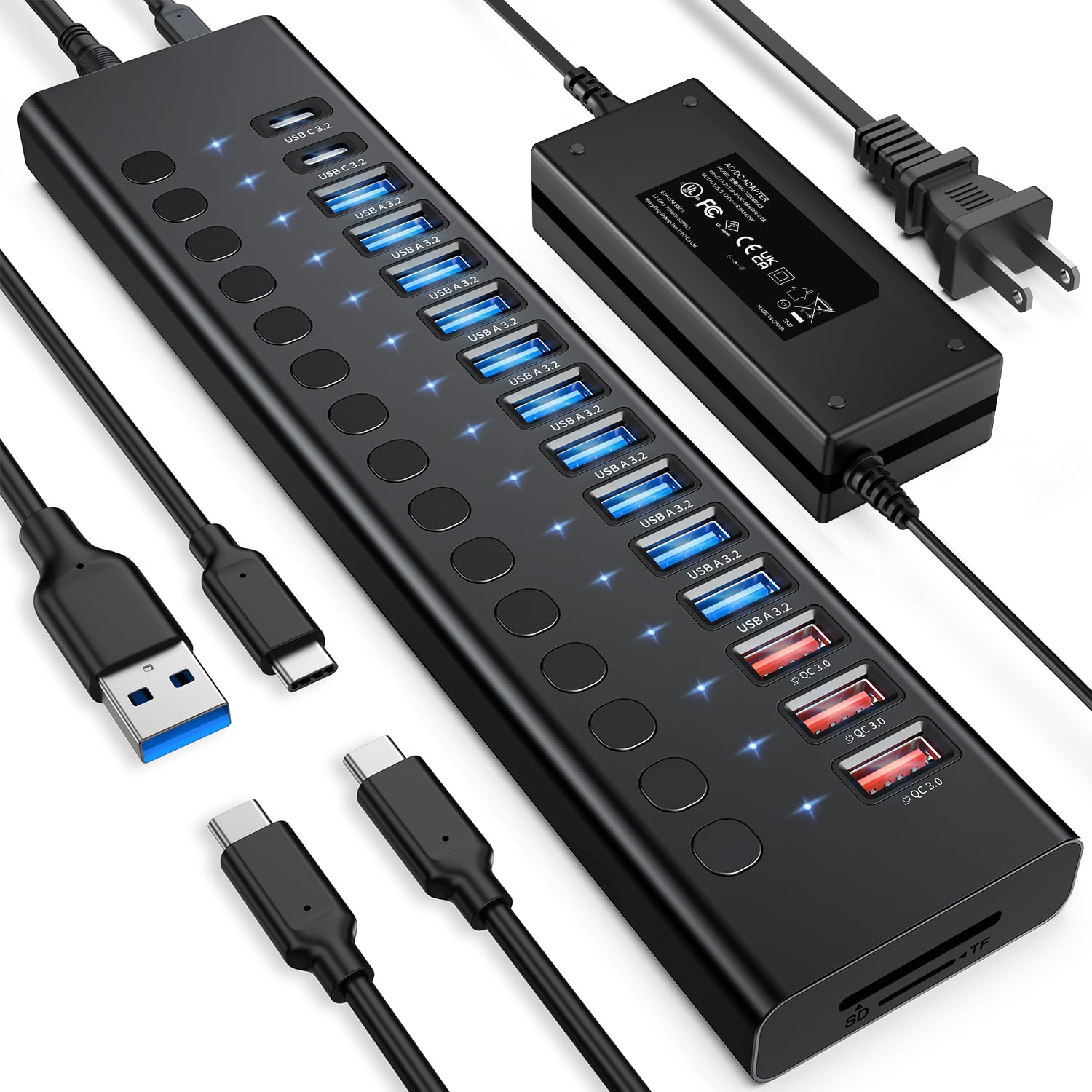
The VANGREE Powered USB Hub features a comprehensive array of ports and controls for maximum utility.
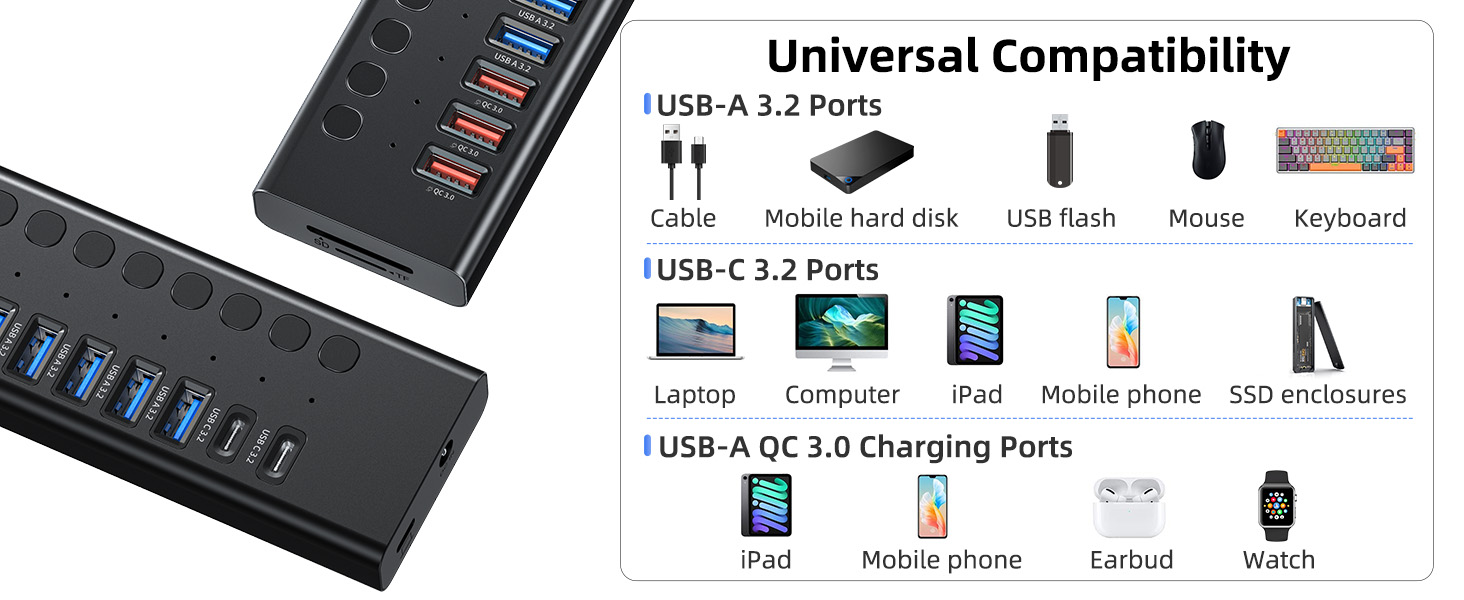
- 10 x USB-A 3.2 Data Ports: For high-speed data transfer up to 10Gbps.
- 2 x USB-C 3.2 Data Ports: For high-speed data transfer up to 10Gbps.
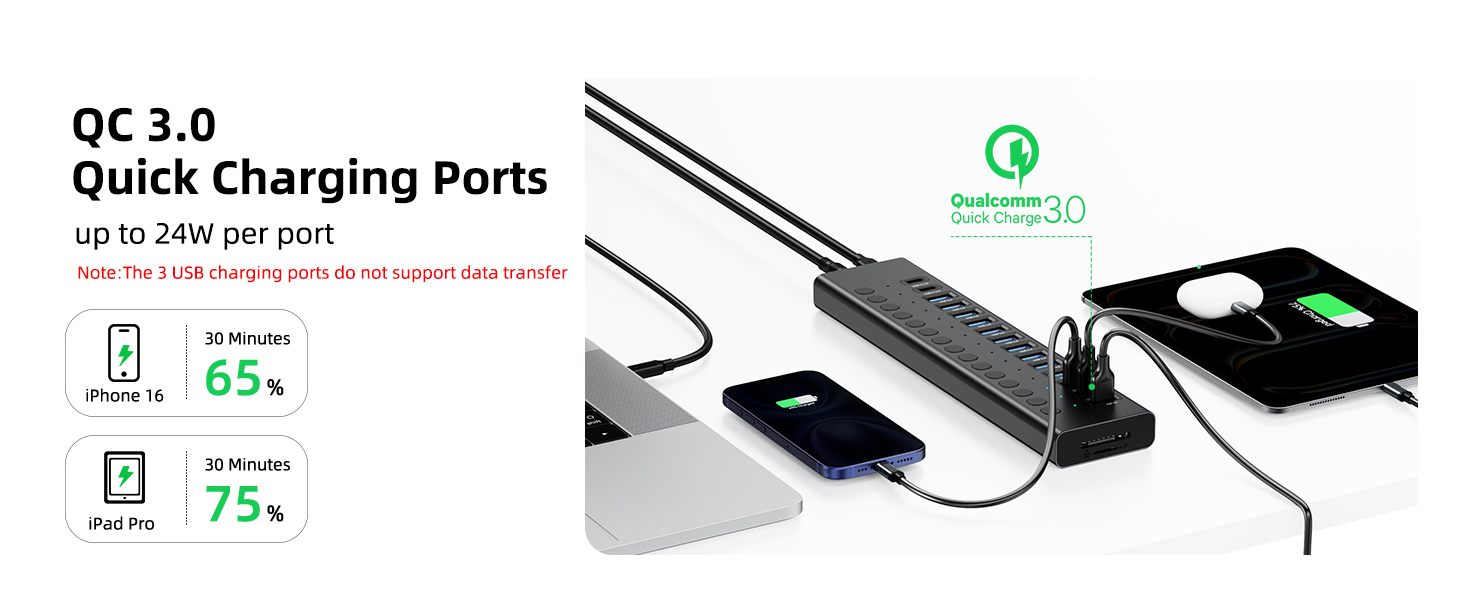
- 3 x USB-A QC3.0 Fast Charging Ports: Provides up to 24W independent fast charging. These ports do not support data transfer.
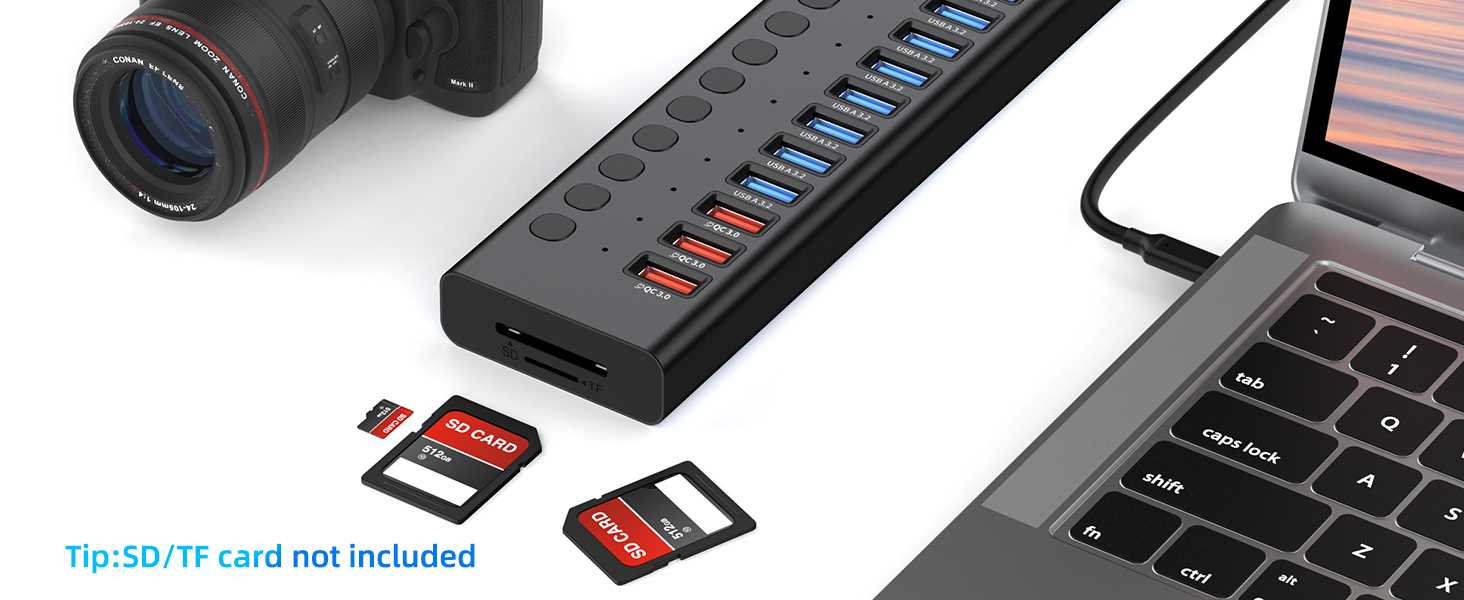
- 1 x SD Card Reader Slot: For standard SD cards.
- 1 x TF Card Reader Slot: For Micro SD cards.
- Individual On/Off Buttons: Each data port has an independent button with an LED indicator to show its active status.
- Power Input: DC 12V port for connecting the 96W power adapter.
- Host Connection Port: USB-C port for connecting the hub to your computer.

Setup
- Connect Power Adapter: Plug the 96W power adapter into an electrical outlet. Connect the DC output plug of the adapter to the DC 12V input port on the VANGREE USB Hub.
- Connect to Computer: Use the provided USB-C to USB-C cable or USB-A to USB-C cable to connect the hub's host connection port (USB-C) to an available USB port on your computer (laptop, PC, etc.).
- Install Drivers (if necessary): The hub is generally plug-and-play for most operating systems (Windows, macOS, Linux). If prompted, allow your system to install any necessary drivers automatically.


Operating Instructions
- Using Data Ports (USB-A 3.2 & USB-C 3.2):
- Plug your USB device (e.g., flash drive, external HDD, mouse, keyboard) into any of the 10 USB-A 3.2 ports or 2 USB-C 3.2 ports.
- Press the individual power button next to the connected port. A blue LED indicator will light up, confirming the port is active and ready for data transfer at speeds up to 10Gbps.
- Using Fast Charging Ports (USB-A QC3.0):
- Connect your charging cable to one of the 3 USB-A QC3.0 ports.
- These ports provide up to 24W of fast charging power for compatible devices. Note that these ports are for charging only and do not support data transfer.
- Using SD/TF Card Reader:
- Insert your SD card into the SD slot or your TF (Micro SD) card into the TF slot. The hub supports simultaneous reading of both card types.
- Access your files directly from your computer. Read speeds are 50-104MB/s and write speeds are 30-80MB/s, depending on the card and computer's USB ports.
- Individual Port Control: Each data port has an independent on/off button. This allows you to manage power to specific devices, preventing unnecessary power draw or allowing for quick device resets without unplugging.

Important Notes & Limitations
- Charging-Only Ports: The 3 USB-A QC3.0 ports are designed exclusively for fast charging and do not support data transmission.
- 4K Webcams: Due to USB bandwidth limits, 4K webcams (e.g., Elgato, OBSBOT, Insta360) may not function reliably via any USB hub, even with 96W power. For reliable streaming, plug these devices directly into your computer.
- Power Requirement: The hub requires the 96W external power adapter to function correctly and deliver full power to all connected devices.
Specifications
| Feature | Detail |
|---|---|
| Model Number | MK1-1200800C8 |
| Ports | 10 x USB-A 3.2, 3 x USB-A QC3.0, 2 x USB-C 3.2, 1 x SD, 1 x TF |
| Data Transfer Speed | Up to 10Gbps (USB 3.2 ports) |
| Power Adapter | 12V/8A (96W), UL Certificated |
| Fast Charging | 3 x QC3.0 ports, up to 24W per port (charging only) |
| Card Reader Speed | Read: 50-104MB/s, Write: 30-80MB/s |
| Dimensions | 8.66 x 2.04 x 0.7 inches |
| Item Weight | 1.7 pounds |
| Material | Aluminum alloy |
| Compatible Systems | Windows, macOS, Linux |
Maintenance
- Cleaning: Use a soft, dry cloth to clean the hub. Avoid liquid cleaners or abrasive materials.
- Storage: Store the hub in a cool, dry place away from direct sunlight and extreme temperatures.
- Handling: Avoid dropping the device or exposing it to excessive force, which could damage internal components.
Troubleshooting
- Device Not Recognized:
- Ensure the hub's power adapter is securely connected and plugged into a working outlet.
- Verify the hub is correctly connected to your computer's USB port using the provided data cable.
- Check if the individual power button for the specific port is pressed and its LED indicator is lit.
- Try connecting the device directly to your computer to rule out device-specific issues.
- Slow Data Transfer:
- Ensure both the hub and your connected device support USB 3.2 (10Gbps) for optimal speeds. Older USB 2.0 or 3.0 devices will operate at their respective maximum speeds.
- Avoid connecting too many high-bandwidth devices simultaneously, as this can impact overall performance.
- Charging Not Working:
- Confirm the device is connected to one of the 3 USB-A QC3.0 fast charging ports.
- Ensure your device is compatible with QC3.0 fast charging.
- Check the power adapter connection.
Warranty & Support
VANGREE products are designed for reliability and performance. For warranty information or technical support, please refer to the contact details provided in your product packaging or visit the official VANGREE website. Please retain your proof of purchase for warranty claims.