
Bextgoo P4
Bextgoo 2K FHD Wireless Doorbell with Camera
User Manual
1. Introduction
Thank you for choosing the Bextgoo 2K FHD Wireless Doorbell with Camera. This manual provides detailed instructions for the installation, operation, and maintenance of your new doorbell system. Please read this manual thoroughly before use to ensure proper functionality and safety.

Image: Bextgoo 3MP Wireless Doorbell Camera. This image shows the doorbell mounted on a wall next to a door, with the brand logo clearly visible. The text overlay indicates "3MP Wireless Doorbell Camera" and "Know who is at your door without opening it."
2. Package Contents
Ensure all components are present before proceeding with installation:
- Video Doorbell
- Chime with 3 AAA batteries
- Micro USB Charging Cable
- Screw Kits and other installation tools
- User Manual

Image: Bextgoo Wireless Doorbell and Chime. This image displays the main components: the doorbell unit, the wireless chime, and a smartphone screen showing a live view from the doorbell camera.
3. Setup Guide
3.1 Initial Setup
- Charge the Doorbell: Before first use, fully charge the doorbell using the provided Micro USB cable. The 10000 mAh rechargeable battery ensures long-lasting performance.
- Download the App: Search for the "Bextgoo" app (or specified app name if available, otherwise generic) on Google Play Store or Apple App Store and install it on your smartphone.
- Pair the Doorbell: Follow the in-app instructions to pair your doorbell with your Wi-Fi network and smartphone. Ensure your Wi-Fi signal is strong at the installation location.
- Install Chime Batteries: Insert the 3 AAA batteries into the wireless chime.

Image: Bextgoo Doorbell with 10000mAh Battery. This image illustrates the doorbell's internal battery, highlighting its 10000mAh capacity and emphasizing long battery life.

Image: Bextgoo USB Chime. This image shows the wireless chime plugged into a wall outlet, with musical notes emanating from it, indicating its function and sound levels.
3.2 Installation
The doorbell is designed for easy installation, typically within 3 minutes.
- Choose Location: Select a suitable outdoor location near your door, ensuring good Wi-Fi coverage.
- Mounting: Use the provided screw kits and tools to securely mount the doorbell to the wall.
- Final Check: Verify the doorbell is firmly attached and test its functionality via the app.
4. Operating Instructions
4.1 2K FHD Resolution & Night Vision
The doorbell provides 2K/4MP FHD resolution for clear images day and night. Its infrared night vision offers crystal-clear details up to 15 meters (50 feet), enhancing security. The 170° wide-angle lens ensures comprehensive coverage.
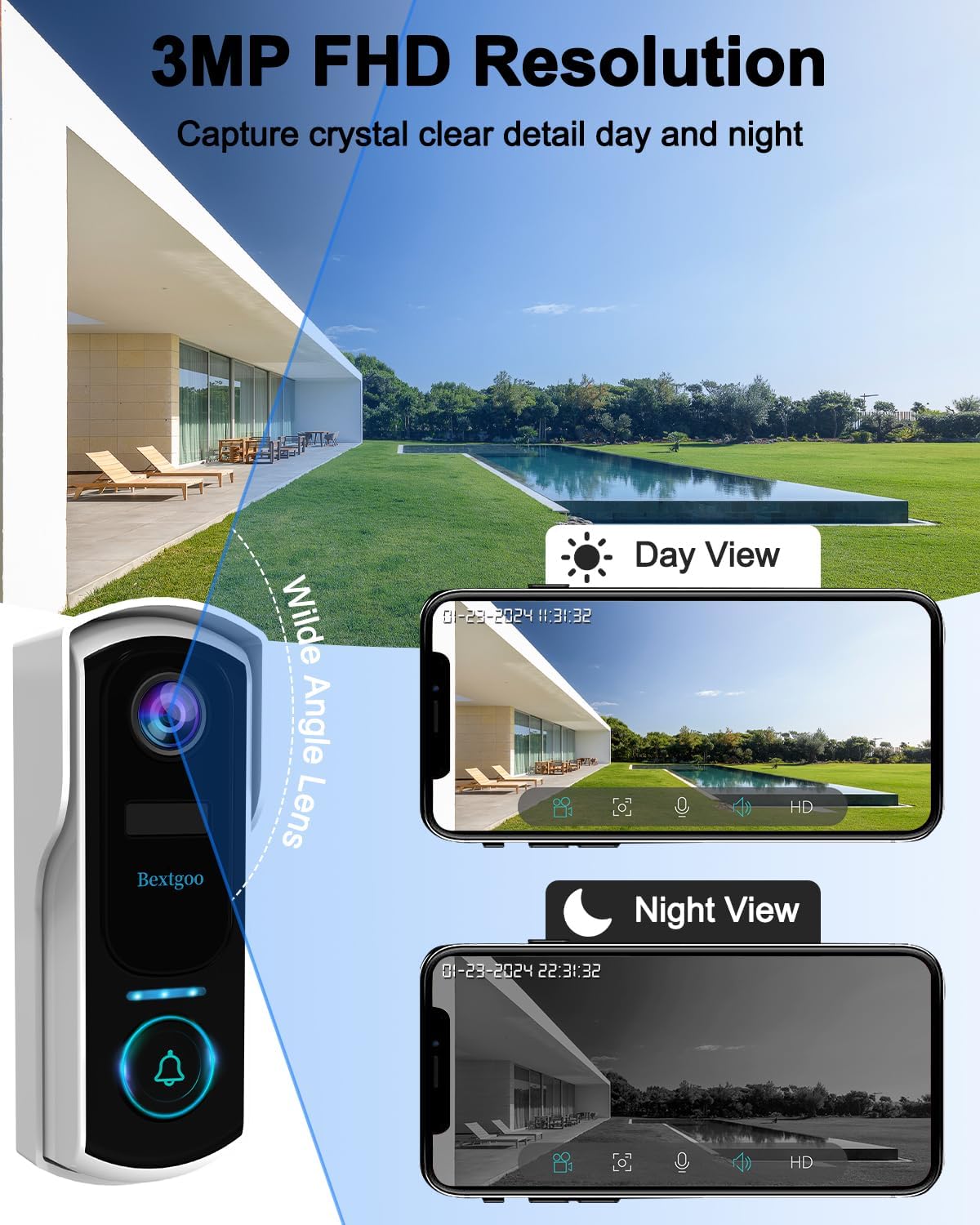
Image: Bextgoo Doorbell Day and Night Vision. This image demonstrates the doorbell's ability to capture clear video in both daylight and low-light conditions, showcasing its 3MP FHD resolution and wide-angle lens.
4.2 AI Human Detection
Equipped with AI-powered human motion detection, the doorbell significantly reduces false alerts by up to 95%, focusing only on relevant events. You can customize detection zones and sensitivity settings within the app.
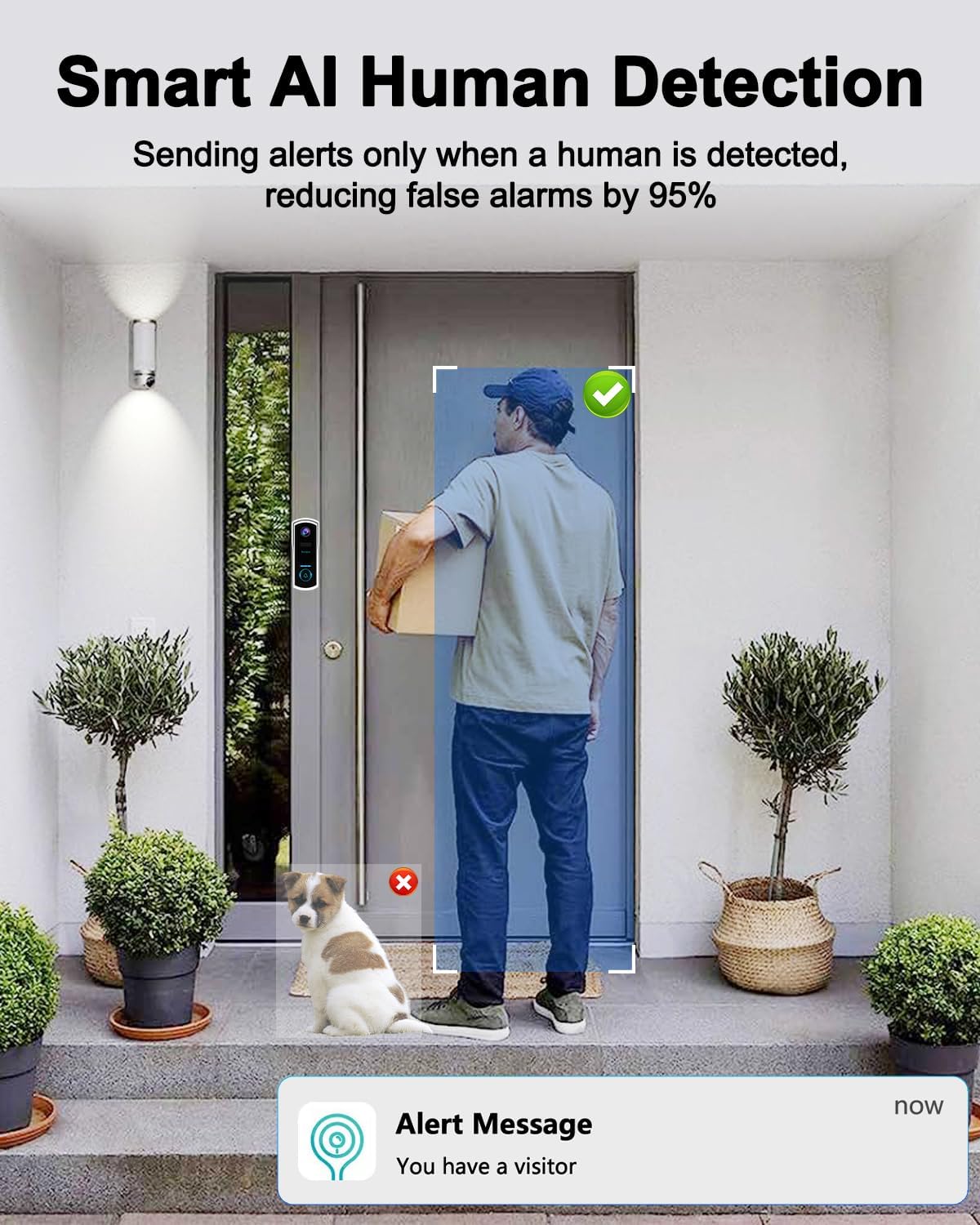
Image: Bextgoo AI Human Detection. This image illustrates the AI human detection feature, showing a person detected at the door while a pet is ignored, minimizing false alarms.
4.3 Two-Way Audio & Voice Message
Communicate with visitors in real-time using the built-in speaker and microphone. The doorbell also supports pre-recorded voice messages (0-10 seconds) for quick responses when you're busy.
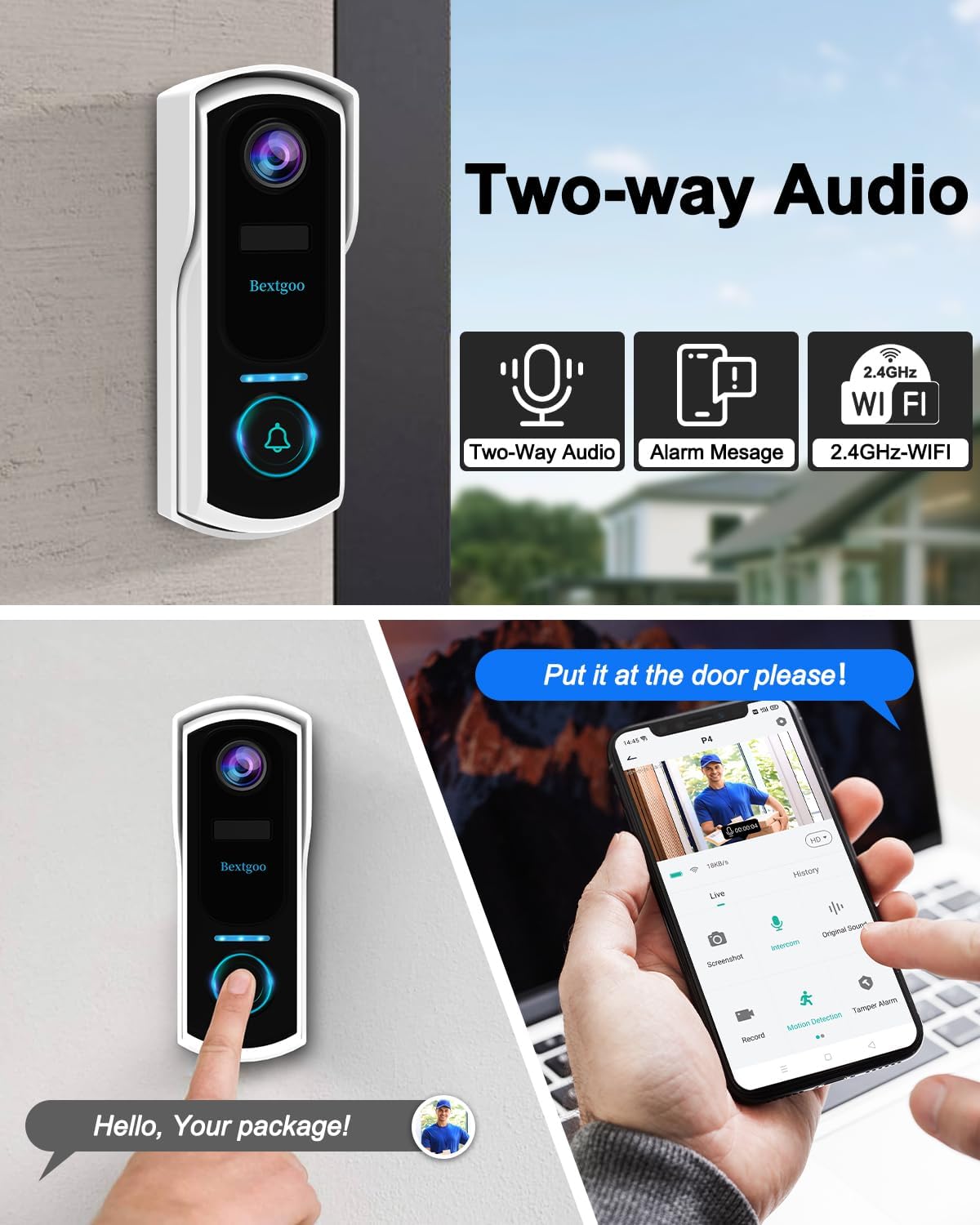
Image: Bextgoo Two-Way Audio. This image shows the doorbell in use, with a person speaking into their phone to communicate with someone at the door, demonstrating the two-way audio feature.

Image: Bextgoo Voice Changer Feature. This image highlights the voice changer function, allowing users to alter their voice (e.g., to "Clown" or "Uncle") for privacy during conversations with visitors.
4.4 Anti-Theft Alarm
The integrated anti-theft system automatically records video and sends notifications if someone attempts to remove the device, providing an additional layer of security.

Image: Bextgoo Anti-Theft Alarm. This image depicts a scenario where an intruder attempts to tamper with the doorbell, triggering an alarm and sending an alert to the user's phone.
4.5 IP67 Waterproof Rating
The doorbell is built with high-quality materials and boasts an IP67 dust and water resistance rating, allowing it to withstand various extreme weather conditions from -35°C to 60°C (-31°F to 140°F).

Image: Bextgoo IP67 Waterproof. This image visually represents the doorbell's durability against various weather conditions like shine, rain, snow, and cloudy skies, highlighting its IP67 waterproof rating and operating temperature range.
4.6 Storage Options
The wireless doorbell supports both local memory cards (up to 128GB, not included) and Cloud storage (with a 7-day free trial) for video storage.

Image: Bextgoo Storage Options. This image illustrates the available storage methods: local storage via an SD card (up to 128GB, not included) and cloud storage with a 7-day free trial.
5. Maintenance
- Cleaning: Wipe the doorbell's exterior with a soft, damp cloth. Do not use harsh chemicals or abrasive cleaners.
- Battery Charging: Recharge the doorbell battery when indicated by the app or low battery indicator. The 10000 mAh battery provides extended usage, but regular charging is recommended for optimal performance.
- Firmware Updates: Regularly check the app for firmware updates to ensure your doorbell has the latest features and security enhancements.
6. Troubleshooting
| Problem | Possible Cause / Solution |
|---|---|
| Doorbell not connecting to Wi-Fi |
|
| Short battery life |
|
| No motion detection alerts |
|
| Poor video quality |
|
7. Specifications
| Feature | Detail |
|---|---|
| Model Number | P4 |
| Video Recording Resolution | 1440p (2K FHD) |
| Effective Video Resolution | 1440 |
| Battery Capacity | 10000 mAh (Lithium-ion) |
| Wireless Communication Technology | Wi-Fi (2.4GHz) |
| Viewing Angle | 170 degrees |
| Night Vision Range | 20 Meters (65 feet) |
| Frame Rate | 30 frames per second |
| Waterproof Rating | IP67 |
| Operating Temperature | -35°C to 60°C (-31°F to 140°F) |
| Storage Options | Local (up to 128GB SD card, not included), Cloud Storage |
| Material | Plastic |
| Dimensions (L x W x H) | 14 x 12 x 4 cm |
| Weight | 620 grams |
8. Warranty and Support
Bextgoo products come with a standard manufacturer's warranty. For detailed warranty information, technical support, or service inquiries, please refer to the contact information provided on the product packaging or visit the official Bextgoo website.
Online Support: www.bextgoo.com/support (Note: This is a placeholder URL. Please refer to your product's actual support information.)
Related documentsP4

Ask a question about this manual
Ask about setup, troubleshooting, compatibility, parts, safety, or missing instructions. Manuals+ will review the question and use this page’s manual context to help answer it.