
ZAFRO HZB-20
ZAFRO Nugget Ice Maker & Countertop Water Dispenser User Manual
Model: HZB-20
Introduction
Thank you for choosing the ZAFRO HZB-20 Nugget Ice Maker and Countertop Water Dispenser. This versatile appliance provides soft, chewable nugget ice, along with hot and cold water, making it a convenient addition to your kitchen, office, bar, or party setting. This manual provides essential information for safe operation, setup, maintenance, and troubleshooting to ensure optimal performance and longevity of your machine.
Important Safety Information
Please read all instructions carefully before using the appliance. Keep this manual for future reference.
- Always connect to a grounded power outlet.
- Do not immerse the appliance, cord, or plug in water or other liquids.
- Supervise children when the appliance is in use, especially near the hot water dispenser. The hot water function includes a safety lock.
- Do not operate the appliance with a damaged cord or plug.
- Place the appliance on a stable, level surface away from direct sunlight or heat sources.
- Ensure adequate ventilation around the unit. Maintain at least 6 inches of clearance from walls or other objects.
- Use only potable water in the appliance.
- Unplug the appliance before cleaning or performing any maintenance.
- Do not block the ventilation openings.
Product Overview
Familiarize yourself with the components of your ZAFRO HZB-20 ice maker and water dispenser.

Figure 1: Front view of the ZAFRO HZB-20 Nugget Ice Maker and Water Dispenser, showing the ice and water dispensing area.

Figure 2: Overview highlighting the hot, cold, and ice making functions of the appliance.

Figure 3: Dimensions of the ZAFRO HZB-20 (10.94 inches wide, 18.86 inches high, 16.85 inches deep) and icons representing hot & cold water, ice maker function, removable drip tray, and children safety lock.
Key Components:
- Control Panel: Buttons for Hot, Ice, Cold water, and indicator lights for Power, Add Water, Unlock, Hot Water, Ice Block, and Cold Water.
- Water Reservoir: Internal tank for manual water filling (3.2L capacity).
- Ice Basket: Removable basket for collecting nugget ice.
- Drip Tray: Removable tray to catch spills.
- Water Bottle Holder: For top-loading 3-5 gallon water jugs.
Setup
Unpacking:
- Carefully remove the appliance from its packaging.
- Remove all packing materials, including any tape or protective film.
- Inspect the appliance for any damage. If damaged, do not operate and contact customer support.
Placement:
- Place the ice maker on a flat, stable, and heat-resistant surface.
- Ensure there is at least 6 inches of space around the unit for proper ventilation.
- Avoid placing near heat sources (e.g., ovens, radiators) or in direct sunlight.
Initial Cleaning:
Before first use, it is highly recommended to clean the internal components to remove any manufacturing residues. This can also help prevent any plastic taste in the water or ice.
- Fill the water reservoir with a mixture of water and white vinegar or lemon juice (e.g., 1 part vinegar/lemon juice to 10 parts water).
- Run the self-cleaning cycle (refer to the Maintenance section for instructions).
- Drain the cleaning solution completely.
- Rinse the reservoir and internal components thoroughly with clean water by running several cycles with fresh water and draining.
- Wipe down the exterior with a soft, damp cloth.
Adding Water:
The ZAFRO HZB-20 supports two methods for adding water:

Figure 4: Illustration of the two water input methods: using a standard 3-5 gallon jug or manually refilling the internal tank.
- Top-Loading 3-5 Gallon Jug: Place a standard 3-5 gallon water bottle onto the top water bottle holder. Ensure it is seated correctly to prevent leaks.
- Manual Refilling: Open the top lid and pour potable water directly into the internal water tank until the "Add Water" indicator light turns off. The internal tank has a capacity of 3.2 liters.
Once water is added, plug the appliance into a grounded electrical outlet.
Operating Instructions
Control Panel Overview:
| Indicator Light | Description |
|---|---|
| Power | Indicates the unit is powered on. |
| Add Water | Flashes when water level is low and needs refilling. |
| Unlock | Indicates the hot water safety lock is disengaged. |
| Hot Water | Indicates the hot water heating function is active. |
| Ice Block | Indicates the ice basket is full. |
| Cold Water | Indicates the cold water cooling function is active. |
| Button | Function |
|---|---|
| HOT | Dispenses hot water (requires safety lock release). |
| ICE | Initiates ice making cycle / Dispenses ice. |
| COLD | Dispenses cold water. |
Making Ice:
The ZAFRO HZB-20 produces soft, chewable nugget ice quickly.
- Ensure the water reservoir is filled.
- Press the ICE button to start the ice making cycle. The ice indicator light will illuminate.
- Ice production typically takes 6-13 minutes per cycle, producing 9 ice cubes.
- The machine can produce up to 44 lbs of ice in 24 hours under optimal conditions.
- When the "Ice Block" indicator light illuminates, the ice basket is full. The machine will pause ice production until ice is removed.
- To dispense ice, place a glass under the ice dispenser and press the ICE button.
Figure 5: The ZAFRO HZB-20 dispensing nugget ice into a glass.

Figure 6: Key performance metrics for ice production, including cycle time and daily capacity.
Dispensing Cold Water:
- Ensure the water reservoir is filled.
- Place a glass under the cold water dispenser nozzle.
- Press the COLD button to dispense chilled water.
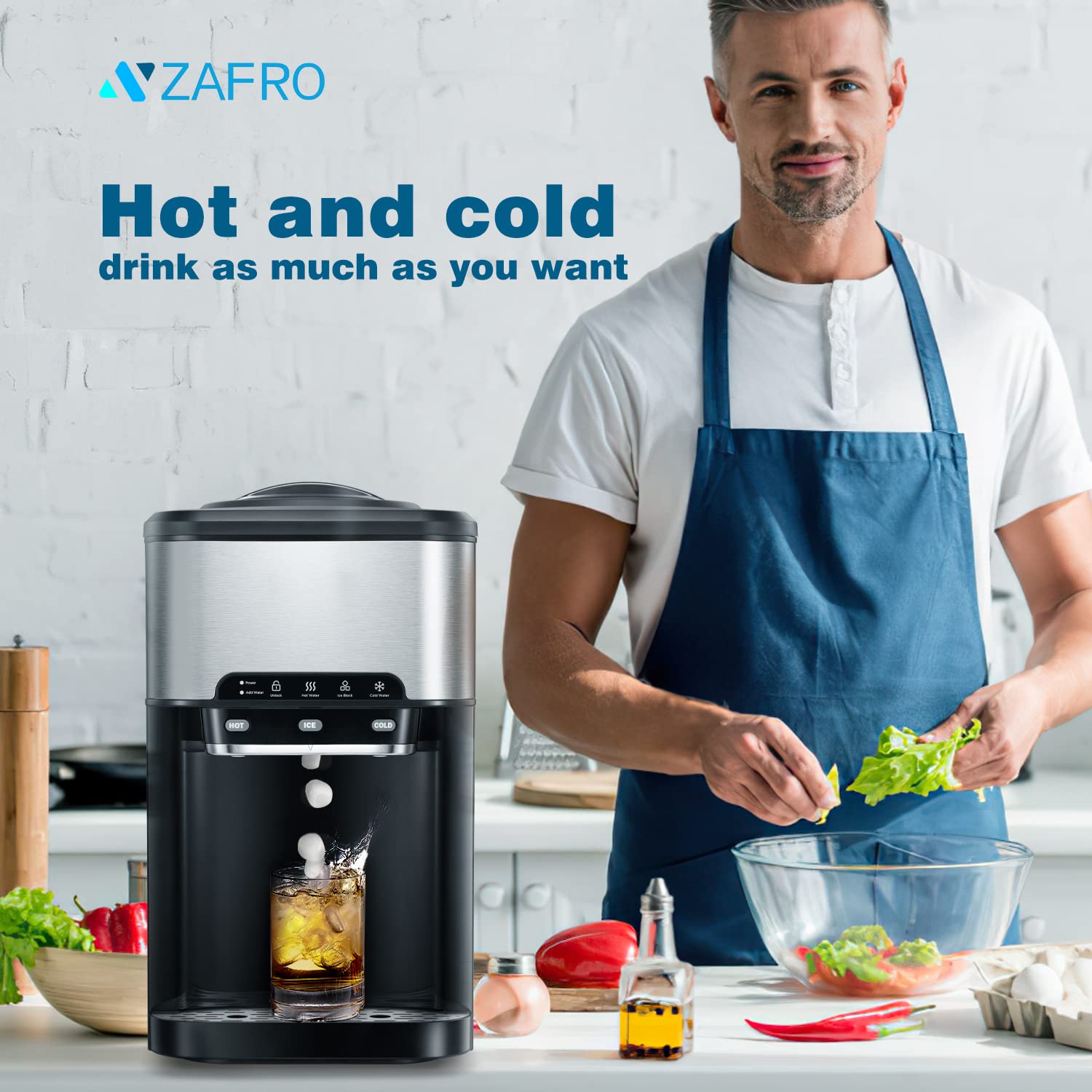
Figure 7: The ZAFRO HZB-20 provides both hot and cold water for various beverages.
Dispensing Hot Water (with Safety Lock):
The hot water function is equipped with a safety lock to prevent accidental dispensing.
- Ensure the water reservoir is filled.
- Place a heat-resistant cup under the hot water dispenser nozzle.
- To dispense hot water, first press and hold the Unlock button (represented by a lock icon) until the "Unlock" indicator light illuminates.
- While the "Unlock" light is on, immediately press the HOT button to dispense hot water.
- Release the HOT button to stop dispensing. The safety lock will re-engage automatically after a short period of inactivity.

Figure 8: The hot water function includes a safety lock for user protection.
Video 1: A short demonstration of the hot water safety lock and dispensing hot water from the ZAFRO HZB-20. The video shows the 'Unlock' button being pressed, followed by the 'HOT' button to dispense water.
Maintenance
Self-Cleaning Function:
The ZAFRO HZB-20 features an automatic self-cleaning function to maintain hygiene and performance. It is recommended to run this cycle regularly, especially if you notice any unusual taste in the water or ice.

Figure 9: Visual representation of the self-cleaning process, showing water circulation through the system.
- Ensure the appliance is unplugged and the ice basket and drip tray are empty.
- Fill the water reservoir with clean water. For a deeper clean, you may add a descaling solution or a mixture of water and white vinegar (as per initial cleaning instructions).
- Plug in the appliance.
- Refer to your appliance's specific instructions for initiating the self-cleaning cycle. Typically, this involves pressing and holding a combination of buttons (e.g., ICE and COLD buttons simultaneously for 3-5 seconds) until the self-cleaning indicator light or a specific sequence of lights appears.
- The self-cleaning cycle usually takes about 20 minutes.
- Once the cycle is complete, unplug the appliance and drain all water from the reservoir.
- Rinse the reservoir and internal components by filling with fresh water and draining completely several times.
- Wipe down the exterior and interior with a clean, soft cloth.
Regular Cleaning:
- Drip Tray: Empty and clean the drip tray regularly to prevent water overflow and bacterial growth. Wash with mild soap and water, then rinse and dry.
- Ice Basket: Remove and clean the ice basket periodically. Wash with mild soap and water, rinse thoroughly, and dry before returning to the unit.
- Exterior: Wipe the exterior of the appliance with a soft, damp cloth. Do not use abrasive cleaners or solvents.
- Air Vents: Periodically clean the air vents on the sides and back of the unit with a soft brush or vacuum cleaner to ensure proper airflow and prevent overheating.
Troubleshooting
Before contacting customer support, please refer to the following common issues and their solutions.
| Problem | Possible Cause | Solution |
|---|---|---|
| No ice production / "Add Water" light on | Water reservoir is empty. | Fill the water reservoir with potable water. |
| Ice tastes like plastic or is cloudy | New unit residue; infrequent cleaning; water quality. | Perform initial cleaning with vinegar/lemon juice. Run self-cleaning cycle regularly. Use filtered or purified water. Avoid continuous ice making if not consumed quickly, as melted ice re-freezing can concentrate impurities. |
| "Ice Block" light on, but ice basket not full | Ice sensor obstructed or dirty. | Clean the ice sensor located near the ice chute. Ensure no ice is blocking the sensor. |
| No hot water / Hot water not hot enough | Hot water safety lock engaged; heating element issue. | Ensure you press the "Unlock" button before pressing "HOT". If issue persists, contact customer support. |
| Water not dispensing (hot or cold) | Water shortage; pump malfunction. | Check water level. If water is sufficient and pump is not audible, contact customer support. |
| Unit is noisy | Normal operation sounds; unit not level; fan obstruction. | Some noise during ice making and water cooling is normal. Ensure the unit is on a level surface. Check if air vents are clear. |
Specifications
| Feature | Detail |
|---|---|
| Model Number | HZB-20 |
| Brand | ZAFRO |
| Product Dimensions (D x W x H) | 18.66" x 16.3" x 10.91" |
| Weight | 34.39 Pounds |
| Water Tank Capacity | 5 Gallons (compatible with external jug) / 3.2 Liters (internal manual fill) |
| Ice Production Capacity | Up to 44 LBS / 24 Hours |
| Ice Cycle Time | 6-13 Minutes per cycle |
| Ice Type | Nugget / Chewable Pellet Ice |
| Wattage | 320 watts |
| Features | Self-Cleaning, Hot & Cold Water Dispenser, Ice Full Reminder, Water Shortage Reminder, Child Safety Lock for Hot Water. |
Warranty and Support
ZAFRO stands behind the quality of its products. This appliance comes with a standard manufacturer's warranty covering defects in materials and workmanship from the date of purchase. Please retain your proof of purchase for warranty claims.
For warranty service, technical support, or general inquiries, please contact ZAFRO customer service. Contact information can typically be found on the product packaging, the official ZAFRO website, or through your retailer.
When contacting support, please be prepared to provide your product model number (HZB-20) and a detailed description of the issue.
Ask a question about this manual
Ask about setup, troubleshooting, compatibility, parts, safety, or missing instructions. Manuals+ will review the question and use this page’s manual context to help answer it.