
Introduction
This manual provides essential information for setting up, operating, and maintaining your DOOGEE T10 Pro Android Tablet. Designed for both productivity and entertainment, the T10 Pro features a 10.1-inch FHD+ display, Unisoc T606 Octa-Core processor, 15GB RAM, 256GB ROM, and an 8580mAh battery. Please read this manual thoroughly to ensure optimal performance and longevity of your device.
What's in the Box
Upon opening the package, verify that all items listed below are present:
- 1 x DOOGEE T10 Pro Tablet
- Tablet with 15GB RAM and 256GB ROM (internal memory)
- Charger
- Charging Cable
- Card Removal Needle (SIM ejector tool)
- User Manual
Official unboxing video for the DOOGEE T10 Pro tablet, demonstrating the contents of the package.
Product Overview
The DOOGEE T10 Pro is designed with a sleek profile and premium build quality, offering a comfortable grip and a modern aesthetic. Key features include a vibrant display, powerful processing capabilities, and robust connectivity options.

Front and back view of the DOOGEE T10 Pro tablet, showcasing its design and key memory specifications.
Key Features:
- Display: 10.1" FHD+ IPS display with 1200x1920 resolution and TÜV SÜD Blue Light Certification for eye protection.
- Performance: Unisoc T606 Octa-Core processor (up to 1.6GHz) and Android 12 operating system.
- Memory & Storage: 15GB RAM (8GB physical + 7GB extended) and 256GB internal storage, expandable up to 1TB via TF card.
- Battery: Large 8580mAh battery with 18W fast charging support.
- Cameras: 13MP rear camera and 8MP front camera, both supporting 2K video recording.
- Connectivity: Dual SIM support, 4G LTE, 2.4G/5G WiFi, and Bluetooth 5.0.
- Audio & Video: Widevine L1 support for Full HD streaming and Dolby Audio for immersive sound.

An overview of the DOOGEE T10 Pro's core features, including its operating system, processor, memory, and connectivity.
Setup
1. Initial Charging
Before first use, fully charge your DOOGEE T10 Pro tablet using the provided charger and charging cable. The 18W fast charging allows for a quick power-up.
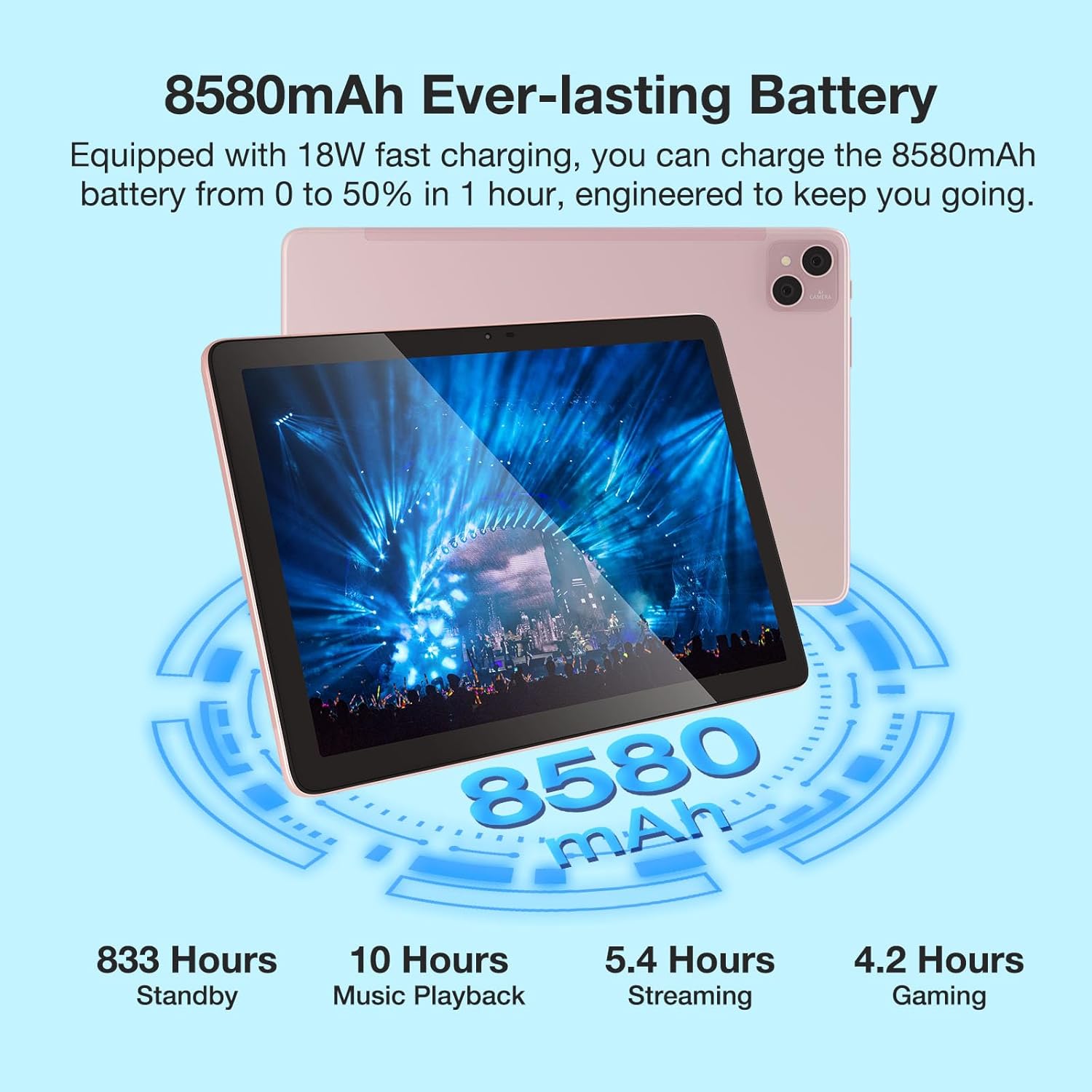
Visual representation of the 8580mAh battery and its estimated usage times for various activities.
2. Powering On/Off
- To power on: Press and hold the Power button until the DOOGEE logo appears.
- To power off: Press and hold the Power button, then select "Power off" from the options.
- To restart: Press and hold the Power button, then select "Restart" from the options.
3. Inserting SIM/TF Card
Locate the SIM/TF card slot on the side of the tablet. Use the provided card removal needle to gently eject the tray. Insert your Nano-SIM cards (up to two) and/or a TF (microSD) card into the designated slots, ensuring correct orientation. Gently push the tray back into the tablet until it clicks into place.

The tablet's connectivity features, including Dual SIM 4G and dual-band WiFi, enabling communication and internet access.
Operating Instructions
1. Basic Navigation
- Touch Gestures: Tap, swipe, pinch-to-zoom are standard Android gestures.
- Home Screen: Customize with widgets and app shortcuts.
- Notifications: Swipe down from the top of the screen to access notifications and quick settings.
2. Connecting to Wi-Fi
- Go to Settings > Network & internet > Wi-Fi.
- Toggle Wi-Fi On.
- Select your desired network from the list and enter the password if prompted.
3. Using the Cameras
The tablet features a 13MP main camera and an 8MP front camera. Open the Camera app to capture photos and record 2K videos. Switch between front and rear cameras as needed for selfies or video calls.

Details on the tablet's camera specifications and examples of captured moments.
4. Widevine L1 Support
The DOOGEE T10 Pro supports Widevine L1, enabling you to stream high-definition content (1080P and above) from popular streaming services like Netflix, Amazon Prime Video, Disney+, and Hulu. Ensure you have a stable internet connection for the best viewing experience.

The tablet's Widevine L1 capability for high-quality video streaming.
5. PC Mode
The tablet supports a PC Mode, allowing for a desktop-like experience when connected to an external keyboard and mouse (accessories sold separately). This mode enhances productivity for tasks such as document editing and multi-window multitasking.
Promotional video for the T10 Pro, showcasing its features including PC Mode and multimedia capabilities.
Maintenance
1. Battery Care
- Avoid extreme temperatures (hot or cold) as they can degrade battery life.
- Do not fully discharge the battery regularly. Charge it before it drops below 20%.
- Use only the original or certified charging accessories.
2. Cleaning
Use a soft, lint-free cloth to clean the screen and body of the tablet. For stubborn smudges, slightly dampen the cloth with water or a screen cleaner. Avoid using harsh chemicals or abrasive materials.
3. Storage
When storing the tablet for extended periods, ensure it is charged to about 50-60% and powered off. Store it in a cool, dry place away from direct sunlight.
Troubleshooting
| Issue | Possible Cause | Solution |
|---|---|---|
| Tablet won't turn on | Low battery; System crash | Charge the tablet for at least 30 minutes. Press and hold the Power button for 10-15 seconds to force restart. |
| Wi-Fi connection issues | Incorrect password; Router issue; Signal interference | Verify Wi-Fi password. Restart your router. Move closer to the router or away from interference sources. |
| Apps crashing or freezing | Insufficient RAM; App bug; Outdated app | Close background apps. Clear app cache/data (Settings > Apps). Update the app from Google Play Store. |
| Slow performance | Too many apps running; Low storage; System updates needed | Close unused apps. Free up storage space. Check for system updates (Settings > System > System update). |
| SIM card not detected | Improper insertion; Damaged SIM card | Re-insert the SIM card correctly. Try another SIM card to check if the issue is with the card itself. |
Specifications
| Feature | Detail |
|---|---|
| Model Name | DOOGEE T10 PRO |
| Operating System | Android 12 |
| Screen Size | 10.1 Inches |
| Screen Resolution | 1200 x 1920 (FHD+) |
| Processor | Unisoc T606 Octa-Core (1.6GHz) |
| RAM | 15 GB (8GB physical + 7GB extended) |
| Flash Memory Size (ROM) | 256 GB |
| Expandable Storage | Up to 1TB via TF card |
| Battery Capacity | 8580mAh |
| Rear Webcam Resolution | 13 MP |
| Front Webcam Resolution | 8 MP |
| Wireless Type | 802.11n (2.4G/5G WiFi) |
| Connectivity | Dual SIM 4G, Bluetooth 5.0 |
| Item Weight | 2.59 pounds |
| Product Dimensions | 9.5 x 6.34 x 3.3 inches |
| Color | Pink |
Warranty and Support
For warranty information and technical support, please refer to the official DOOGEE website or contact their customer service directly. Keep your purchase receipt as proof of purchase for warranty claims.
You can visit the official DOOGEE Store on Amazon for more information: DOOGEE Store


